Note
Access to this page requires authorization. You can try signing in or changing directories.
Access to this page requires authorization. You can try changing directories.
A backup of the finance and operations apps database is required for your Microsoft Dynamics Lifecycle Services (LCS) solution package. When you back up the database, you must include the master, reference, and transactional data that is specific to your solution and industry. This data will be used for your pre-sales demo deployments.
On demo or development environments, the database is typically named AXDBRain. Your database backup should be no larger than 15 gigabytes (GB). Otherwise, a time-out error might occur when you try to upload the database to the Asset library in LCS.
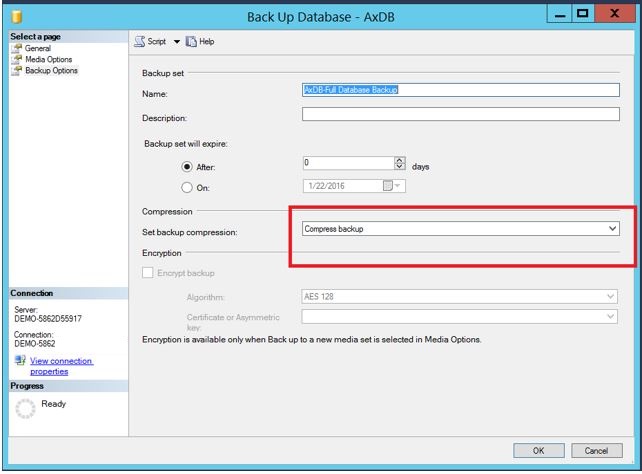
To compress your database backup, in Microsoft SQL Server Management Studio, on the Back Up Database page, in the Set backup compression field, select Compress backup.