Note
Access to this page requires authorization. You can try signing in or changing directories.
Access to this page requires authorization. You can try changing directories.
Important
This content is archived and is not being updated. For the latest documentation, go to What's new in Dynamics 365 Customer Insights - Journeys. For the latest release plans, go to Dynamics 365, Power Platform, and Cloud for Industry release plans.
Important
Some of the functionality described in this release plan has not been released. Delivery timelines may change and projected functionality may not be released (see Microsoft policy). Learn more: What's new and planned
| Enabled for | Public preview | Early access | General availability |
|---|---|---|---|
| Admins, makers, marketers, or analysts, automatically |  Mar 21, 2025
 |
- | Jun 2025 |
Business value
Easily gather additional information about your customers by creating any kind of question directly in the marketing form editor without the need to create new custom attributes for your lead or contact entity. For example, you can create fields to ask, “How did you hear about our products?” or create contest questions to increase your customer satisfaction and retention.
Feature details
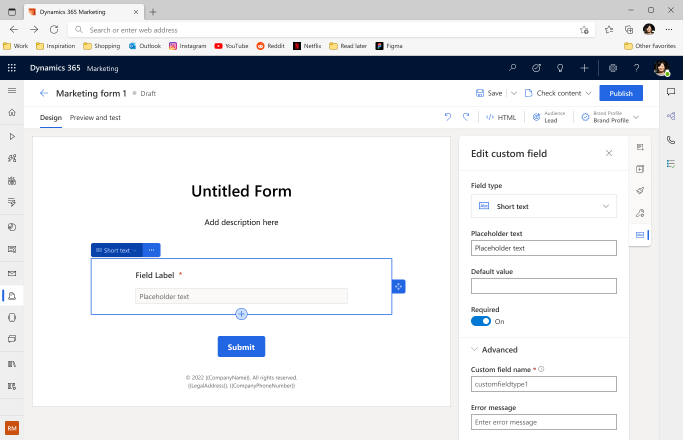
- Use custom fields to capture additional or temporary information in marketing forms such as questions that can be used for further personalization of email communication or for more granular orchestration.
- To use custom form fields, simply drag and drop them from the toolbox to the form canvas and edit the label and properties.
- The form field answer is stored only as part of the form submission, so you can access the value at any time without polluting your data.