Note
Access to this page requires authorization. You can try signing in or changing directories.
Access to this page requires authorization. You can try changing directories.
[This article is prerelease documentation and is subject to change.]
After you create and validate a business function, you can share it so other users in your organization can use the same context and instructions. They don't need to recreate the function themselves.
You share a business function from the Business functions list, and you can share it with a team, a security role, or a business unit.
Important
- This is a preview feature.
- Preview features aren’t meant for production use and might have restricted functionality. These features are subject to supplemental terms of use, and are available before an official release so that customers can get early access and provide feedback.
Share the function
- In Sales Research Agent, select Manage business functions.
- On the Business functions page, find the business function you want to share.
- Select More commands (...) on the business function, and then select Share.
- Choose the audience you want to share with: a team, a security role, or a business unit.
- Save the sharing configuration.
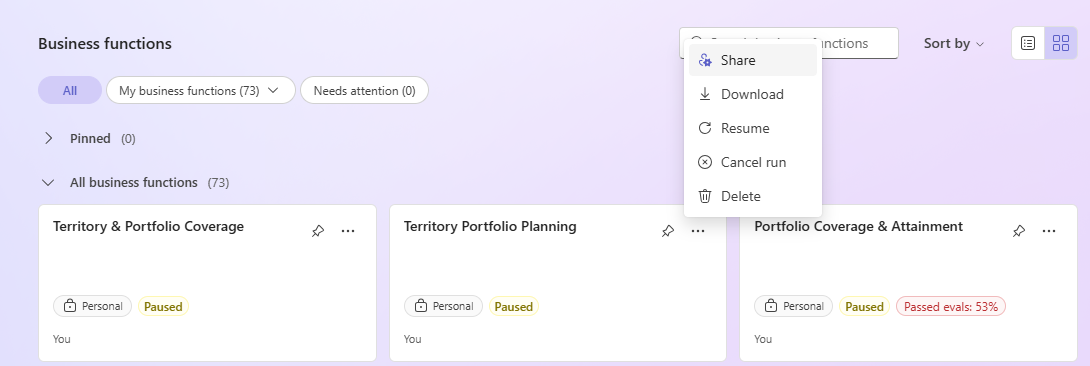
Manage shared business functions
- Update the business function when business rules, schema, or starter prompts change.
- Revalidate the business function after major changes.
- Remove sharing when the function is no longer ready for broad use.