Note
Access to this page requires authorization. You can try signing in or changing directories.
Access to this page requires authorization. You can try changing directories.
Rayfin is a backend platform for TypeScript developers that provides the SDK and command-line tools used to build applications on Microsoft Fabric. You describe your application's data in TypeScript, and Rayfin turns those definitions into a database schema, APIs, and type-safe clients. Authentication, server-side functions, file storage, and frontend hosting are available as integrated services.
Rayfin lets you focus on your application's data, permissions, and user experience instead of assembling and operating separate backend services.
Rayfin and Fabric Apps

Rayfin supplies the programming model and development tools. Fabric Apps supplies the managed environment where your application runs. You use the Rayfin SDK and CLI to define and publish an application, then use Microsoft Fabric to host it and manage access to the Fabric app item.
You don't need to operate a separate database server or API server for the managed backend. Your application still needs appropriate permissions, service configuration, and Fabric capacity. For more information about the hosting environment, see What is Fabric Apps?
Main capabilities
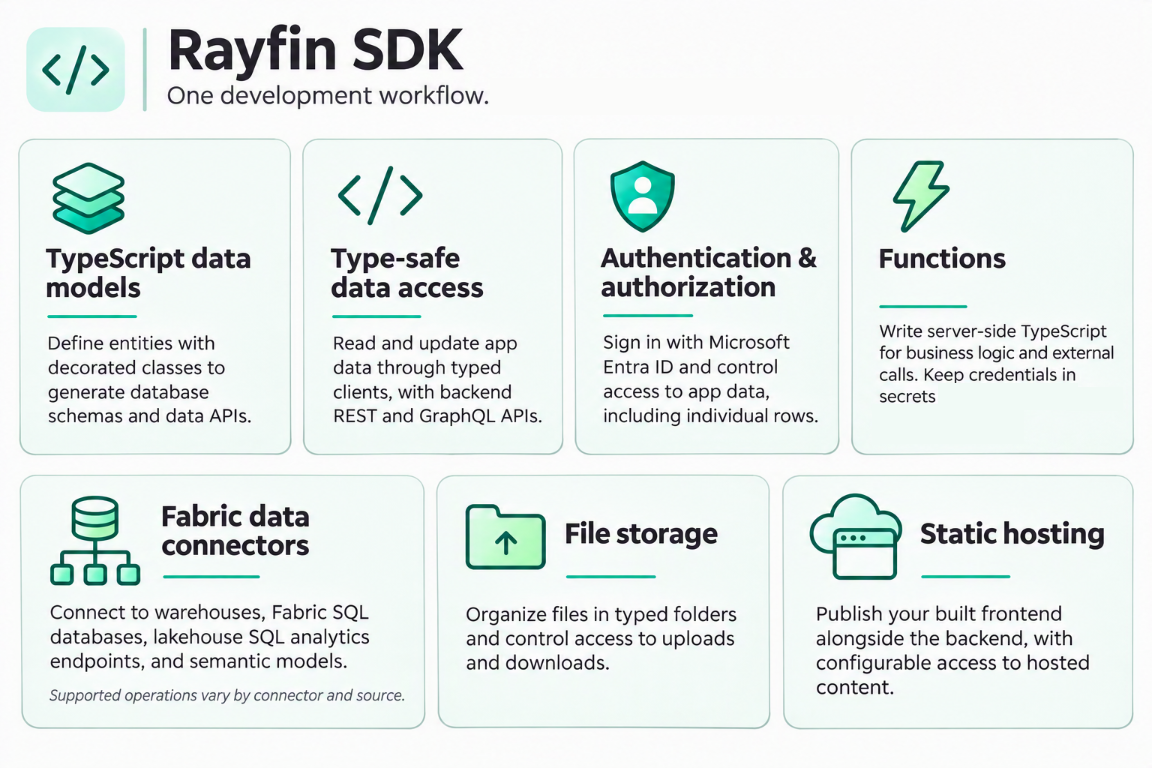
Rayfin combines the following capabilities in one development workflow:
| Capability | How you use it |
|---|---|
| TypeScript data models | Define entities with decorated classes. Rayfin uses these definitions to generate the database schema and data APIs. |
| Type-safe data access | Read and change application data through typed clients, with REST and GraphQL APIs provided by the backend. |
| Authentication and authorization | Sign users in through Microsoft Entra ID and define permissions that control access to application data, including individual rows. |
| Functions | Write server-side TypeScript for business logic and calls to external services. Use secrets and connections rather than placing credentials in browser code. |
| Fabric data connectors | Access existing data in a warehouse, SQL database in Fabric, lakehouse SQL analytics endpoint, or semantic model. Supported operations depend on the connector and source. |
| File storage | Organize files in typed folders and control access to uploads and downloads. |
| Static hosting | Publish your built frontend alongside the backend, with configurable access to hosted content. |
TypeScript is the supported language for Rayfin data models, client code, and application logic.
How an application works
Your project brings together frontend code, TypeScript data definitions, and service configuration in rayfin/rayfin.yml.
When you publish the project, Rayfin prepares the configured services in Fabric, applies your data schema, and deploys the frontend and functions when enabled. The managed backend includes a SQL database and a data API layer. The frontend calls the backend through the client SDK.
For example, an internal request-tracking application can use Rayfin data models for requests, authorization policies to limit which requests each user can access, storage for attachments, and a function to notify an external service. A connector can provide access to an existing Fabric semantic model without moving that model's data into the application's own tables.
Development and deployment
Development uses the managed backend in Fabric. In a scaffolded project, npm run dev runs rayfin dev, which provisions or reuses the Fabric backend while serving the frontend and any enabled functions on your machine.
To publish the application, run npx rayfin up from the project. Deployment applies the configuration and schema and publishes the configured services.
Who can use the Rayfin SDK?
The Rayfin SDK is for TypeScript developers and teams who want to build apps on Microsoft Fabric without manually wiring up the backend. It's especially useful for:
- Full-stack developers who want a typed data model, API layer, auth, and hosting in one workflow.
- Product and internal-tool teams building business apps, dashboards, or admin experiences on Fabric.
- Data-focused teams that want to connect a custom app to existing Fabric data sources and expose the results through a secure interface.
- Developers who want to deploy and manage app infrastructure through the same toolchain used for their code.
What can you build with it?
With the Rayfin SDK, you can build:
- Internal tools and operational dashboards with secure access to application data.
- Data-driven web apps that read and write typed records through generated APIs.
- Apps that connect to warehouse, lakehouse, SQL database in Fabric, and semantic model data sources.
- Business workflows that include authentication, row-level permissions, file storage, and server-side functions.
- Frontend experiences hosted directly with the Fabric app while the backend is managed for you.
Agents you can use to build Rayfin apps
You can build Rayfin apps with coding agents that support the Rayfin plugin and skill ecosystem. The official Rayfin repository, microsoft/rayfin, documents the supported agent experiences and install flow for each environment.
| Agent | Install or use | Notes |
|---|---|---|
| Claude Code | Run /plugin marketplace add microsoft/rayfin and /plugin install rayfin@rayfin-skills inside Claude Code |
Strong fit for guided scaffolding and iterative app development. |
| GitHub Copilot CLI | copilot plugin marketplace add microsoft/rayfin and copilot plugin install rayfin@rayfin-skills |
Lets you bootstrap and extend a Rayfin project from the terminal. |
| Codex | codex plugin marketplace add microsoft/rayfin |
Supports the Rayfin plugin from the Codex agent ecosystem. |
| Kimi Code | /plugins marketplace https://raw.githubusercontent.com/microsoft/rayfin/main/kimi-marketplace.json |
Uses the Rayfin marketplace manifest for Kimi Code. |
| Gemini CLI | gemini extensions install https://github.com/microsoft/rayfin |
Allows the Rayfin repo to be added as a Gemini extension. |
| Cursor and VS Code agent plugins | Use the marketplace or plugin manager for the agent you use | Rayfin supports agent plugins in editor-based workflows. |
| Grok Build | Reads the Claude Code marketplace entry automatically | Works with the same Rayfin package installation flow. |
| Cross-agent plugin CLI | npx plugins add microsoft/rayfin |
Useful when you want a shared plugin workflow across supported agents. |
For a complete reference, see the Rayfin repository and the agent plugin section in the project README.
Choose Rayfin for your application
Choose Rayfin when you want to build a TypeScript application that combines a custom user interface with managed backend services and data on Fabric.