Note
Access to this page requires authorization. You can try signing in or changing directories.
Access to this page requires authorization. You can try changing directories.
Most pipeline activities in Data Factory support automated retries. When an activity fails due to a transient error (a throttled API, a brief service outage, or a flapping dependency), you can configure it to automatically retry a set number of times before marking the activity as failed.
You can also control how long the activity waits between attempts, and set retry number and wait individually for each activity, to tune retry behavior precisely across your workflow.
Configure retry settings in an activity
To set up retry behavior for an activity:
Select the activity on the pipeline canvas.
In the General tab of the properties pane, select the Enable retries checkbox to turn on retry functionality.
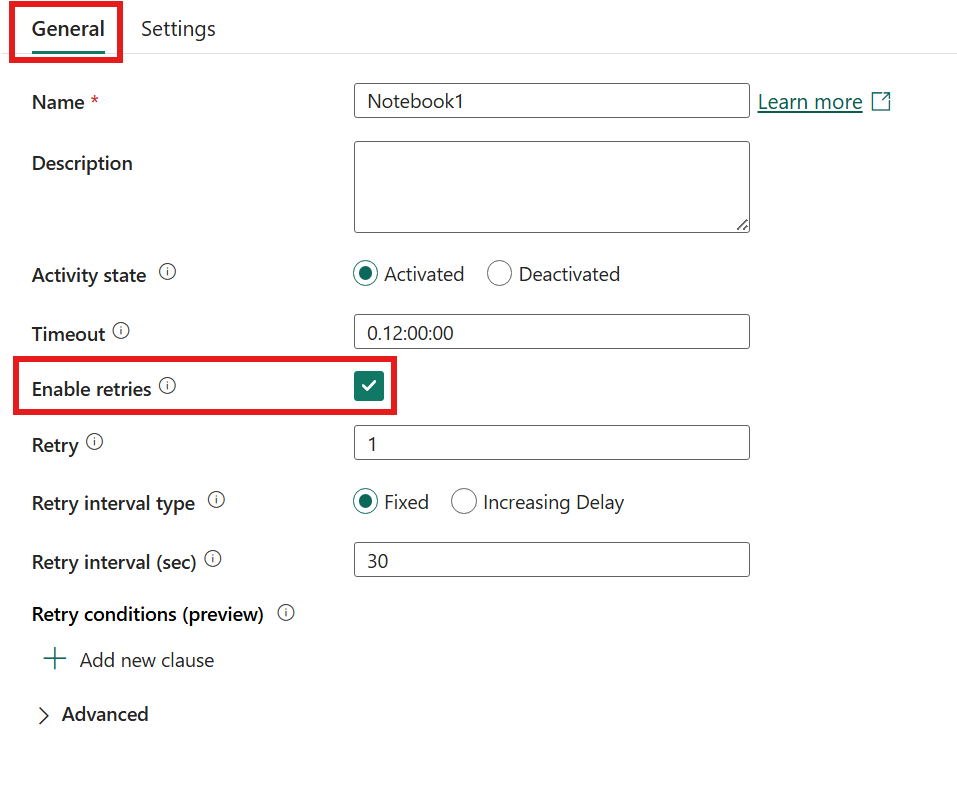
Set the Retry field to the number of retry attempts. Enter a value between 1 and 1000. Default value is 1.
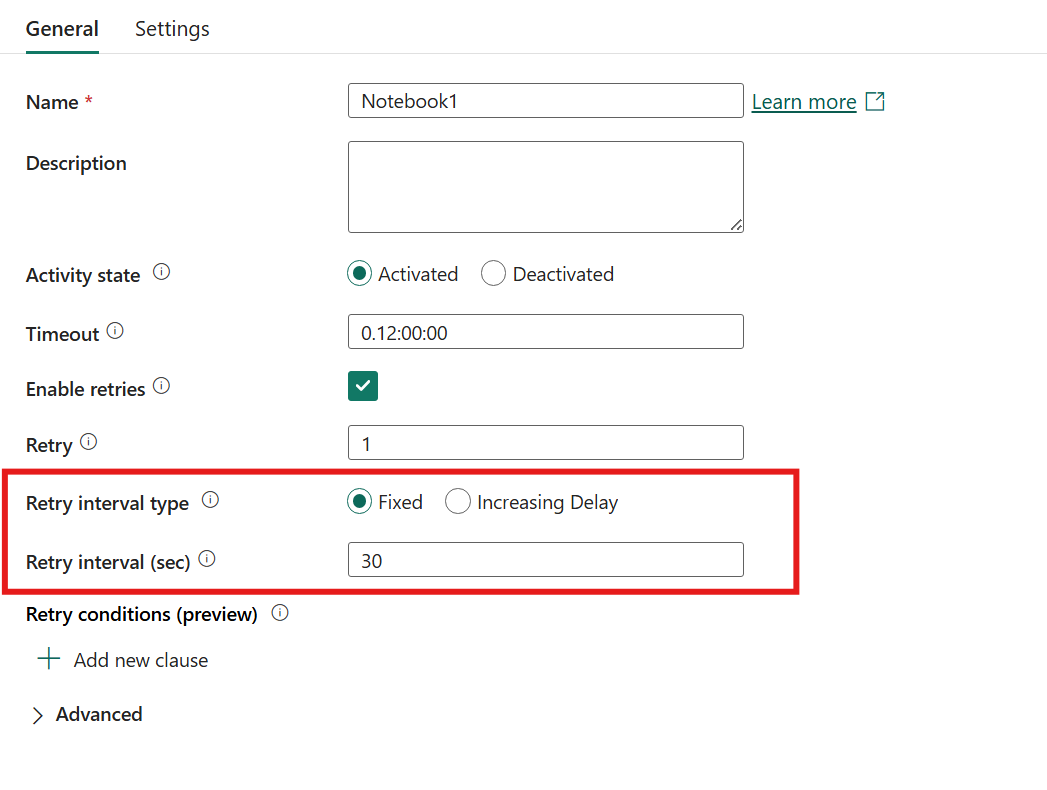
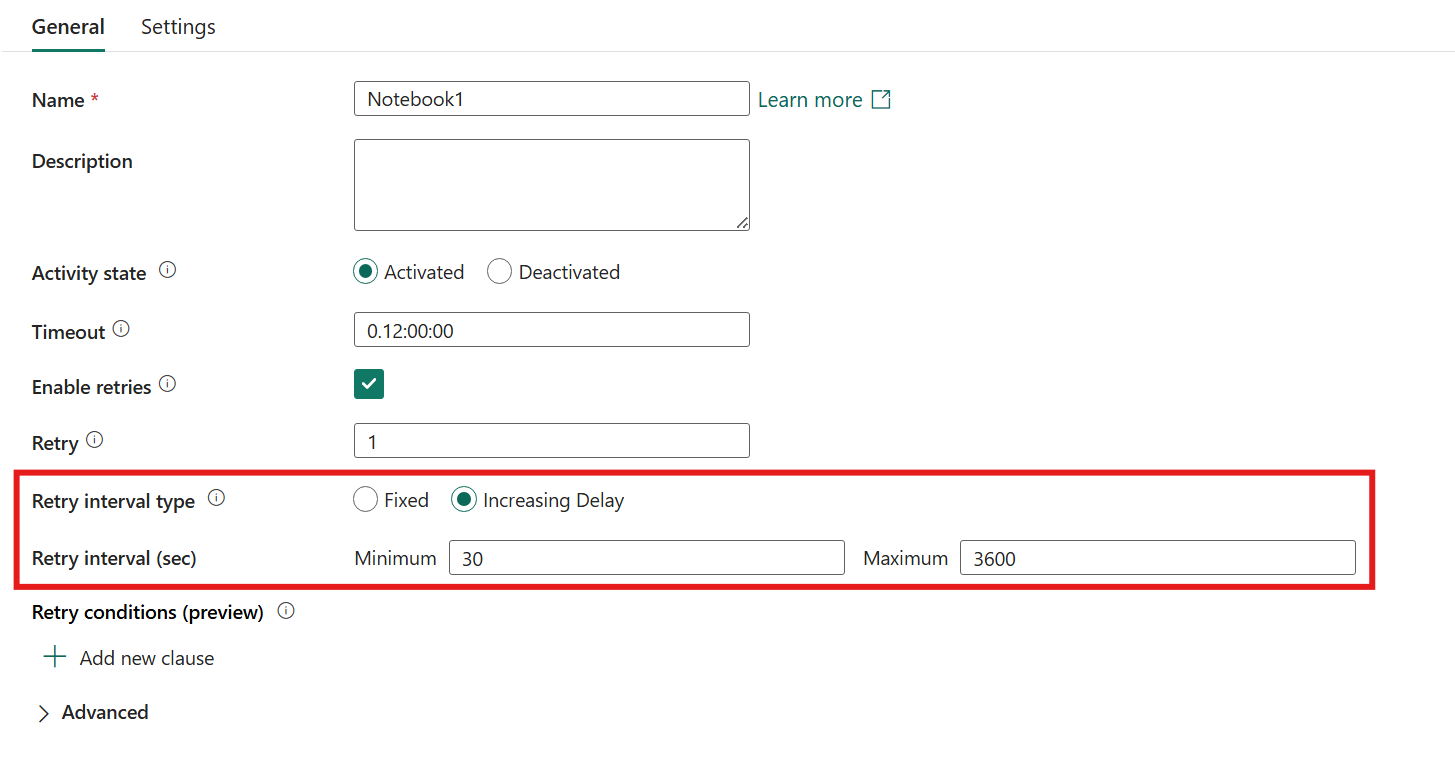
Under Retry interval type, select Fixed or Increasing Delay to control how the wait time between attempts is calculated. Then set the interval fields for your chosen type. See Retry intervals for details.
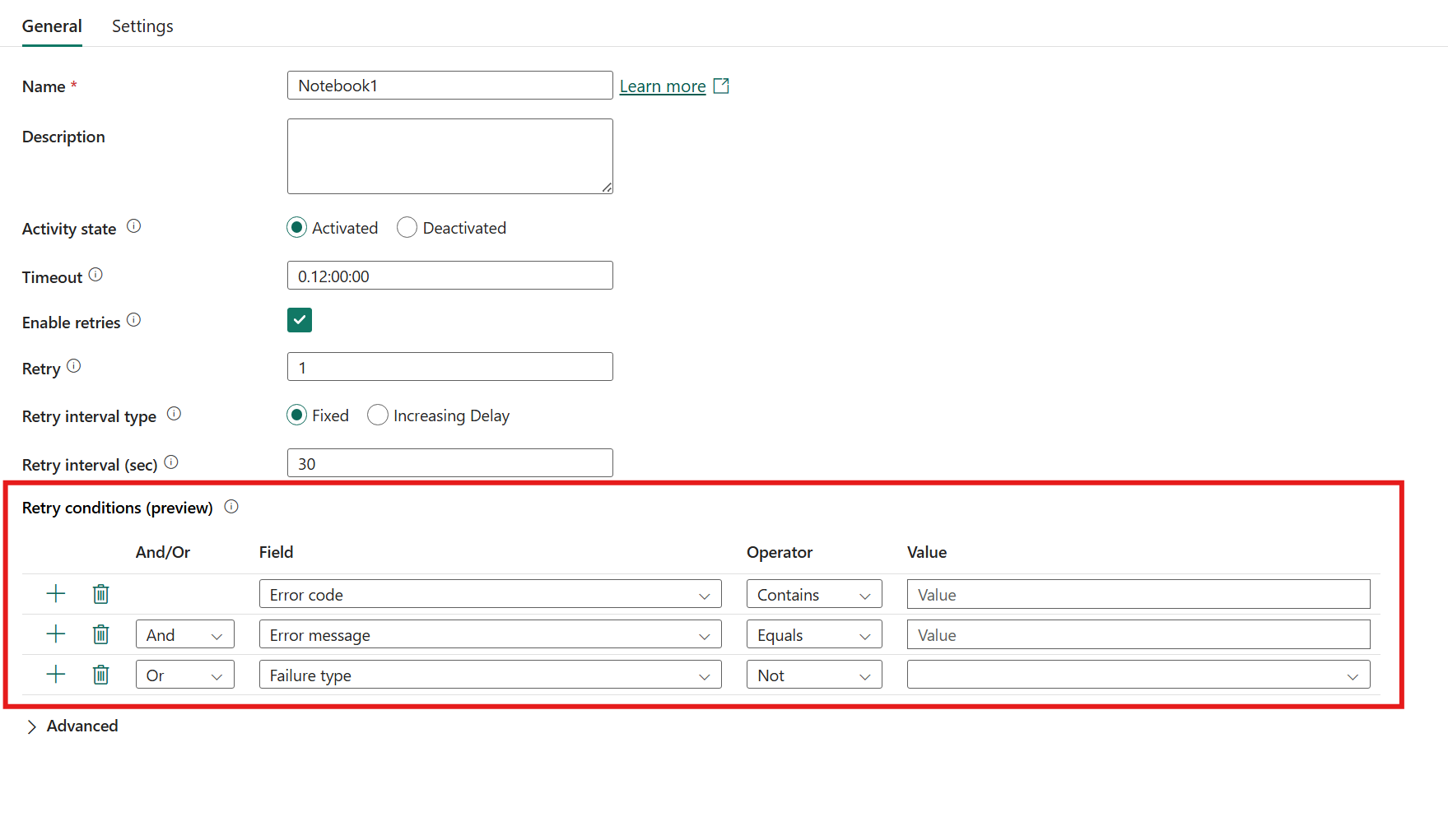
Optionally, configure Retry conditions (preview) to control when retries occur based on specific error criteria.
Retry intervals
The retry interval controls how long an activity waits between attempts. Use Fixed for brief, predictable failures. Use Increasing Delay for longer outages. It implements exponential back-off, where the wait time grows with each attempt, giving upstream services progressively more time to recover.
The Retry interval type setting controls which approach to use.
| Type | Behavior |
|---|---|
| Fixed (default) | Waits the same number of seconds between every attempt. |
| Increasing Delay | Uses exponential back-off: each retry waits a random interval from a range that grows exponentially, up to a configurable maximum. |
Fixed
When you select Fixed, the activity waits the same number of seconds between every retry attempt. Use this type when failures are brief and predictable.
Set Retry interval (sec) to the number of seconds to wait. The default is 30 seconds.
Increasing delay
When you select Increasing Delay, the wait time grows exponentially between attempts, a pattern known as exponential back-off. This pattern gives upstream services progressively more time to recover, reduces repeated load on struggling systems, and lets pipelines self-recover from longer outages without manual intervention.
The retry engine selects a random interval from an exponentially growing range before each attempt:
| Retry | Minimum of range | Maximum of range |
|---|---|---|
| 1 | max(0, min interval) | min(interval, max interval) |
| 2 | max(interval, min interval) | min(2 × interval, max interval) |
| 3 | max(2 × interval, min interval) | min(4 × interval, max interval) |
| 4 | max(4 × interval, min interval) | min(8 × interval, max interval) |
| … | … | … |
The range doubles with each attempt until the upper bound reaches Max retry interval, after which all remaining retries wait at that maximum. The random selection within each range reduces the chance that concurrent pipeline retries collide on the same upstream system at the same moment.
Two fields are available when Increasing Delay is selected:
| Field | Description | Default |
|---|---|---|
| Retry interval (sec) | The starting interval. Defines the base of the back-off range. | 30 seconds |
| Max retry interval (sec) | The upper bound on the wait interval. Retries never wait longer than this value. | 3600 seconds |
Note
Retry interval fields don't support dynamic expressions. Values must be static integers.
Configure retry conditions (preview)
By default, an activity retries on any failure. Use Retry conditions to specify which errors trigger a retry. This approach helps you avoid wasting retries on errors that don't resolve, such as authentication failures.
To add a retry condition:
- In the Retry conditions (preview) section, select the + button to add a new condition row.
- Choose a Field to evaluate:
- Error message: The text content of the error message.
- Failure type: The category of failure, such as User error or System error.
- Error code: The specific error code returned, such as 429 for rate limiting.
- Select an Operator to define the match type, such as Contains.
- Enter a Value to match against.
- Use the And/Or column to combine multiple conditions. Select And to require all conditions to match, or Or to retry when any condition matches.
For example, to retry only on rate limiting errors, add a condition with Field set to Error code, Operator set to Contains, and Value set to 429.
Important
The retry interval runs before the condition is evaluated. For example, if you set a 1-hour retry interval and the retry condition isn't met, the pipeline still waits the full hour before proceeding to the next activity or ending the pipeline run.
Tip
When you don't specify retry conditions, the activity retries on all failures. Add conditions to be more selective about which errors trigger retries.
Known retry limitations
- Activity support: Conditional retries are supported for specific activity types, including Copy data, Notebook, Dataflow, and Stored procedure activities.
- Error properties: Retry conditions can match on error code, error message, and failure type. Not all connector-specific error fields are available for matching.