Note
Access to this page requires authorization. You can try signing in or changing directories.
Access to this page requires authorization. You can try changing directories.
Microsoft Purview Data Security Posture Management (DSPM) for AI enables organizations to monitor, audit, and investigate AI interactions across Fabric Data Agents and Copilot experiences.
With audit logging enabled, user prompts, AI responses, and interaction metadata are captured and stored in Microsoft Purview through the Microsoft 365 audit pipeline.
Important
This feature is in preview.
Prerequisites
Ensure the following configurations are enabled before using audit logging:
1. Enable Purview Audit
- From DSPM for AI (classic) > Overview, in the Get Started section, look to see if auditing is on for your tenant. If not, select Activate Microsoft Purview Audit. For information on enabling audit, see Enable Audit Log.
2. Enable DSPM for AI Policy
- In Microsoft Purview:
- Enable the policy: DSPM for AI – Capture interactions for Copilot experiences For more information about one-click policies, see Considerations for DSPM for AI
3. Enable Fabric Tenant Setting
- In the Fabric Admin Portal:
- Turn on: Allow Microsoft Purview to secure AI interactions
For more information about this option, see Tenant settings index.
Viewing Data Agent Audit Logs
When a user interacts with a Fabric Data Agent, a Copilot Interaction audit record is created for the request as well as the response.
Each audit record includes:
- Timestamp
- User identity
- Application and agent details
- Associated resources and metadata
- User prompt or AI response
All records are stored in the Microsoft 365 unified audit log.
To review audit logs:
- Go to Microsoft Purview Portal
- Navigate to DSPM for AI
- Open Activity Explorer
- Look for records labeled Copilot Interaction
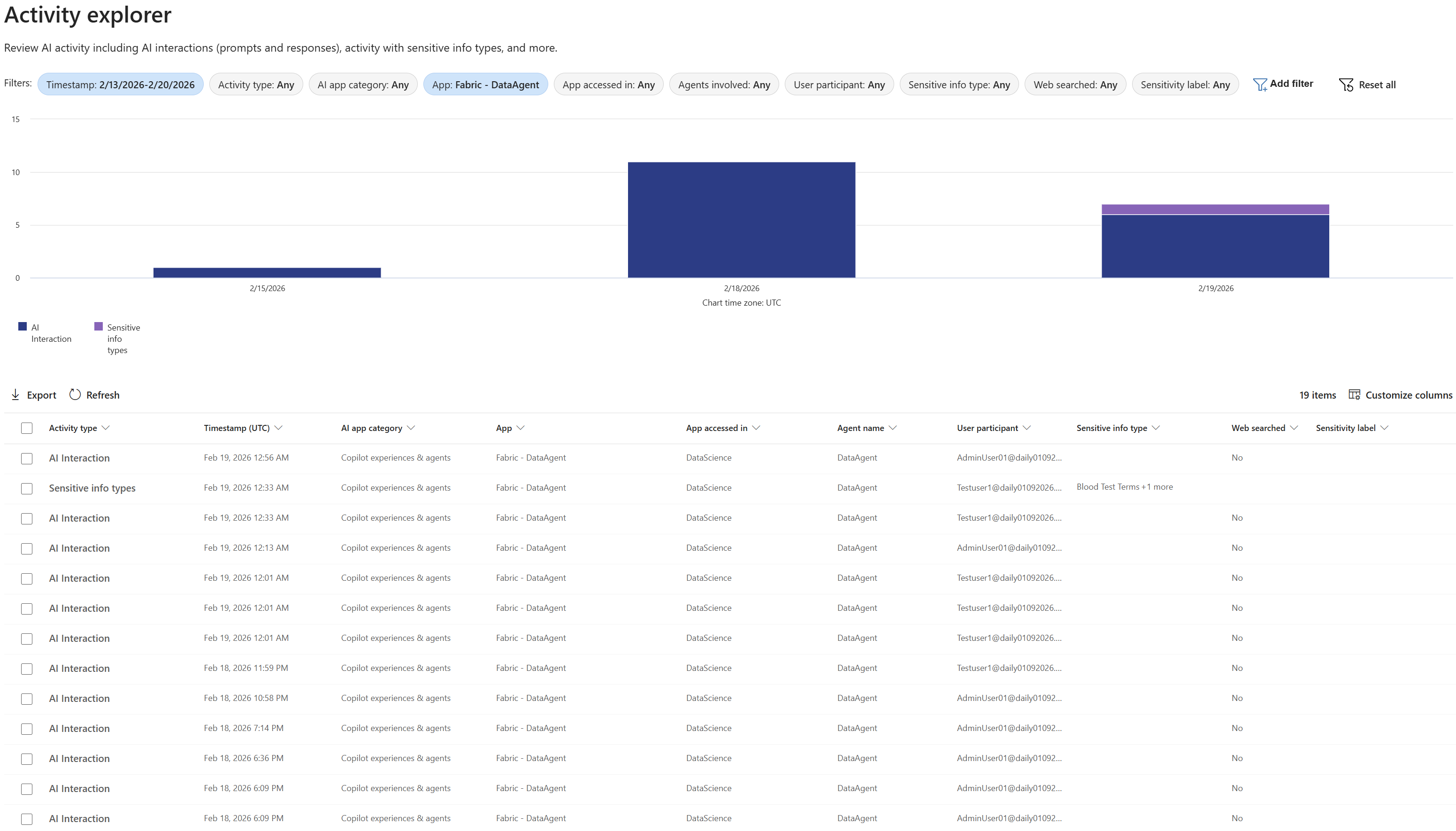
Each record represents a single interaction between a user and the Data Agent.
Use Activity Explorer filters to locate specific interactions:
Timestamp
Narrow results to a specific time windowActivity Type
Filter byCopilot InteractionUser
Identify activity by specific usersApp
Isolate interactions fromFabric-Data Agent
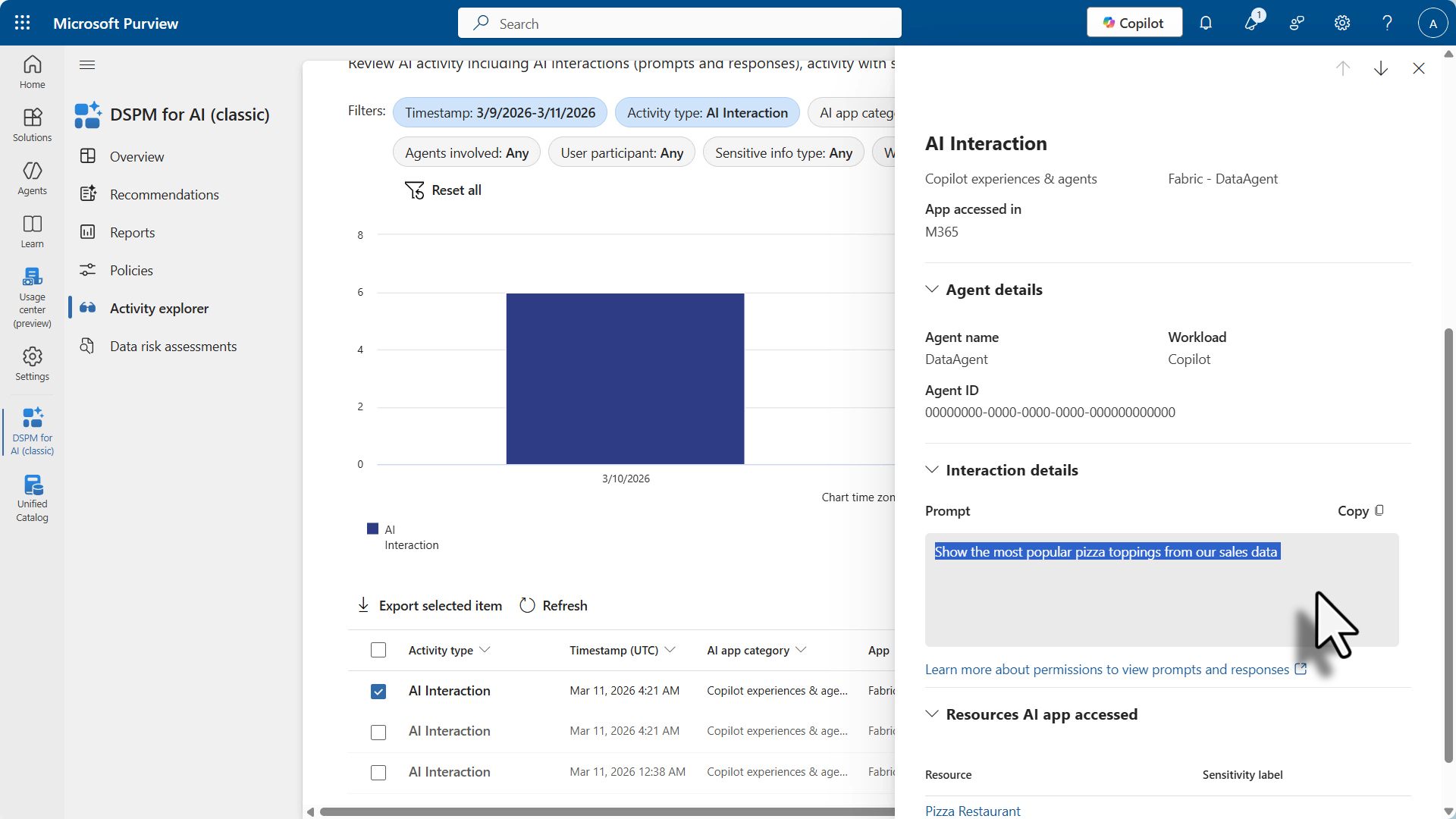
User Prompt
For each interaction, Microsoft Purview captures and logs the full text of the user's prompt.
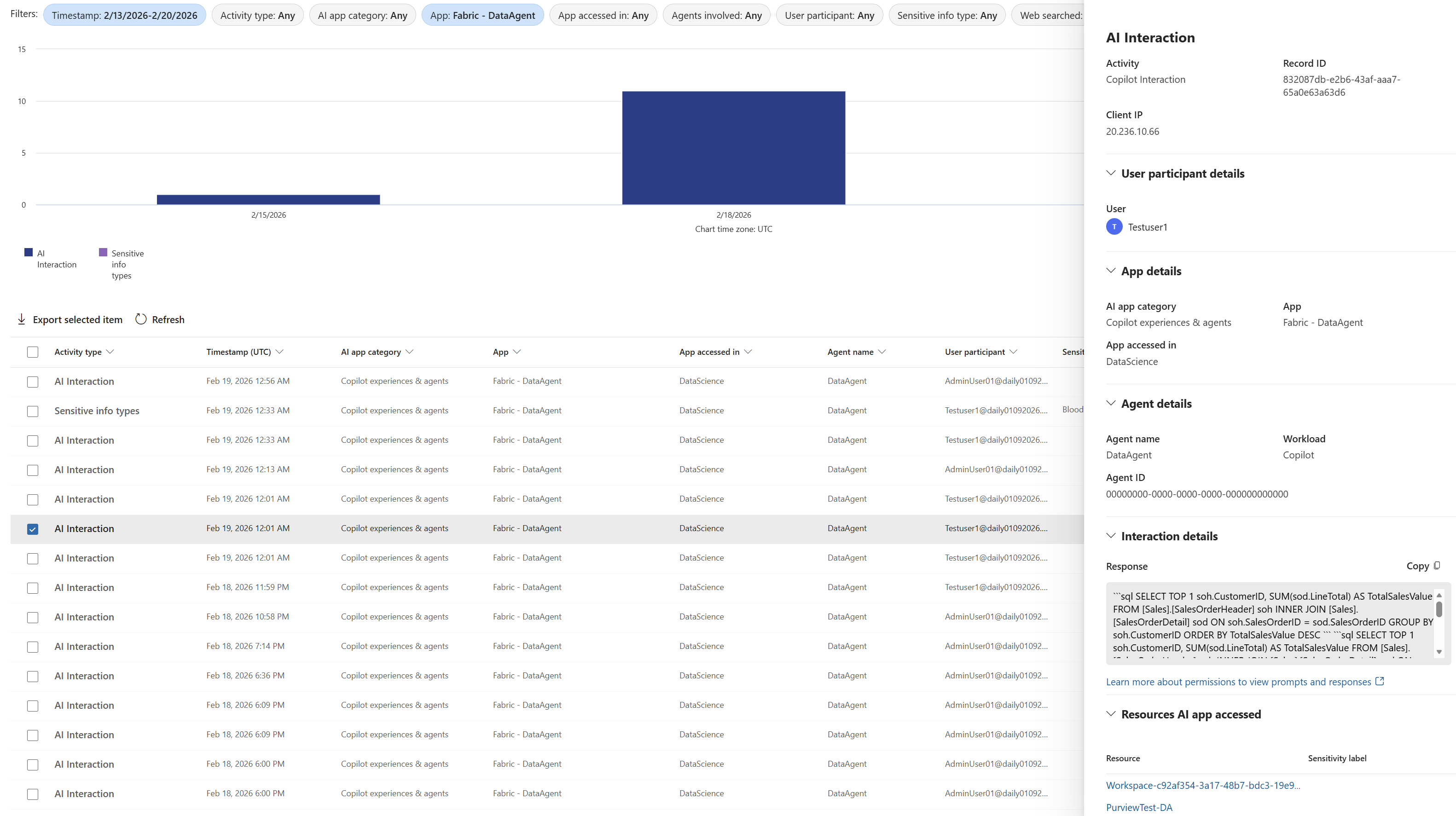
Data Agent Response
For each interaction, the response returned by the Data Agent including the natural language answer and structured outputs such as generated queries or code are logged.
Licensing and Costs
Microsoft Purview now offers a combination of entitlement-based (per-user-per-month) and Pay-As-You-Go (PAYG) pricing models. The PAYG model applies to a broader set of Purview capabilities—including Insider Risk Management, Communication Compliance, eDiscovery, and other data security and governance solutions—based on copilot for Power BI usage volume or complexity. Purview Audit logging of Copilot for Power BI activity remains included at no additional cost as part of Microsoft 365 E5 licensing. This flexible pricing structure ensures that organizations only pay for what they use as data flows through AI models, networks, and applications.