Note
Access to this page requires authorization. You can try signing in or changing directories.
Access to this page requires authorization. You can try changing directories.
Applies to: ✅ SQL database in Microsoft Fabric
Important
This feature is in preview.
Skills for Fabric are reusable instructions that help an AI coding assistant understand Fabric workloads, APIs, query patterns, and operational best practices. The SQL database skills provide task-specific guidance for working with SQL database in Fabric from an agentic command-line or coding environment.
This article shows how to install the Fabric skill bundle, connect the assistant to your Fabric environment, and use the SQL database authoring, consumption, and operations skills. The skills guide the assistant; your identity, permissions, tools, and Fabric security controls still govern every action.
Prerequisites
- Permission to access the Fabric workspace and perform the operations you request.
- An AI coding tool, such as GitHub Copilot CLI, Claude Code, Visual Studio Code, Cursor, Windsurf, or another
AGENTS.mdcompatible tool. - Node.js: Required for the standalone GitHub Copilot CLI, which installs as an npm package (
npm install -g @github/copilot). For full setup steps, see Set up GitHub Copilot CLI. - PowerShell 7: Required for GitHub Copilot CLI. Verify with
pwsh --version. - Git: Required to clone skill repositories for tools that don't use the plugin marketplace.
- Azure CLI: Most Fabric operations require Azure authentication. After installing, sign in with
az login.
Install the Microsoft Fabric skills
Open GitHub Copilot CLI or Claude Code. Both GitHub Copilot CLI and Claude Code use the same plugin marketplace workflow.
Add the public marketplace in GitHub Copilot CLI:
/plugin marketplace add microsoft/skills-for-fabricAdd the Skills for Fabric marketplace:
/plugin marketplace add microsoft/skills-for-fabricTo view all the plugins and skills available in the marketplace, enter:
/plugin marketplace browse fabric-collection.Install the Fabric collection.
/plugin install fabric-skills@fabric-collectionTo reduce the scope, install a focused bundle, such as
fabric-operations, which includes thesqldb-cliskills:/plugin install fabric-operations@fabric-collectionQuit and restart your tool to load the skills:
/quitVerify the installation:
/skills
SQL database skills
The following skills are relevant to SQL database in Fabric:
| Skill | Use it for | Example intent |
|---|---|---|
sqldb-authoring-cli |
Creating and modifying database objects or data. | Create a table, load rows, add an index, or deploy a stored procedure. |
sqldb-consumption-cli |
Discovering schema and running read-only queries. | List tables, inspect columns, summarize recent orders, or explain a result set. |
sqldb-operations-cli |
Investigating health, performance, and operational issues. | Analyze slow queries, identify blocking, or review database resource usage. |
For the full catalog of available skills across all Fabric workloads, see GitHub: Skills for Fabric.
How to use Skills with SQL database in Fabric
Open a terminal in your project or working folder.
Type
Copilotand selectEnter.
GitHub Copilot launches.
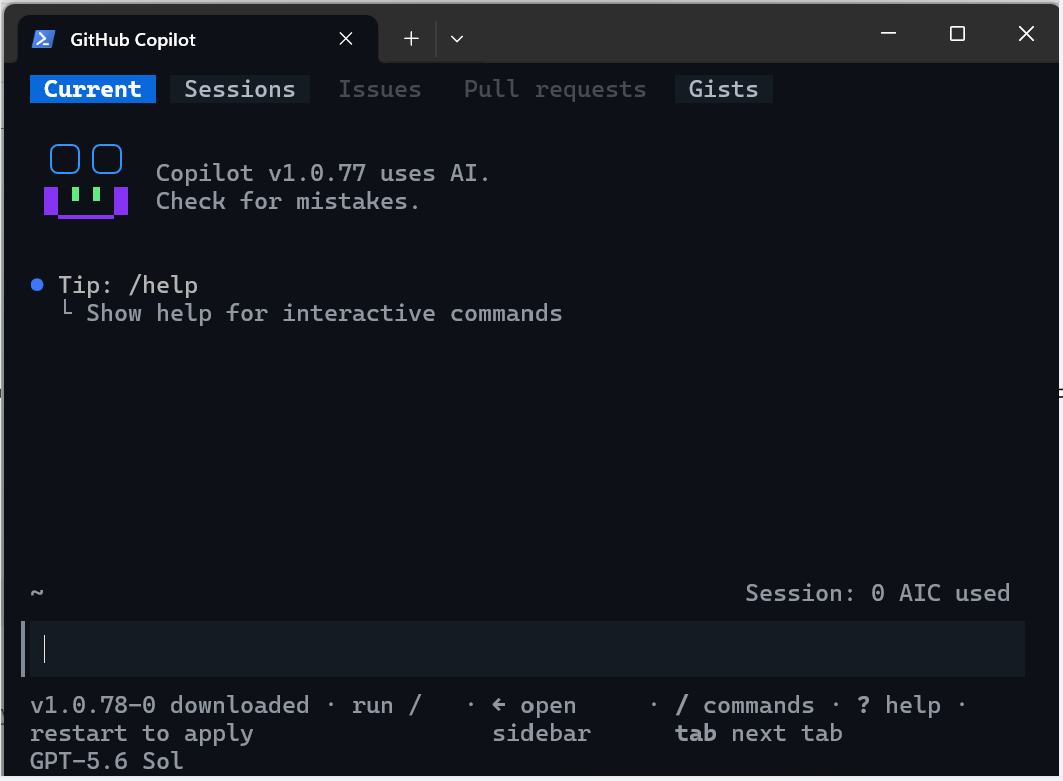
To authenticate with the Microsoft identity that has access to the target Fabric workspace, type
az loginand follow the steps.
Develop a SQL database
Use the sqldb-authoring-cli skill when the task changes the database state. To author or update database objects with GitHub Copilot, always include the target workspace, database, environment, object, expected schema, constraints, and whether the assistant should generate a script only or execute it after your review. For schema changes or data changes, you can ask for TRY...CATCH to handle errors and perform a rollback of the transaction.
Tip
Begin with a read-only request to generate T-SQL statements, and then review any generated T-SQL statement before execution.
For example, these sample prompts can be used to create and load a table with sample data.
In the Sales SQL database, create a dbo.CustomerFeedback table with an identity key,
customer ID, feedback text, sentiment, created date, and a foreign key to
dbo.Customer.CustomerID. All columns should be nullable. The create date should
be populated by a default. Generate the T-SQL for review; don't execute it.
Generate 100 sample data rows for the dbo.CustomerFeedback as a single
INSERT statement, referencing rows in the dbo.Customer table.
Generate a TRY...CATCH structure to handle any errors and rollback.
Do not execute the script, let me review.
Explore and query data
Use the sqldb-consumption-cli skill for read-only discovery and analysis. Ask the assistant to inspect metadata first, qualify object names, limit result size, and explain assumptions.
For example, use Copilot to query metadata or table data:
List the user tables and views in the Sales SQL database and describe their relationships.
Don't modify any objects.
Find the top 10 products by revenue in the last 30 days.
Show the T-SQL and summarize the result.
Inspect the available columns before answering:
Which customers have not placed an order in the last 90 days?
Investigate database operations
Use the sqldb-operations-cli skill to investigate performance and reliability. Provide the time window, observed symptom, affected workload, and whether the assistant can collect diagnostic data.
For example, the following queries investigate current or past performance issues, or tune query performance.
Investigate why the nightly order-processing query slowed down between 01:00 and 02:00 UTC.
Start with read-only diagnostics and rank the likely causes.
Check for blocking sessions and long-running requests.
Explain the evidence before recommending a mitigation.
Review this execution plan and suggest indexes only when the expected benefit and write overhead are clear.
Checklist to review and execute the T-SQL query
- Confirm that the assistant selected the intended SQL database skill.
- Verify the workspace, database, schema, and object names.
- Review generated T-SQL for destructive operations, transaction behavior, and data scope.
- Ask for an impact summary and rollback approach before authoring changes. For schema changes, prepare a rollback or undo T-SQL script.
- Execute only after the plan matches your intent.
- Validate the result with a separate read-only query.
Security and responsible use
- The skills don't bypass Microsoft Entra authentication, Fabric permissions, SQL permissions, or organizational policies.
- Always use least-privileged identities and separate development, test, and production targets.
- Don't place secrets, access tokens, or sensitive data in prompts or project files.
- Treat generated SQL as proposed code. Review it as you would any other database change.
- Prefer read-only discovery before authoring or remediation.
For more information, see Privacy, security, and responsible AI use of Copilot in Fabric.