Note
Access to this page requires authorization. You can try signing in or changing directories.
Access to this page requires authorization. You can try changing directories.
Ontology (preview) integrates with Fabric data agent to provide a data agent interface that you can use to ask questions in natural language and get answers grounded in the ontology's definitions and bindings.
Important
This feature is in preview.
Prerequisites
Before you begin, make sure you have:
- A Microsoft Fabric workspace that contains at least one ontology (preview) item, accessible through the OneLake catalog. For more information, see Create ontology (preview) item.
- Configured the data agent tenant settings, including Copilot and Azure OpenAI.
Note
Due to a current known issue, data agent doesn't work with an ontology that uses semantic models for binding.
Create data agent with ontology source
Follow these steps to create a new data agent that connects to your ontology (preview) item.
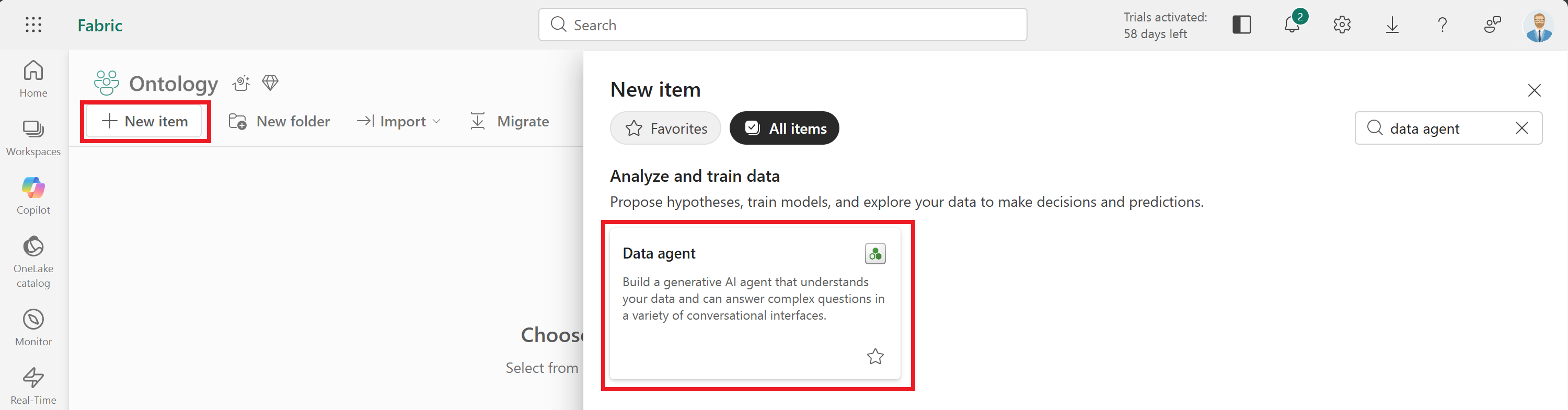
Go to your Fabric workspace. Use the + New item button to create a new Data agent item.
Tip
If you don't see the data agent item type, make sure that it's enabled in your tenant as described in the tutorial prerequisites.
The agent opens when it's ready. Select Add a data source.
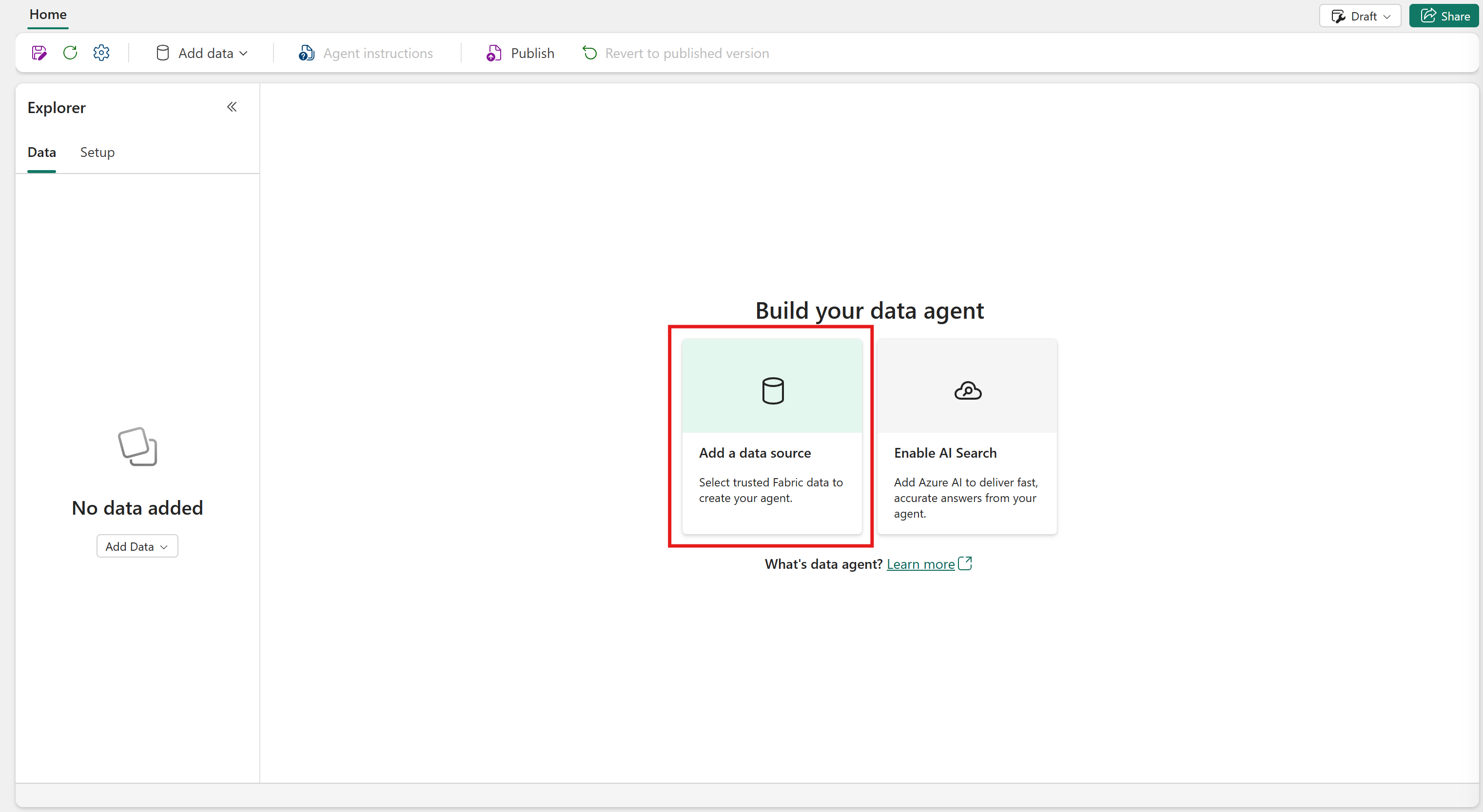
Search for your ontology item and select Add. Now your ontology is a source for the data agent.
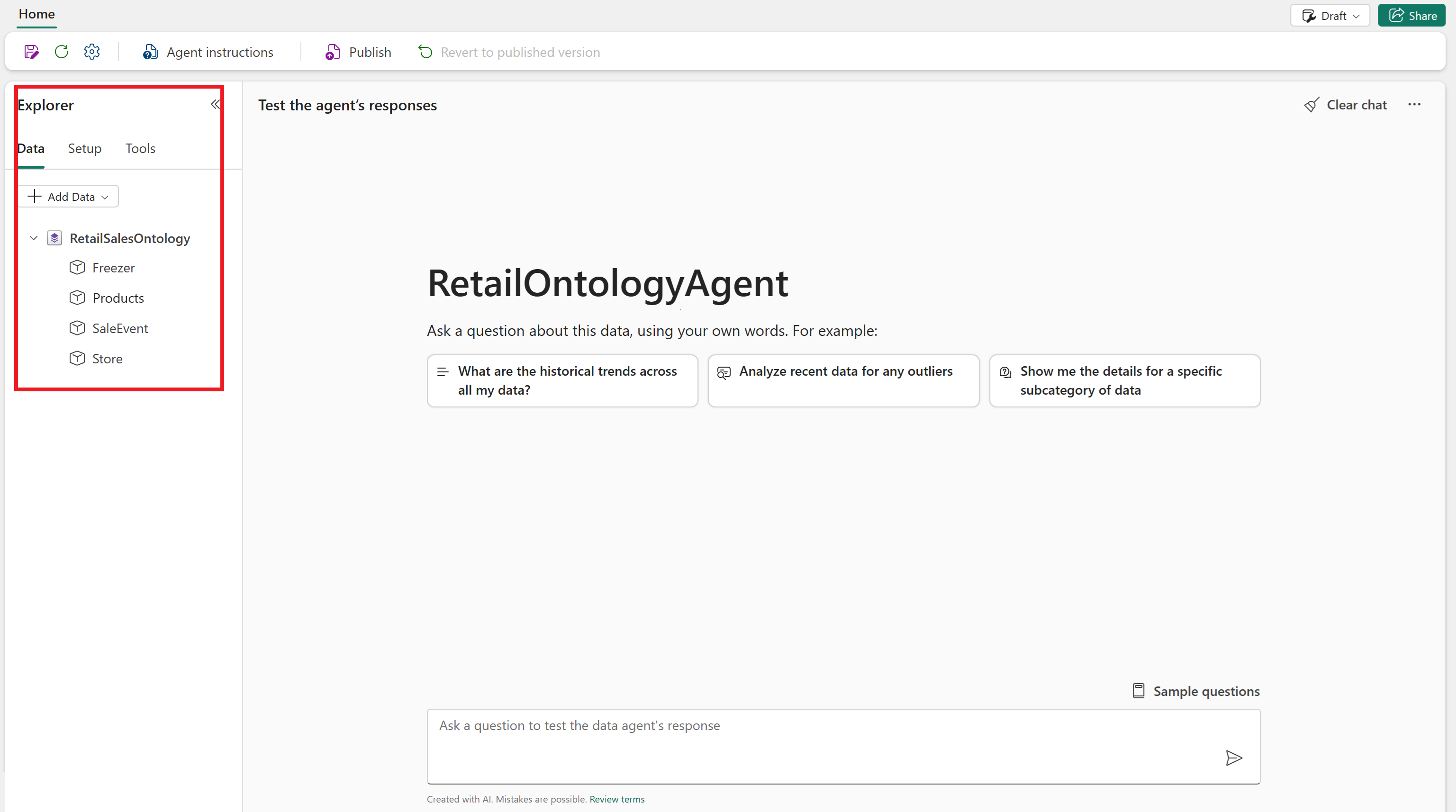
When the agent is ready, the ontology and its entity types are visible in the Explorer.
Provide agent instructions
Note
This step addresses a known issue affecting aggregation in queries.
Next, add a custom instruction to the agent.
Select Agent instructions from the menu ribbon.
At the bottom of the input box, add
Support group by in GQL. This instruction enables better aggregation across ontology data.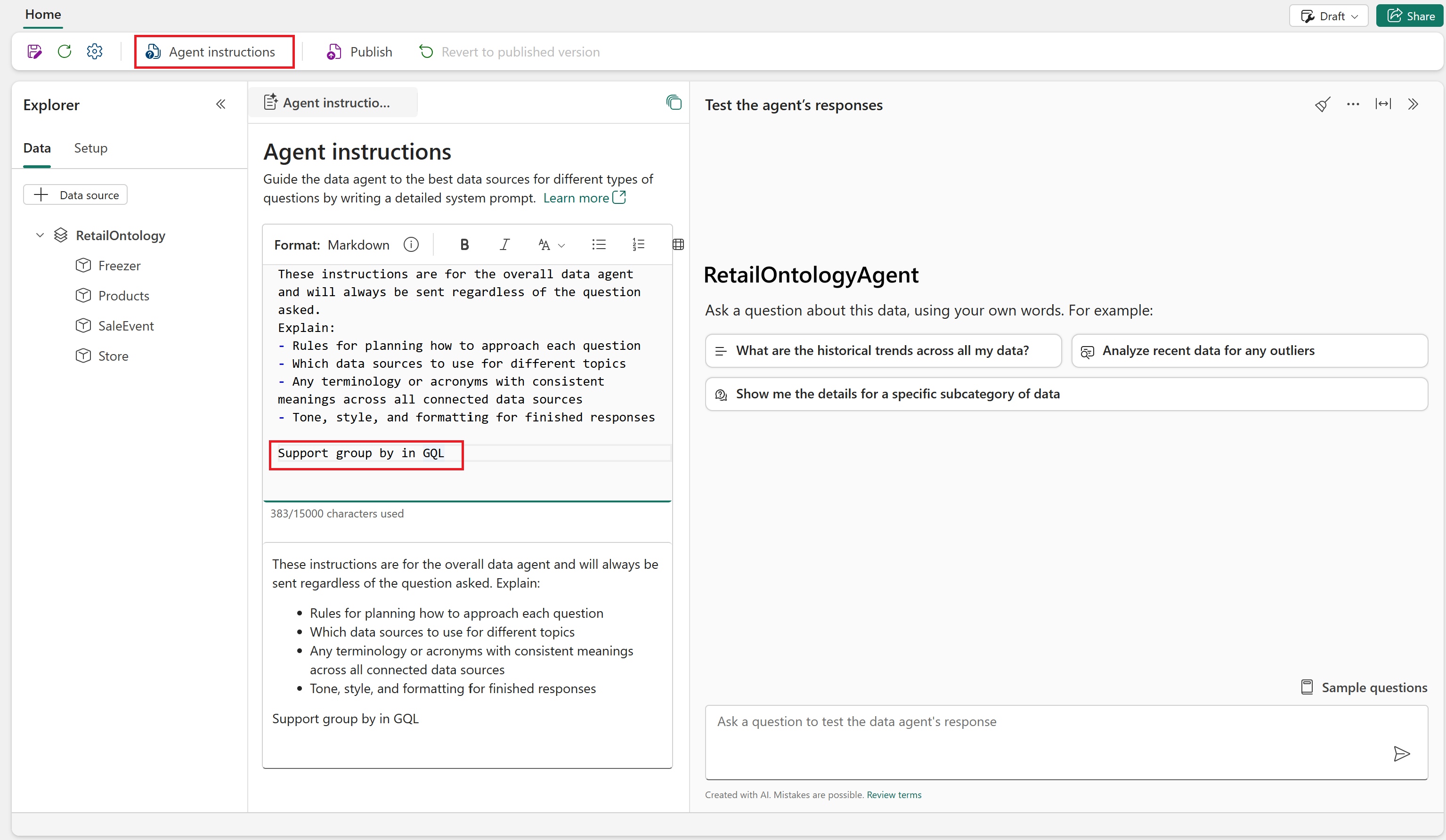
The agent applies the instruction automatically. Optionally, close the Agent instructions tab.
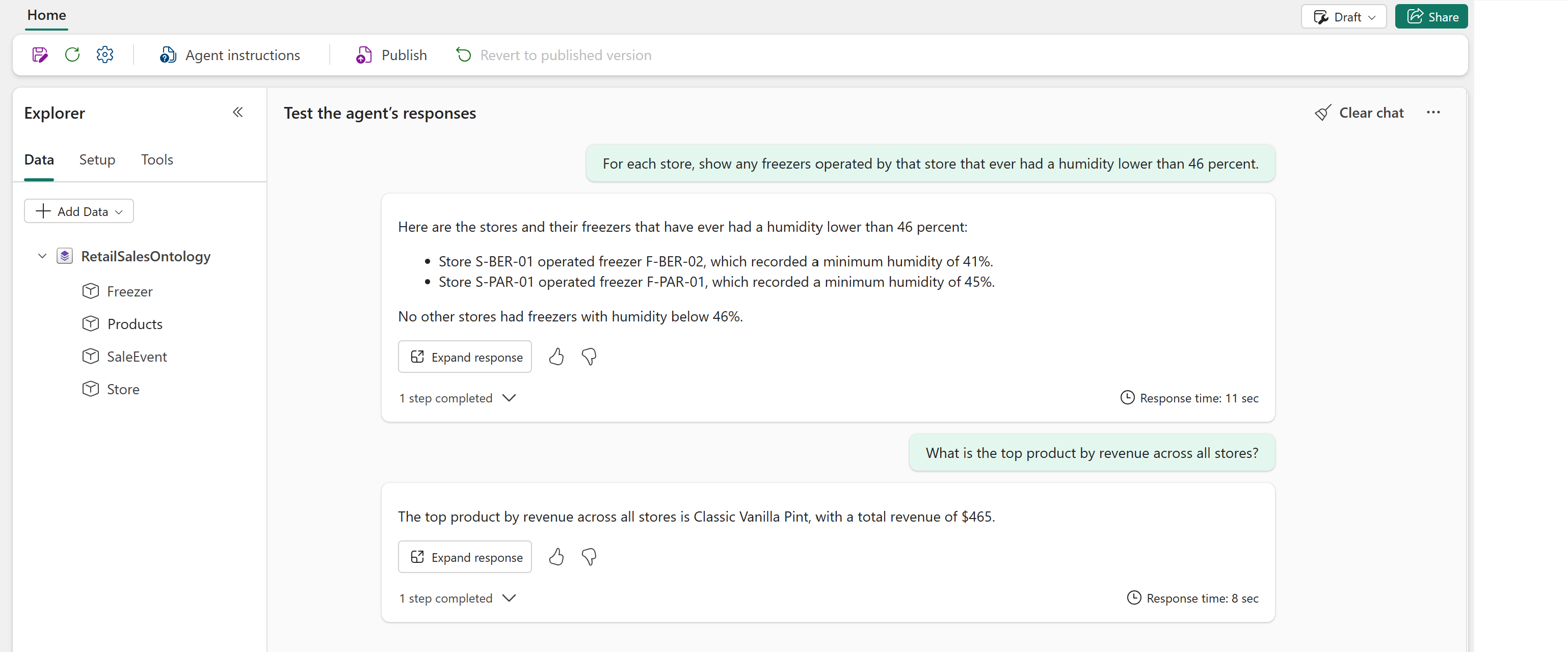
Query agent with natural language
Next, explore your ontology with natural language questions.
Example prompts:
- For each store, show any freezers operated by that store that ever had a humidity lower than 46 percent.
- What is the top product by revenue across all stores?
Notice that the responses reference entity types and their relationships, not just raw tables.
Tip
If you see errors that say there's no data while running the example queries, wait a few minutes to give the agent more time to initialize. Then, run the queries again.