Note
Access to this page requires authorization. You can try signing in or changing directories.
Access to this page requires authorization. You can try changing directories.
Use import to bring an external ontology (preview) file (TTL, RDF/RDFS, or OWL) into an empty ontology (preview) item. Fabric converts the file into native ontology content—entity types, properties, relationships, labels, descriptions, and synonyms—instead of storing it as a separate file. Export does the reverse. It writes the current ontology (preview) as a TTL or RDF file so you can validate, share, or round-trip it.
Important
This feature is in preview.
Prerequisites
Before you import or export an ontology, make sure you have the following prerequisites:
- A Fabric workspace with a Microsoft Fabric-enabled capacity.
- Ontology item (preview) enabled on your tenant.
- To import: a new, empty ontology (preview) item, and an external ontology file in TTL, RDF/RDFS, or OWL format.
- To export: an ontology (preview) item that already contains content.
Import an ontology
Note
You can only import into an empty ontology item. The current preview doesn't support importing into an ontology that already contains content.
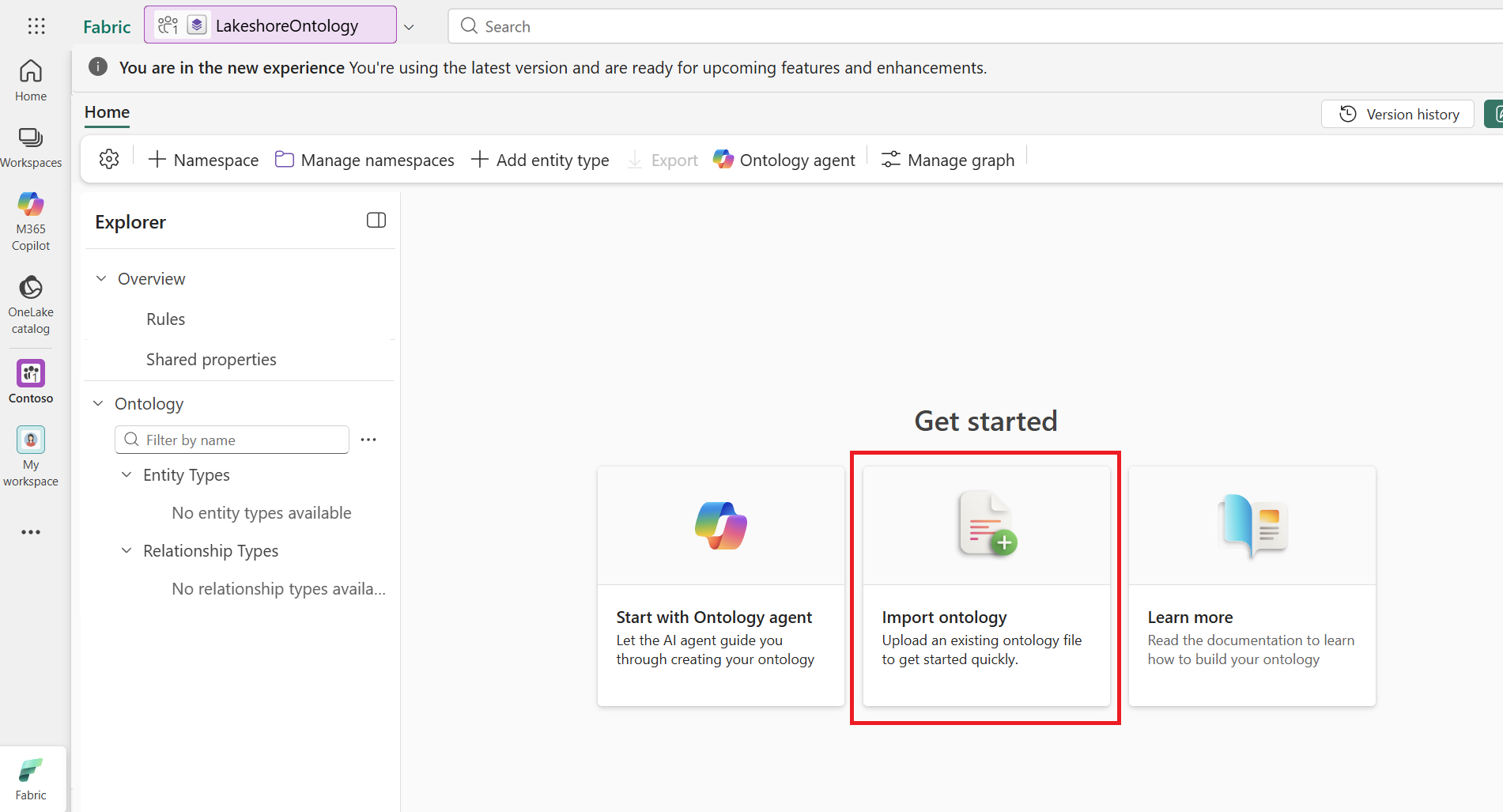
Open the empty ontology item you created in the Prerequisites section. Select import from RDF/OWL.
Browse to an external ontology file in TTL, RDF/RDFS, or OWL format, and then select it.
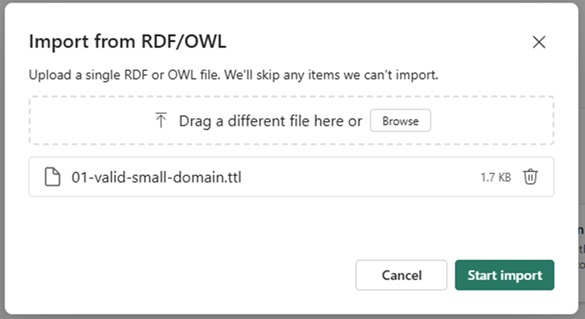
Start the import. Fabric converts the file into ontology content, including entity types, properties, and relationships.
During import, Fabric maps source fields to ontology fields as follows: a source label becomes the Fabric display name, a description or comment becomes the Fabric description, and an alternate label (altLabel) becomes a synonym.
Review import summary
When the import finishes, review the import summary before you close it. The summary shows a status count and a table of imported items with their name, type, and status.
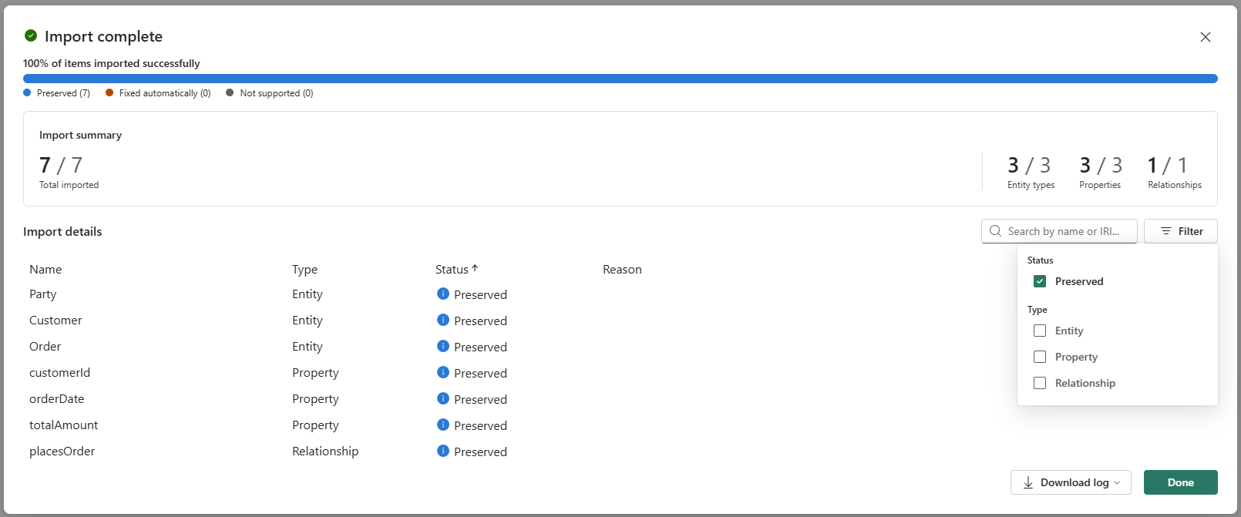
The import summary reports each item with one of the following status values:
- Preserved: Fabric imported the item without meaningful change.
- Auto-fixed: Fabric imported the item but adjusted it to fit the ontology model. For example, Fabric makes duplicate names unique, keeps only the first parent for multiple inheritance, and might convert a property without a supported type to a string.
- Not supported: The file contains something Fabric can't currently represent, so Fabric skips the item. The reason appears in the summary and log.
The import summary provides these additional actions:
- Use the filter and search controls in the summary to find items by status or type (entity type, property, or relationship).
- Download the import log (for example, JSON or CSV) to keep a record of what Fabric imported, transformed, or dropped.
Important
The import summary is temporary and can't be reopened, so review it before closing.
When you're done reviewing the import summary, close the summary and confirm that Fabric created the expected entity types, properties, relationships, labels, descriptions, and synonyms in the ontology.
Export an ontology
Note
You can't export an empty ontology.
Open an ontology item that contains content and select the export action.
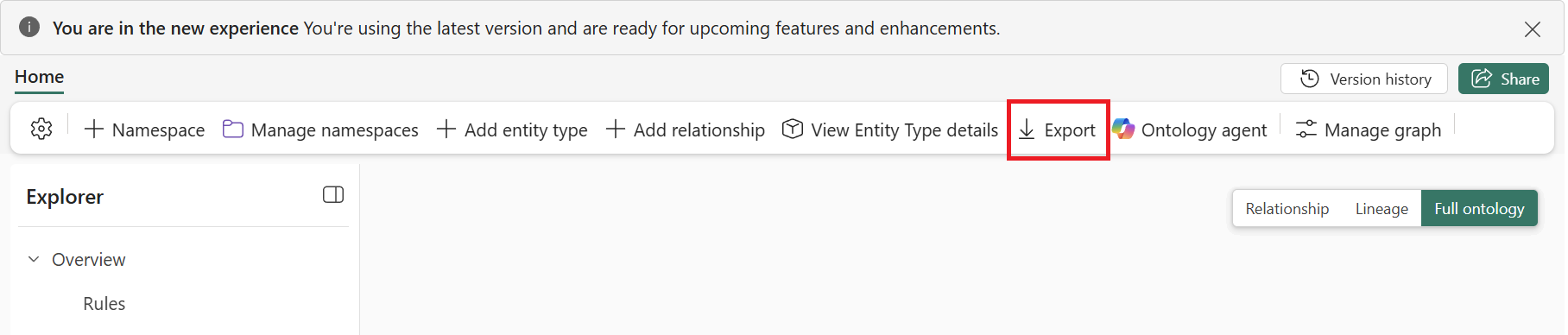
Choose the output format: TTL or RDF. Export doesn't support OWL, which is available only as an import format.
Download the exported file.
Optionally, import the exported file into another new, empty ontology item to confirm round-trip behavior.
Supported RDF concept mappings
Ontology in Fabric supports importing and exporting a subset of RDF, RDFS, OWL, and SKOS concepts by mapping them to native ontology in Fabric concepts. Some concepts map directly, while Fabric transforms others into the closest supported representation.
Import mappings
| RDF, RDFS, or OWL concept | Ontology in Fabric concept | Mapping |
|---|---|---|
owl:Class |
Entity type | Imported as a native ontology in Fabric entity type. |
owl:DatatypeProperty |
Property | Imported as a native property. |
owl:ObjectProperty |
Relationship type | Imported as a native relationship between entity types. |
rdfs:label |
Display name | The default-language label is imported. Other-language labels are dropped and logged. |
rdfs:comment |
Description | Imported as the description of the corresponding ontology concept. |
Single-parent rdfs:subClassOf |
Entity type inheritance | The child entity type is imported, and the parent is mapped as its base entity type. |
Multi-parent rdfs:subClassOf |
Inheritance and property set membership | One parent is mapped as the base entity type. Additional parents are represented through property set membership. |
xsd:anyURI |
String property and semantic metadata | Because ontology in Fabric doesn't have a native anyURI type, the property is imported as a string. The original XSD type is preserved as semantic enrichment metadata. |
| Invalid or unsupported concept name | Fabric-compliant concept name | The concept is automatically renamed to meet Fabric naming requirements. The transformation is logged. |
Export mappings
Ontology in Fabric serializes supported native concepts to their corresponding RDF, RDFS, OWL, or SKOS representations in the selected TTL or RDF output format.
| Ontology in Fabric concept | RDF, RDFS, OWL, or SKOS concept | Mapping |
|---|---|---|
| Entity type | owl:Class |
Exported as an OWL class. |
| Property | owl:DatatypeProperty |
Exported as a datatype property with rdfs:domain identifying the owning entity type and rdfs:range representing the property data type. |
| Relationship type | owl:ObjectProperty |
Exported as an object property with rdfs:domain and rdfs:range identifying the source and target entity types. |
| Entity description | rdfs:comment |
Exported as the RDF description of the entity type. |
| Entity label | rdfs:label |
Exported as the human-readable label for the entity type. |
| Synonyms | skos:altLabel |
Synonyms stored through semantic enrichment are exported as one skos:altLabel triple per synonym. |
| Base entity type | rdfs:subClassOf |
Single-parent inheritance represented by BaseEntityTypeId is exported as a subclass relationship. |
| Property set membership | rdfs:subClassOf chain |
Property set membership is serialized as an rdfs:subClassOf chain to preserve the corresponding inheritance semantics. |
RDF concepts without a direct ontology in Fabric equivalent
RDF and OWL provide semantic constructs that don't have a direct representation in the ontology in Fabric metamodel. Examples include complex OWL class expressions and restrictions, property characteristics such as transitivity or symmetry, RDF reification, and arbitrary RDF graph structures.
During import, Fabric ignores these constructs, retains them as metadata where supported, or transforms them into an equivalent ontology in Fabric modeling pattern. Import and export preserve commonly used modeling semantics and support interoperability with RDF-based systems, but they don't provide complete or lossless support for the full RDF or OWL specification.