Note
Access to this page requires authorization. You can try signing in or changing directories.
Access to this page requires authorization. You can try changing directories.
A namespace is a grouping construct in the ontology (preview) item that organizes related concepts—such as entity types and relationship types—and gives each one a qualified, unique identity. As an enterprise ontology grows, it might mix vocabularies from many sources: your own business model, shared models across teams and domains, and common external vocabularies. Without namespaces, every concept lives in a single flat space. With namespaces, you can avoid collisions and unnatural naming, and prepare large ontologies to govern and evolve.
Important
This feature is in preview.
For example, a Customer concept in a sales domain and a Customer concept in a finance domain often mean different things. Namespaces let both versions of the Customer concepts exist in the same ontology with a clear, qualified identity, so that people, applications, and agents can tell them apart.
This article explains what namespaces are, how they differ from display folders and perspectives, and how you use them to disambiguate same-named concepts, reuse external vocabularies, and set governance and ownership boundaries in your model.
About namespaces
A namespace is a first-class grouping construct for the concepts in an ontology, including entity types, relationship types, and other concepts. Namespaces follow the RDF namespace model, so each one gives the concepts it contains a qualified semantic identity rather than just a display grouping.
A namespace can also carry optional metadata, such as a description and a prefix. Together, the URI and metadata give each concept in the namespace a qualified identity, for example a Customer entity type scoped to a finance billing namespace versus a Customer entity type scoped to a sales namespace.
The default namespace
Every ontology comes with a default namespace:
- By default, all concepts belong to the Default namespace.
- You can see the default namespace in the model.
- You can't delete the default namespace.
The default namespace name guarantees uniqueness only within the ontology, not globally. If you need globally unique identity for a set of concepts, create a custom namespace with a URI that reflects your organization and domain.
Interoperability with external vocabularies
Because namespaces build on RDF namespaces and use stable URIs, they can map to external standards such as RDF or IRI-style identifiers. This mapping helps when you import or reference partner and industry vocabularies, so you can reuse well-known external terms while keeping clear ownership and identity for the concepts in your ontology.
Create a namespace
To create a namespace:
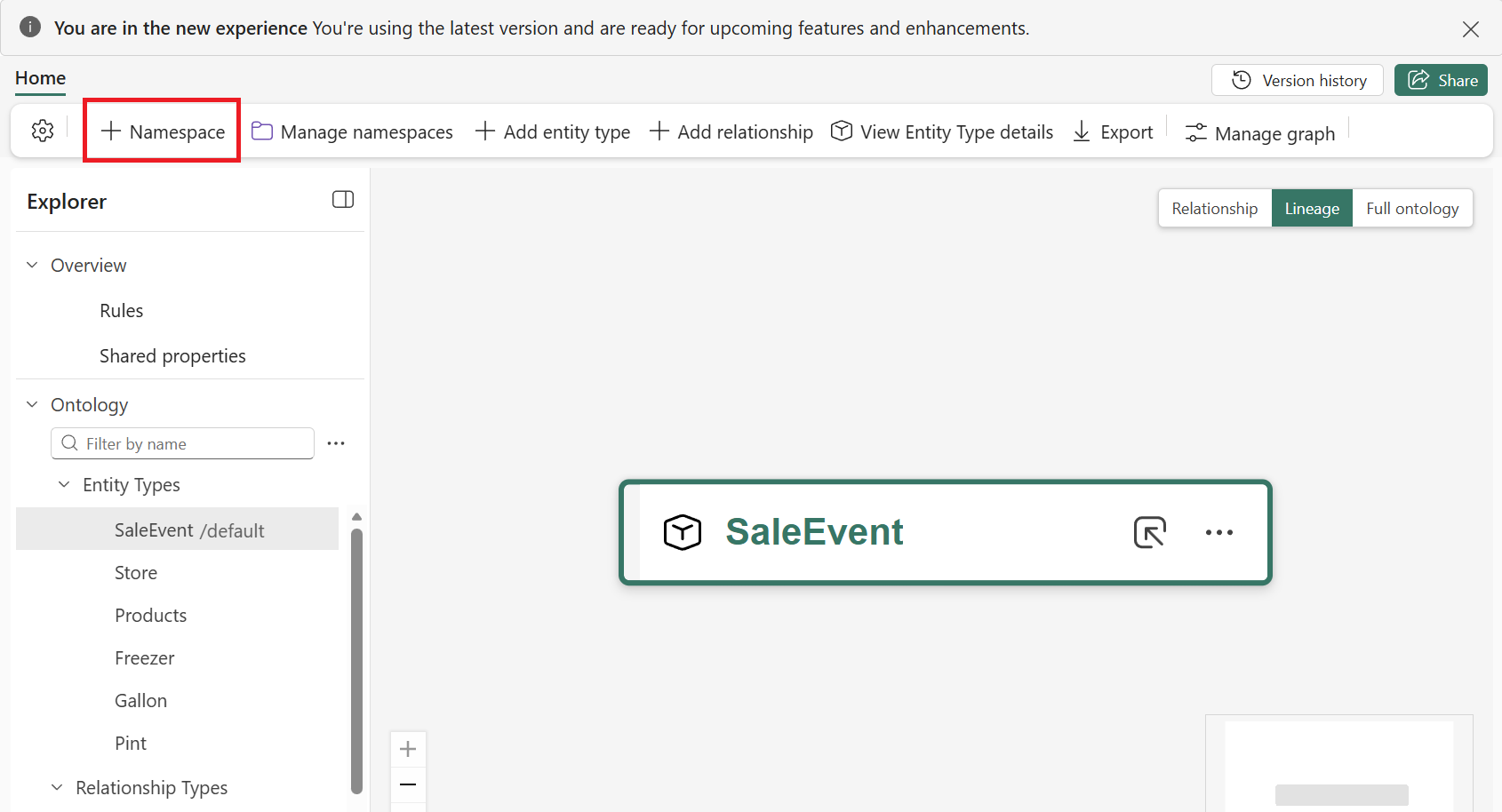
Select + Namespace from the ontology ribbon.
Enter namespace details, including a Namespace name and optional metadata like a Namespace description and Additional metadata.
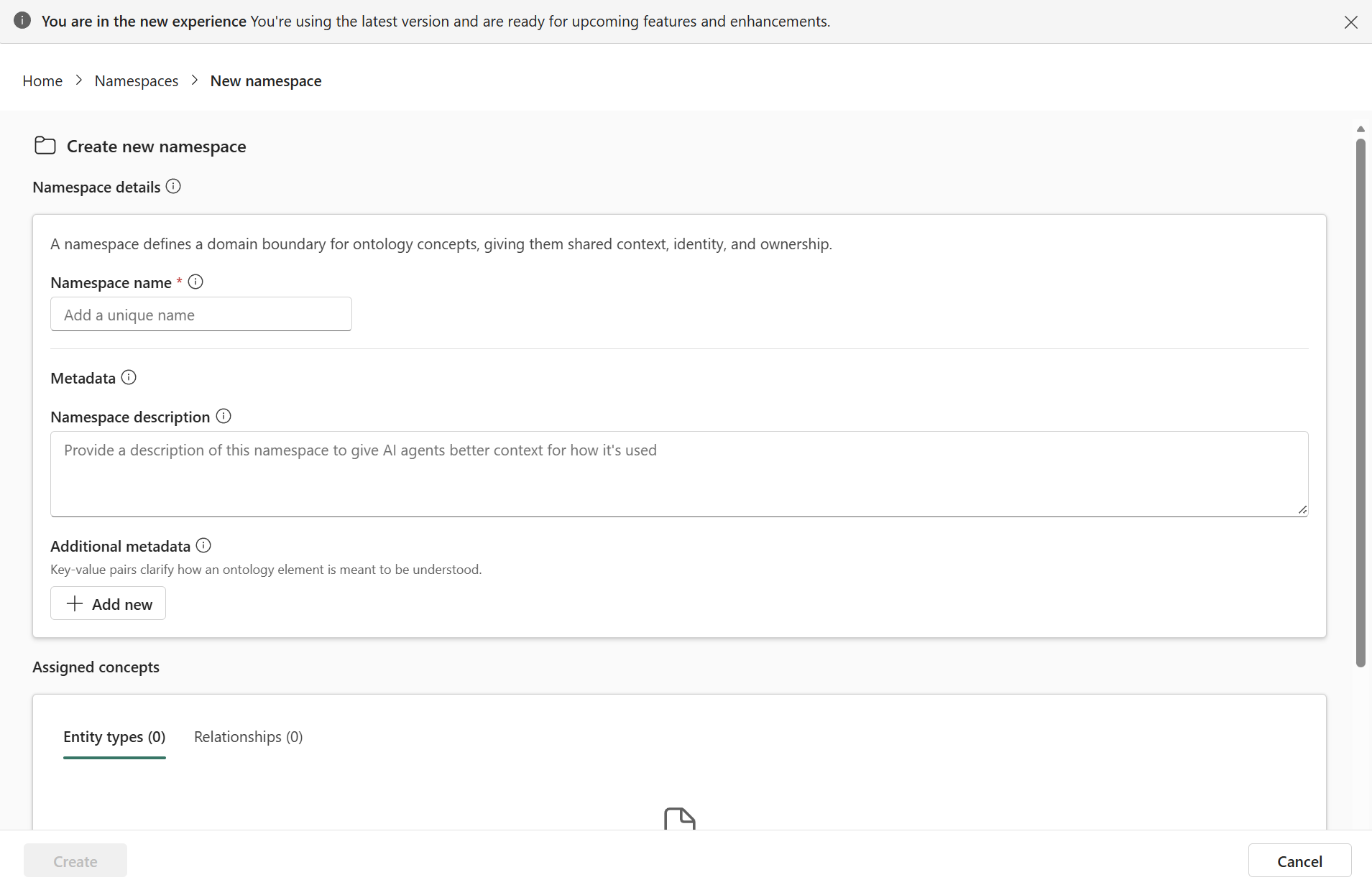
You can't assign concepts like entity types and relationships while creating the namespace. Instead, assign concepts to a namespace after you create the namespace.
Select Create.
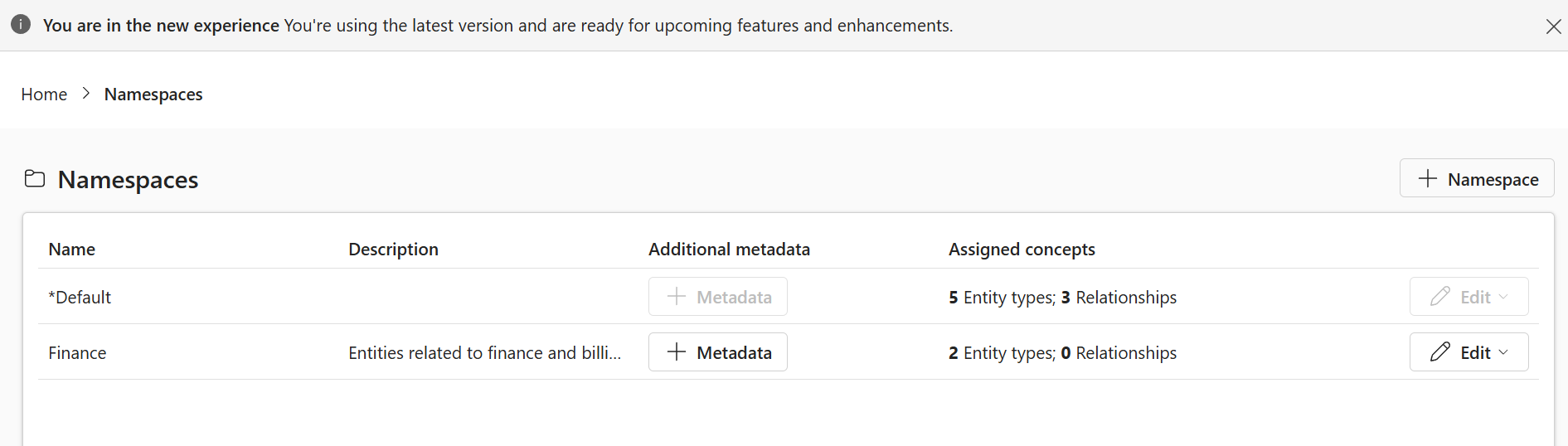
The new namespace appears in the Namespaces view.
Later, once you assign concepts to this namespace, that information is also visible here in the Assigned concepts column.
Assign concepts to a namespace
You can add two types of ontology concepts to a namespace: entity types and relationship types.
Every concept belongs to exactly one namespace. You can assign a concept to a namespace when you create the concept, or reassign it afterward.
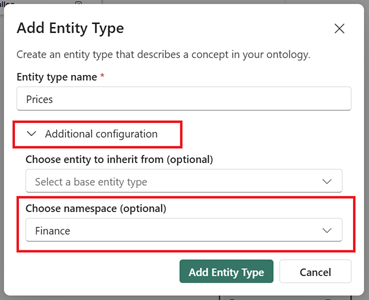
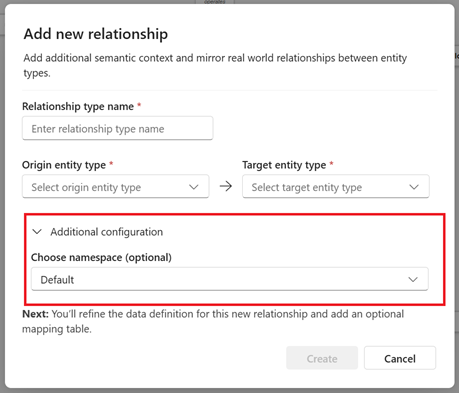
To assign a concept to a namespace while creating the concept, expand Additional configuration in the creation dialog and select a namespace under Choose namespace.
For entity types:
For relationship types:
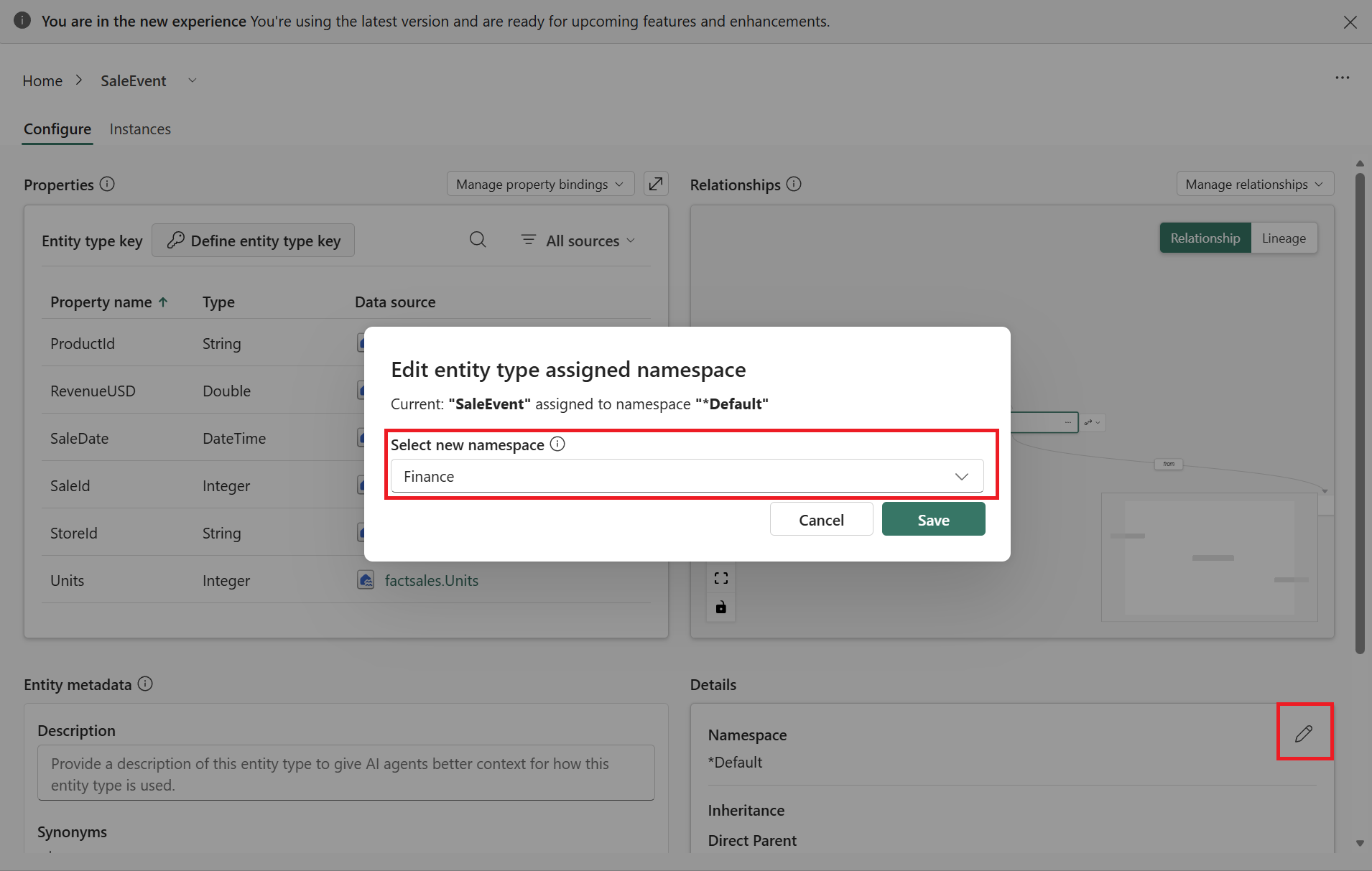
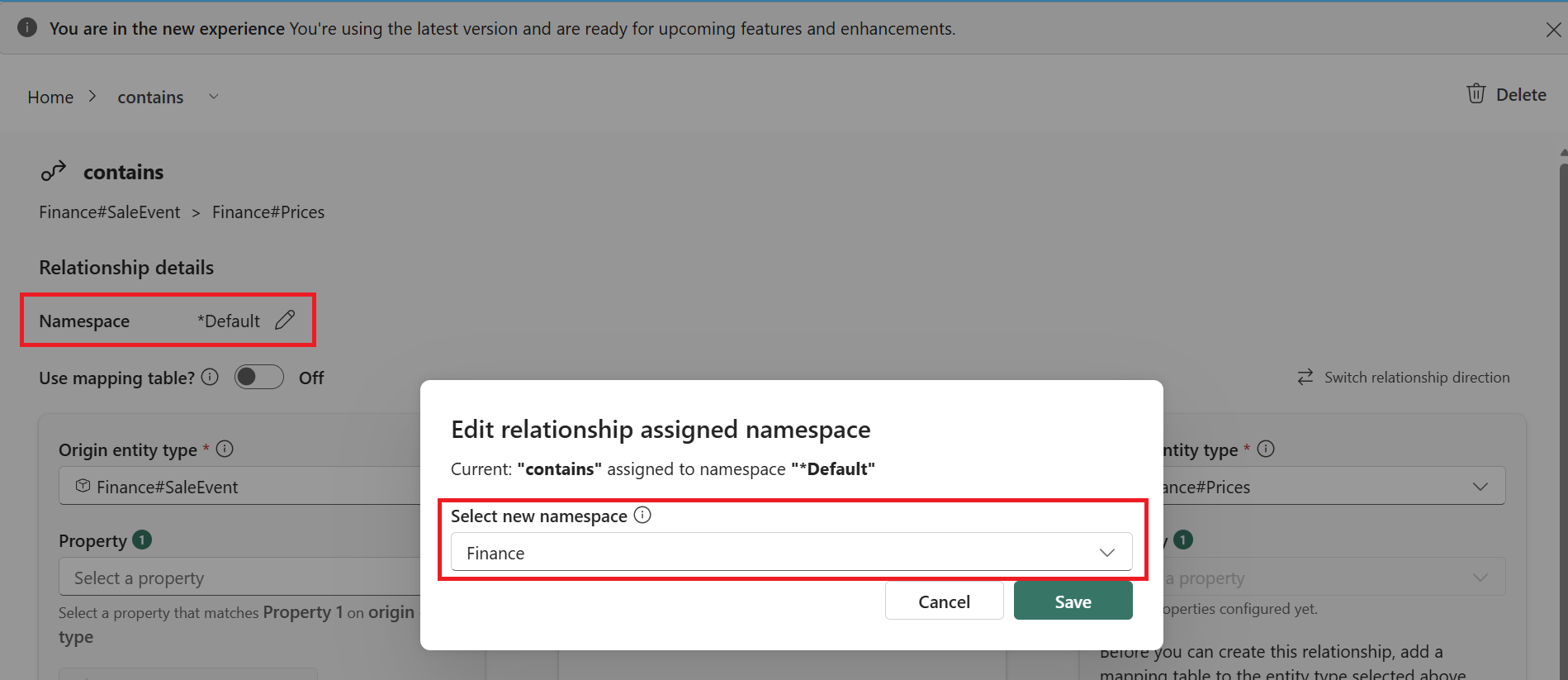
To assign a concept to a namespace after the concept is created, find the namespace details on the concept's configuration page, and select the edit icon. For entity types, it's in the Details section of the Configure page. For relationship types, it's near the top of the relationship edit page.
For entity types:
For relationship types:
When you reassign a concept, the ontology runs validation to prevent duplicate concepts within the target namespace. If the assignment would create a duplicate, the ontology blocks it. Because each namespace is a separate scope, the same name can exist in more than one namespace. For example, a Customer entity type can exist in both a sales namespace and a finance namespace without conflict.
Edit, rename, and delete namespaces
You can edit, rename, or delete a namespace from the Namespaces page. Access this page through the Manage namespaces button in the ontology ribbon.
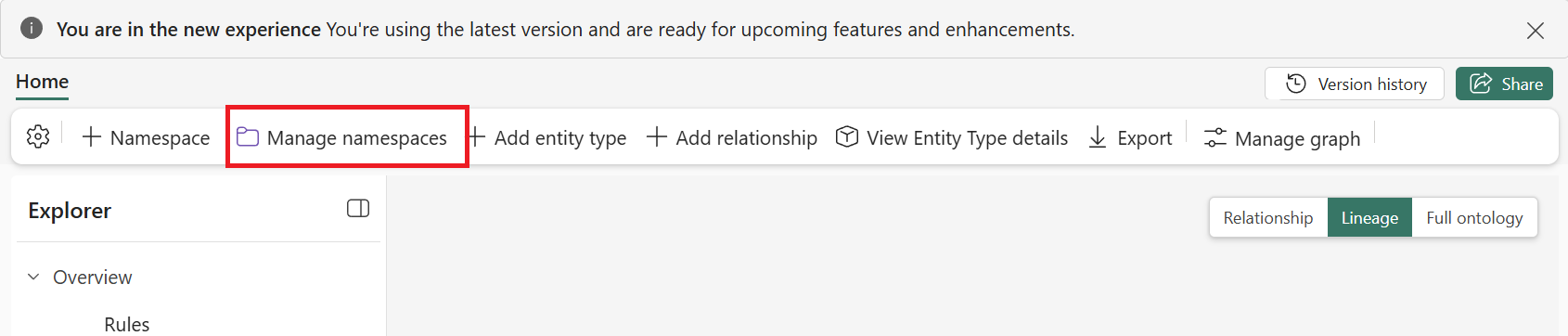
You can edit a namespace's metadata—its name, description, and prefix—without breaking existing references. When you change a namespace name, qualified references to its concepts update automatically, so links elsewhere in the ontology stay intact.
You can delete a namespace only when it has no remaining references. If any concept still references the namespace, the ontology blocks the deletion until you remove or reassign those references. This behavior helps you make safe rename, delete, and lifecycle changes as the model evolves.
Group and filter by namespace
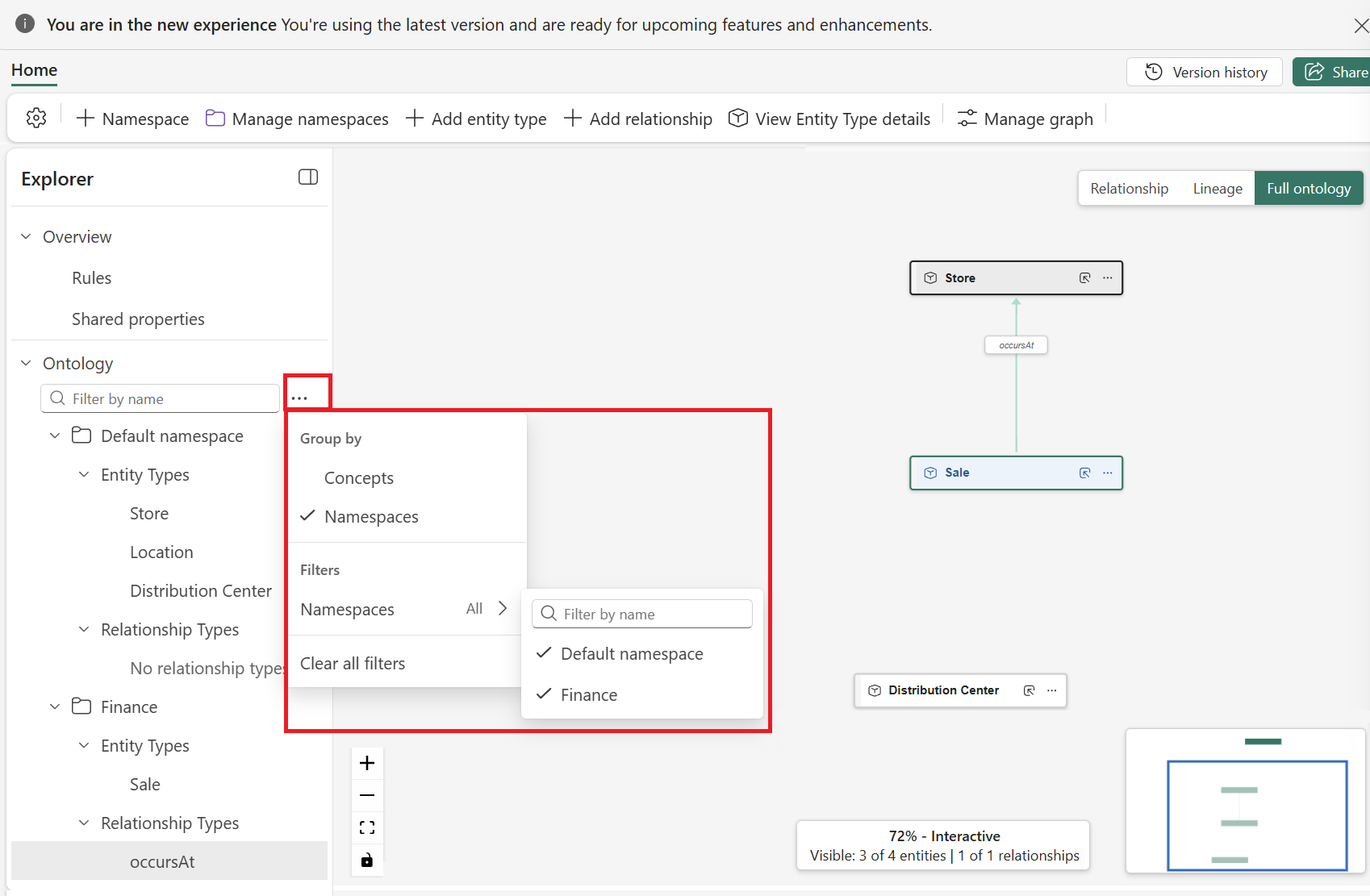
You can group and filter the Explorer view by namespace.
In the Explorer pane, select the ... option menu next to the filter search box. From here you can select whether to group by or filter by namespace.