Note
Access to this page requires authorization. You can try signing in or changing directories.
Access to this page requires authorization. You can try changing directories.
Row-level security (RLS) restricts data access by filtering rows based on a user's identity. In Fabric plan (preview), RLS ensures that users can view and interact only with the data they are authorized to access.
Important
This feature is in preview.
RLS is enforced at query time, and only the permitted rows are returned to the user. This article explains how behavior varies based on workspace roles and RLS in plan.
How RLS works in plan
RLS in Fabric plan (preview) is inherited from the underlying semantic model or data source.
RLS filters data based on user context, applies at query time for every interaction, and ensures consistent enforcement across views and calculations.
RLS rules are evaluated whenever a user queries data. only the allowed rows are returned.
RLS behavior in plan
Fabric plan (preview) connects to semantic models using embedded tokens. This authentication mechanism differs from the standard Power BI service approach and can result in different data access and security behavior, particularly when RLS or Role-Based Access Control (RBAC) is configured on the underlying semantic model.
RLS behavior in plan compared to Power BI
The following items are key differences from Power BI:
- In Fabric plan, RLS is always enforced.
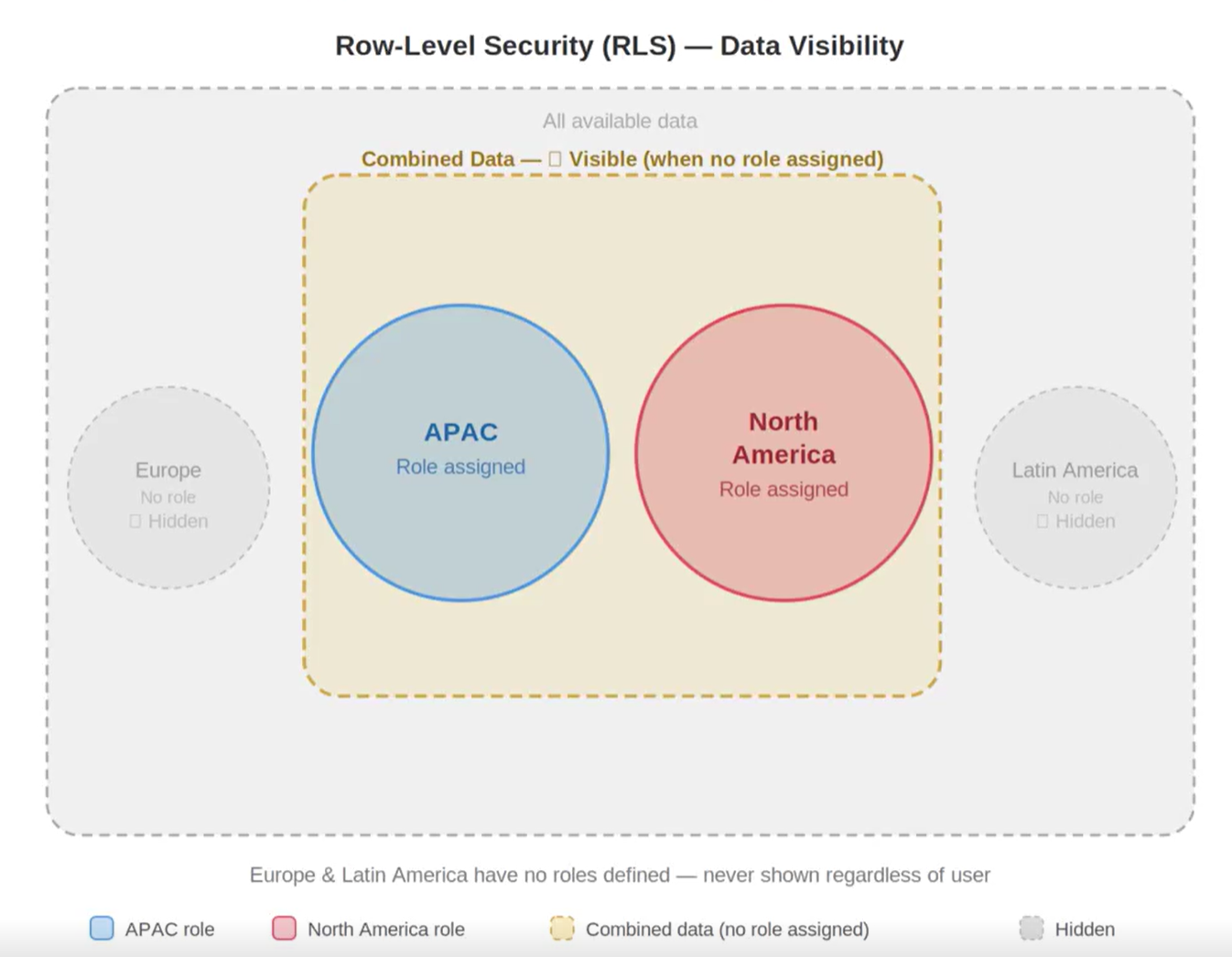
- Users without assigned roles see combined role data, not full dataset access.
- Data that is not included in any role is not visible.
Differences when no RLS is configured
- All data is visible.
- Behavior matches Power BI.
Differences when RLS is configured with role assignment
- Data is filtered based on assigned roles.
- Behavior matches Power BI.
Differences when RLS is configured without role assignment
- In Power BI, all data is visible.
- In plan, users see the union of all role-based data.
Note
Plan requires at least one role when RLS is enabled. If some data is not included in any role, it will not be visible.
Design considerations
- Ensure RLS roles cover the full dataset.
- Use consistent role definitions to avoid missing data.
- Plan for differences in behavior when users are not assigned roles.