Note
Access to this page requires authorization. You can try signing in or changing directories.
Access to this page requires authorization. You can try changing directories.
In planning, date functions help you perform date calculations, extract date values, and format dates in calculations. In this article, you learn how to use date functions to get the current date and time, format dates as needed, and convert Excel serial numbers to and from date values.
DATE
The DATE function converts a date value into the specified format. You can provide the input either as a date string or as separate year, month, and day values. If you don't specify a format, the function returns the date in the browser locale format.
Syntax
Returns the date in the specified format.
DATE(date, format)Returns the date in the browser locale format.
DATE(year, month, date)
Arguments
date: The input date as a string, reference, or measure that contains a date value.format(optional): The format in which to display the date.
or
year: The year value.month: The month value.date: The day value.
Return value
Returns the formatted date value.
Examples
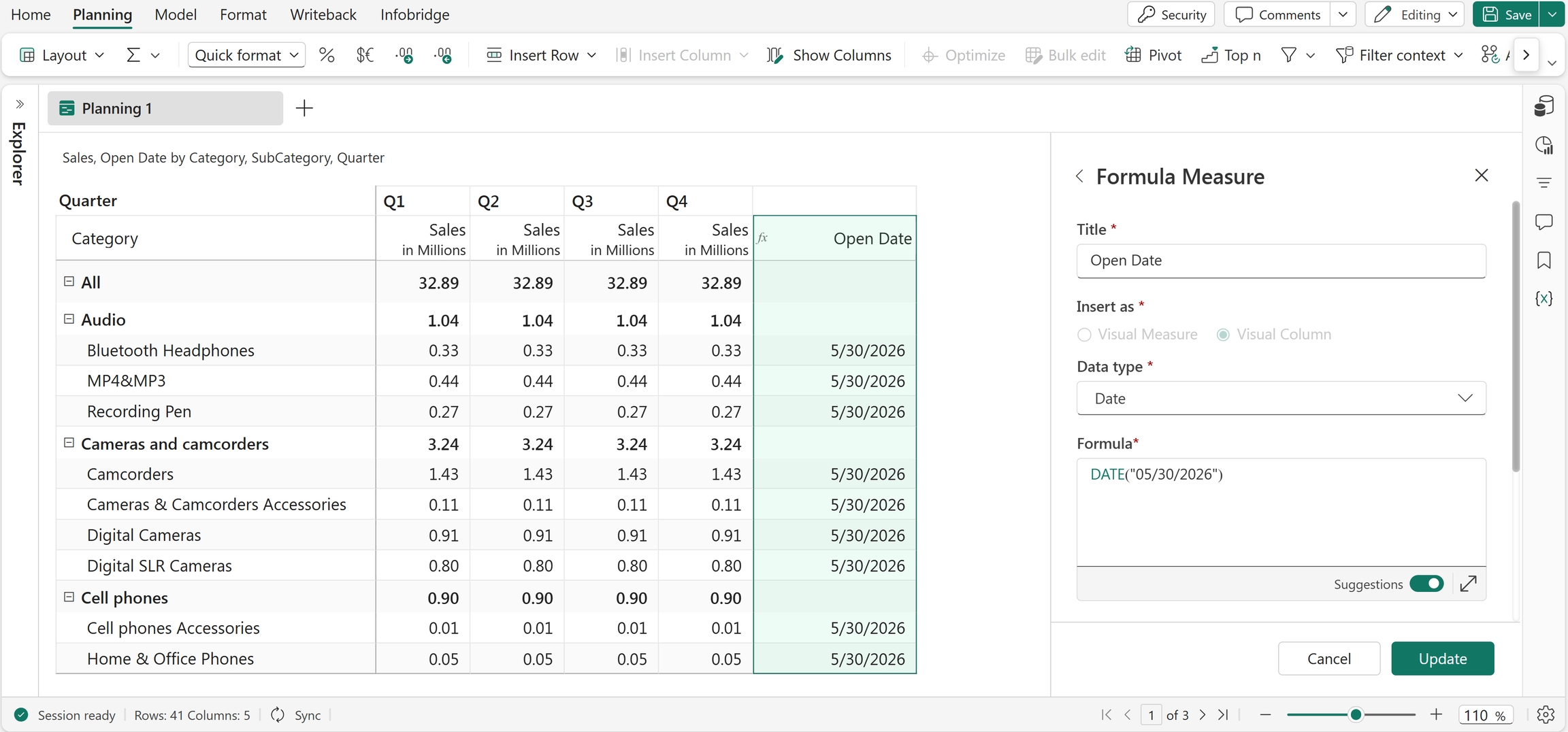
DATE("05/30/2026")
Returns 5/30/2026.
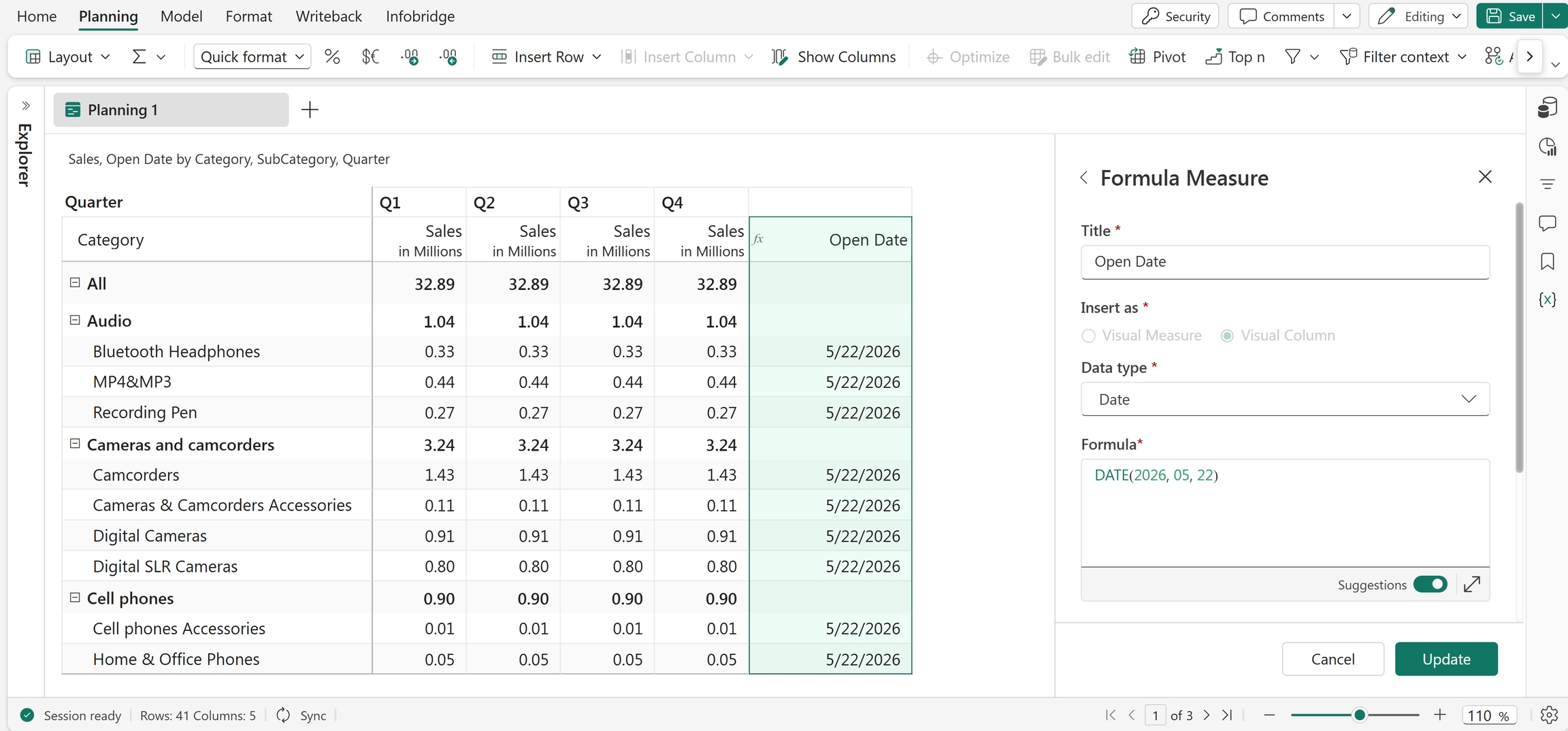
DATE(2026, 05, 22)
Returns 5/22/2026.
Excel equivalent
DATE.FORMAT
The DATE.FORMAT() function returns the current date in the specified string format. If you don't specify a format, the function returns the date in the format based on your browser locale.
Syntax
DATE.FORMAT([format])
Arguments
format(optional): The format in which to display the current date.
Return value
Returns the current date as a formatted string.
Examples
DATE.FORMAT()
Returns the current date in the browser locale format, such as 11/6/24.
DATE.FORMAT("DD MM YY")
Returns the current date in the specified format, such as 11 06 24.
DATE.NOW
The DATE.NOW function returns the current date and time based on the system settings. Use this function to capture timestamps, calculate durations, and display the current date and time in reports.
Syntax
DATE.NOW
Return value
Returns the current date and time as a datetime value.
Example
DATE.NOW
Returns the current date and timestamp, such as 16/07/2026, 4:02:19 PM.
Excel equivalent
FROM_EXCELDATE
The FROM_EXCELDATE function converts an Excel serial date number into its equivalent date value. Excel stores dates as sequential serial numbers to support date calculations. Use this function when you import or convert date values from Excel-based data sources.
Syntax
FROM_EXCELDATE(value)
Arguments
value: The Excel serial date number to convert.
Return value
Returns the corresponding date value.
Example
FROM_EXCELDATE(39457)
Returns 10/01/2008.
TO_EXCELDATE
The TO_EXCELDATE function converts a date into an Excel serial number. The input date should be in MM/DD/YYYY format. The function also accepts references and measures that contain date values as arguments. You commonly use this function when you work with Excel-based date calculations or integrate data with Excel.
Syntax
TO_EXCELDATE(date)
Arguments
date: The date to convert to an Excel serial number.
Return value
Returns the Excel serial number corresponding to the specified date.
Example
TO_EXCELDATE("08/15/2023")
Returns 45153.
In this example, the TO_EXCELDATE function converts the date 08/15/2023 into its corresponding Excel serial number, 45153. Excel stores dates as sequential serial numbers, where each number represents the number of days since the Excel date system's starting point.