Note
Access to this page requires authorization. You can try signing in or changing directories.
Access to this page requires authorization. You can try changing directories.
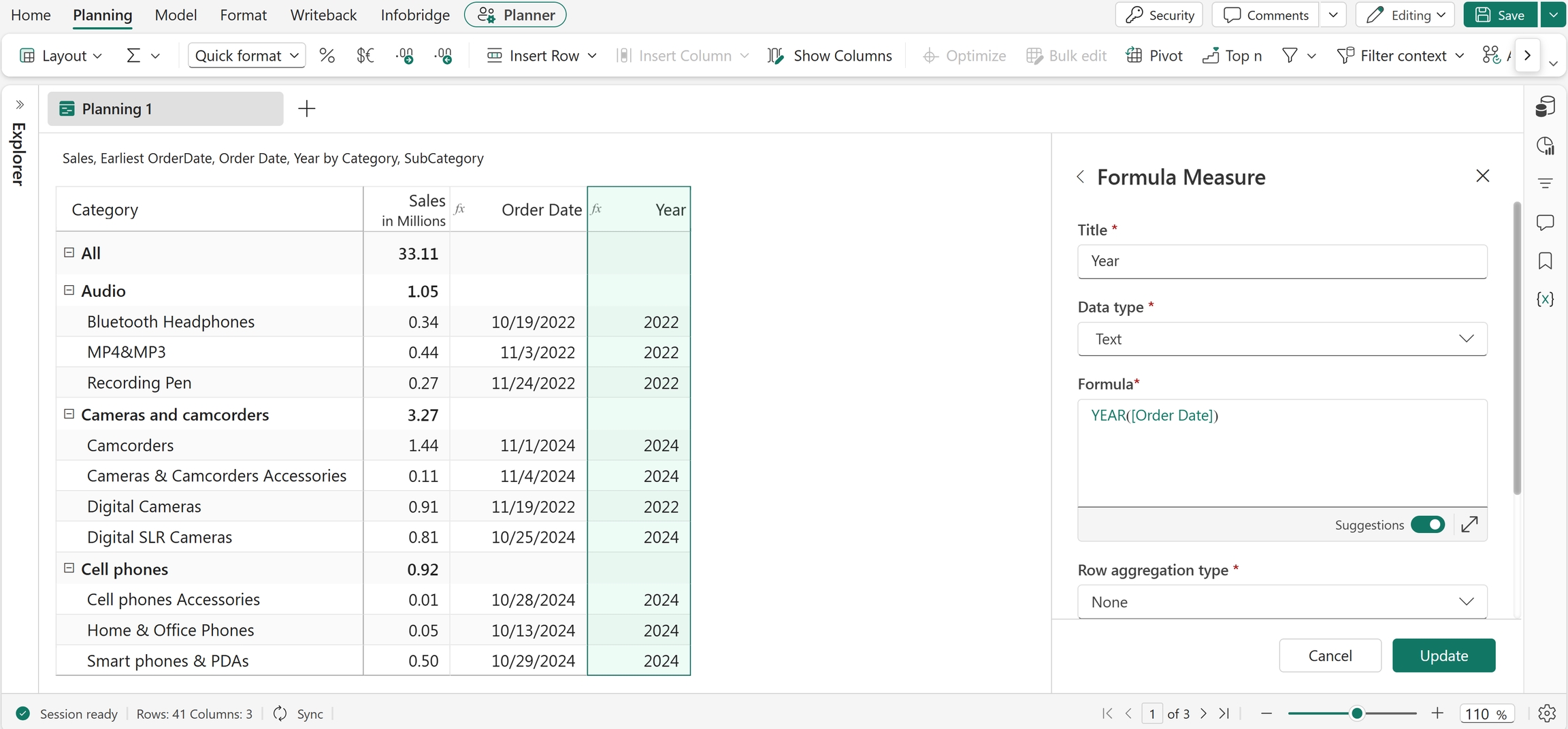
In this article, you learn how to extract day, month, and year values from dates. You also learn how to find the start or end of calendar periods and generate date ranges.
DAY
The DAY function extracts the day value from a date. Use this function to analyze and group data based on the day of the month.
Note
The input dates should be in MM/DD/YYYY format. The function also accepts references as arguments.
Syntax
DAY(date)
Arguments
date: The input date.
Return value
Returns the day value from the specified date.
Example
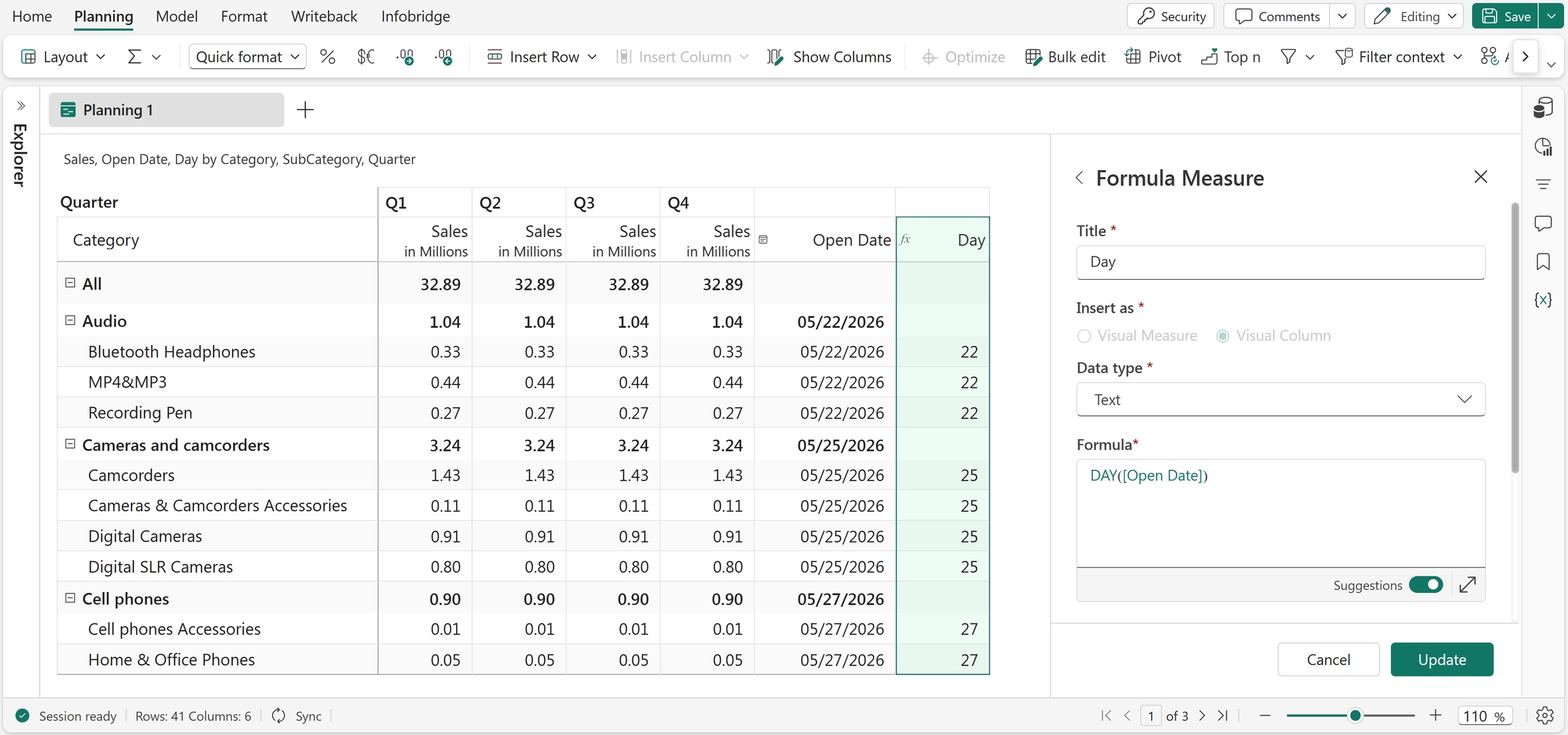
DAY(Open Date)
Extracts the day value from the Open Date field. For example, if Open Date is 05/22/2026, the function returns 22.
Excel equivalent
EOMONTH
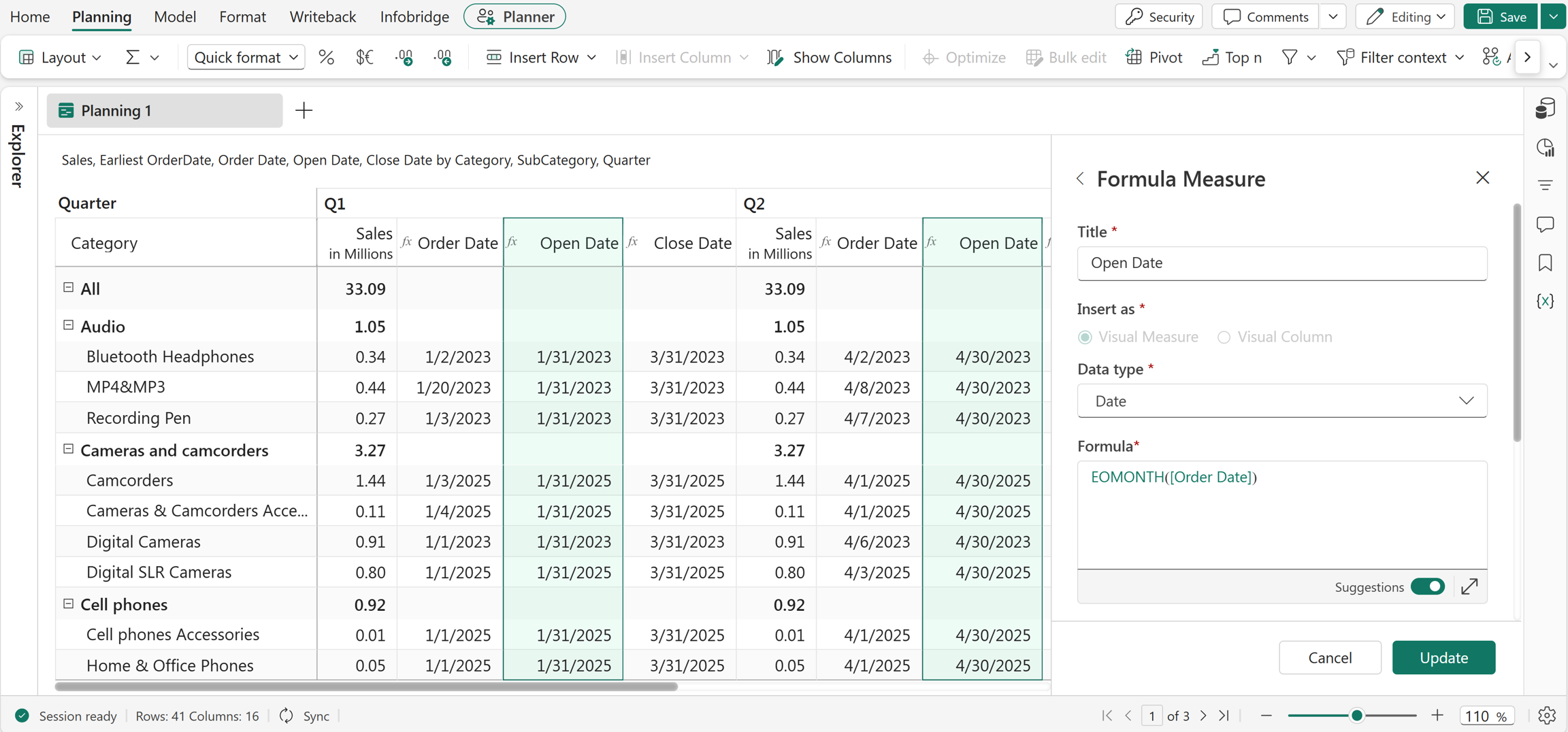
The EOMONTH function returns the end date of the month for a given date. The function also accepts references and measures as arguments. You can optionally specify an offset to return the end date of a future or past month. Use this function for month-end reporting, forecasting, and period-based calculations.
Syntax
EOMONTH(date, [offset])
Arguments
date: The input date.offset(optional): The number of months to add to or subtract from the month-end date. Positive values move forward in time, and negative values move backward.
Return value
Returns the end date of the month.
Examples
EOMONTH("05/29/2026")
Returns 05/31/2026.
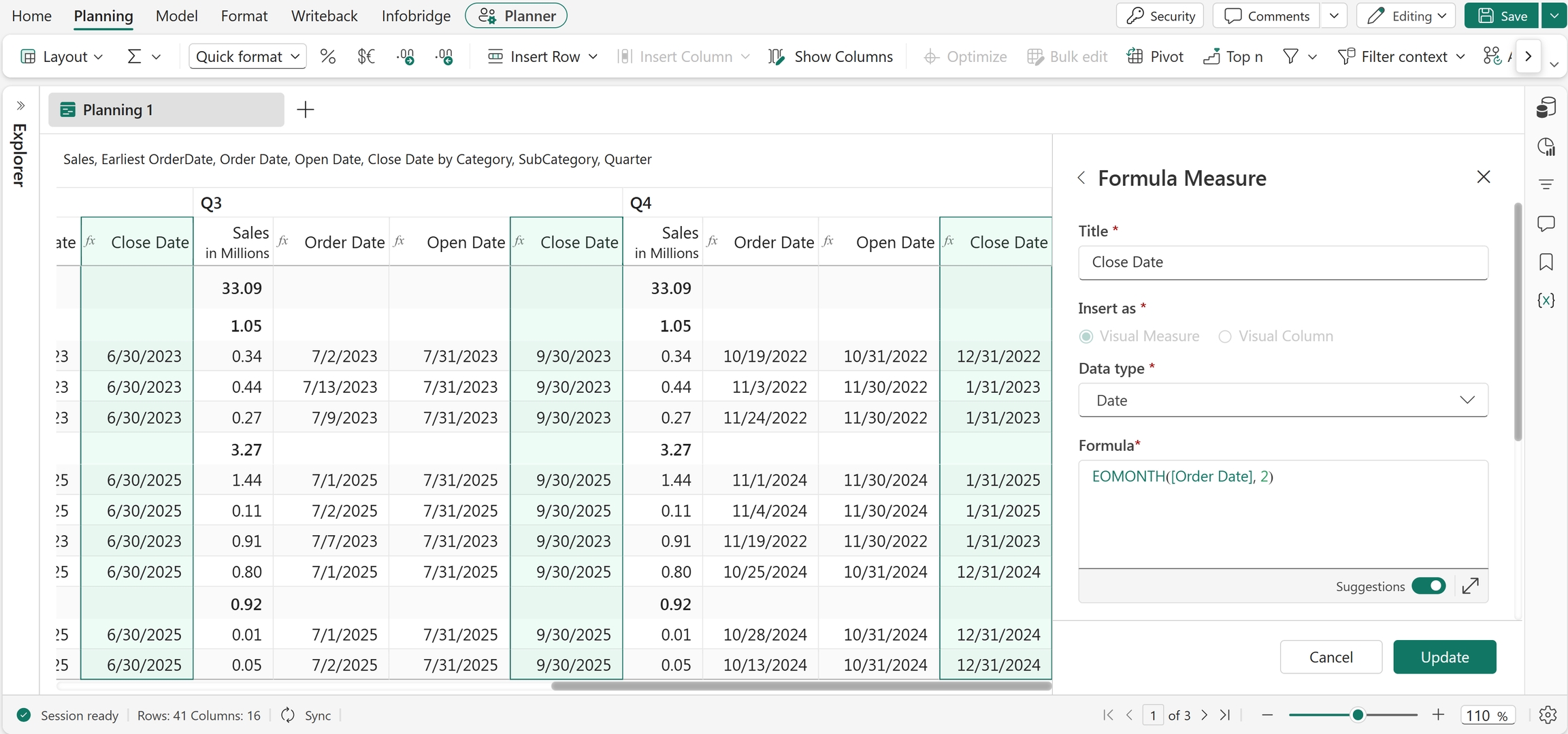
EOMONTH("05/29/2026", 3)
Returns 08/31/2026, which is the end date of the month three months after May 2026.
EOQTR
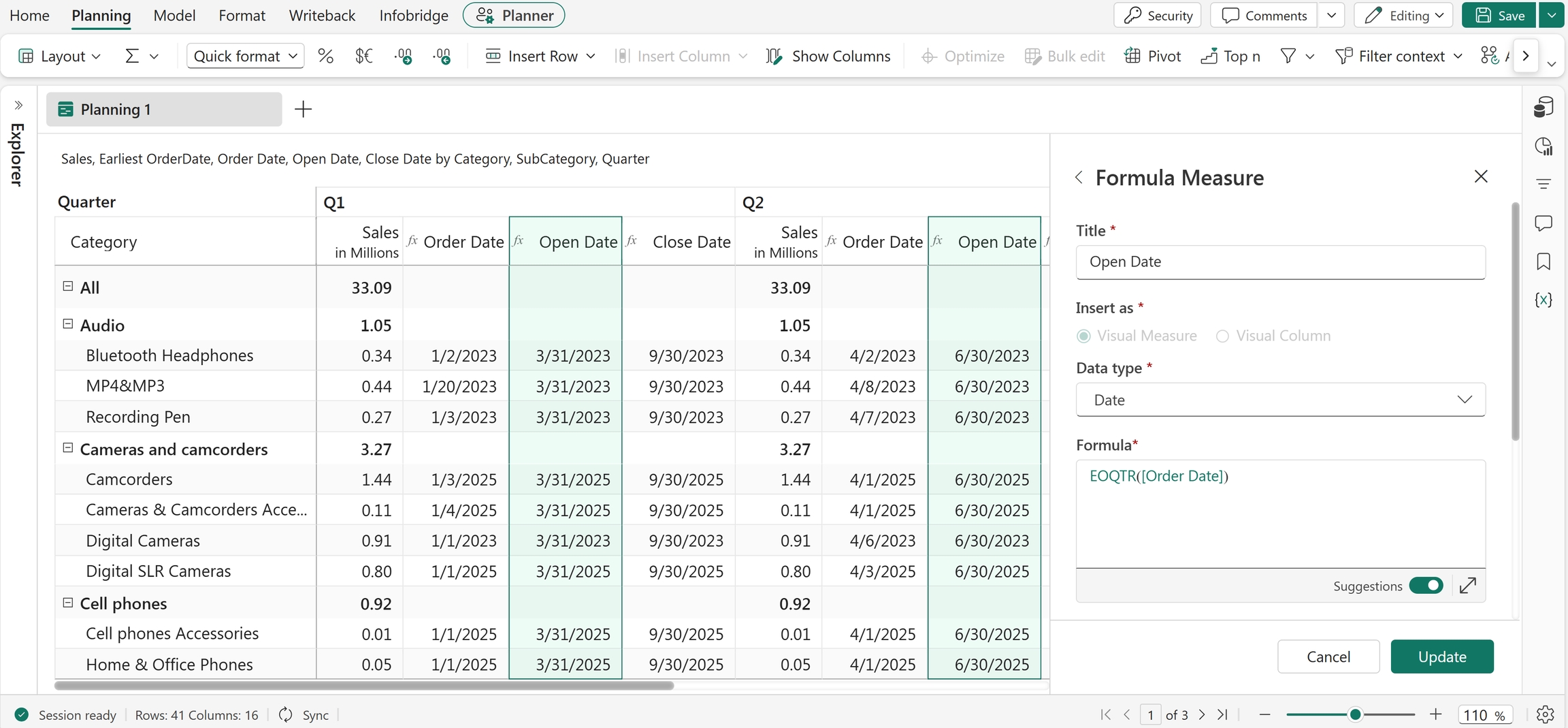
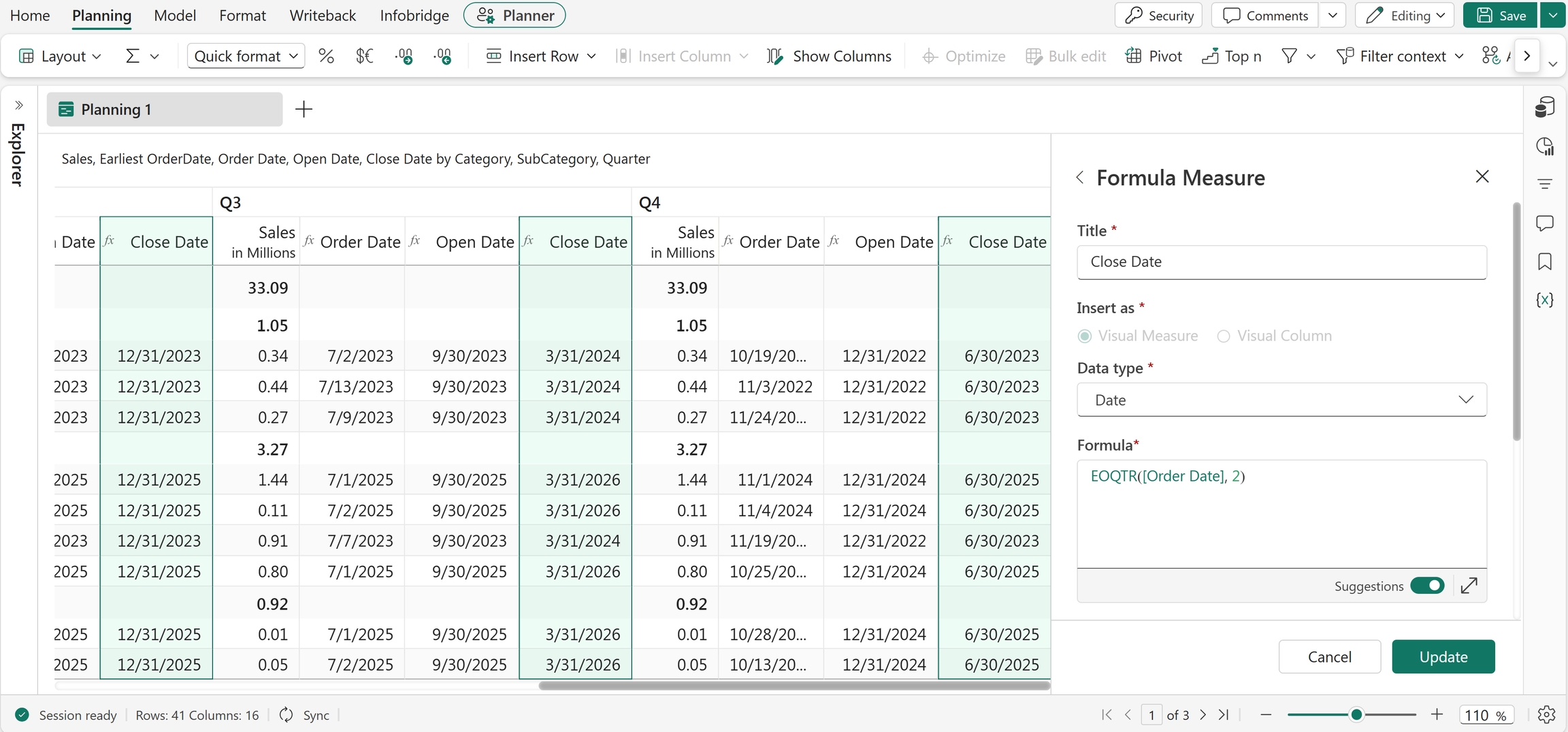
The EOQTR function returns the end date of the quarter for a given date. The function also accepts references and measures as arguments. You can optionally specify an offset to return the end date of a future or previous quarter. Use this function for quarter-end reporting and period-based calculations.
Syntax
EOQTR(date, [offset])
Arguments
date: The input date.offset(optional): The number of quarters to add to or subtract from the quarter end date. Positive values move forward, and negative values move backward.
Return value
Returns the end date of the quarter.
Examples
EOQTR("05/29/2026")
Returns 06/30/2026.
EOQTR("05/29/2026", 1)
Returns 09/30/2026 by adding one quarter to the quarter end date of 06/30/2026.
EOWEEK
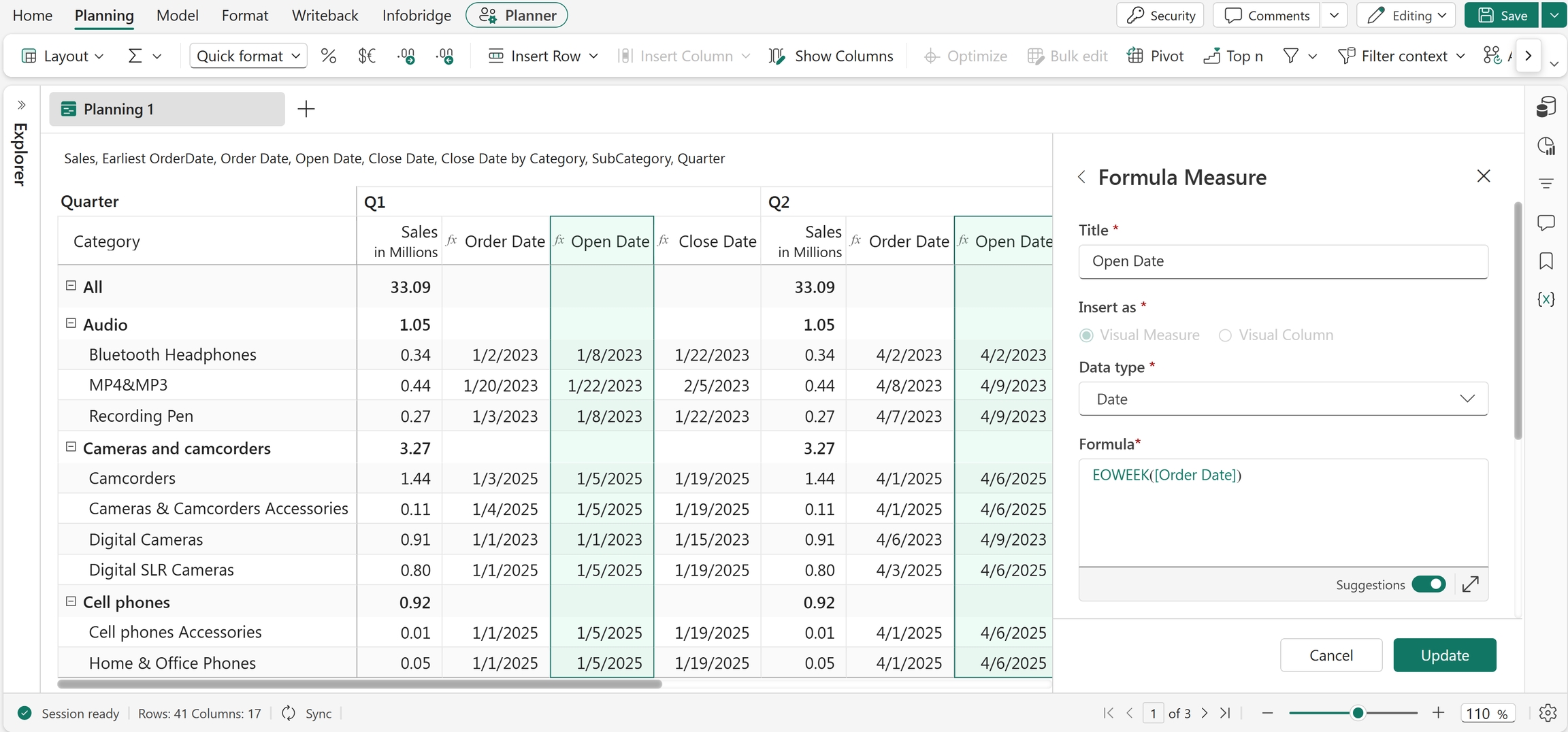
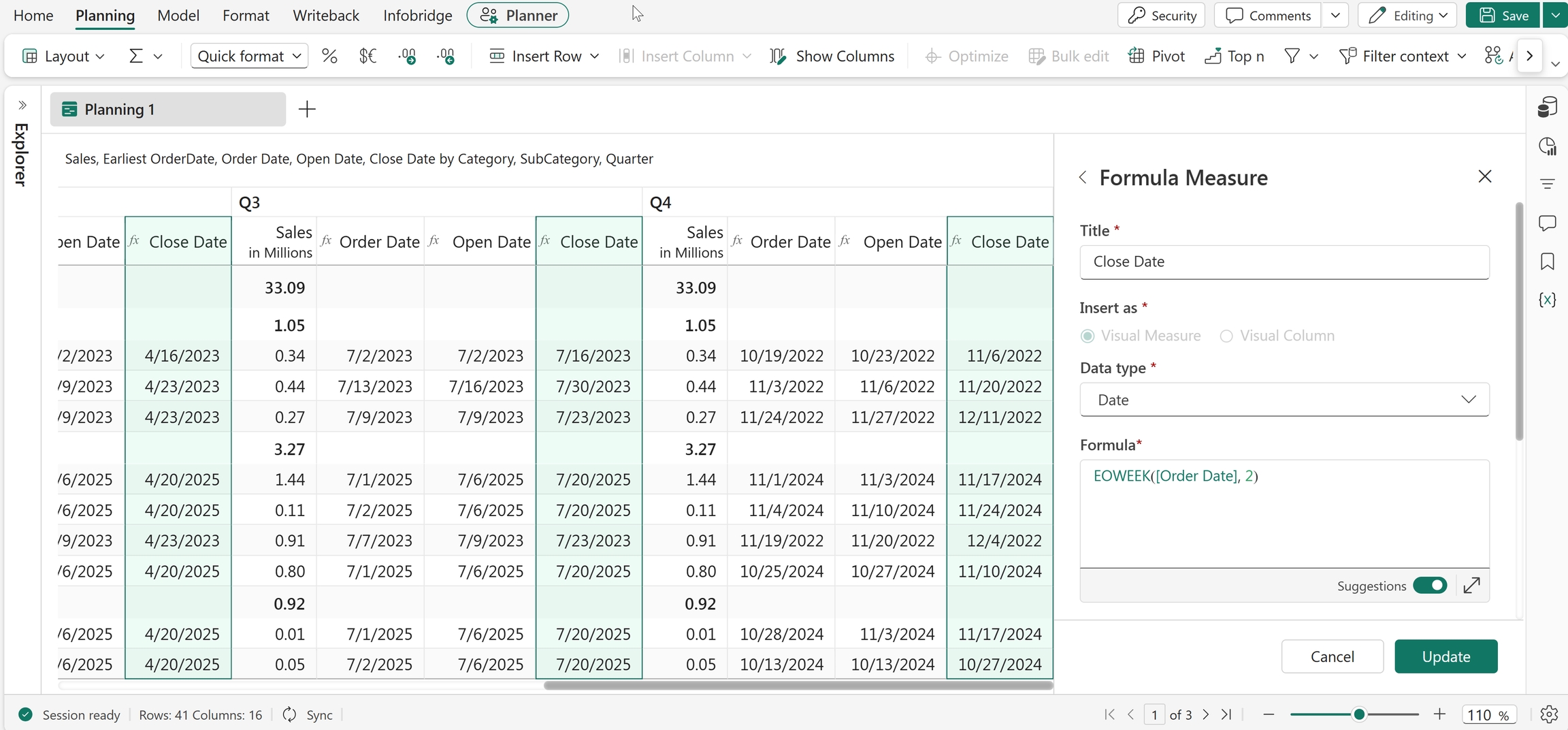
The EOWEEK function returns the end date of the week for a given date. The function also accepts references and measures as arguments. You can optionally specify an offset to add or subtract weeks from the calculated end date. Use this function to determine weekly reporting periods and planning timelines.
Syntax
EOWEEK(date, [offset])
Arguments
date: The input date.offset(optional): The number of weeks to add to or subtract from the end date of the week. Positive values add weeks, and negative values subtract weeks.
Return value
Returns the end date of the week.
Examples
EOWEEK("05/29/2026")
Returns 06/02/2026, which is the end date of the week containing 05/29/2026.
EOWEEK("05/29/2026", 3)
Returns 06/23/2026 by adding 3 weeks to the calculated end date of 06/02/2026.
EOYEAR
The EOYEAR function returns the end date of the year for a given date. The function also accepts references and measures as arguments. You can optionally specify an offset to return the end date of a future or previous year. You commonly use this function to calculate year-end reporting periods and financial deadlines.
Syntax
EOYEAR(date, [offset])
Arguments
date: The input date.offset(optional): The number of years to add to or subtract from the year-end date. Positive values move forward, and negative values move backward.
Return value
Returns the end date of the year.
Examples
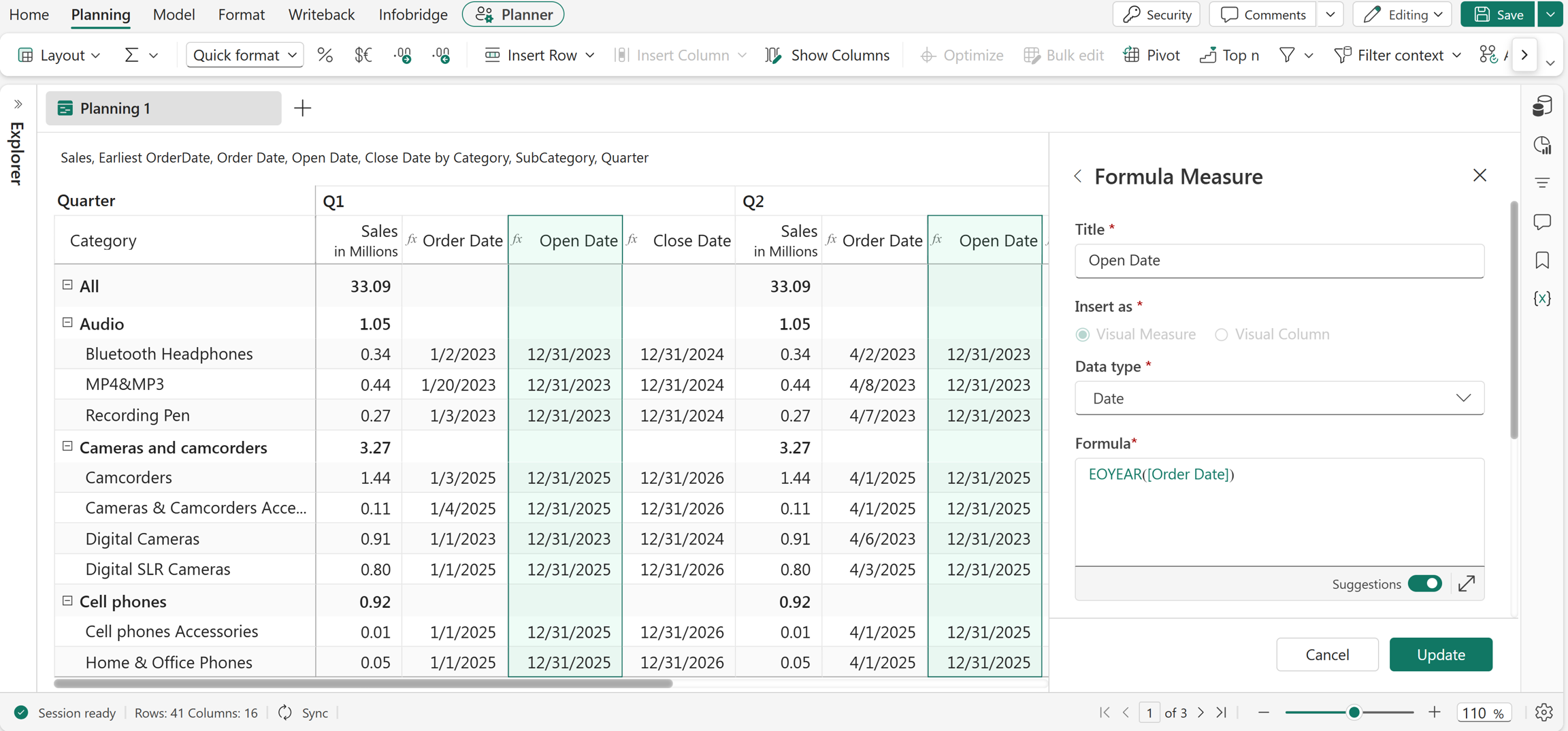
EOYEAR("05/29/2026")
Returns 12/31/2026.
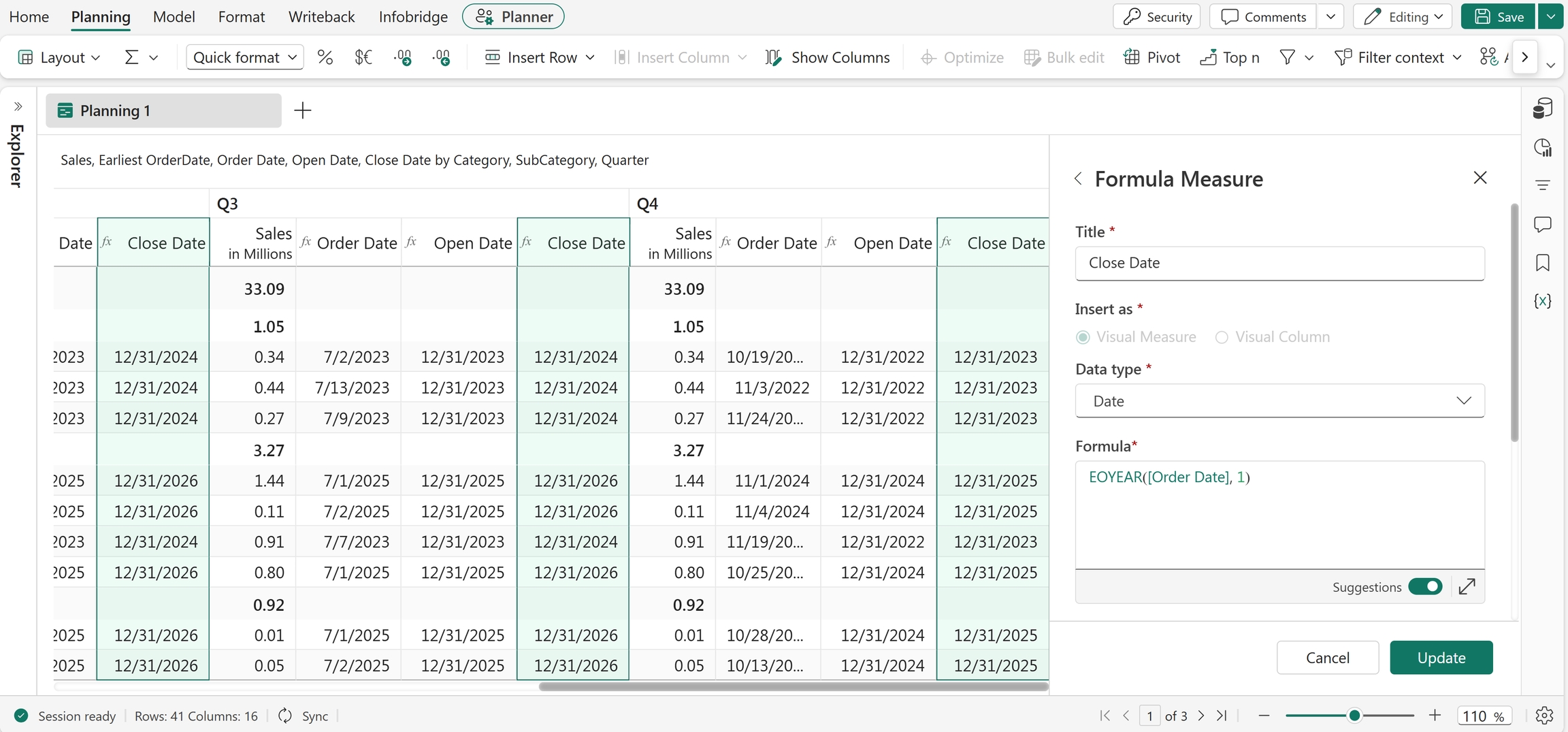
EOYEAR("05/29/2026", 1)
Returns 12/31/2027 by adding one year to the end date of 2026.
MONTH
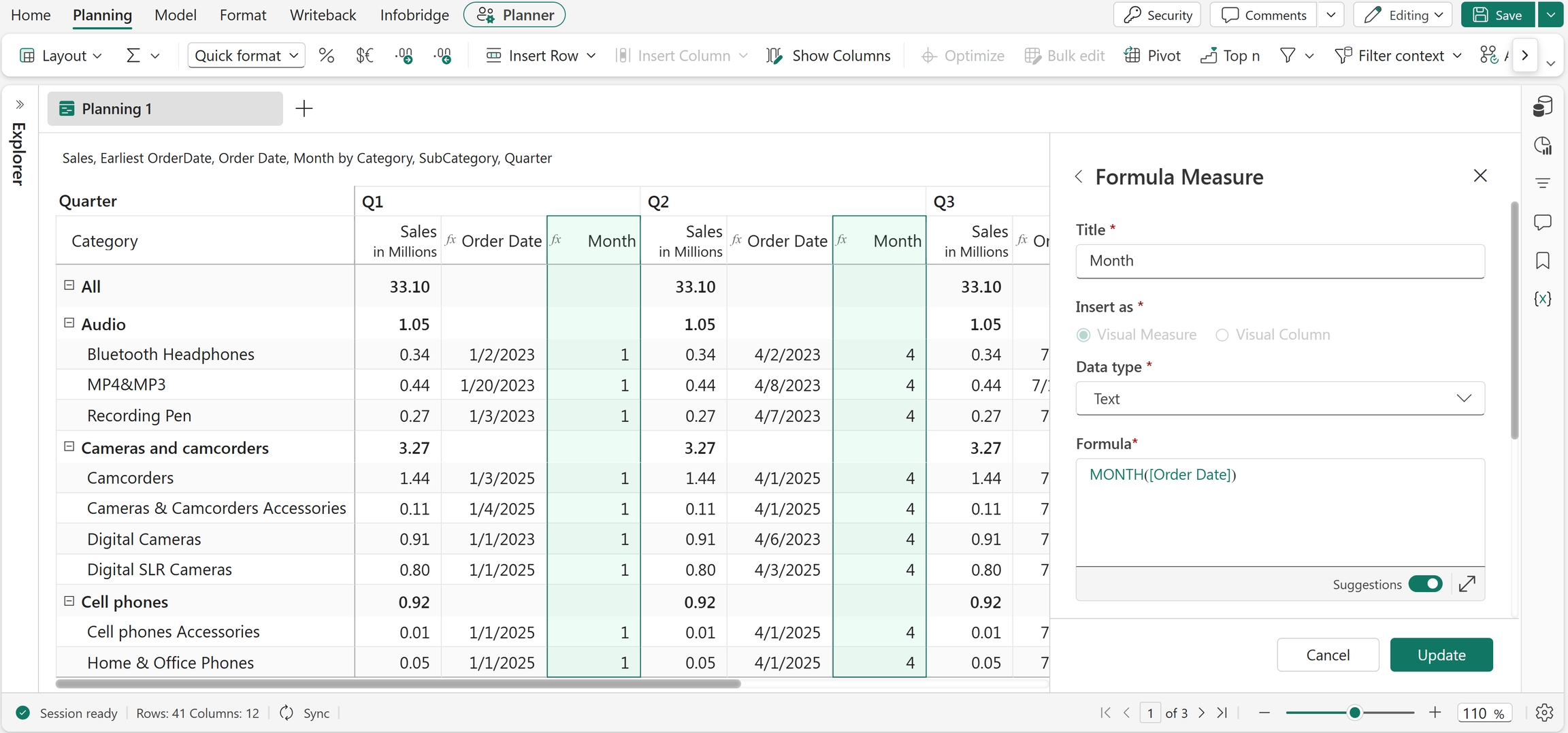
The MONTH function extracts the month value from a date. The input date should be in MM/DD/YYYY format. The function also accepts references as arguments. You commonly use this function to analyze and group data by month.
Syntax
MONTH(date)
Arguments
date: The input date.
Return value
Returns the month value from the specified date.
Example
MONTH("3/21/2023")
Returns 3.
Excel equivalent
SOMONTH
The SOMONTH function returns the start date of the month for a given date. This function also accepts references and measures as arguments. Use this function to identify monthly reporting periods and perform month-based calculations.
Syntax
SOMONTH(date)
Arguments
date: The input date.
Return value
Returns the start date of the month.
Example
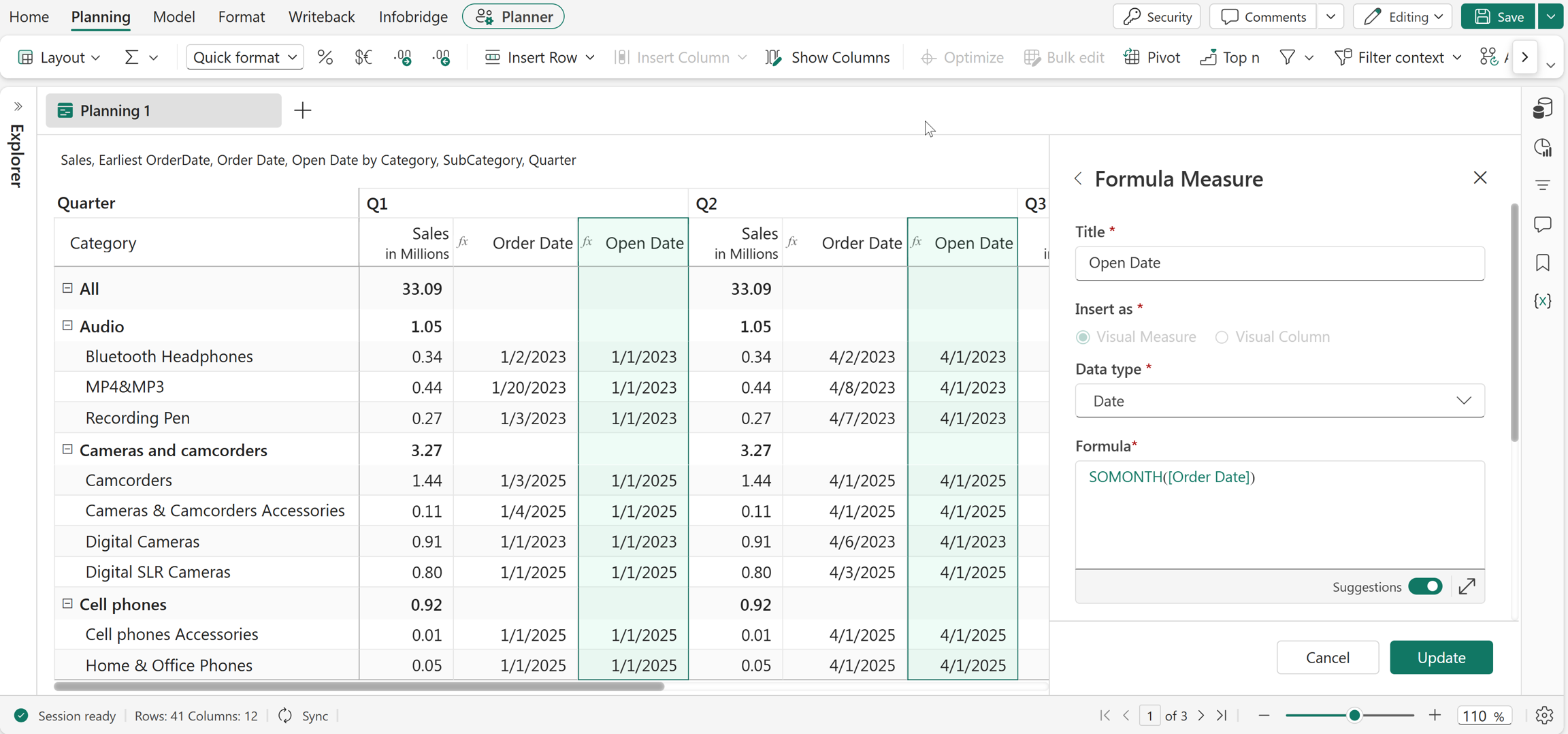
SOMONTH("05/29/2026")
Returns 5/1/2026, which is the start date of the month containing 05/29/2026.
SOQTR
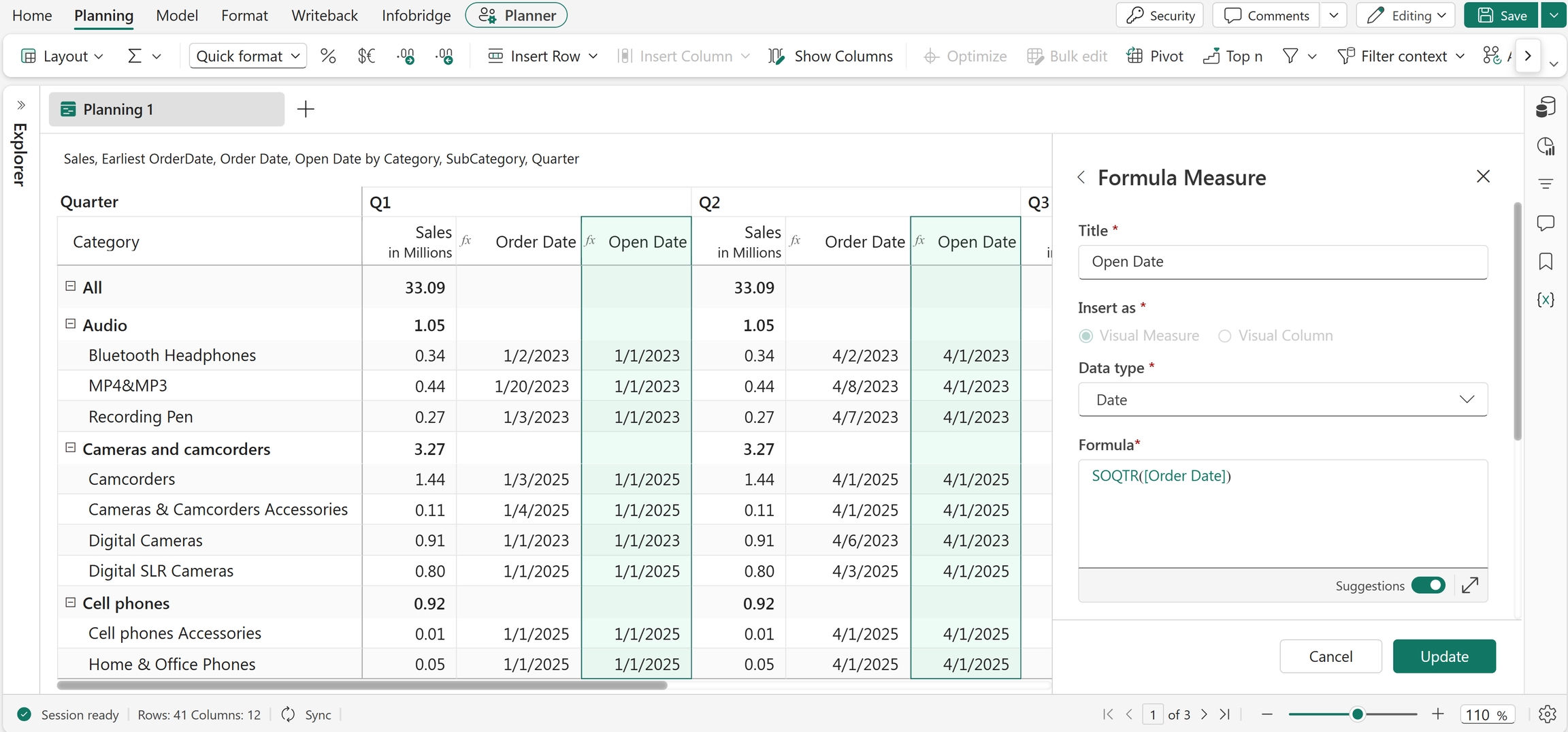
The SOQTR function returns the start date of the quarter for a given date. The function also accepts references and measures as arguments. Use this function to group data by quarter and calculate quarterly reporting periods.
Syntax
SOQTR(date)
Arguments
date: The input date.
Return value
Returns the start date of the quarter.
Example
SOQTR("05/29/2026")
Returns 4/1/2026, which is the start date of the quarter containing 05/29/2026.
SOWEEK
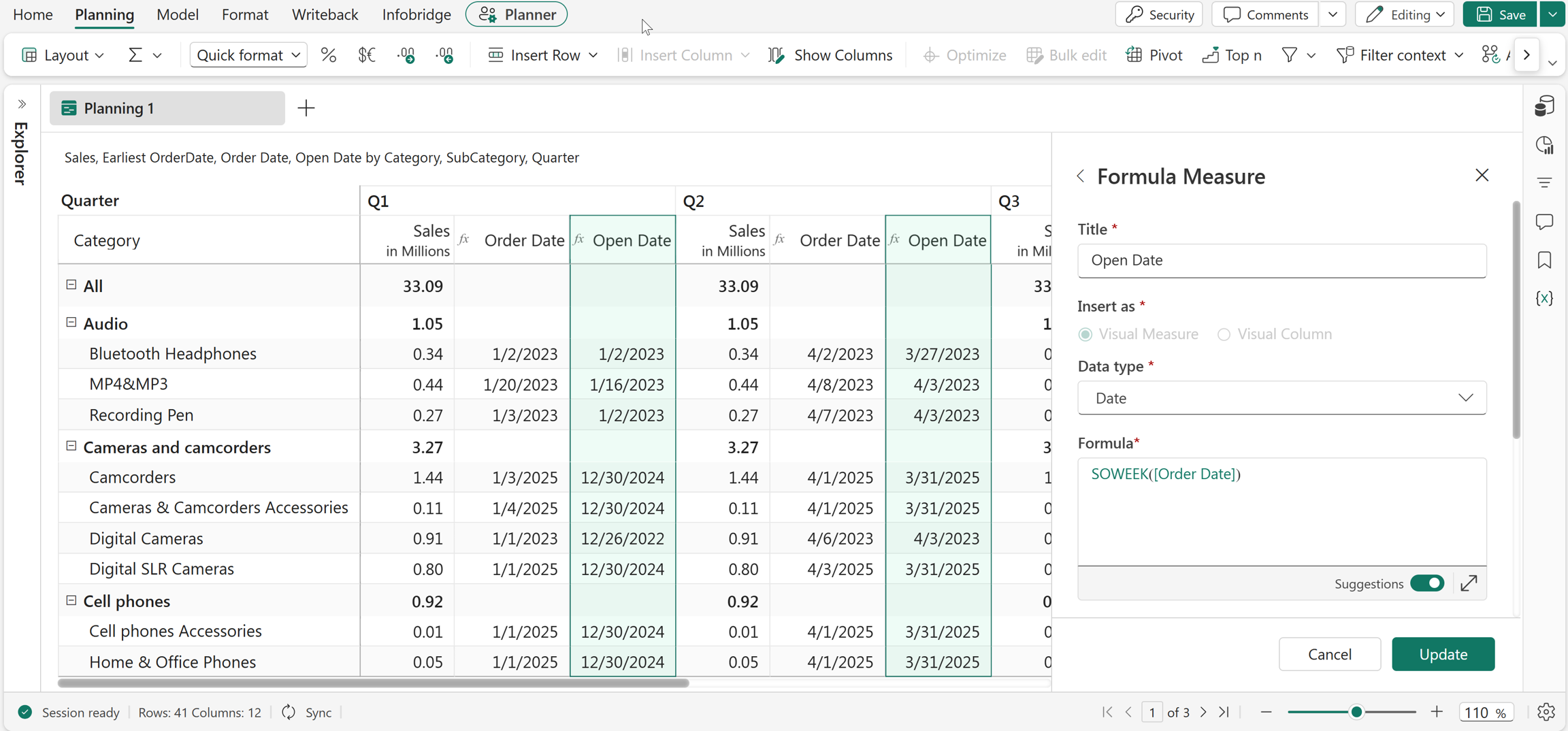
The SOWEEK function returns the start date of the week for a given date. This function also accepts references and measures as arguments. Use this function to group data by week and calculate weekly reporting periods.
Syntax
SOWEEK(date)
Arguments
date: The input date.
Return value
Returns the start date of the week.
Example
SOWEEK("06/05/2026")
Returns 6/1/2026, which is the start date of the week containing 06/05/2026.
SOYEAR
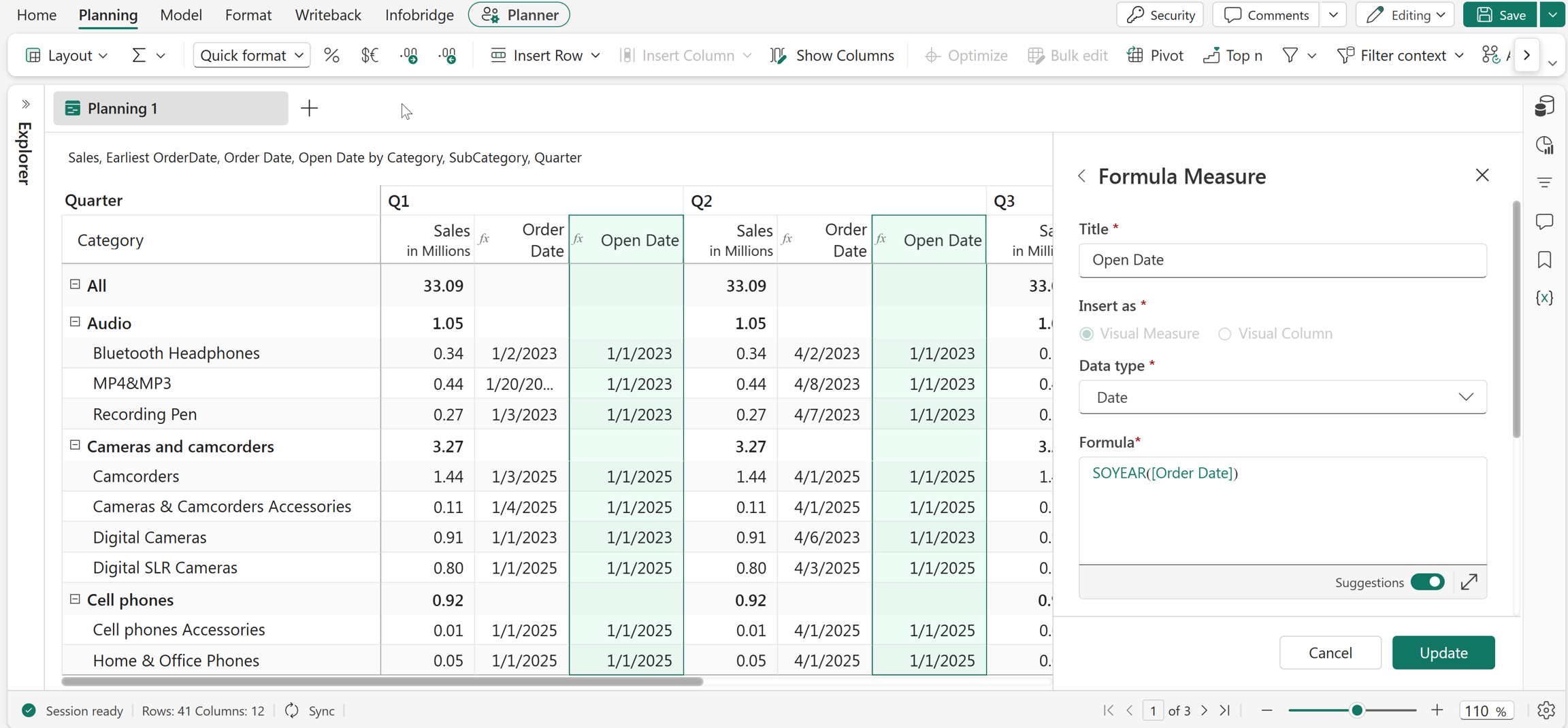
The SOYEAR function returns the start date of the year for a given date. The function also accepts references and measures as arguments. Use this function to calculate yearly reporting periods and perform year-based analysis.
Syntax
SOYEAR(date)
Arguments
date: The input date.
Return value
Returns the start date of the year.
Example
SOYEAR("05/29/2026")
Returns 01/01/2026, which is the start date of the year containing 05/29/2026.
YEAR
The YEAR function extracts the year from a date. Use this function to group, filter, and analyze data by year.
Syntax
YEAR(date)
Arguments
date: The input date.
Return value
Returns the year as a number.
Example
YEAR("03/21/2026")
Returns 2026.