Note
Access to this page requires authorization. You can try signing in or changing directories.
Access to this page requires authorization. You can try changing directories.
In this article, you learn about the date functions in planning that you use to perform calculations such as calculating date differences, adding or subtracting intervals, and finding the net workdays for reporting and business scenarios.
ADDDAYS
The ADDDAYS function adds or subtracts a specified number of days from a date. The input date can be in any supported date format. Use this function to calculate deadlines, due dates, and future or past dates.
Syntax
ADDDAYS(date, value)
Arguments
date: The input date. This input can also be a measure or reference.value: The number of days to add or subtract. Use a positive value to add days and a negative value to subtract days.
Return value
Returns the calculated date.
Examples
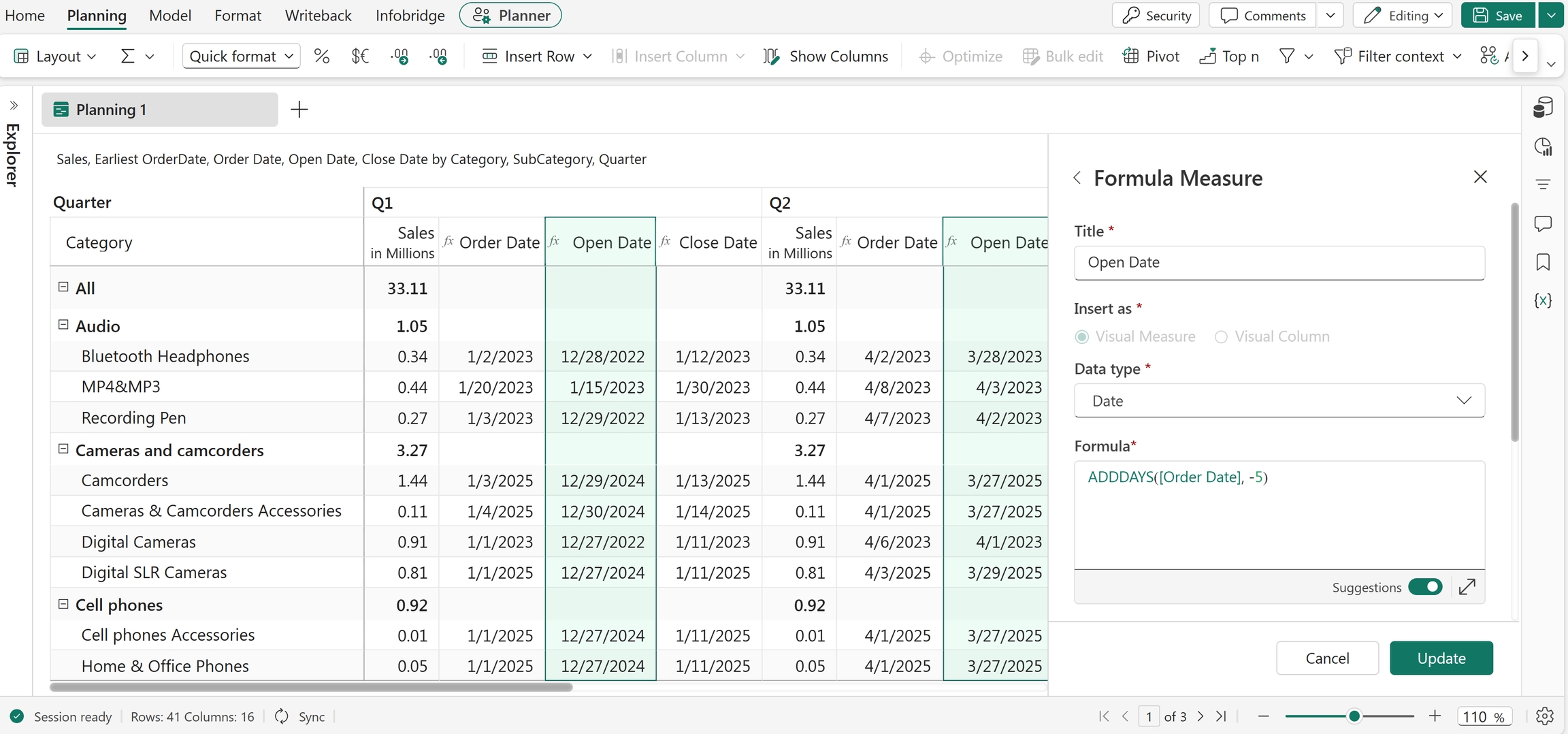
ADDDAYS("05/29/2026", -5)
Returns 05/24/2026.
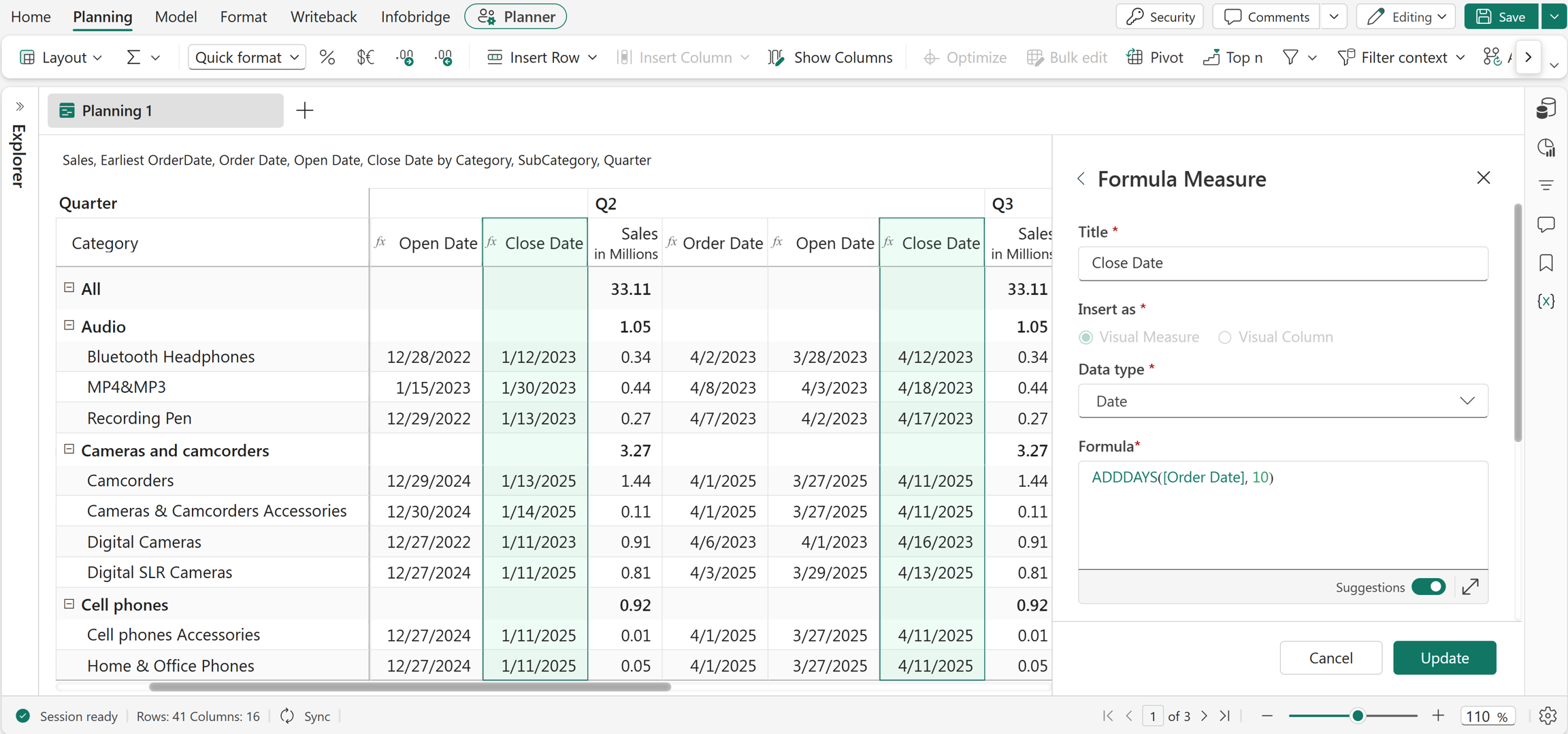
ADDDAYS("05/29/2026", 10)
Returns 06/08/2026.
ADDMONTHS
The ADDMONTHS function adds or subtracts a specified number of months from a date. Use this function to calculate future or past dates based on monthly intervals.
Syntax
ADDMONTHS(date, value)
Arguments
date: The input date. This can be a date value, measure, or reference.value: The number of months to add or subtract. Use a negative value to subtract months.
Return value
Returns the calculated date.
Examples
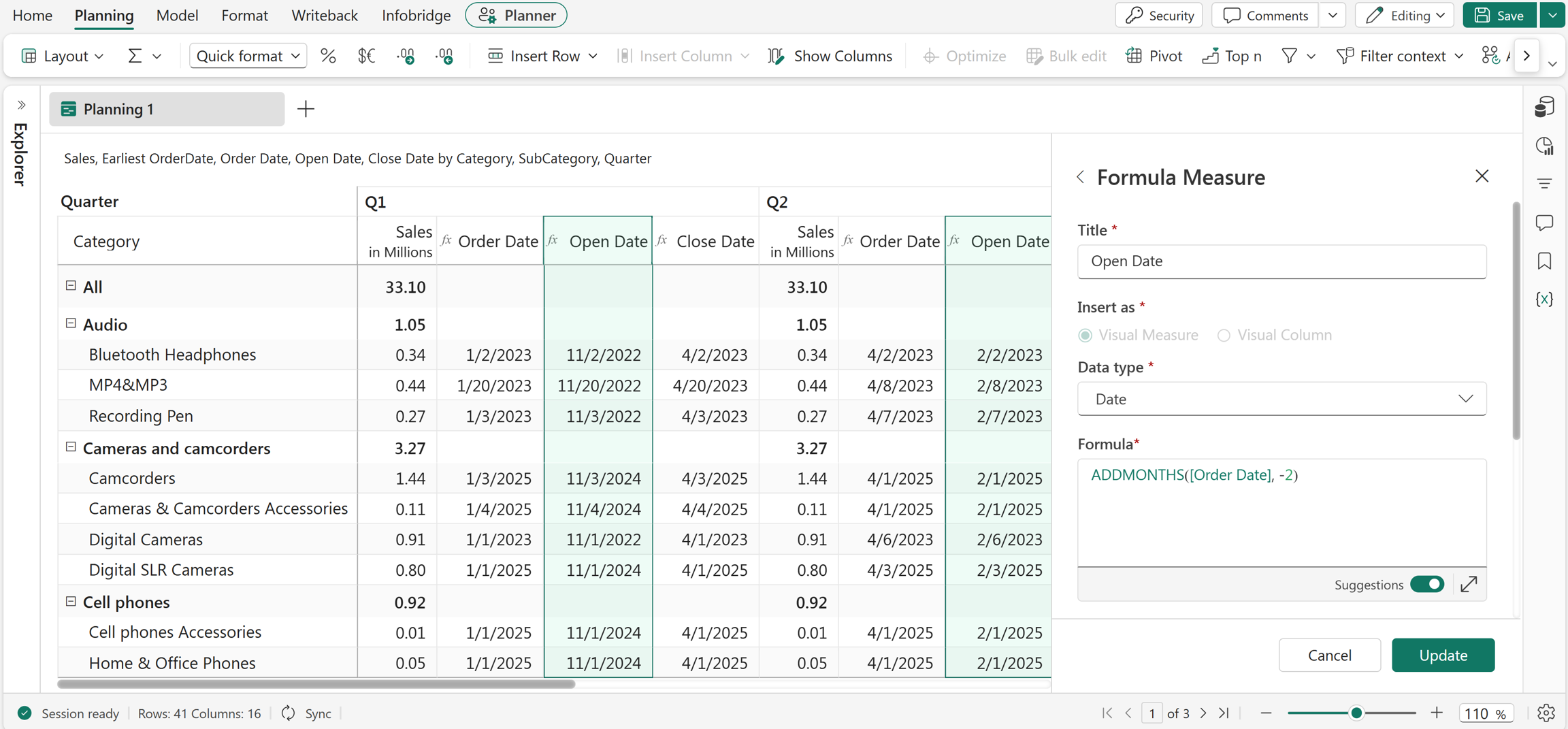
ADDMONTHS("05/29/2024", -2)
Returns 03/29/2024 by subtracting 2 months from the input date.
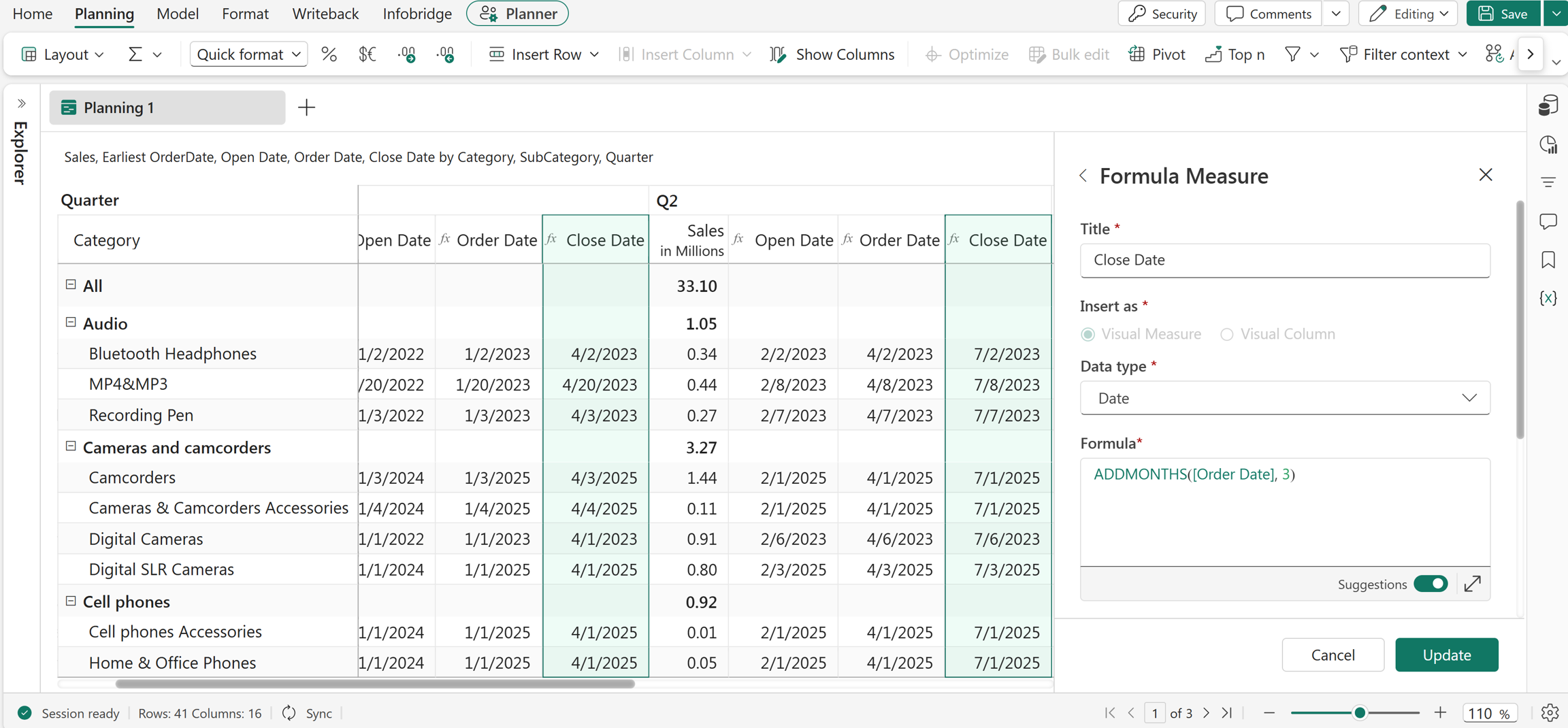
ADDMONTHS("05/29/2026", 3)
Returns 08/29/2026 by adding 3 months to the input date.
ADDQTRS
The ADDQTRS function adds or subtracts a specified number of quarters from a date. Use this function to calculate future or past quarter-based reporting periods.
Syntax
ADDQTRS(date, value)
Arguments
date: The input date. This can be a date value, measure, or reference.value: The number of quarters to add or subtract. Use a negative value to subtract quarters.
Return value
Returns the calculated date.
Examples
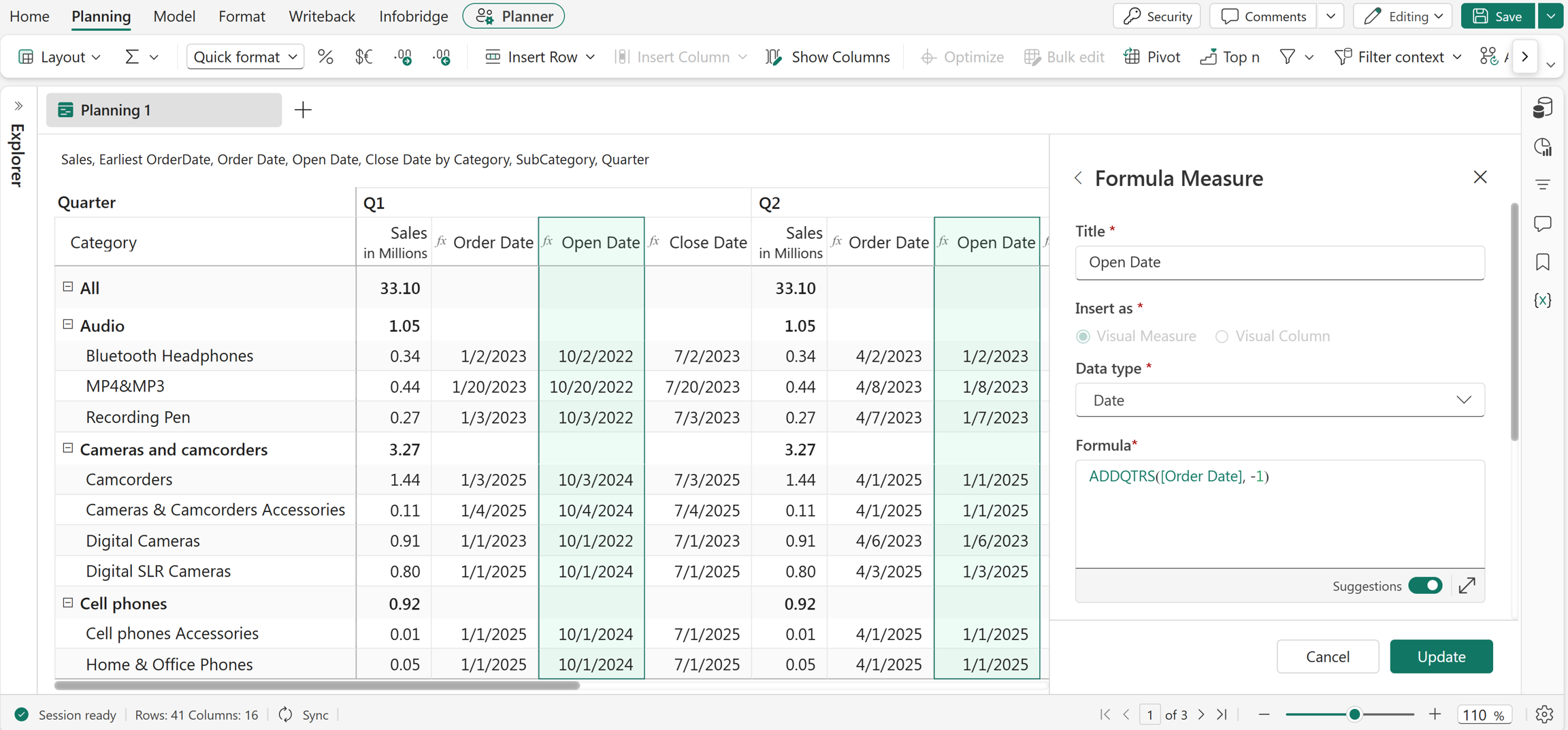
ADDQTRS("05/29/2024", -1)
Returns 02/29/2024 by subtracting 1 quarter (3 months) from the input date.
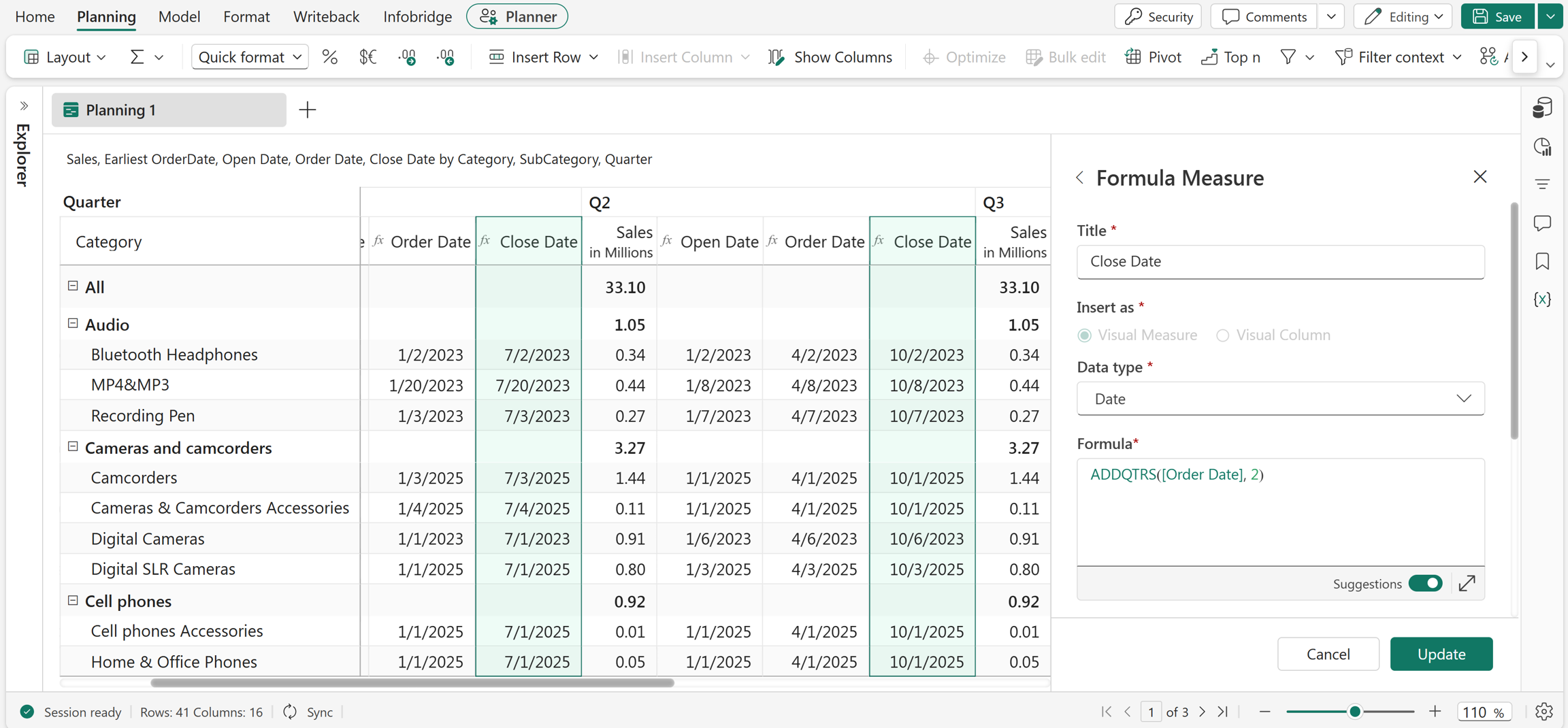
ADDQTRS("05/29/2026", 2)
Returns 11/29/2026 by adding 2 quarters (6 months) to the input date.
ADDWEEKS
The ADDWEEKS function adds or subtracts a specified number of weeks from a date. Use this function to calculate future or past dates based on weekly intervals.
Syntax
ADDWEEKS(date, value)
Arguments
date: The input date. It can be a date value, measure, or reference.value: The number of weeks to add or subtract. Use a positive number to add weeks and a negative number to subtract weeks.
Return value
Returns the calculated date.
Examples
ADDWEEKS("05/29/2026", 2)
Returns 06/12/2026 by adding 2 weeks to 05/29/2026.
ADDWEEKS("05/29/2026", -1)
Returns 05/22/2026 by subtracting 1 week from 05/29/2026.
ADDYEARS
The ADDYEARS function adds or subtracts a specified number of years from a date. Use this function to calculate future or past dates for planning, forecasting, and reporting scenarios.
Syntax
ADDYEARS(date, value)
Arguments
date: The input date. This value can also be a measure or reference.value: The number of years to add or subtract. Use a positive value to add years and a negative value to subtract years.
Return value
Returns the calculated date.
Examples
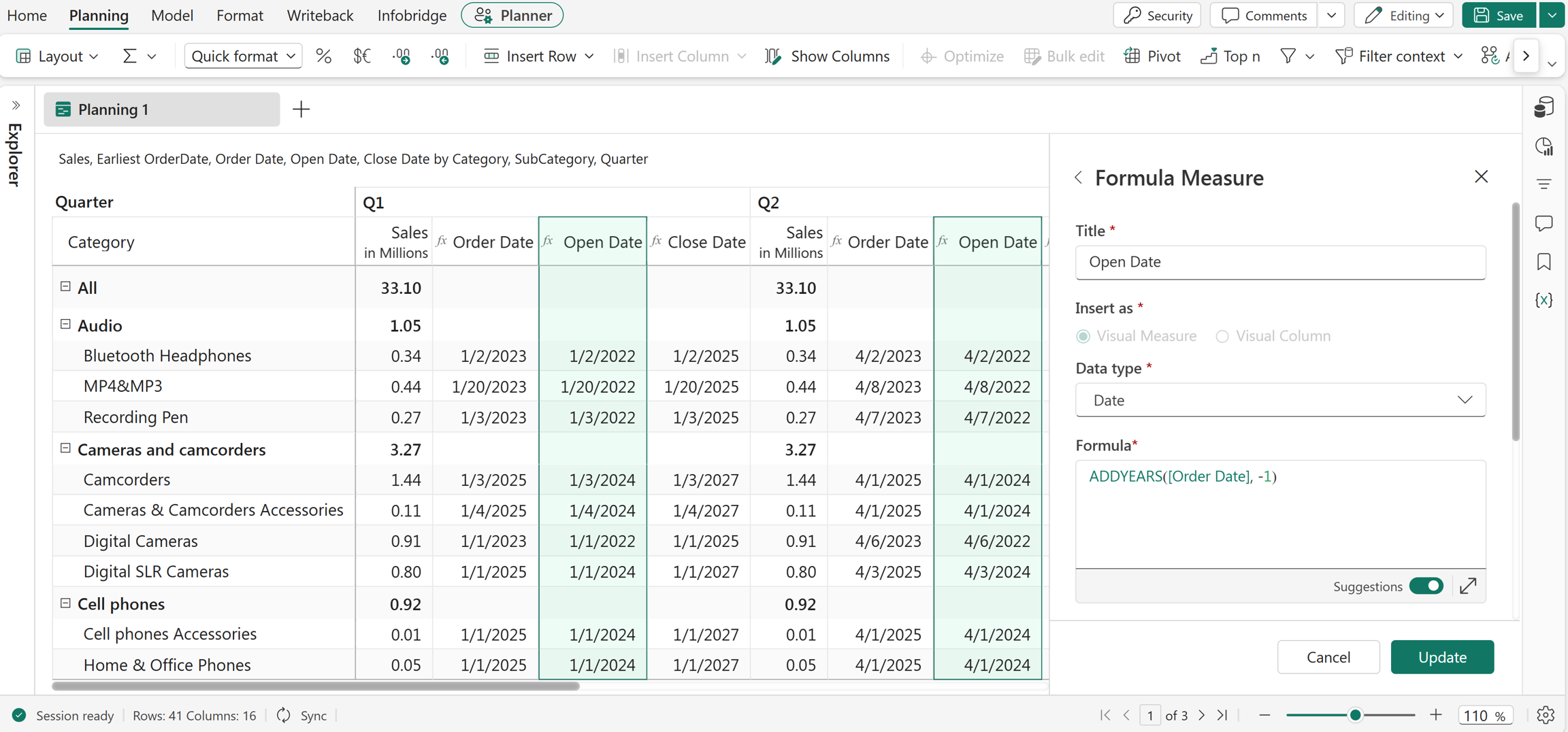
ADDYEARS("05/29/2026", -1)
Returns 05/29/2025.
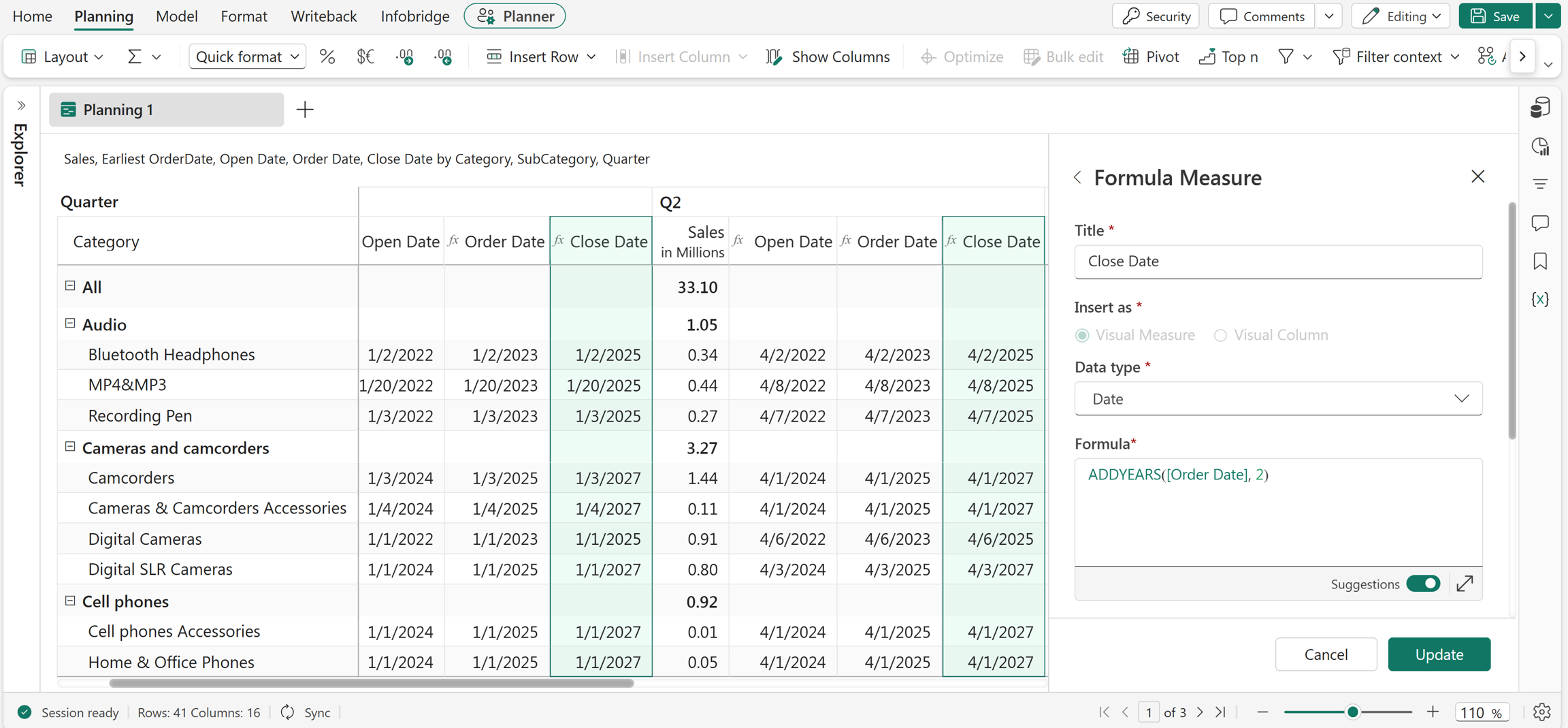
ADDYEARS("05/29/2026", 2)
Returns 05/29/2028.
DATEADD
The DATEADD function adds or subtracts a specified interval from a date value. By default, the function adds the specified number of days when you don't provide an interval.
Note
The input dates should be in MM/DD/YYYY format. The function also accepts references as arguments.
Syntax
DATEADD(date, count, [interval])
Arguments
date: The input date.count: The number of intervals to add or subtract. Positive values add intervals, and negative values subtract intervals.interval(optional): The interval type to apply. Supported values include"day","month", and"year". If you don't specify an interval, the function uses"day"by default.
Return value
Returns the calculated date.
Examples
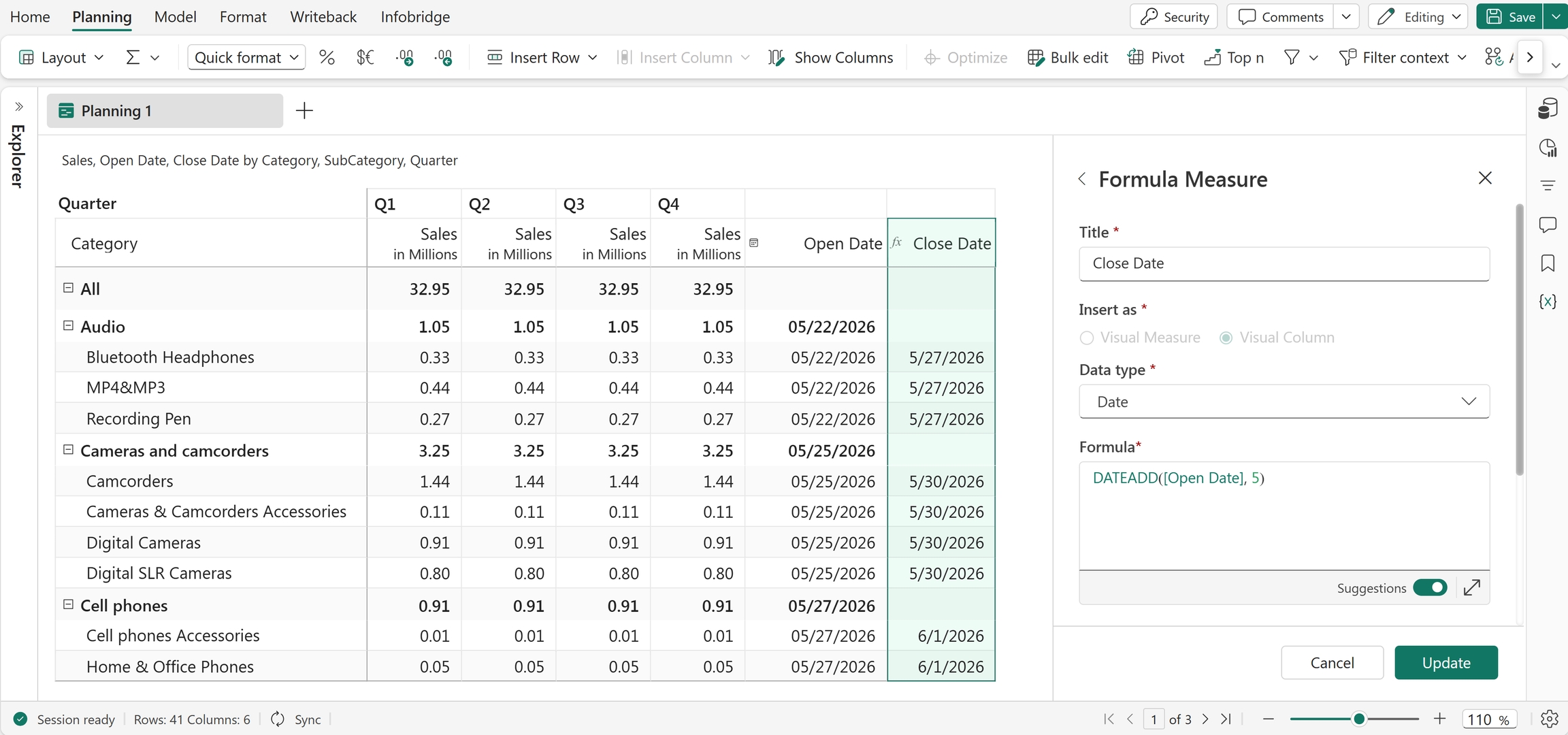
DATEADD([Open Date], 5)
Adds 5 days to the Open Date value.
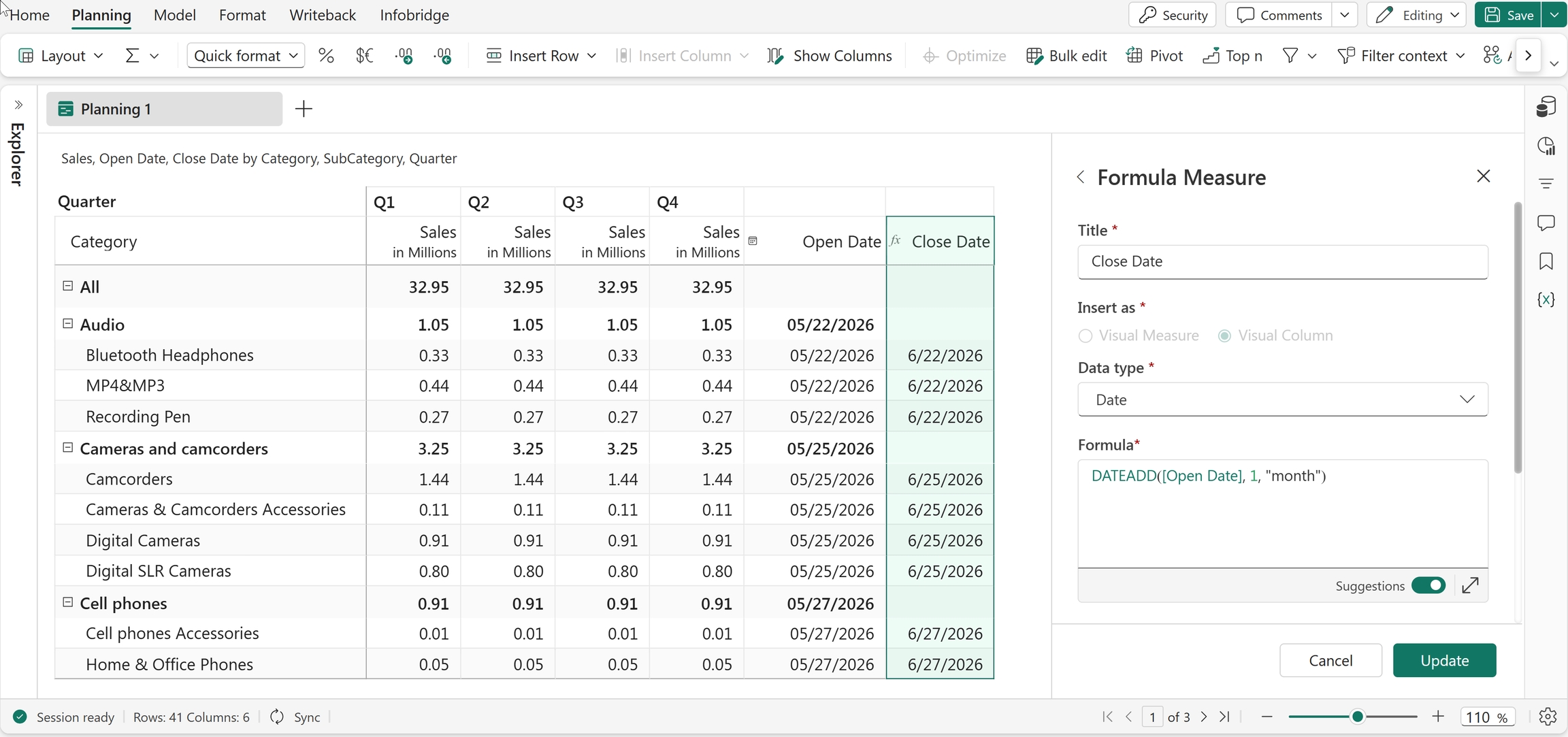
DATEADD([Open Date], 1, "month")
Adds 1 month to the Open Date value.
DATEDIFF
The DATEDIFF function returns the number of days between two dates. Use this function to calculate durations, intervals, and date differences in reports and planning scenarios.
Note
The input dates should be in MM/DD/YYYY format. The function also accepts references as arguments.
Syntax
DATEDIFF(fromDate, toDate)
Arguments
fromDate: The start date of the interval.toDate: The end date of the interval.
Return value
Returns the number of days between the two dates.
Example
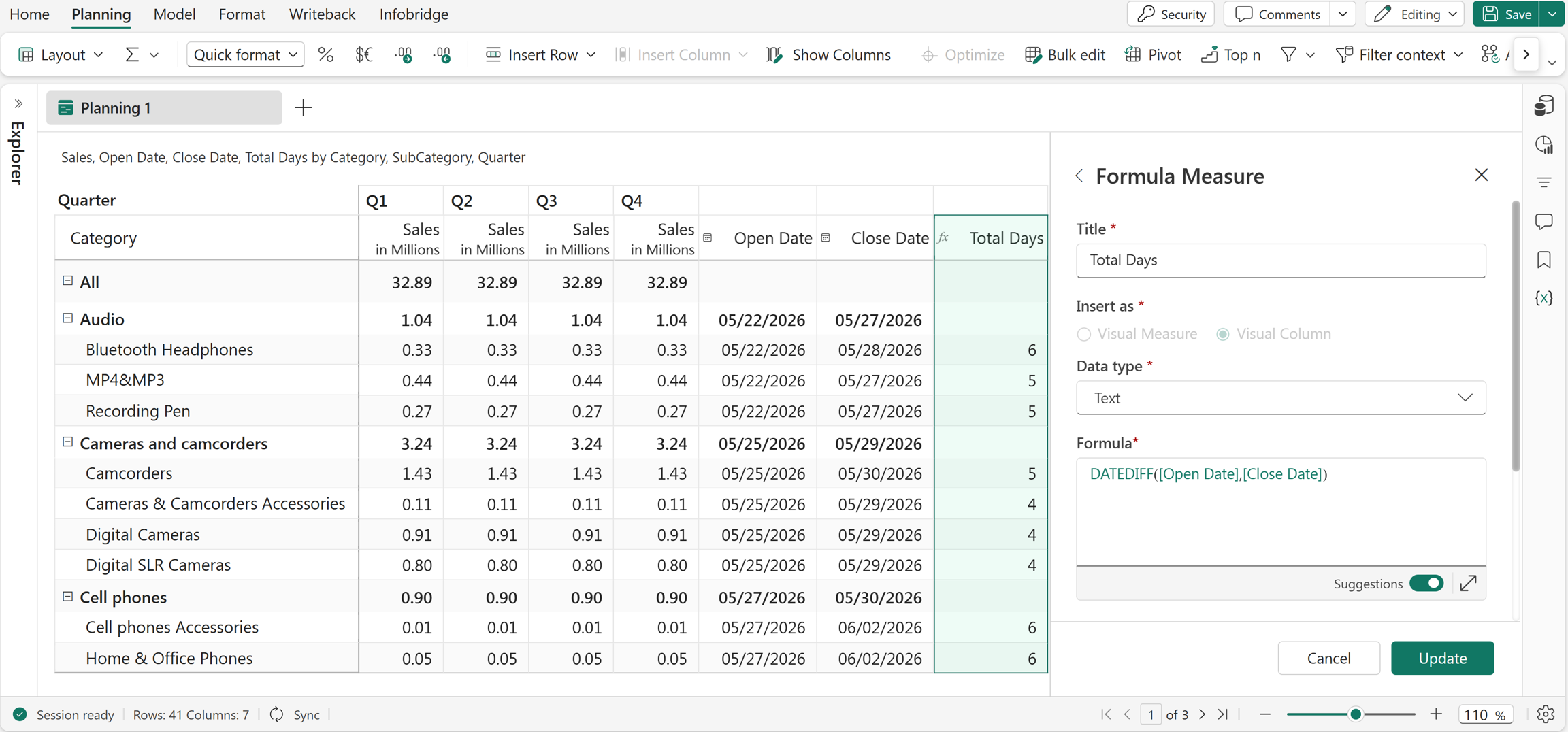
DATEDIFF(Open Date, Close Date)
Calculates the number of days between the Open Date and Close Date fields. For example, if Open Date is 05/22/2026 and Close Date is 05/28/2026, the function returns 6.
Excel equivalent
NETWORKDAYS
The NETWORKDAYS function returns the number of working days between two dates. You can specify the input dates as date values, references, or measures that contain dates. This function commonly calculates business days, project durations, and turnaround times.
Syntax
NETWORKDAYS(fromDate, toDate)
Arguments
fromDate: The start date of the range.toDate: The end date of the range.
Return value
Returns the number of working days between the specified dates.
Example
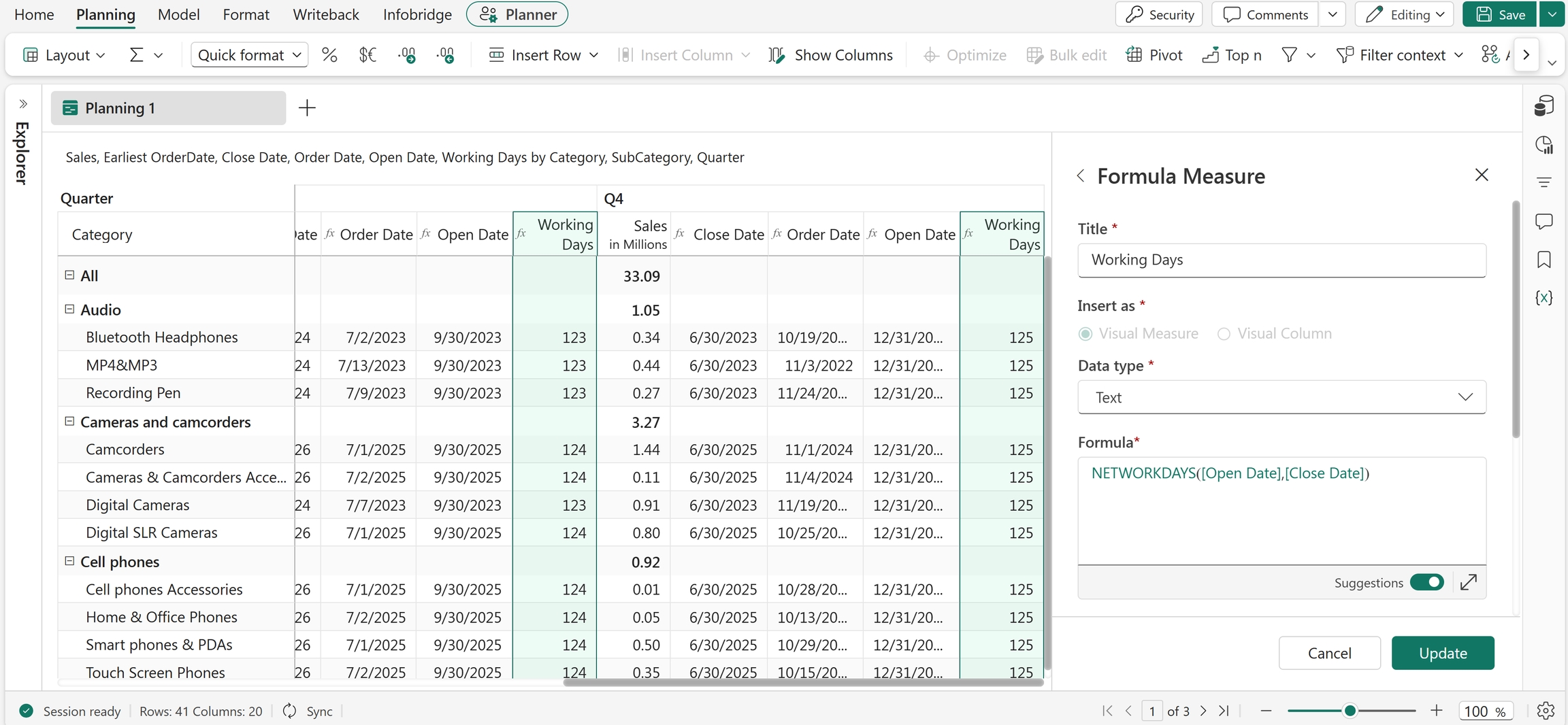
NETWORKDAYS("05/31/2026", "06/30/2026")
Returns the number of working days between 05/31/2024 and 06/30/2024, excluding weekends.
Excel equivalent
PERIOD_RANGE
The PERIOD_RANGE function returns an array of dates between two specified dates. Use this function with functions such as FILTER to evaluate and analyze data within a specific date range.
Syntax
PERIOD_RANGE(fromDate, toDate)
Arguments
fromDate: The start date of the range.toDate: The end date of the range.
Return value
Returns an array of dates within the specified range.
Example
PERIOD_RANGE(DATE(2023, 1, 1), DATE(2023, 12, 31))
Creates a date range for all dates in the year 2023.
Usage with forecasts
You can use the PERIOD_RANGE function with forecast data to analyze values within open forecast periods. In this scenario:
PERIOD_RANGEselects the open forecast periods.FILTERreturns forecast values greater than 1000 within those periods.- An aggregate function such as
SUMcalculates the total of the filtered forecast values.