Note
Access to this page requires authorization. You can try signing in or changing directories.
Access to this page requires authorization. You can try changing directories.
Exponential and logarithmic functions let you perform exponential growth, logarithmic, and root calculations in reports. These functions are commonly used to calculate powers, logarithms, and square roots for mathematical and analytical operations.
In planning, exponential and logarithmic functions help you create calculations for scenarios such as growth analysis, scientific calculations, trend modeling, and advanced business computations.
EXP
The EXP function returns the value of the mathematical constant e raised to the power of a specified number. It is commonly used in exponential growth calculations, financial modeling, scientific computations, and scenarios involving continuous compounding or natural logarithms.
Syntax
EXP(value)
Arguments
value: The exponent applied to the base e.
Return value
Returns the value of e raised to the specified power.
Example
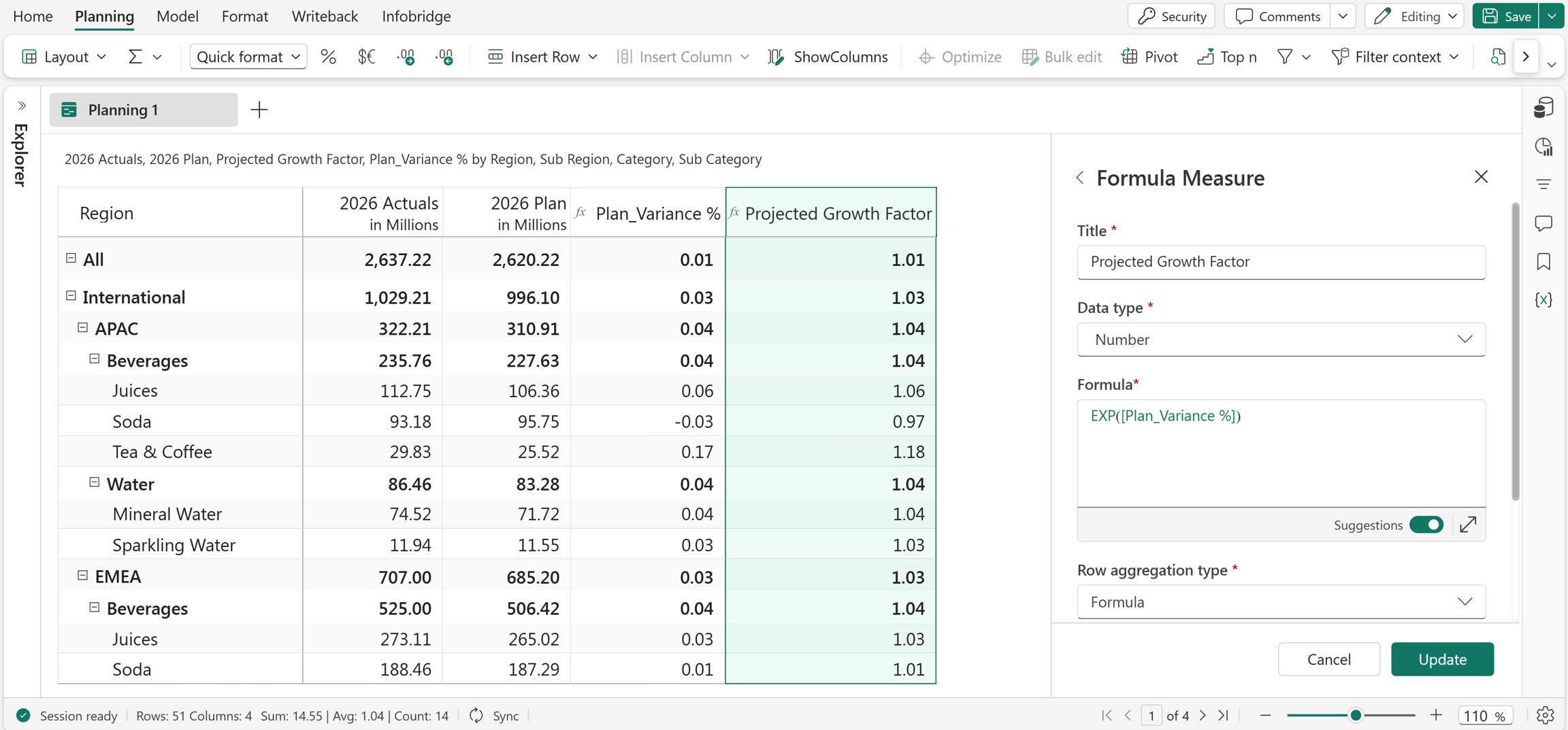
EXP(Plan_Variance %)
In this example, the EXP function is used to create the Projected Growth Factor measure, which returns the exponential growth factor based on the Plan_Variance % values.
Excel equivalent
LOG
The LOG function returns the logarithm of a number using a specified base. It calculates the exponent to which the base must be raised to produce the given number. This function is commonly used in mathematical, financial, and scientific calculations involving exponential relationships or scale transformations.
Syntax
LOG(value, base)
Arguments
value: The positive real number for which to calculate the logarithm.base: The base of the logarithm.
Return value
Returns the logarithm of the specified value for the given base.
Example
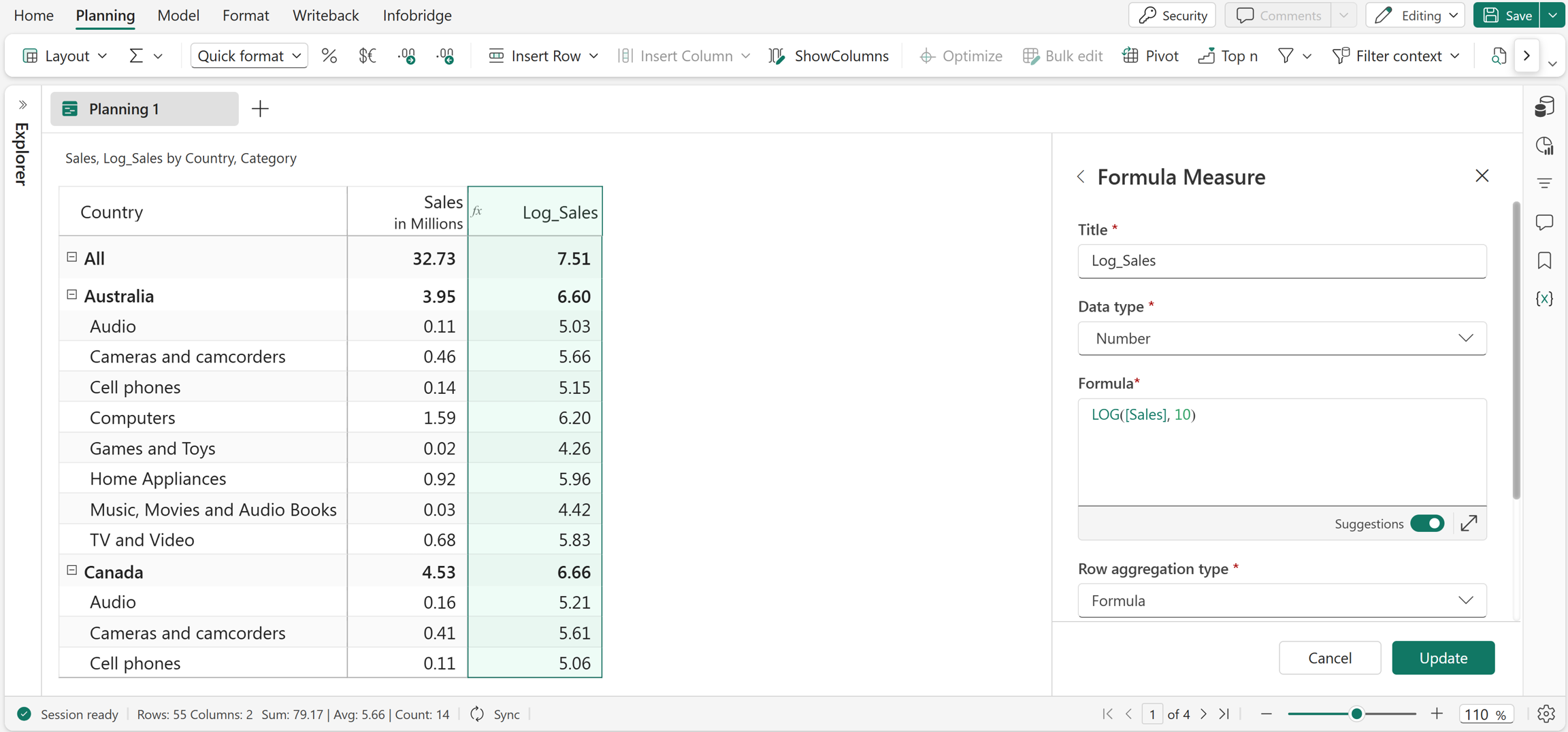
LOG(Sales, 10)
In this example, the LOG function is used to create the Log_Sales measure, which returns the logarithm of the values in the Sales measure using base 10.
Excel equivalent
SQRT
The SQRT function returns the square root of a given number. It calculates the value that, when multiplied by itself, equals the input number. This function is commonly used in mathematical calculations, statistical analysis, and scientific computations involving area, distance, or variance.
Syntax
SQRT(value)
Arguments
value: The number or reference for which to return the square root.
Return value
Returns the square root of the specified number.
Example
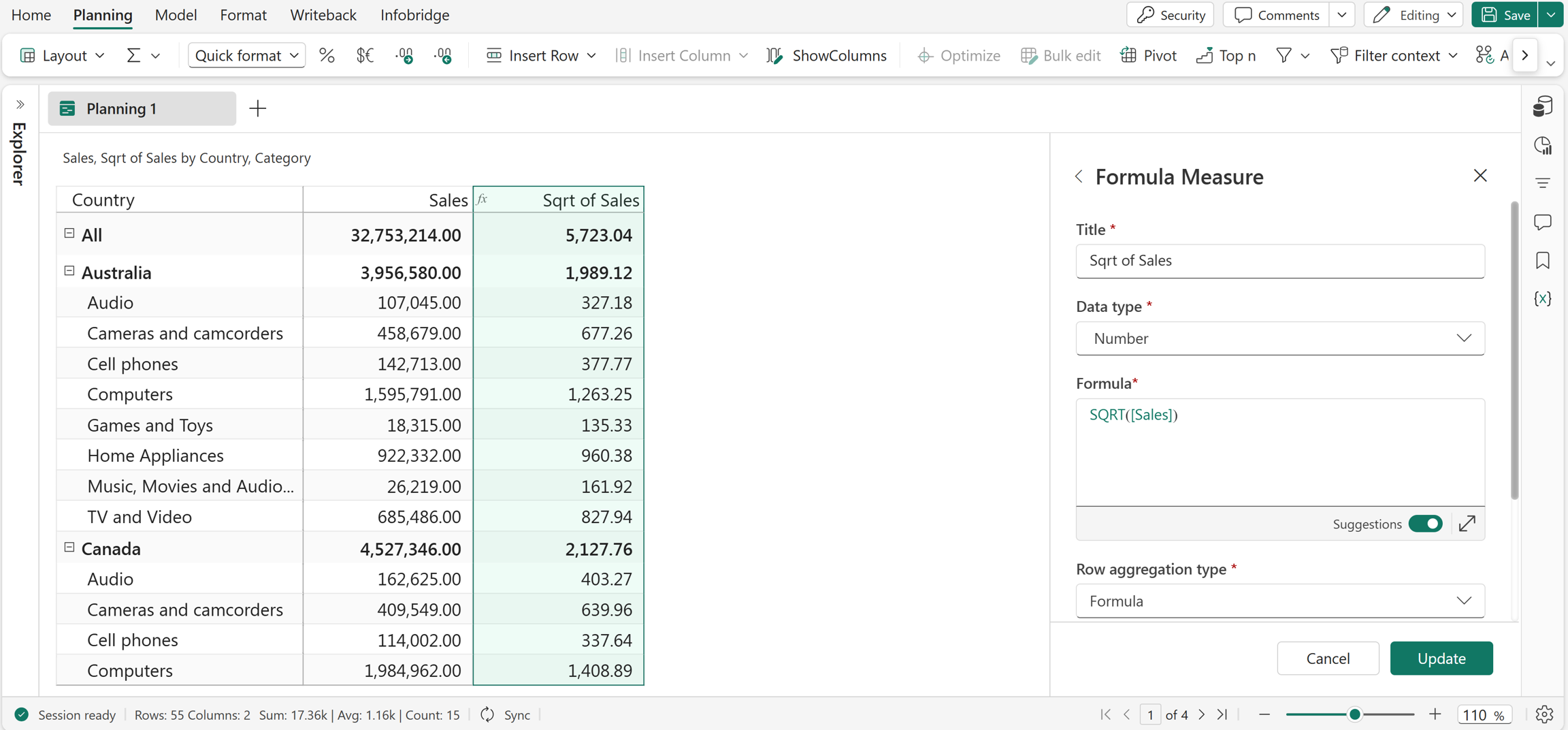
SQRT(Sales)
In this example, the Sqrt of Sales measure is created using the SQRT function, which returns the square root of the values in Sales.