Note
Access to this page requires authorization. You can try signing in or changing directories.
Access to this page requires authorization. You can try changing directories.
Random functions let you generate random numbers and lookup functions retrieve positional values in reports. These functions are commonly used to create sample data, generate randomized results, and identify the position of values within a list.
In planning, these functions help you create calculations in simulations, testing, dynamic analysis, and positional data evaluation.
INDEXOF
The INDEXOF function returns the index of the first occurrence of a specified value within a list of values. The arguments can be numeric values or references. If the value is not found in the list, the function returns -1.
Syntax
INDEXOF(list, value)
Arguments
list: The list of values to search.value: The value to find in the list.
Return value
Returns the index of the first matching value in the list. The index starts at 0. If no match is found, the function returns -1.
Example
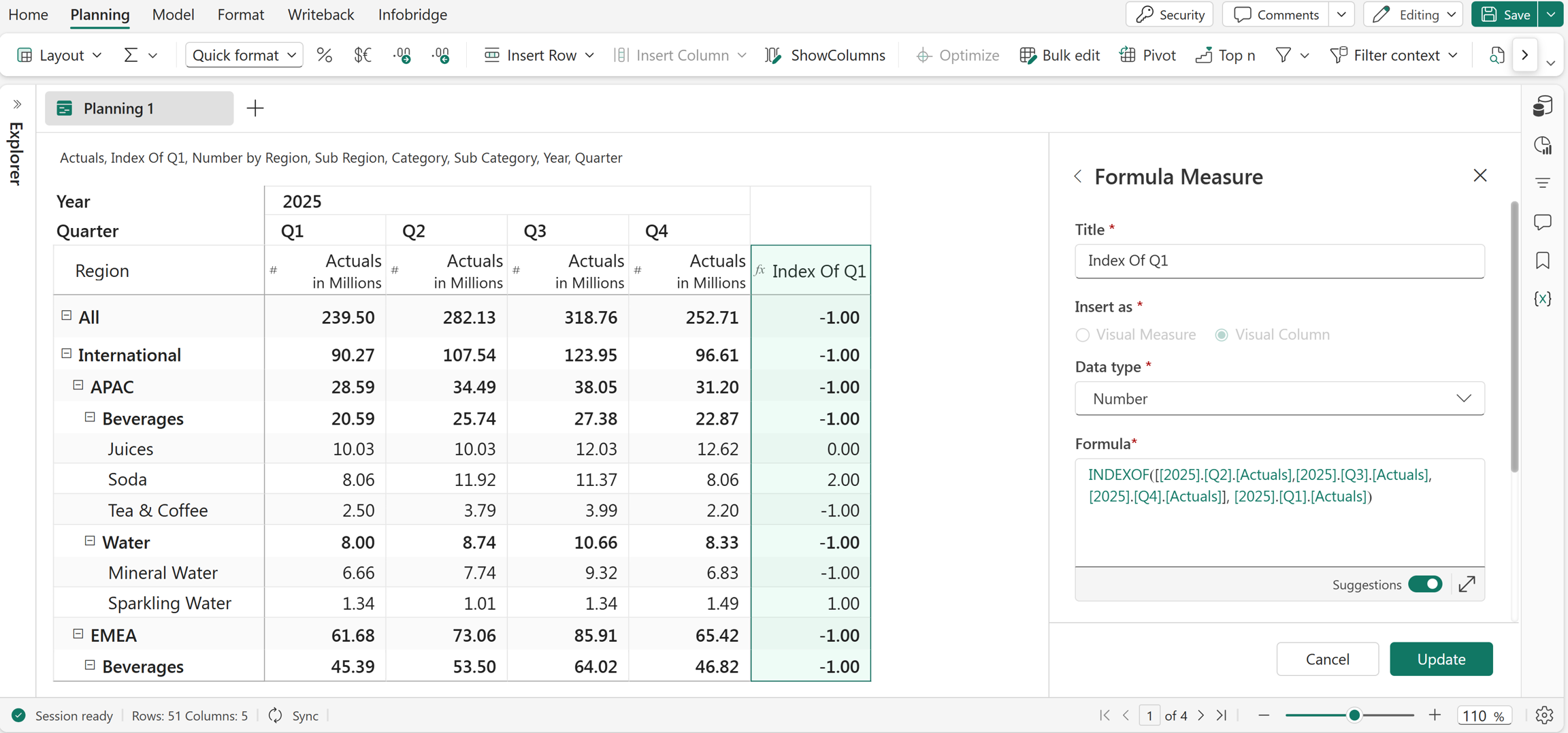
INDEXOF([2025.Q2.Actuals, 2025.Q3.Actuals, 2025.Q4.Actuals], 2025.Q1.Actuals)
In this example, the INDEXOF function is used to identify whether the Q1 Actuals value of 2025 exists in the Q2 Actuals, Q3 Actuals, and Q4 Actuals values of 2025 and returns its index position.
RAND
The RAND function returns a random decimal number between 0 and 1. A new random value is generated each time the function is evaluated or the report is refreshed. This function is commonly used in simulations, sample data generation, testing scenarios, and calculations that require random values
Syntax
RAND()
Return value
Returns a random decimal number greater than or equal to 0 and less than 1.
Example
RAND()
In this example, the Rand measure is created using the RAND function, which generates a random decimal number between 0 and 1 each time the report is evaluated or refreshed.

Excel equivalent
RANDBETWEEN
The RANDBETWEEN function returns a random integer between two specified values. It generates a number within the defined range each time the function is evaluated and is commonly used in simulations, sampling, and testing scenarios where random data is required.
Syntax
RANDBETWEEN(value1, value2)
Arguments
value1: The smallest integer that RANDBETWEEN returns.value2: The largest integer that RANDBETWEEN returns.
Return value
Returns a random integer between the specified minimum and maximum values.
Example
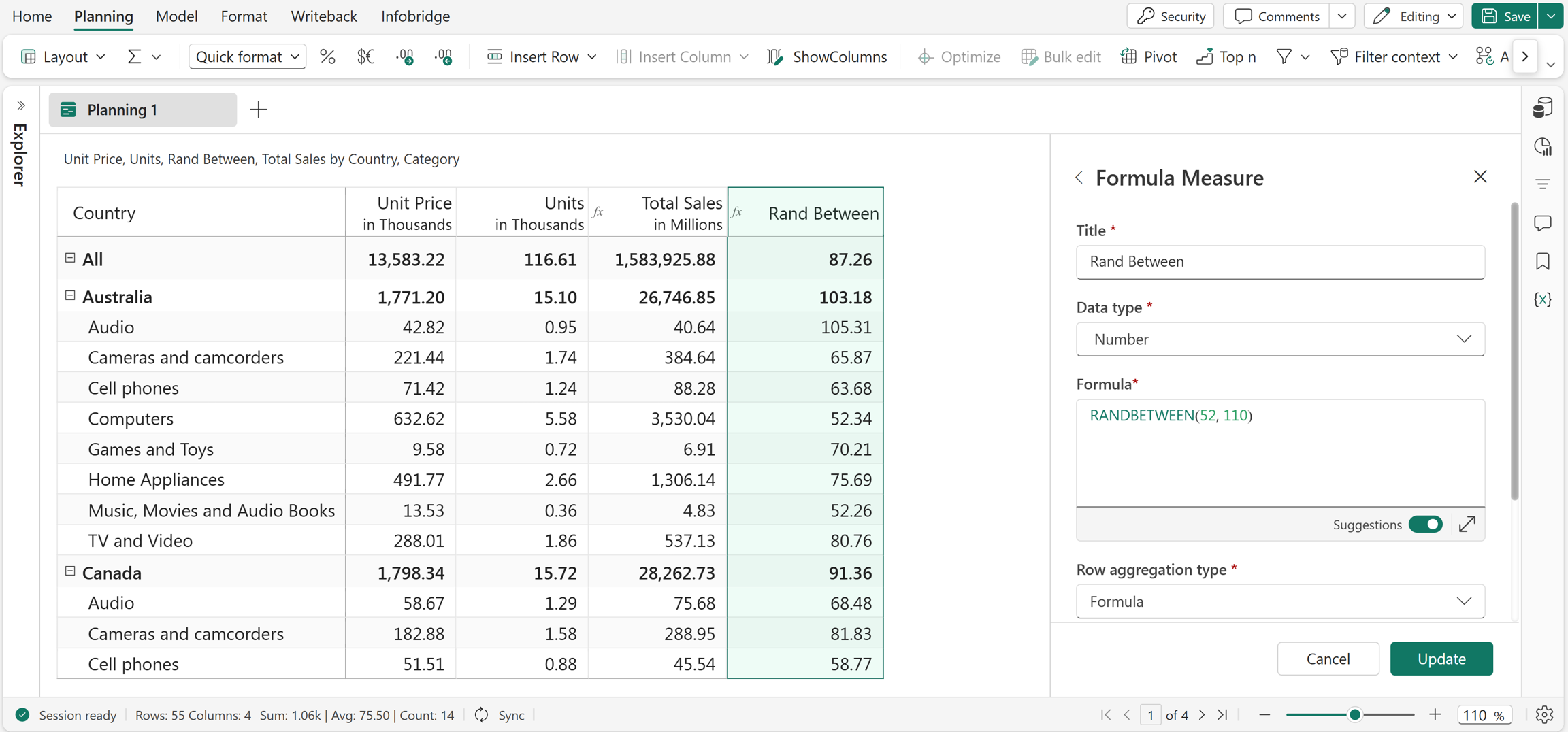
RANDBETWEEN(52, 110)
In this example, the RANDBETWEEN function generates a random integer between 52 and 110.