Note
Access to this page requires authorization. You can try signing in or changing directories.
Access to this page requires authorization. You can try changing directories.
Important
This feature is in preview.
This article provides answers to frequently asked questions regarding the writeback feature in plan. Review these common scenarios to understand how data updates, storage, and security operate.
If a user updates a data input column in reading mode and closes the report, will the latest data be available when reopening?
A: Yes. Plan (preview) captures changes made to data input columns and stores them in the backend database. This works in both reading and edit modes. When the report is reopened, plan retrieves the latest values and loads the report with updated data.
How does row-level security (RLS) work in plan?
Plan (preview) respects the RLS defined in the original Power BI dataset. The planning sheet displays only the rows that the user is allowed to see. RLS in Power BI applies to users with Viewer access in the workspace.
How does writeback work with RLS?
Plan (preview) writes back only the rows visible to the user. If a user can see a limited set of dimension categories based on RLS, only those rows are written back. You can only write back the data that's visible in the planning sheet.
How is data stored when multiple users perform writeback? When are rows overwritten or appended?
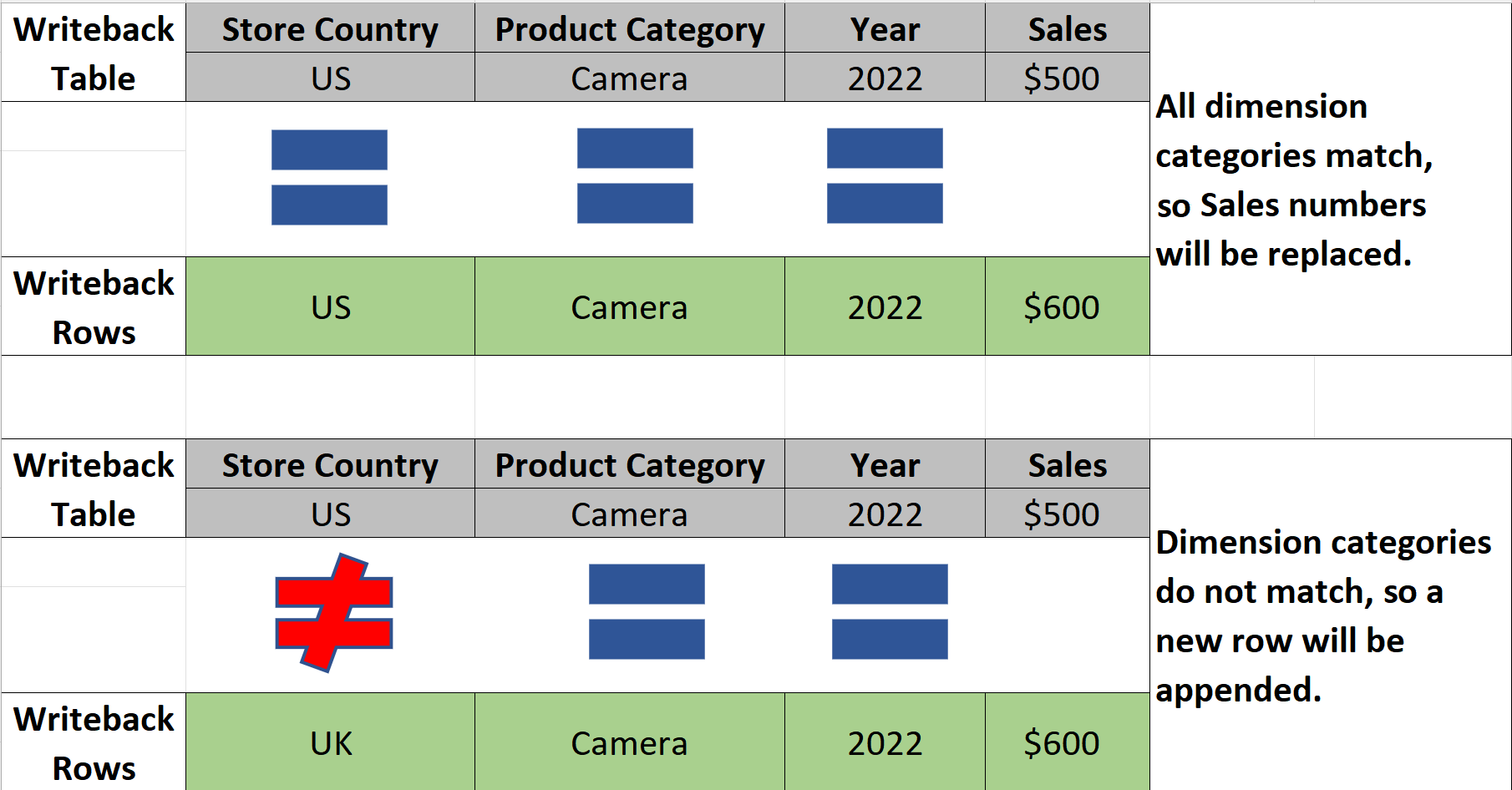
Plan (preview) processes writeback operations sequentially. During writeback, plan compares incoming rows with existing rows in the destination. If all dimension columns and values match, plan overwrites the existing row. However, if you would prefer plan not to overwrite rows during writeback commits, select Writeback only changes/Delta writeback as the writeback type. Under this mode, plan retains previous values.