Note
Access to this page requires authorization. You can try signing in or changing directories.
Access to this page requires authorization. You can try changing directories.
Use Type 2 and Type 3 slowly changing dimensions (SCDs) to track changes to dimension data. In this article, you learn how to configure each SCD type and understand how they preserve historical and current attribute values. For more information about SCDs, see Slowly Changing Dimensions.
Important
This feature is in preview.
Prerequisites
The source data used to populate a Type 2 slowly changing dimension must have the following columns:
- A natural key such as region ID, customer ID, or product ID.
- A unique sequence number that is used as the surrogate key.
- Two date columns that capture the start and end dates.
- A boolean column that indicates whether a record is active.
The source data used to populate a Type 3 SCD must include a corresponding history column for each column that maintains historical values.
Note
SCD configuration is available only during table creation. Tables can't be converted to slowly changing dimensions after they're created.
Configure Type 2 SCD
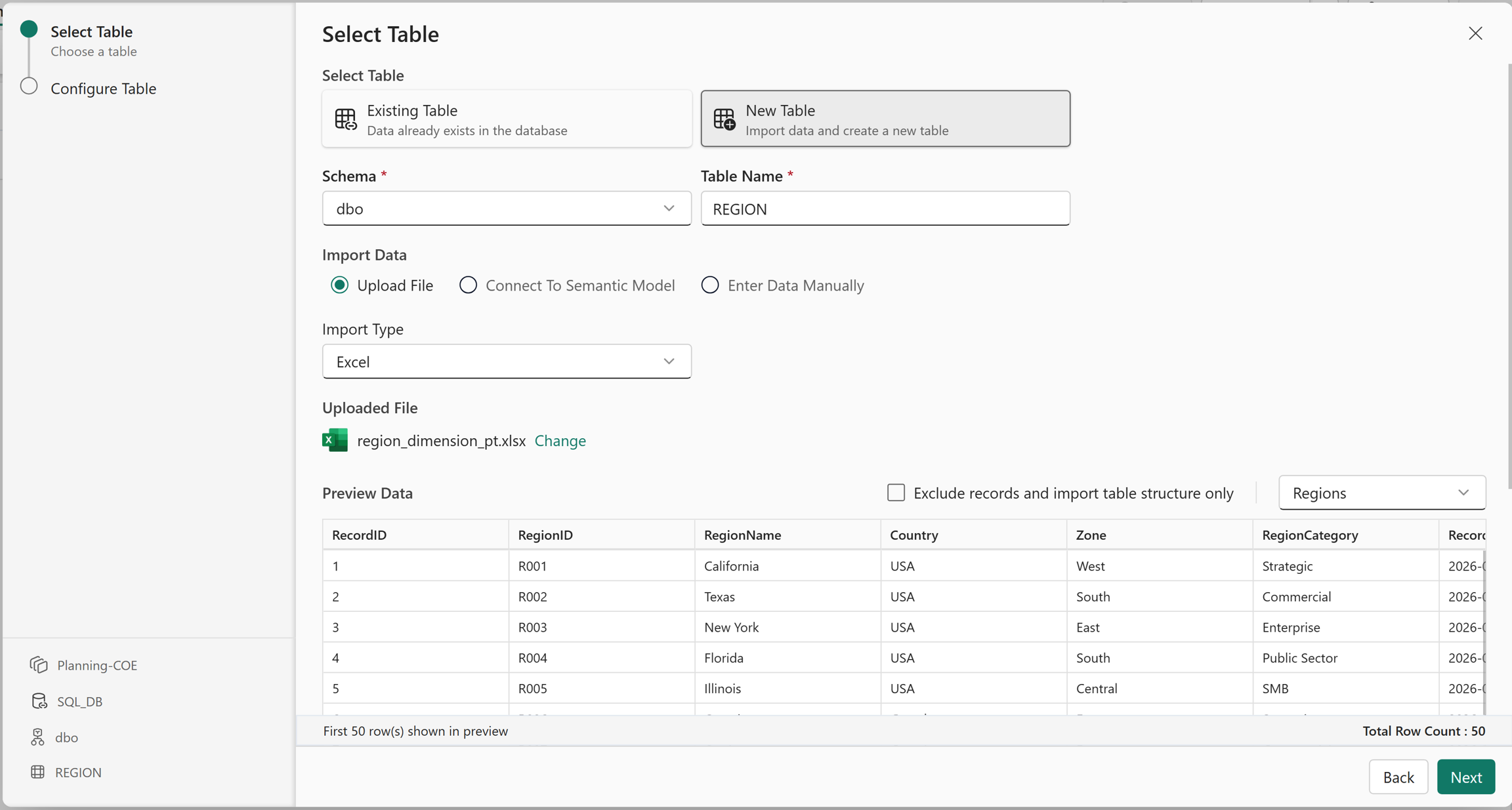
Slowly changing dimensions are configured during table creation. In this example, you create an SCD table using data imported from an Excel file.
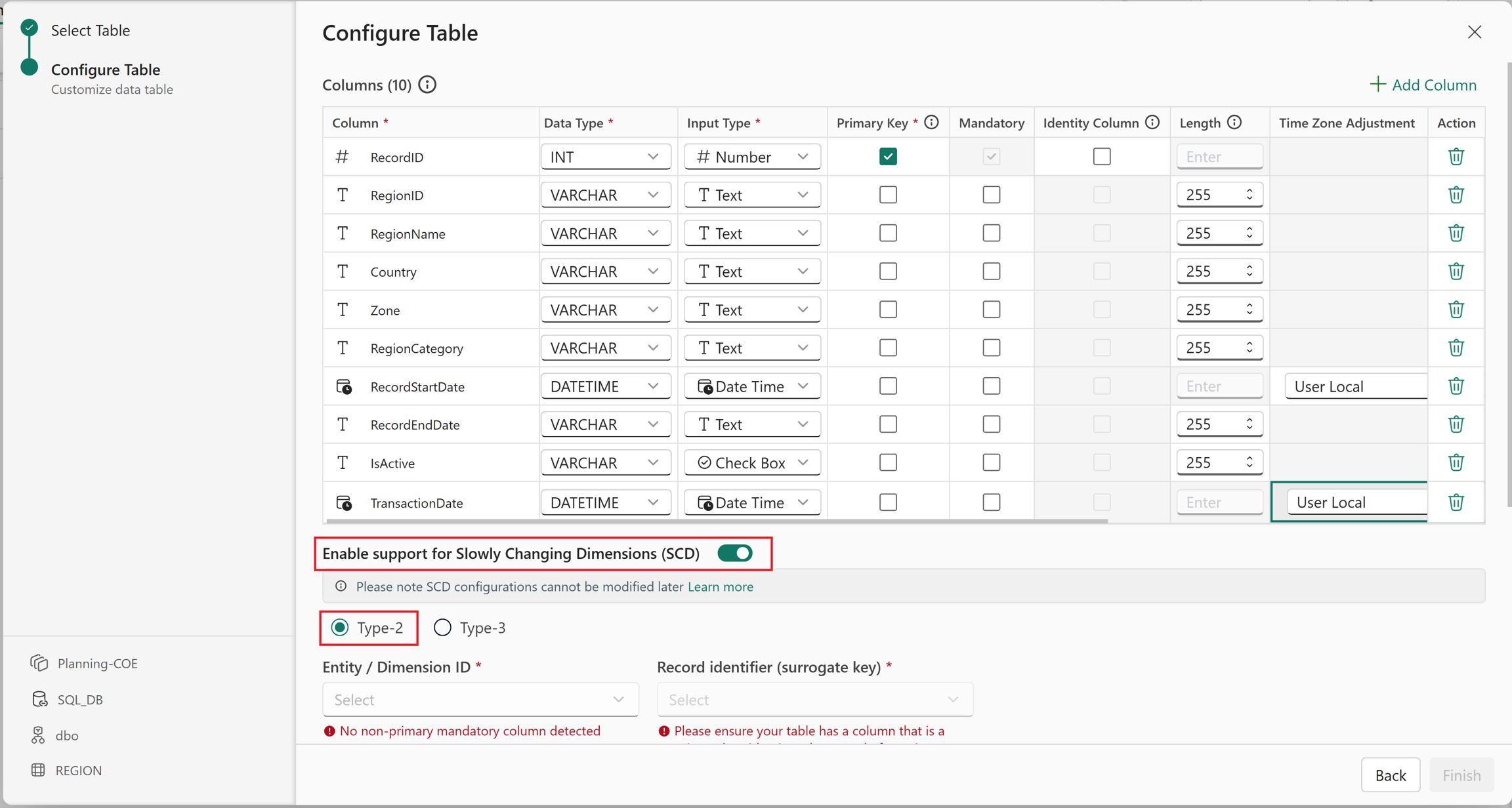
In the table configuration, turn on Enable support for Slowly Changing Dimensions (SCD) and select Type-2.
Map the source columns to the surrogate key, natural key, active flag, and date range fields. Use End Date Default Value to define the default end date for active records. Choose either a null value or an infinite date.
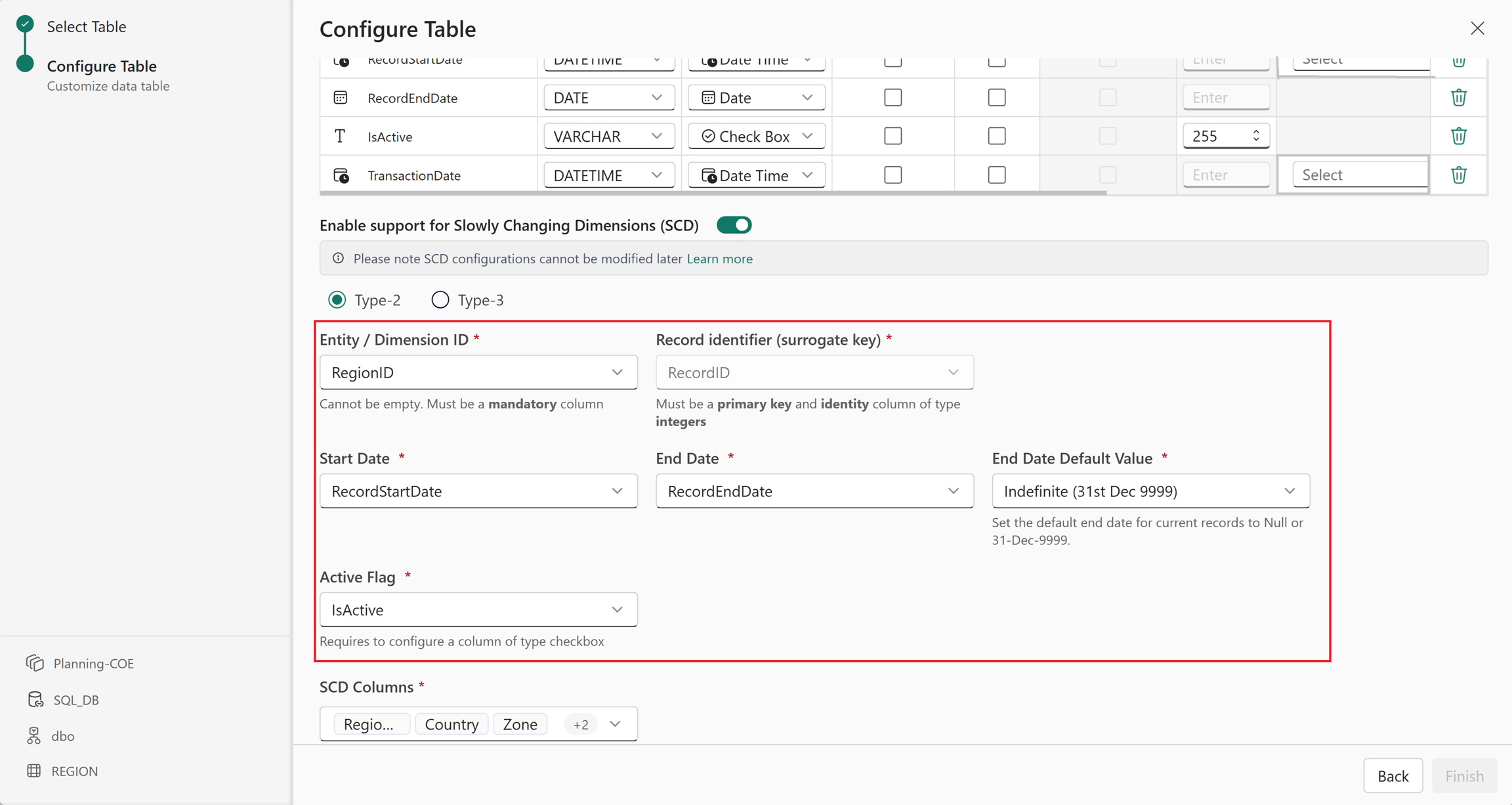
In SCD Columns, select the columns whose changes you want to track in the slowly changing dimension and select Finish.
The table is created.
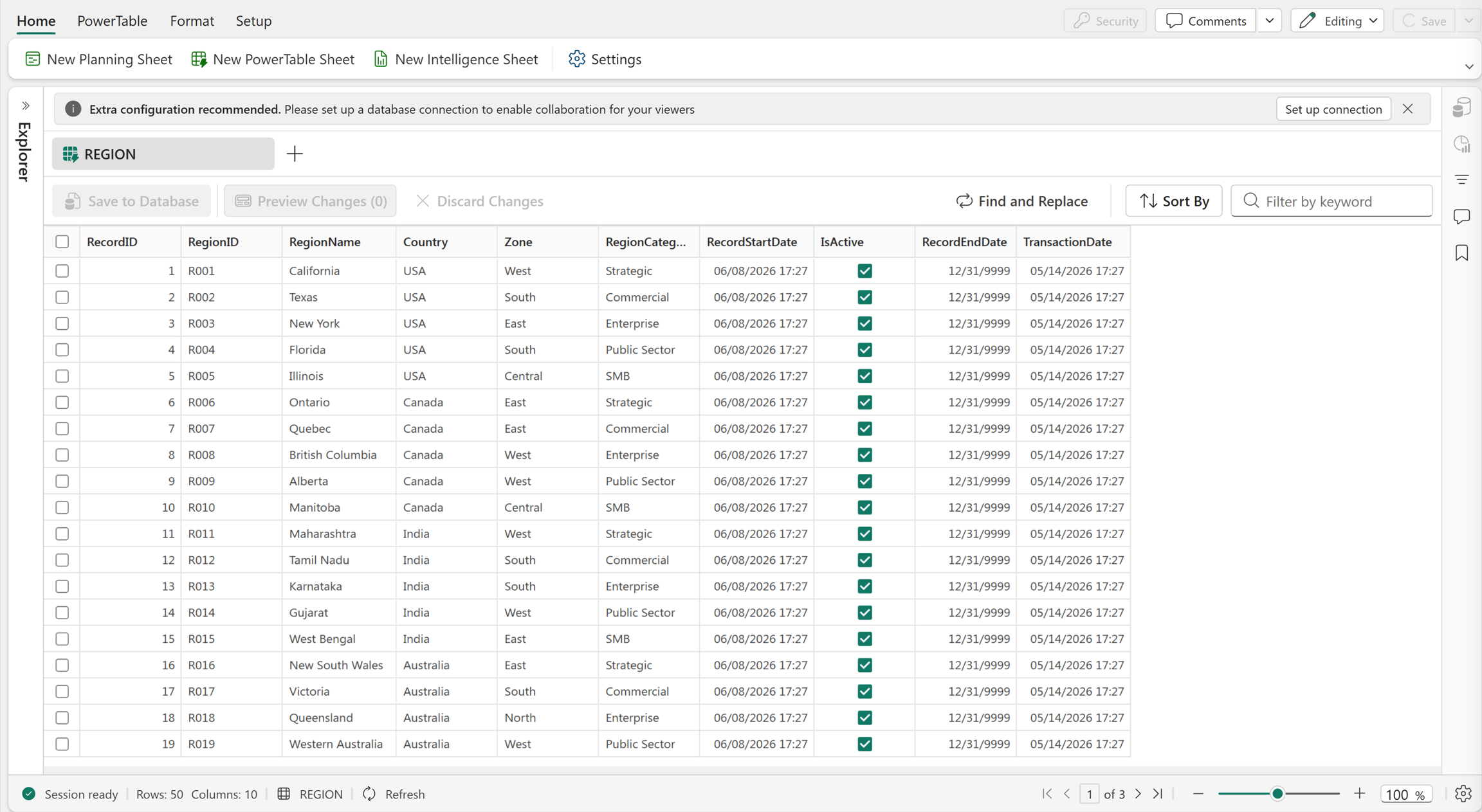
View change history
Slowly changing dimensions capture the changes made to each record.
Edit a cell value and select Save to Database to commit the change.
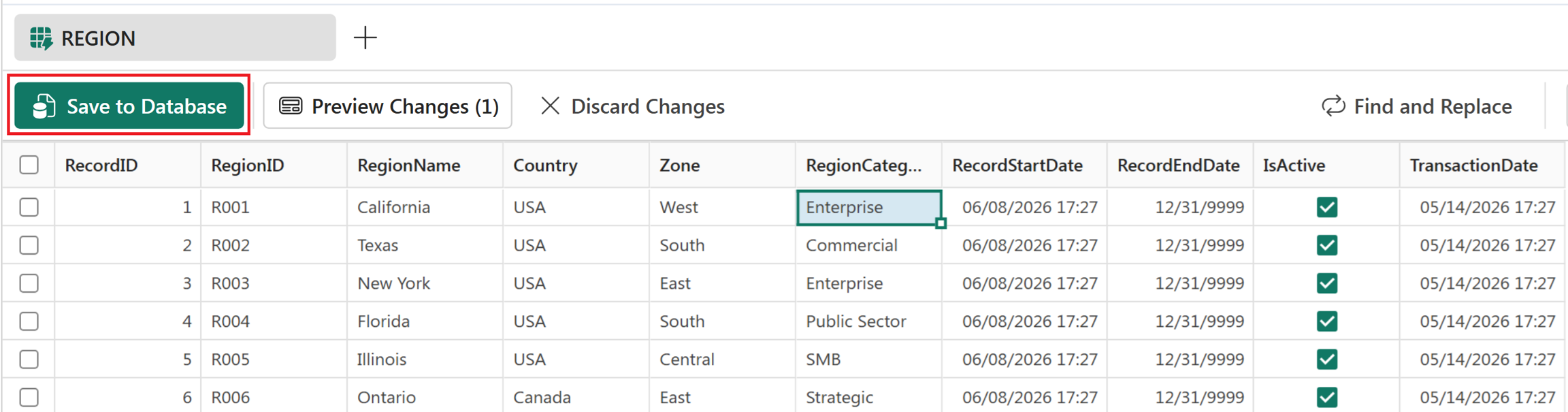
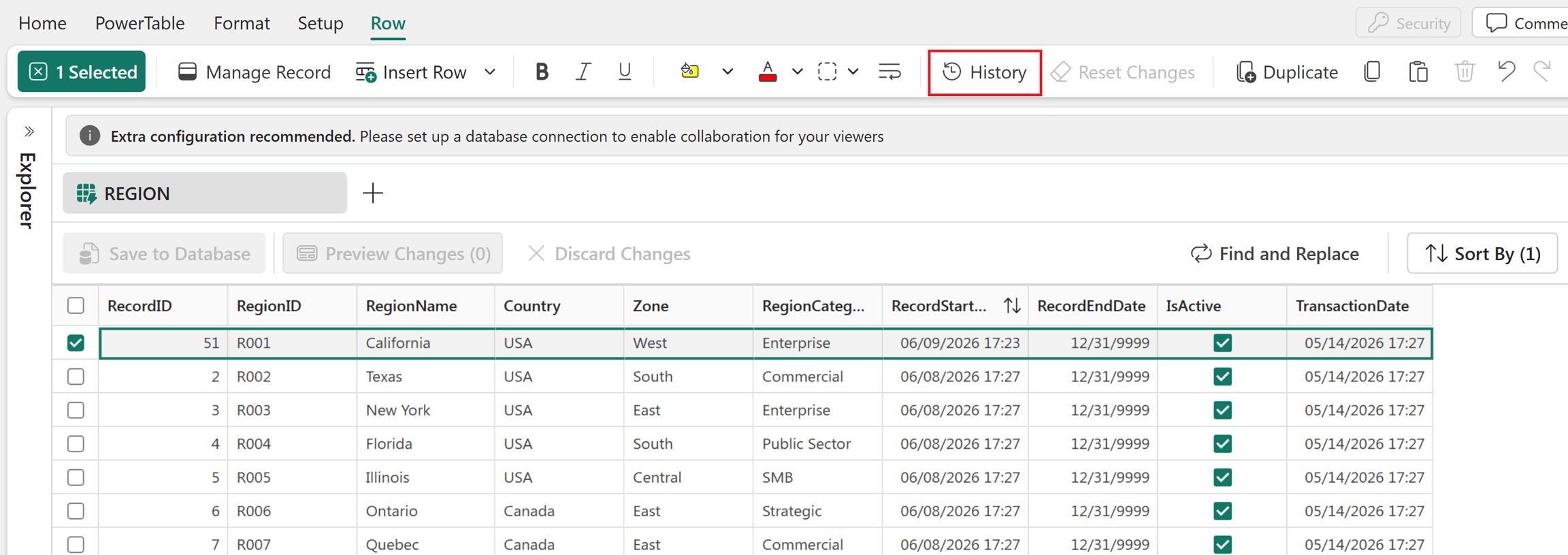
The original record is marked as inactive and excluded from the grid. A new record containing the updated values is inserted at the end of the grid. To view the change history for a record, select the record and then select History.
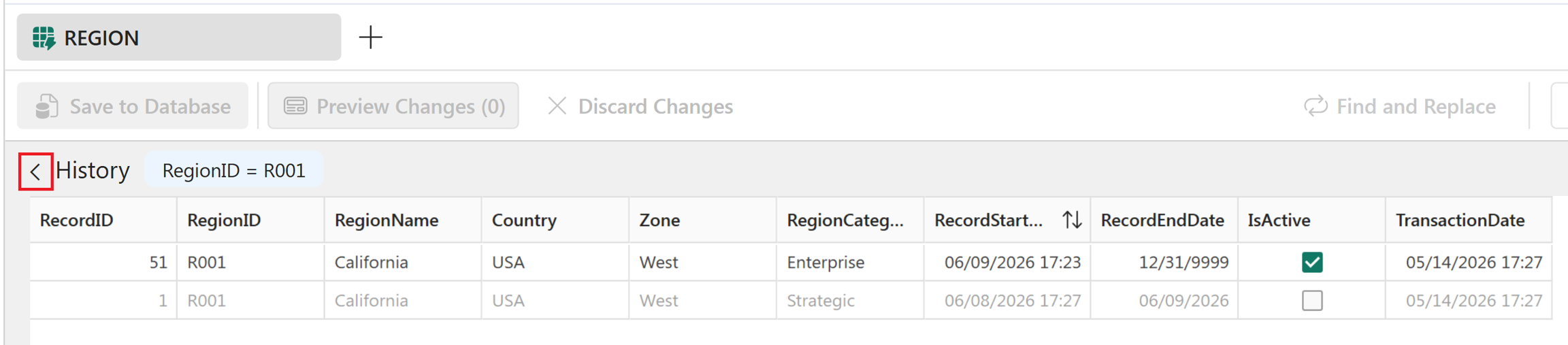
In the History pane, records with the Active flag enabled are the current active records. Their End Date is displayed as either null or an infinite date, based on the SCD configuration. After reviewing the change history, select the back icon to return to the grid.
Configure Type 3 SCD
You can configure Type 3 SCDs when creating a table from a file, a semantic model, or by manually entering data.
In the table configuration, turn on Enable support for Slowly Changing Dimensions (SCD) and select Type-3.
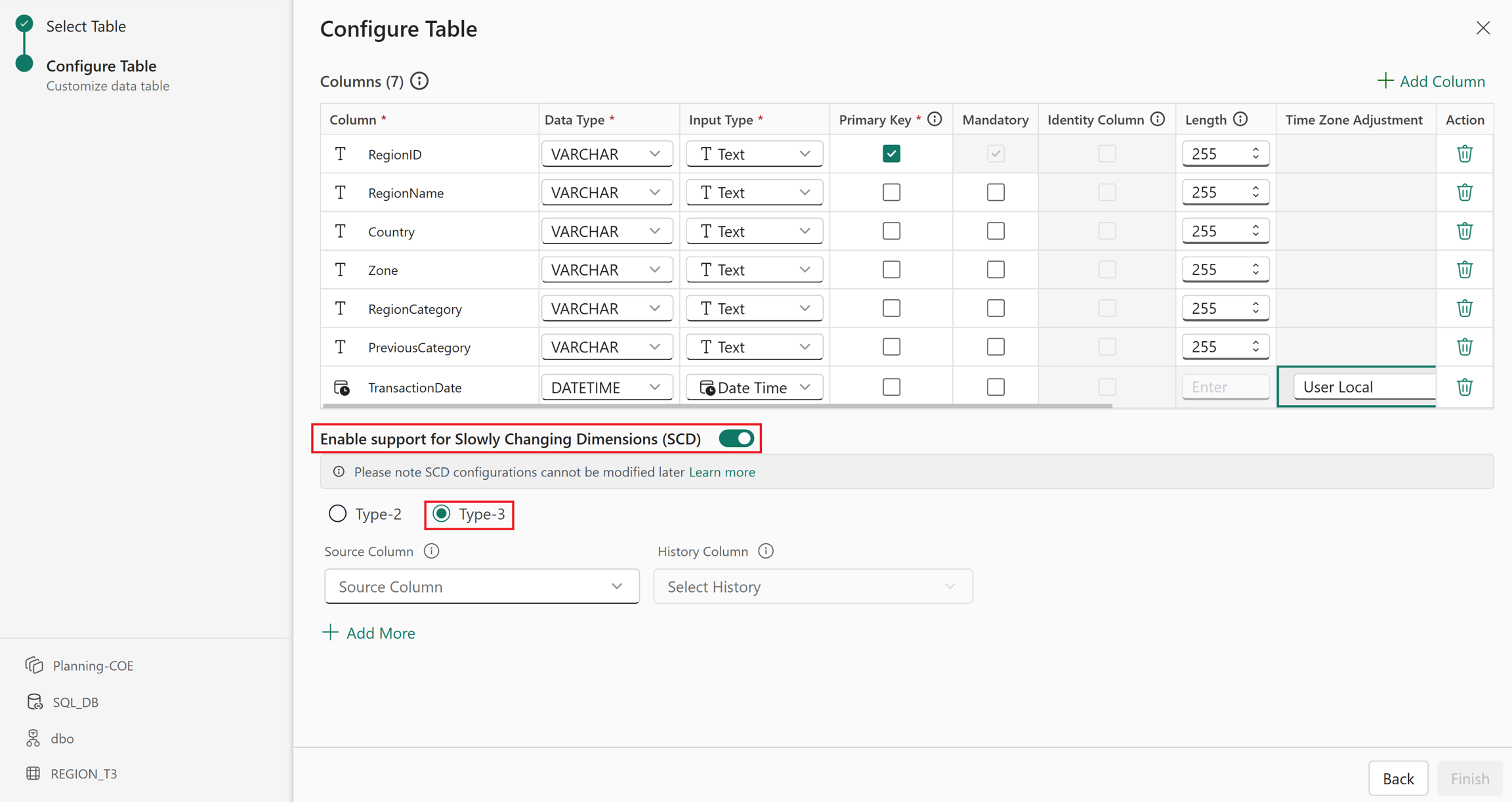
Select the current value column and its corresponding history column to track both the latest and previous values. Select + Add More to maintain historical data for more than one column.
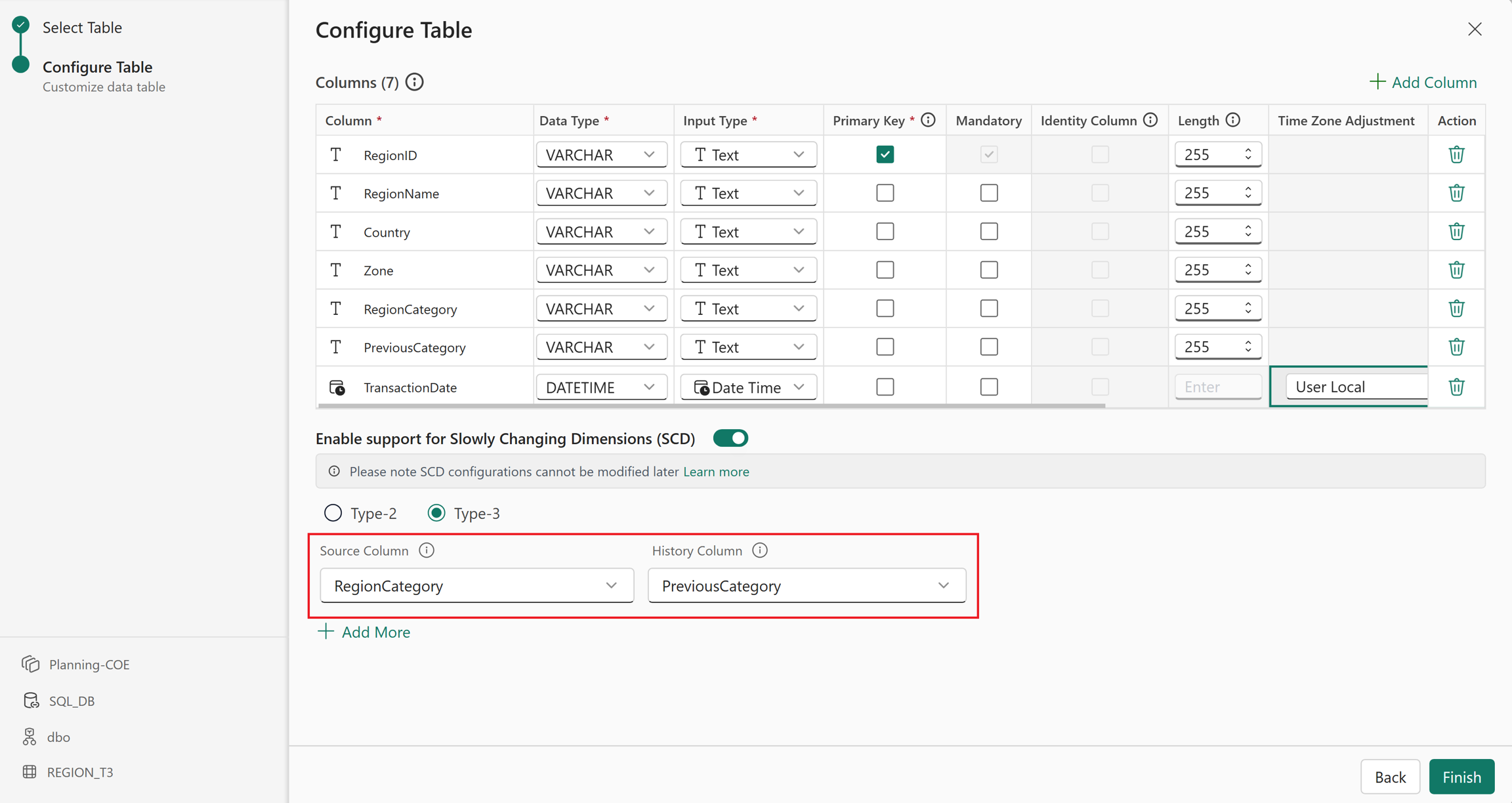
Select Finish to create the table.
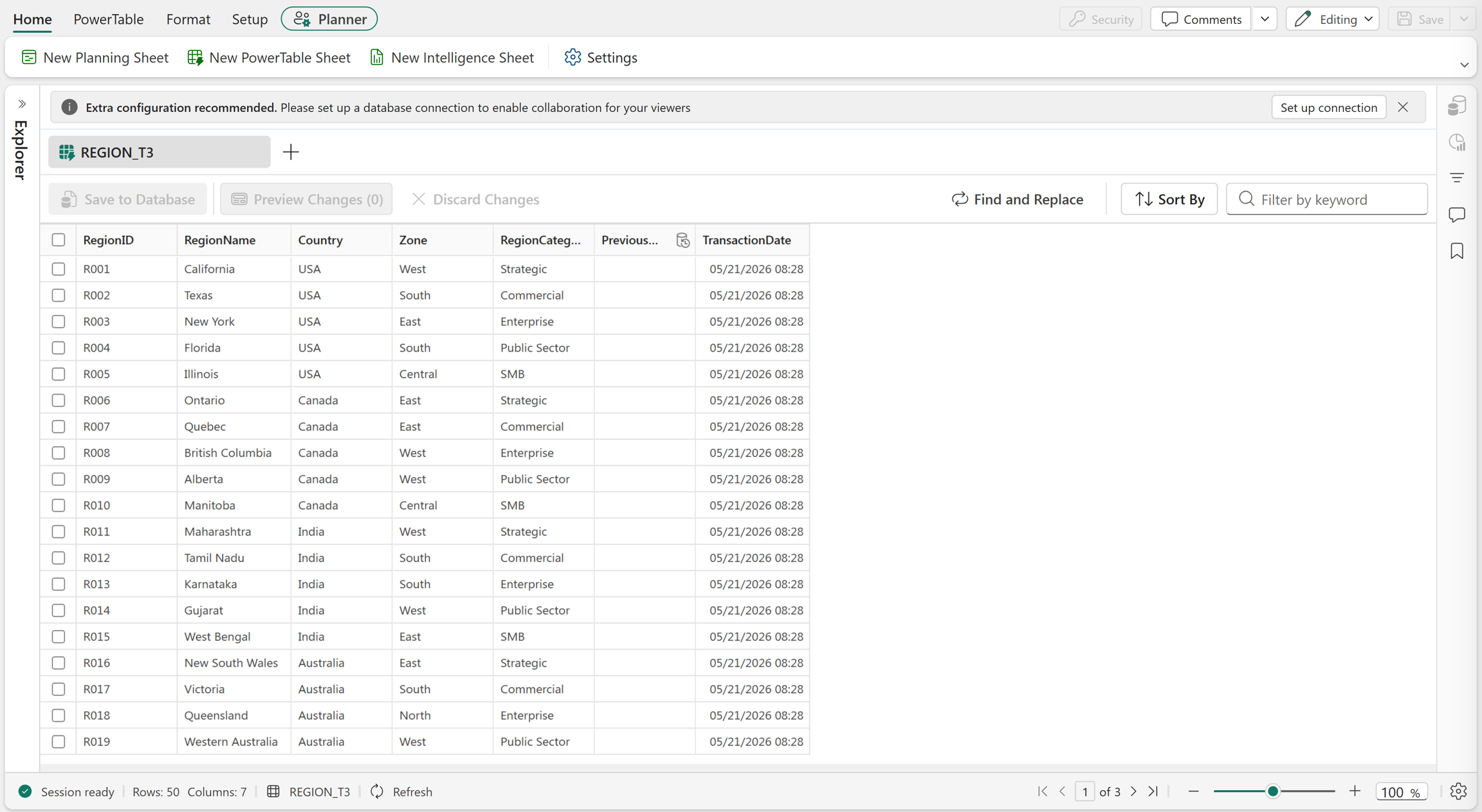
When you edit a value, the older value is moved to the configured history column. Select Preview Changes.
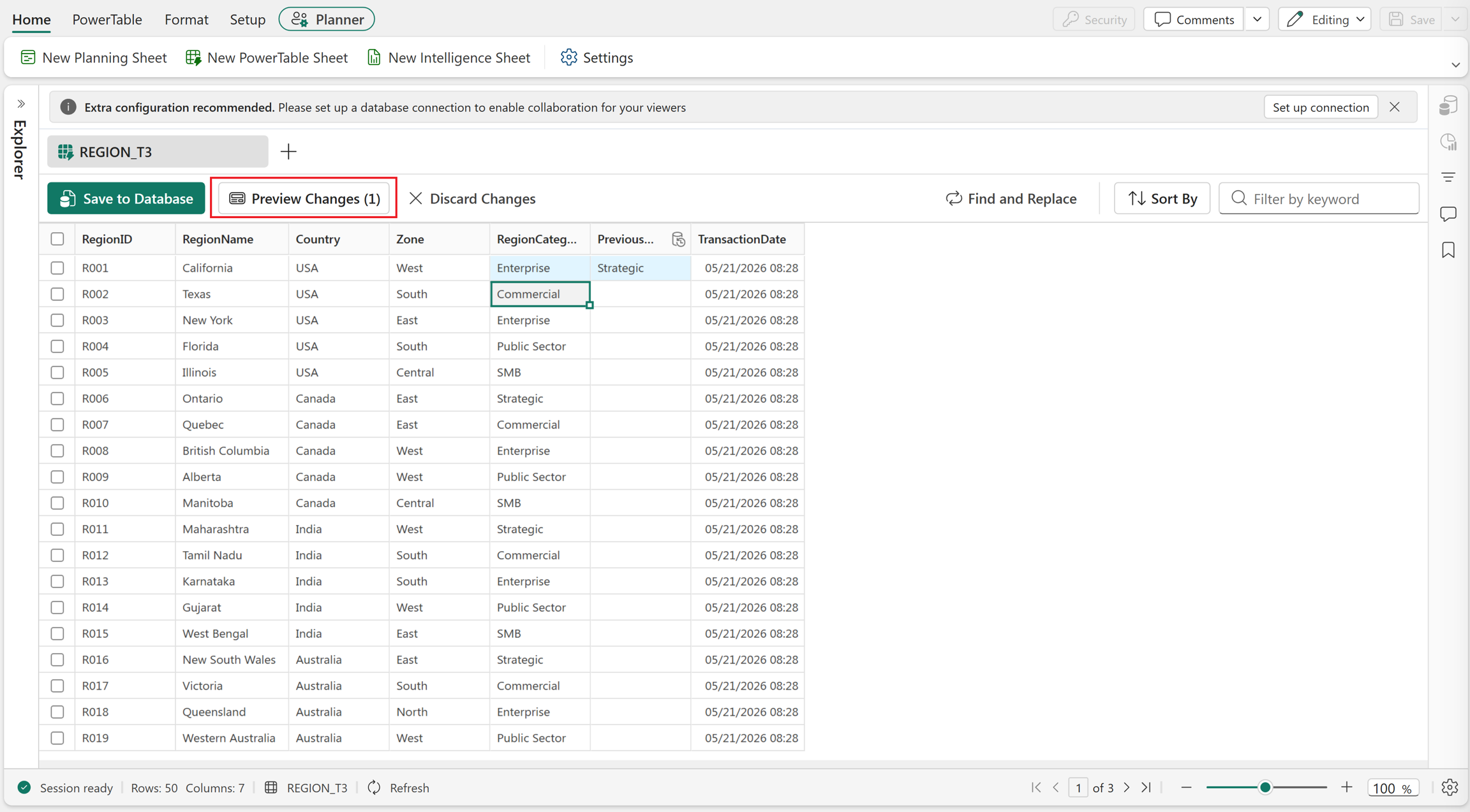
Verify the changes that were made.

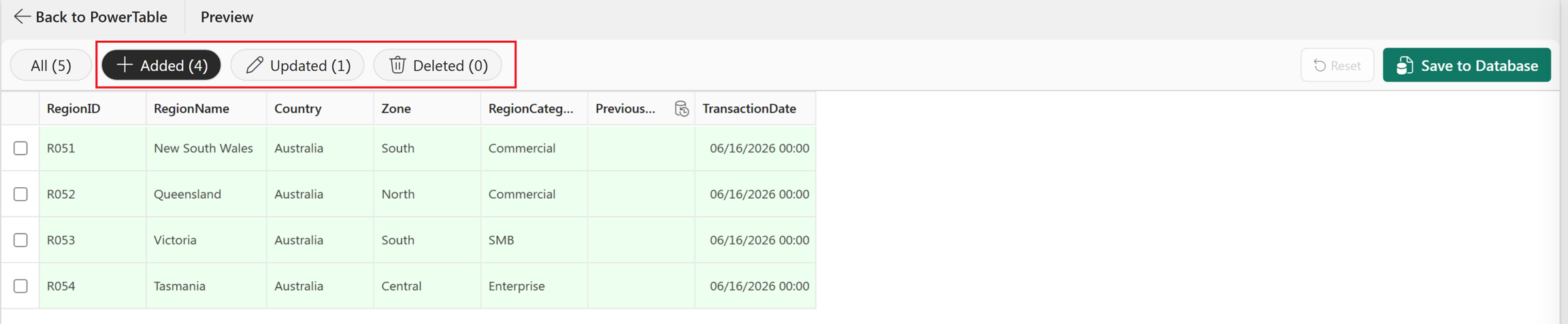
Select Added, Updated, or Deleted to preview records with specific changes. Select Save to Database to commit the changes.