Note
Access to this page requires authorization. You can try signing in or changing directories.
Access to this page requires authorization. You can try changing directories.
Use setscaling to scale measure values in a planning sheet to a specified unit, such as thousands or millions.
Syntax
The setscaling function accepts a measure and a scaling option.
setscaling(Measure1, SCALING.NONE)
Scaling options
The function supports the following scaling options:
- SCALING.NONE: Display values without scaling.
- SCALING.AUTO: Automatically select a suitable scale.
- SCALING.THOUSANDS: Scale values to thousands.
- SCALING.MILLIONS: Scale values to millions.
- SCALING.BILLIONS: Scale values to billions.
- SCALING.TRILLIONS: Scale values to trillions.
The available options are shown in the formula editor's suggestions. Use the option that matches the unit you want users to see.
Example
The following example uses a parameter to switch a measure between thousands and millions in a planning sheet.
In the planning sheet, create an Action parameter named Switch Scale.
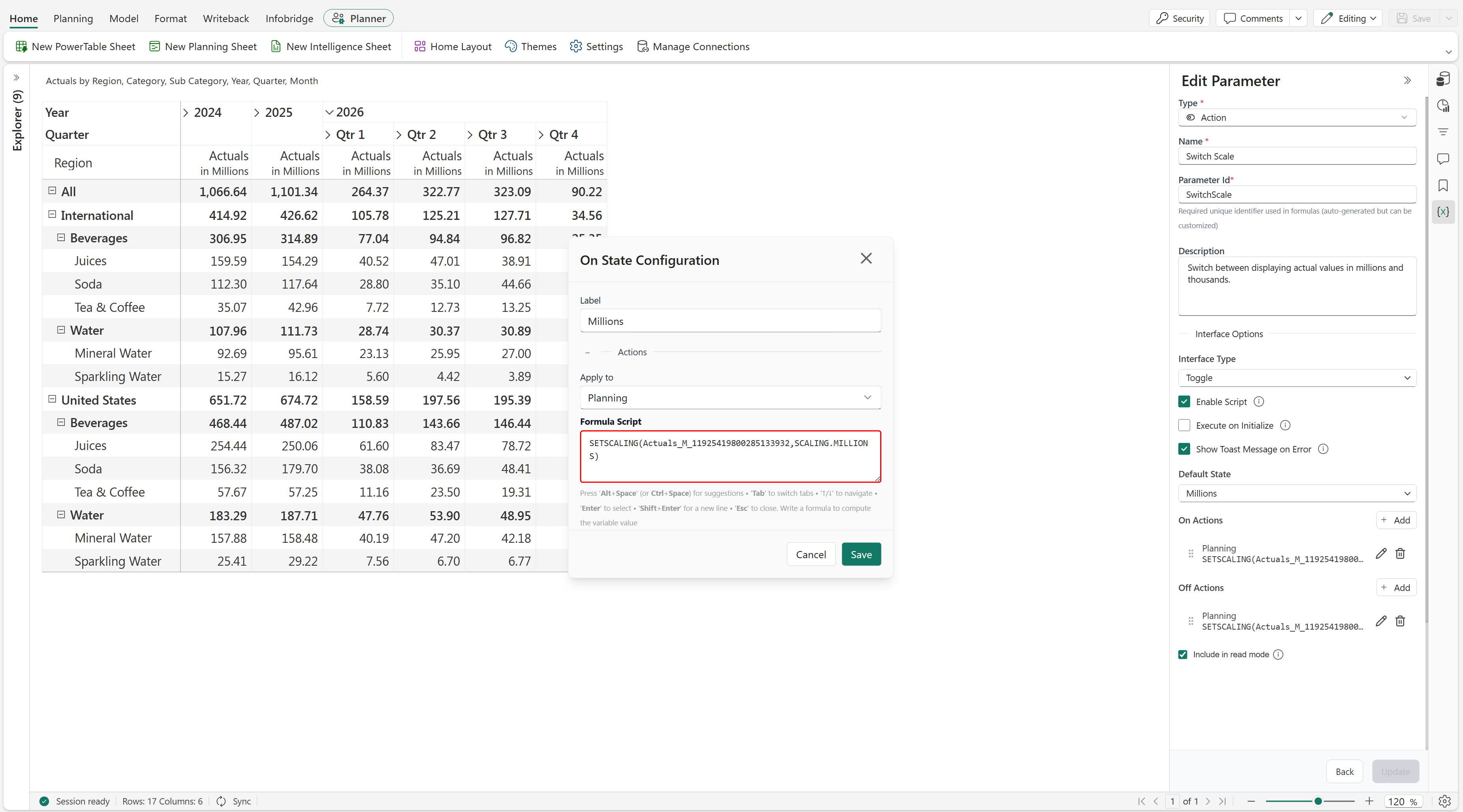
Set the Interface Type to Toggle and select Enable Script.
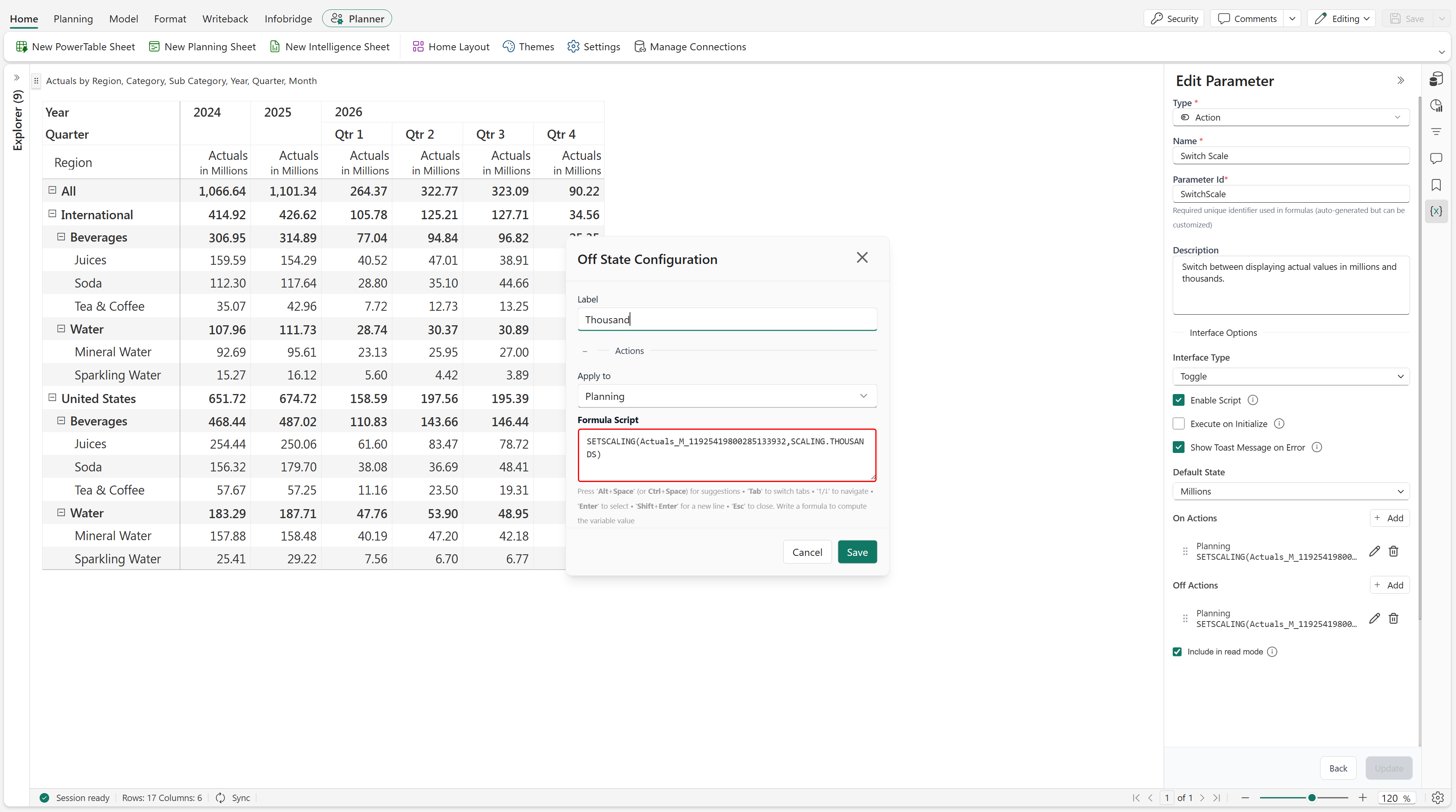
Add two states:
- Millions
- Thousand
For the Millions state, add a planning action with the following formula:
setscaling(Actuals_M_11925419800285133932, SCALING.MILLIONS)For the Thousand state, add a planning action with the following formula:
setscaling(Actuals_M_11925419800285133932, SCALING.THOUSANDS)Set Default State to Millions.
Save the parameter and switch between the states to change how the measure values are displayed.
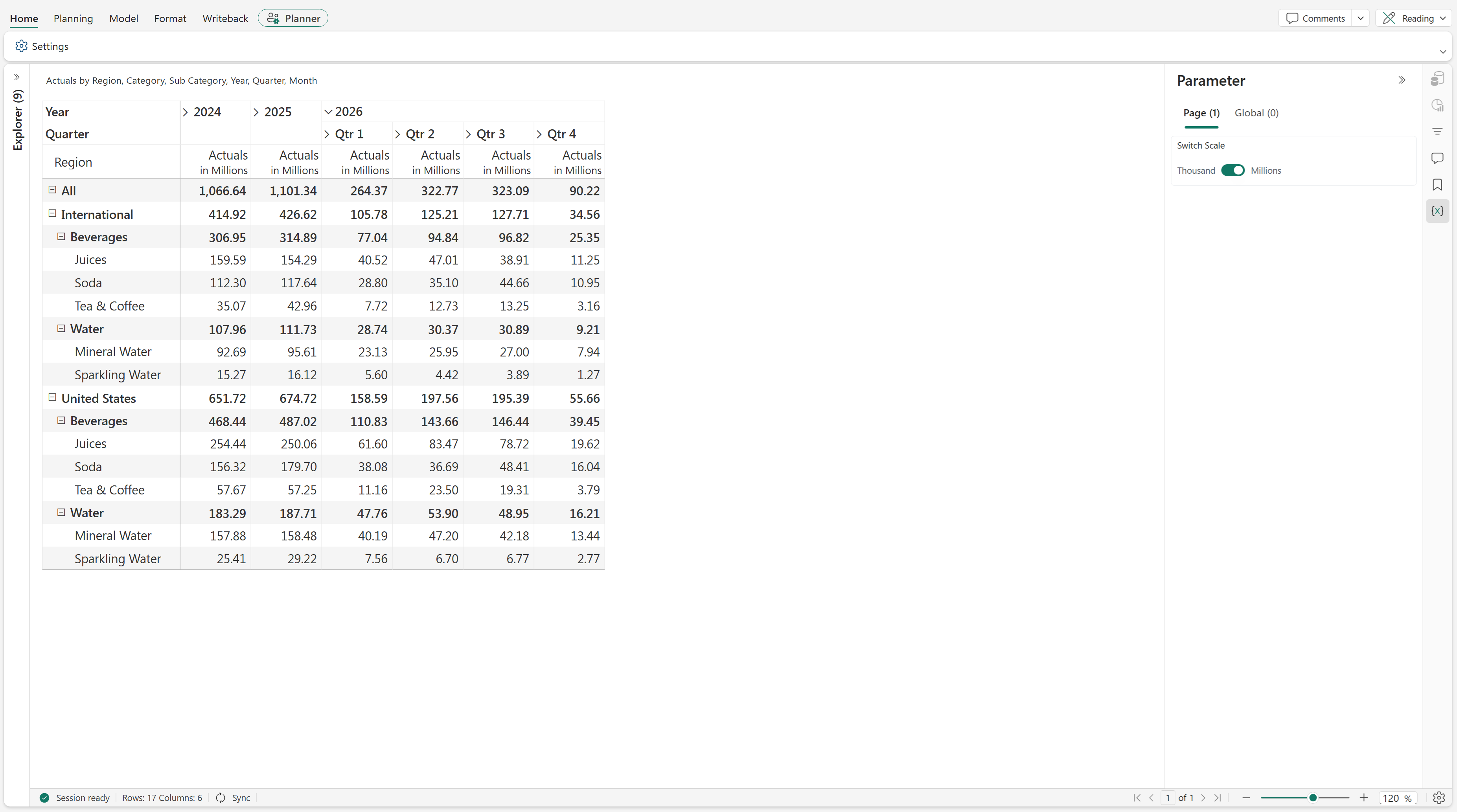
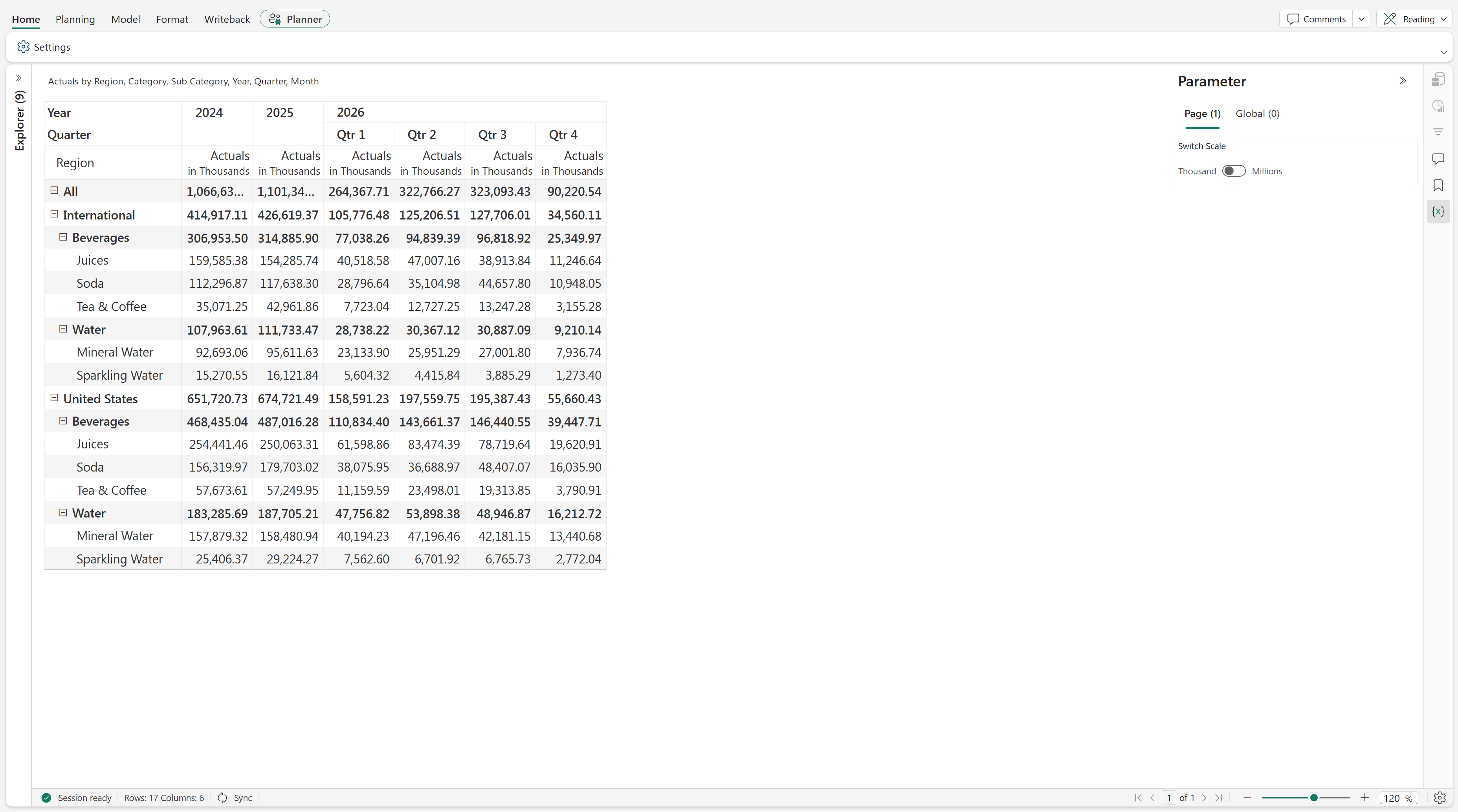
The measure is displayed in millions by default. When users switch to Thousand, the values are displayed in thousands.
Result
The screenshots show the measure values displayed in millions and thousands. For example, the total for 2026 Qtr 4 is approximately 90.22 million in the millions view and 90,220.54 thousand in the thousands view. The underlying quantity is the same; only the display scale changes.