Note
Access to this page requires authorization. You can try signing in or changing directories.
Access to this page requires authorization. You can try changing directories.
Use SHOWCLOSEDFORECAST to show or hide forecast values for closed periods in a planning sheet.
Syntax
SHOWCLOSEDFORECAST(boolean)
Parameters
The following parameter controls whether the planning sheet displays forecast values for closed periods. Set the Boolean value to TRUE to show the values or FALSE to hide them.
| Parameter | Description |
|---|---|
| boolean | Specifies whether to show forecast values for closed periods. Use TRUE to show closed forecast values or FALSE to hide them. |
Example
The following example configures a toggle parameter that lets users show or hide forecast values for closed periods.
Open the planning sheet and select Add new in the Parameter pane.
In Type, select Action.
Enter a name, such as Show closed forecast. The parameter ID is SHOWCLOSEDFORECAST.
In Description, enter a brief explanation, such as: Show or hide forecast values for closed periods in the planning sheet.
Under Interface Options, set Interface Type to Toggle.
Enable Enable Script.
Under Default State, select Show closed forecast.
Configure the on state:
Set Label to Show closed forecast.
Set Apply to to Planning.
Enter the following formula in Formula Script:
SHOWCLOSEDFORECAST(TRUE)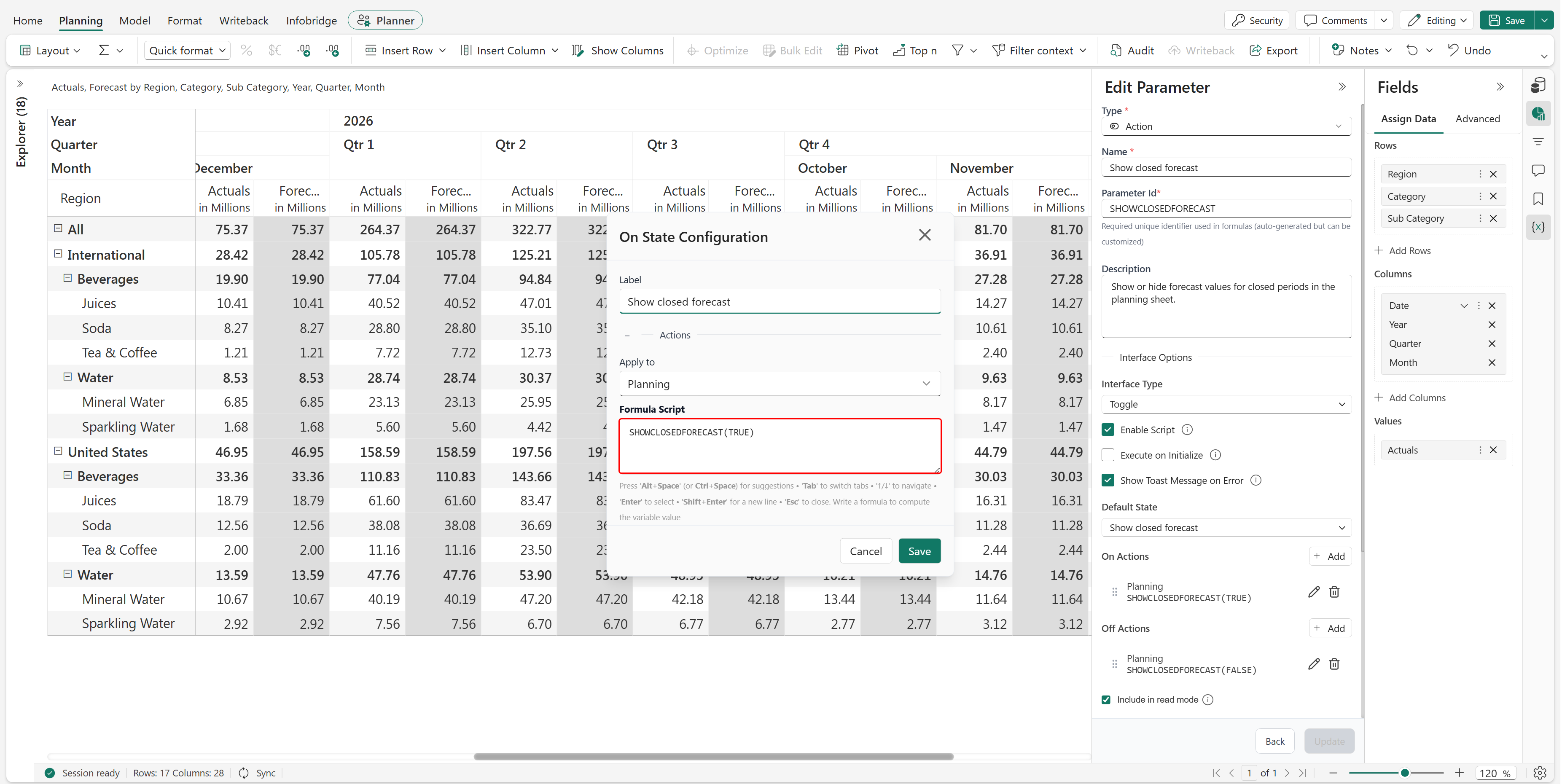
Configure the off state:
Set Label to Hide closed forecast.
Set Apply to to Planning.
Enter the following formula in Formula Script:
SHOWCLOSEDFORECAST(FALSE)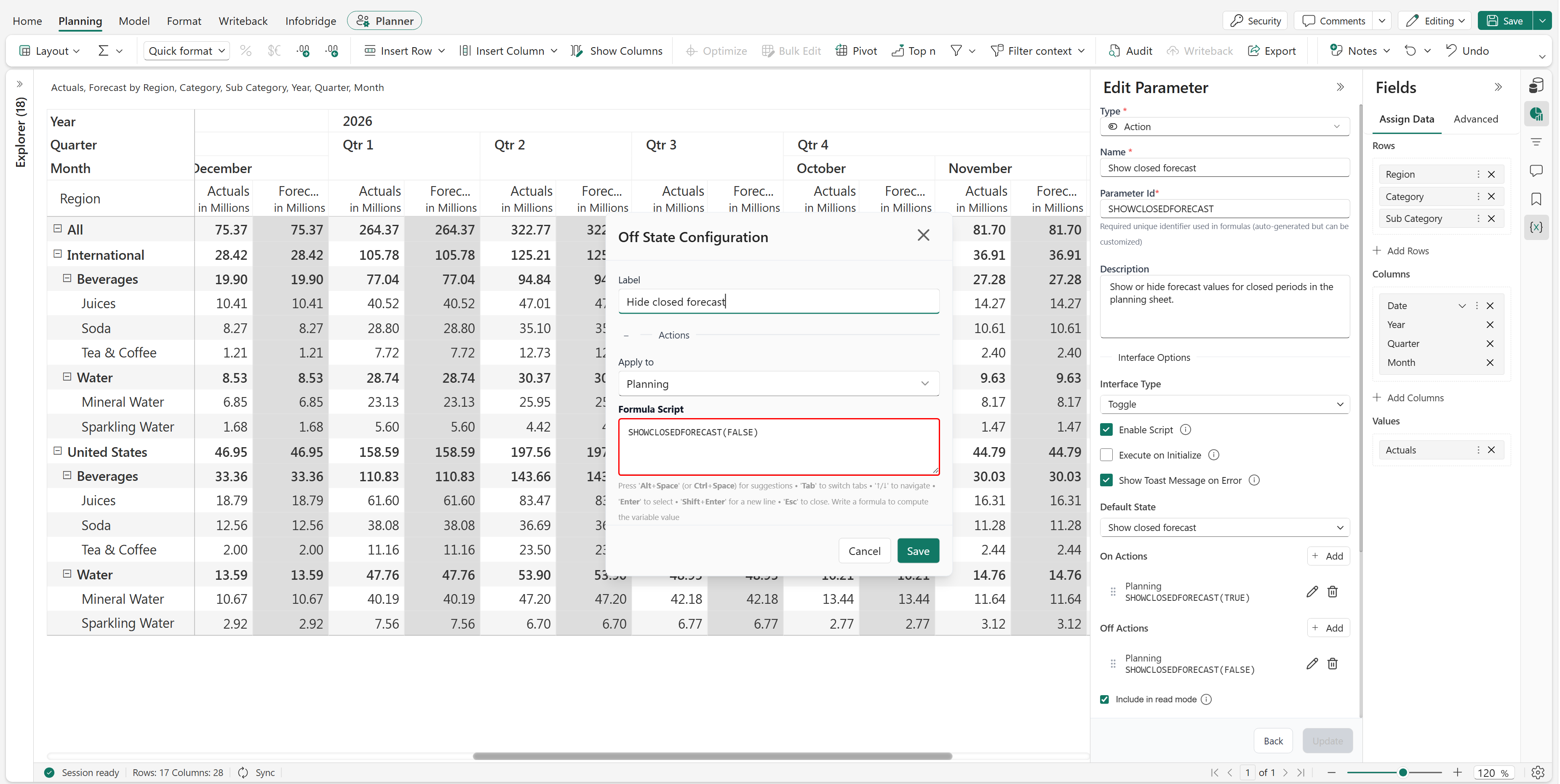
Select Save to save the parameter configuration.
In the parameter settings, select Include in read mode if users must be able to use the toggle in read mode.
Select Update, and then save the planning sheet.
Results
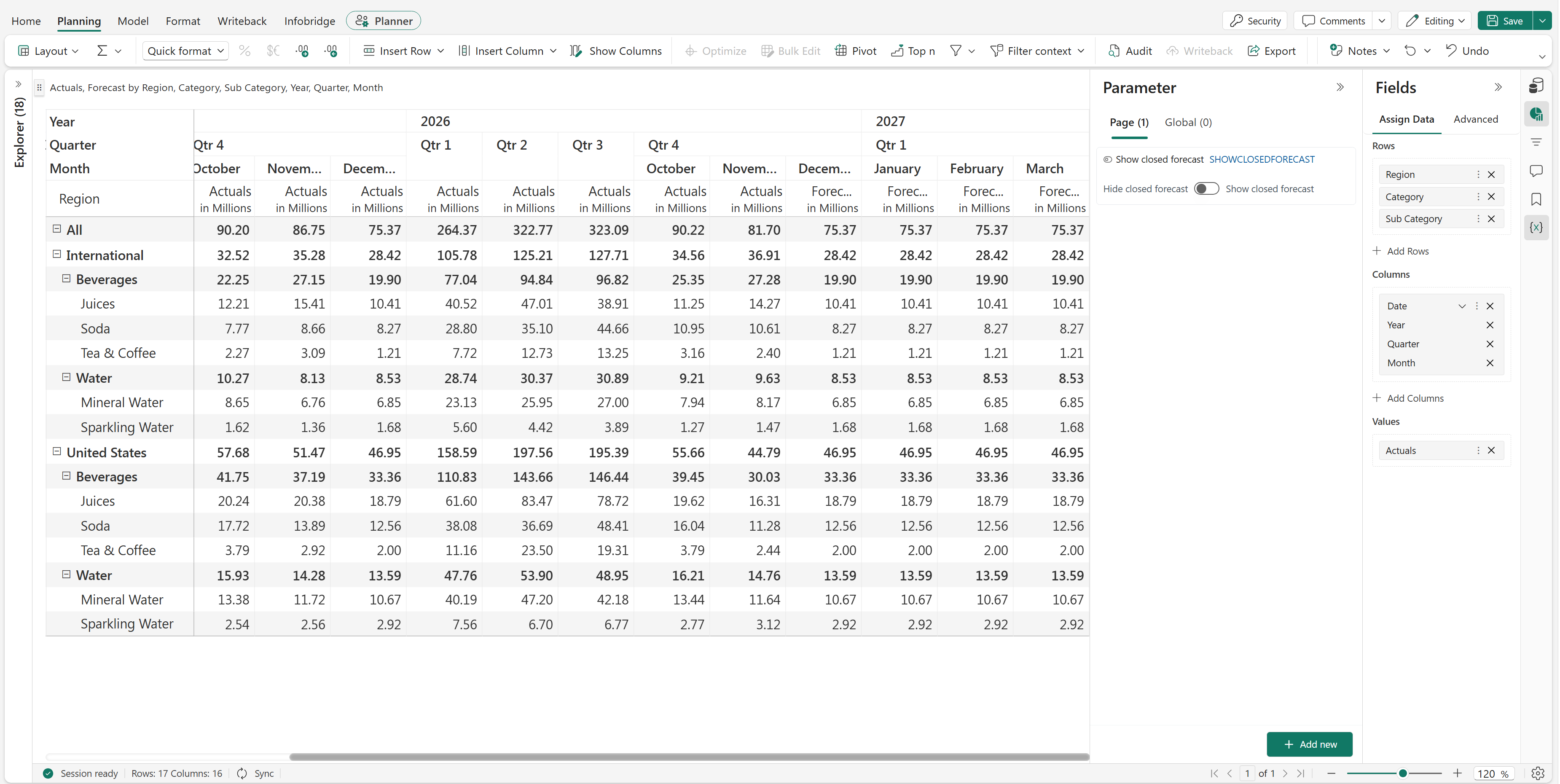
When the toggle is on, the planning sheet displays forecast values for closed periods.
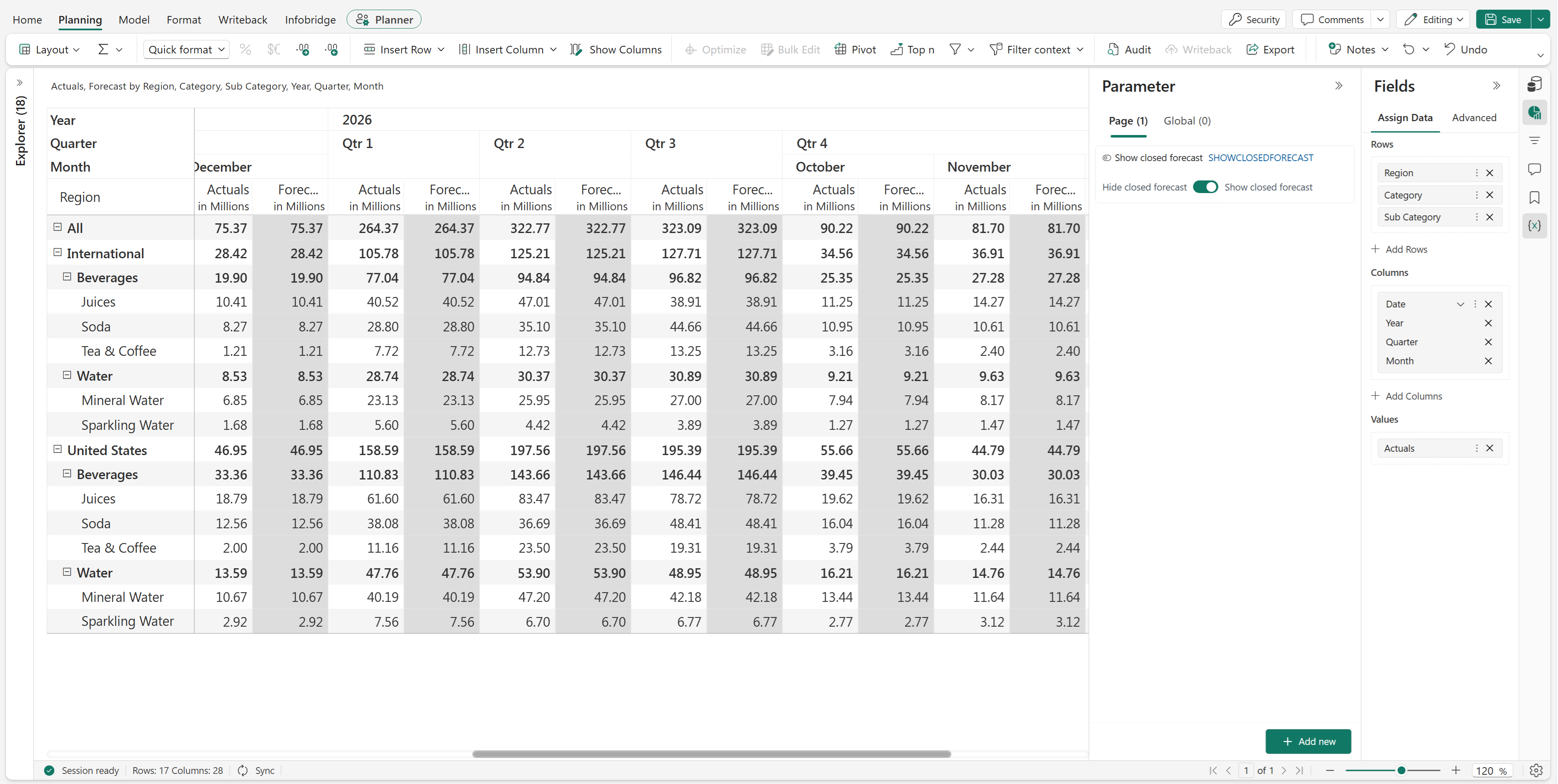
When the toggle is off, the planning sheet hides forecast values for closed periods.