Note
Access to this page requires authorization. You can try signing in or changing directories.
Access to this page requires authorization. You can try changing directories.
After you create a shortcut, you can update its properties or remove it. This article covers both options for shortcuts in a lakehouse or KQL database.
For an overview of shortcuts, see shortcuts in OneLake. To create a shortcut, see Create an internal OneLake shortcut.
Prerequisites
Editing shortcuts requires write permission on the item you're editing. The admin, member, and contributor roles grant write permissions.
Edit a shortcut
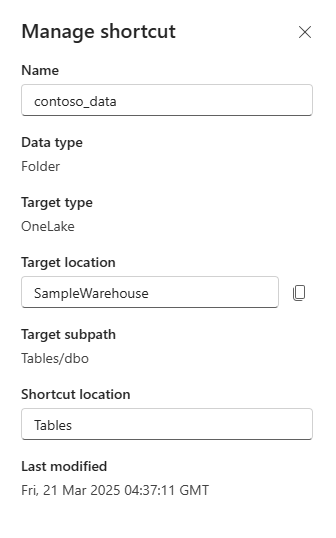
Right-click the shortcut and select Manage shortcut.
In the Manage shortcut view, you can edit the following fields:
Name
Target connection
Not all shortcut types use the target connection feature.
Target location and Target subpath
You can edit both fields by selecting the Target location.
Shortcut location
You can also edit shortcuts by using the OneLake shortcuts REST APIs.
Delete a shortcut
To delete a shortcut, select the ... icon next to the shortcut file or table and select Delete. To delete shortcuts programmatically, see OneLake shortcuts REST APIs.