Note
Access to this page requires authorization. You can try signing in or changing directories.
Access to this page requires authorization. You can try changing directories.
Some streams contain unschematized events with different shapes. For example, an
IoT stream might contain events from multiple device types. In a schema-aware
Eventstream, the Classifier workflow lets you identify a classifier or
discriminator field, such as deviceType, by selecting it as the classifier
column. Eventstream uses the field to distinguish and organize event types while
keeping them in one pipeline.
Important
The Classifier workflow is part of schema-aware Eventstreams, which are in Preview. For multiple-schema inferencing in the existing Eventstream experience, see Enhance event processing by using multiple schema inferencing.
When to use the Classifier workflow
Use the workflow when:
- Events are unschematized.
- Multiple event types or shapes flow through the same stream.
- Events contain a field whose value identifies the event type, such as
deviceType,eventType, orentityType. - You want to process the event types in one pipeline instead of creating separate Eventstreams.
Prerequisites
- A schema-aware Eventstream (Preview). See Create a schema-aware Eventstream (Preview).
- Contributor or higher permissions on the workspace that contains the Eventstream.
Choose a classifier column
Choose a classifier or discriminator field that:
- Is present on the events that you want to classify.
- Has a stable value for each event type.
- Has a limited set of meaningful values.
For example, consider an IoT stream that contains these events:
{ "deviceType": "thermostat", "deviceId": "T-01", "temperature": 21.8 }
{ "deviceType": "camera", "deviceId": "C-07", "motionDetected": true }
The deviceType field distinguishes the thermostat event from the camera event.
Classify events
Open your schema-aware Eventstream in Edit mode.
Select the stream that contains the unschematized events.
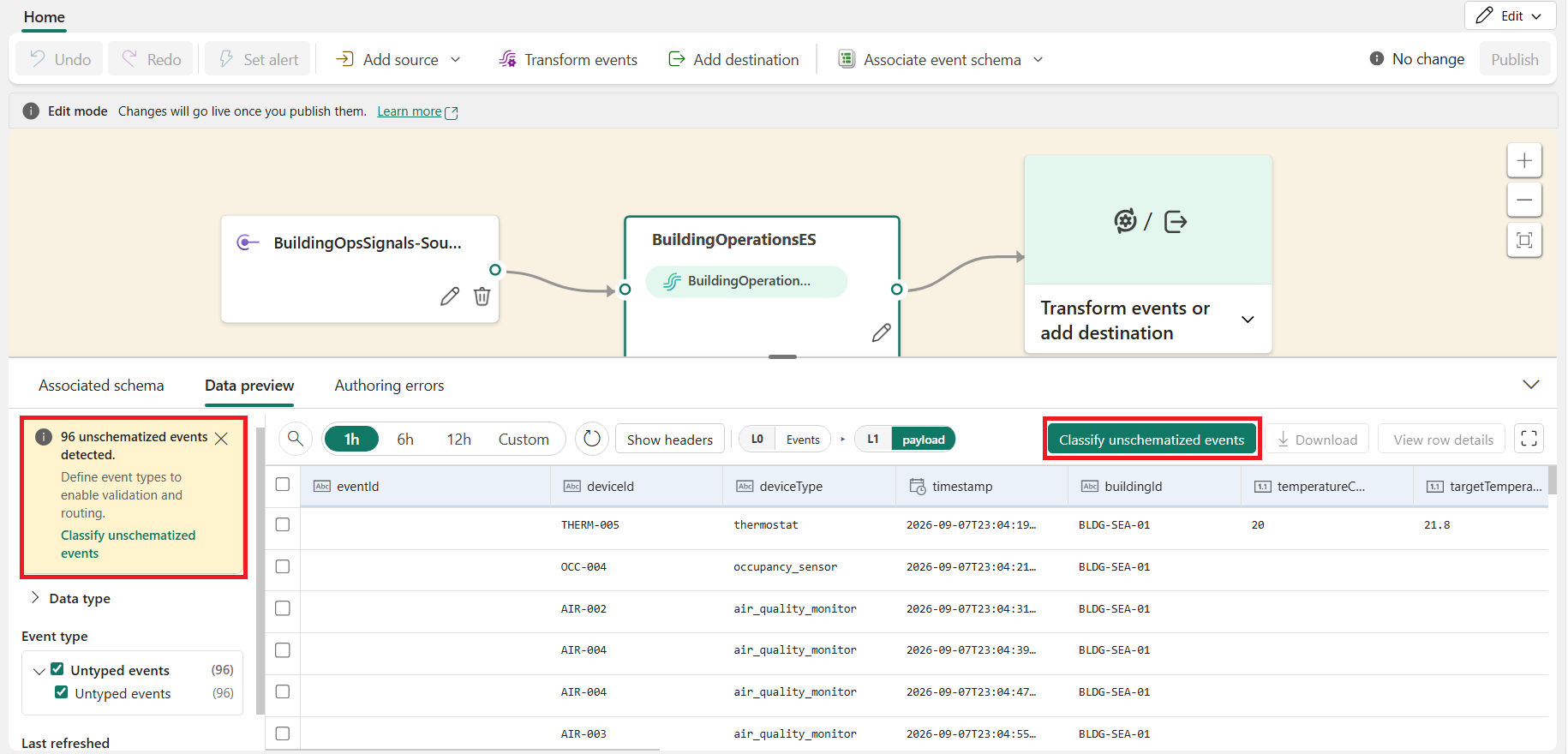
In the data-preview grid, select Classify unschematized events.
The Classify unschematized events dialog opens.
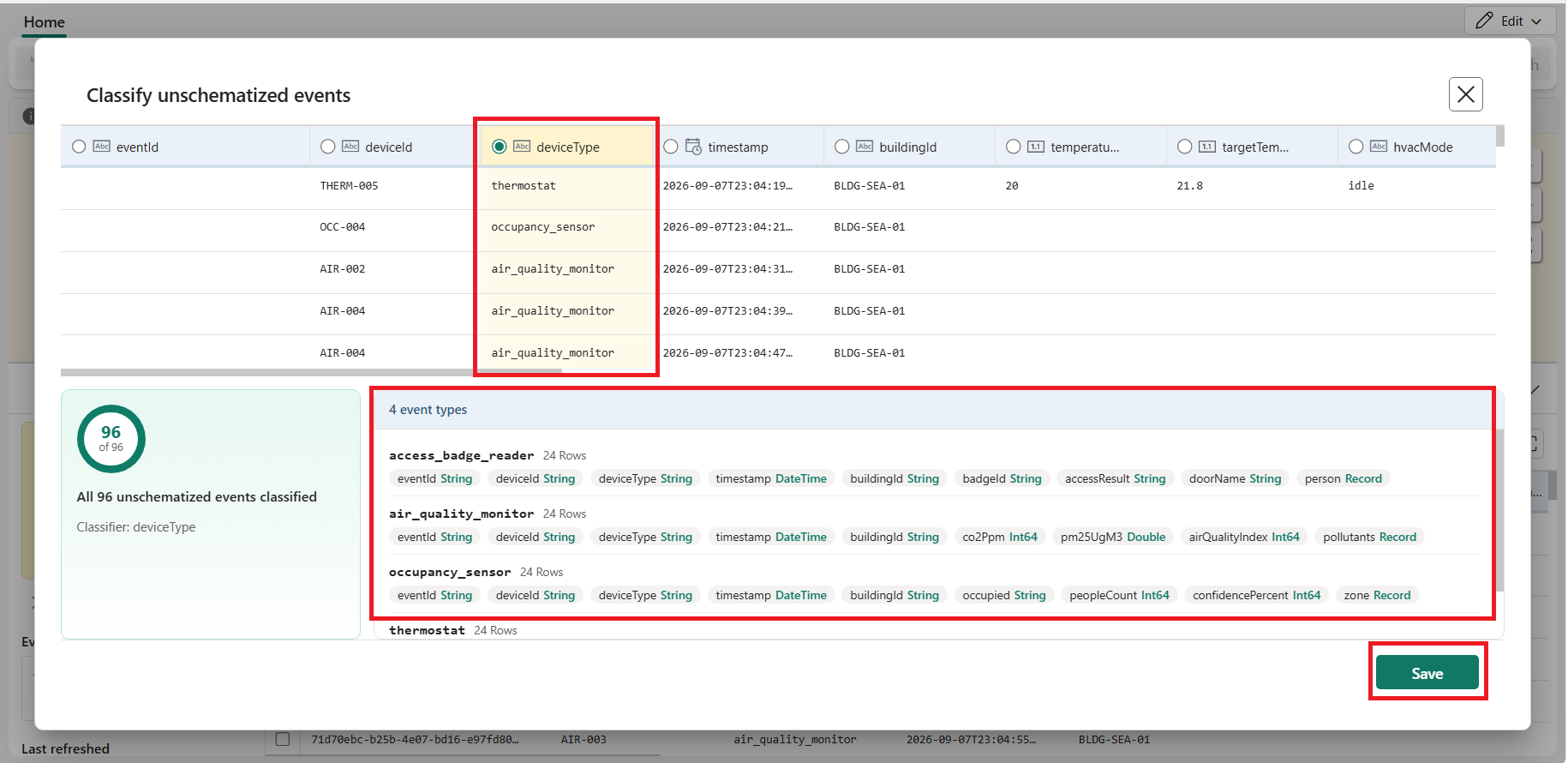
Select the classifier column that identifies each event type, such as
deviceType.You can select a nested field as the classifier column.
Review the event types identified from the field values.
Select Save.
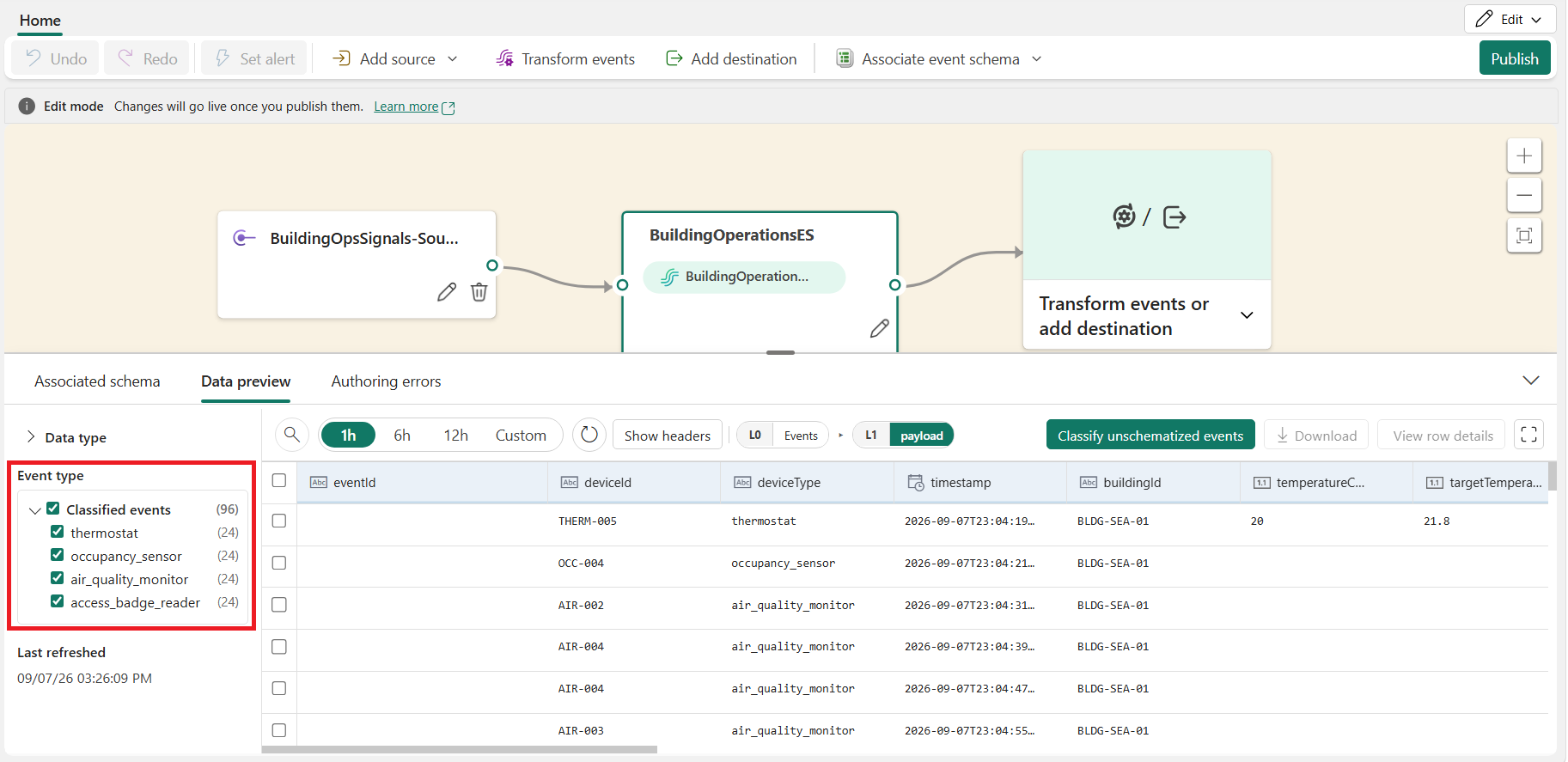
After you save, the classified event types appear as selectable options in Data preview. Select each event type to verify its detected event shape.
Classifier behavior
- If the classifier column is missing or its value is null, the event remains untyped and continues through the Eventstream.
- When a new classifier value arrives, Eventstream automatically adds a new classified event type.
- Choose a field with a bounded set of meaningful values. A high-cardinality field, such as a unique identifier, can create too many event types and make the Eventstream difficult to manage.
Explore and process classified events
Use the redesigned data preview to inspect the payload, headers, and metadata for each classified event type. You can also download selected events as JSON. For more information, see Preview data in a schema-aware Eventstream (Preview).
Updated operators and destinations can process classified events together with schematized and untyped events. You don't need to create separate pipelines for each event type.