Note
Access to this page requires authorization. You can try signing in or changing directories.
Access to this page requires authorization. You can try changing directories.
Important
An upcoming change to Windows, included in the April 2026 Windows Server update, the default Kerberos encryption type is changing from RC4 to AES-SHA1.
File shares hosting FSLogix containers that aren't upgraded to AES-SHA1 might have access issues after this change is applied. To avoid disruption, complete the upgrade to AES-SHA1 before installing the update.
Customers who have already upgraded to AES-SHA1 aren't affected.
For more information, see the FSLogix blog: Action required: Windows Kerberos hardening (RC4) may affect FSLogix profiles on SMB storage.
Network or DNS issues
FSLogix has a critical dependency many resources like network and DNS resolution. A user's session can appear hung or unresponsive when the virtual machine is unable to communicate or resolve the name of the UNC path for their container. If communication is restored during the user's session, then their session returns to normal operations.
- Test access to the storage provider from a different virtual machine.
- Use
Test-NetConnectionto verify name resolution and protocol access:Select Start and Type
powershelldirectly into the Start Menu.Select Windows PowerShell from the Start Menu.
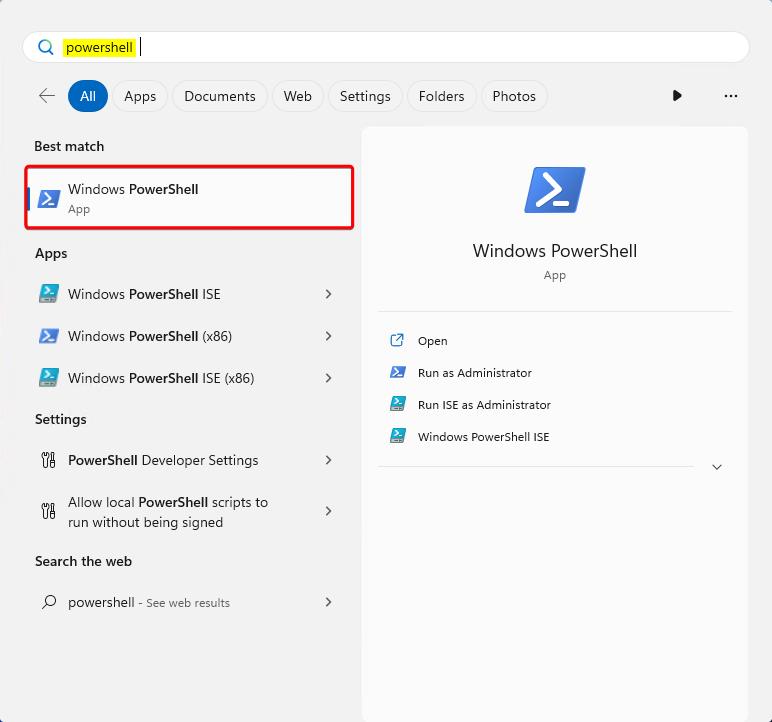
Figure 1: PowerShell in Start Menu
In the PowerShell window, Type:
Test-NetConnection -ComputerName <server-fully-qualified-domain-name> -CommonTCPPort SMB
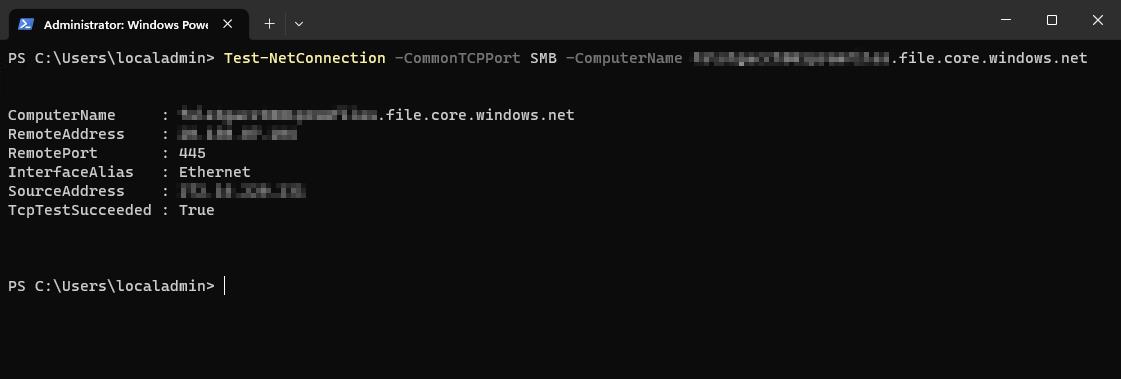
Figure 1: PowerShell Test-NetConnection output
