Note
Access to this page requires authorization. You can try signing in or changing directories.
Access to this page requires authorization. You can try changing directories.
This article provides an overview of how to upload your Dragon Copilot extension to Dragon admin center for testing and then publish your extension as an offer in Partner Center. For more information, see the Partner Center documentation.
When you create your offer in Partner Center, healthcare organizations purchase your offer from Microsoft Marketplace. After they purchase your offer, your customers add it to their environments in Dragon admin center. For more information on the Dragon admin center configuration, see AI apps and agents in the Dragon admin center documentation.
Prerequisites
At this stage of the development process, you should have already:
- Designed, built and tested your APIs.
- Implemented secure authentication using Microsoft Entra ID.
- Designed your adaptive card UI.
- Built your technical configuration package.
For an overview of the development steps, see Development concepts.
Upload to your test environment
After you build the technical configuration package for your extension, test it by uploading it directly to your test environment in Dragon admin center.
Create your test environment and provision Dragon Copilot. For more information, see the Dragon admin center end-to-end workflow overview.
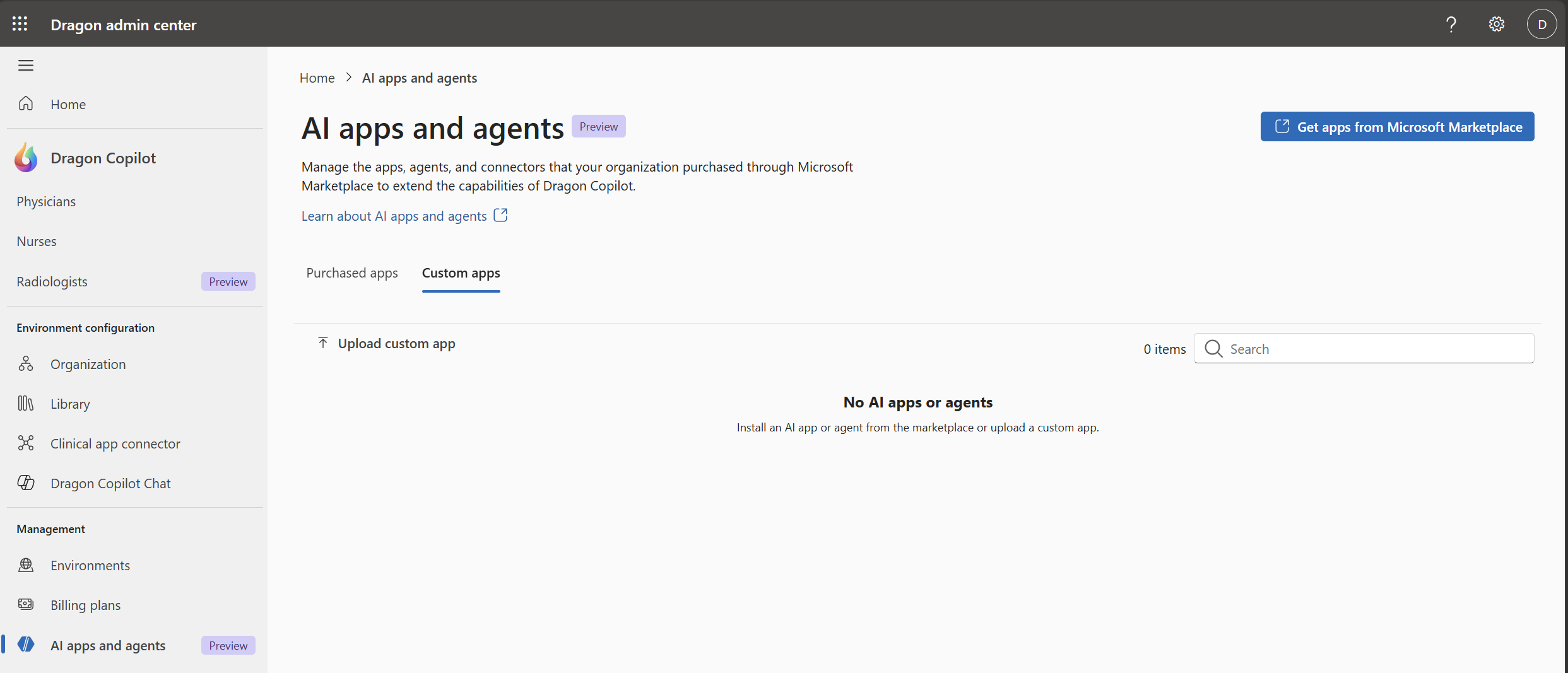
Go to the AI apps and agents page and upload your compiled package under the Custom apps tab.
Sign in to your test environment by using your Dragon Copilot desktop, web, or mobile app to see your extension's AI response.

Create your offer in Partner Center
When your extension works as expected based on integration testing in your test environment, publish it by creating an offer in Partner Center.
Sign in to Partner Center.
Select Marketplace offers.
Open the Public offers tab and select Create a new offer > Copilot tab.
Select Dragon Copilot Physicians AI Apps and Agents and continue to provide the prompted information. At the step Technical configuration, upload the .zip file generated by the CLI tool.
When you complete the offer creation in Partner Center, customers can purchase your extensions as AI apps and agents from Microsoft Marketplace and deploy them in Dragon admin center. See AI apps and agents in the Dragon admin center documentation.