Note
Access to this page requires authorization. You can try signing in or changing directories.
Access to this page requires authorization. You can try changing directories.
LinkedIn is providing the Pages Data Portability API product for third-party developers and business users in response to certain requirements of the Digital Markets Act (DMA). The API Product packages many APIs to access the data from the LinkedIn platform.
What is DMA?
The DMA is a new EU competition law that regulates large online platforms to ensure fair competition, protect consumer rights, and foster innovation in the digital economy. Consistent with DMA obligations regarding business user data access, LinkedIn is providing a set of APIs for Company Page admins to access: 1) data they have provided on the LinkedIn platform or generated in the context of using LinkedIn and 2) data provided or generated by LinkedIn members through their engagement with Pages (subject to their consent).
What is a Company Page?
A Company Page is an entity that represents an organization on LinkedIn. The Company Page is where a company can post organic content and interact with members on LinkedIn.
Refer to Creating a LinkedIn Page guide for instructions on creating a company page.
See Company Page roles and managing Admins for more information.
Permissions
| Permission | Description |
|---|---|
| r_dma_admin_pages_content | Retrieve your Organization's posts, newsletters, articles, and live videos, including comments, reactions, and other engagement data. Retrieve your Organization's social action data (e.g., likes, comments), messages, page follows, and other activity data. Retrieve your Organization's lead gen forms, lead gen form responses, and leads analytics. Retrieve your Organization's pages and their reporting data (including follower, visitor, content, and other analytics). Use your basic profile including your name, photo, headline, and public profile URL. |
Pages Admin Experience
A page admin can retrieve the information with the following features from appropriate APIs.
Settings (Access Management)
To find out who can access your Organization's data or which Organization's data you can access, the following APIs are provided:
- The
Organization Access Control APIreturns the Organization's access control information, such as the list of admins authorized to access the organization page data, or the list of organizations you can access in general. - The
Organization Authorizations DMA APIallows you to access an organization's administrative data on its behalf for a particular action. - The
Organization Email Domain Mapping APIretrieves domain mappings for different use cases.
Analytics APIs
The following APIs are provided to analyze the posted content:
- The
Creator AnalyticsAPI returns analytics metrics for content created on LinkedIn. Currently, the API supports analytics metrics for videos, articles, and newsletters. - The
Organizational Page Content AnalyticsDMA API provides a single Post Analytics (SPA) demographics breakdown, including impressions, reactions, comments, reposts, and clicks. - The
Organizational Page Edge AnalyticsAPI provides visitor and follower analytics for an organizational page. - The
Organization Page Visitor of the DayDMA API returns the Visitor Of The Day data for an Organizational Page.
Business Manager
The following APIs are provided to get entity and account for your business manager for your relationship with the Organization.
- The
Business Manager Account Organizations APIreturns an entity representing the relationship between the Business Manager Account and the Organization. - The
Business Manager Accounts APIreturns business manager accounts.
Events
The following Events APIs are provided:
- The
Event Role Assignment APIreturns the event attendees' data and its associated role in an event. - The
Events APIreturns the data of an event and also provides a finder method to get all events for a page organizer. - The
Live Videos APIlets you get data for LinkedIn Live Videos, providing information about the Organization's live video data. - The
Live Viewer Count Analytics APIreturns analytics data for the live viewer count of live videos.
Feed
All the content your organization page admins create is available to read. This includes all the posts and comments. It also consists of the Social Metadata API that returns the social actions on the organic and sponsored content—and ingested content summaries API, returning a resolved URL that a given article or ingested content URN points to.
The available Feed APIs are as follows:
/dmaCommentsprovides comment data, such as author and comment text./dmaContentPublicUrlis used to fetch public URLs for URNs that cannot be created by companies or in engagement with company content./dmaIngestedContentSummariesAPI provides the URL for the web page that a URN is referencing./dmaInstantRepostsAPI provides instant repost data, such as the reposter and created time./dmaReactionsAPI provides reaction data, such as the reactor, reaction type, and created time./dmaSocialMetadataAPI provides social metadata for an entity, such as its reaction count and comment count./dmaPostsAPI provides post data, such as author, post text, and post visibility.Feed Content FinderAPI supports finders needed for feed DMA compliance. Standardized such that it only returns a collection ofDMAFeedContentwhich can contain anyugcUrn,instantRepostUrn,commentUrnorreactionUrn. All finder results are sorted by creation time in descending order and disregardpagingContextfield.- The
Pages FeaturedContentGroupsAPI provides featured content group information of an organizational page and topic. - The
Organizational Page CredibilityAPI provides information on the Page Credibility, which is a specific page highlight or recognition that the page wants to showcase prominently (e.g. a new reward). - The
Page Content Ingestion SourcesAPI provides content ingestion sources for an organizational page.
Identity
The following APIs are provided to find profile information about yourself or another member. Note that the member's privacy setting governs the information returned.
/meAPI returns limited fields from a member's LinkedIn profile for the self-view use case./peopleAPI returns limited fields from a member's LinkedIn profile, subject to the member's privacy settings.
Note
The member's privacy setting governs the information returned.
Lead Gen
- The
Lead Analytics APIprovides analytics for leads collected from Lead Gen Forms. - The
Lead Gen Form Response APIprovides information on leads collected from Lead Gen Forms. - The
Lead Gen Forms APIprovides information on forms belonging to an organization.
Messaging
To view page messaging messages and threads, the following APIs are provided:
- The
Page Messaging Messages DMA APIretrieves messaging data from a messaging thread within a page's mailbox. - The
Page Messaging Threads APIprovides conversation data within a page's mailbox in the LinkedIn platform.
Notifications
The Organizational Page Notifications API is provided to retrieve the page admin notifications (e.g., reactions to page updates, comments on page updates, mentions of your page) for the offered organizational page URN.
Pages Follows
The Organizational Page Follows API retrieves follow-related information of members as well as other organizational pages of an organizational page.
Pages Lookup
The Organization Lookup API is available to return organization name for the provided set of organization IDs.
Pages Profiles
- The
Organizational Page Profiles DMA APIrepresents an organizational page profile with a unique URL that members can land on and interact with (such as follow, comment, view posts, etc.) - The
Organizations APIreturns the Organization (i.e., Company, School, and Showcase) data. - Restricted to organizations in which the authenticated member has the
ADMINISTRATORcompany page role.
Products
The Organization Products DMA API fetches product information, including product name, description, URL, logo, category, CTA, and lead-gen form.
Publishing
The following APIs and features are available for publishing content:
- The
ContentSeriesAPI returns details for a content series (i.e., owner, subscriber count, issues, and cadence). - The
OriginalArticlesAPI returns details for original articles (i.e., authors, title, cover image, and content HTML). - The
SeriesSubscribersAPI returns all newsletter subscribers, which is the collection ofSeriesSubscribers(includingSubscriber PersonUrnandlastModifiedAttime).
Services
The Organization Services Page Providers API is used to fetch services page provider information for organizations. This API allows you to retrieve the services page configuration for an organization.
Employer Brand
The following Employer Brand APIs are provided:
- The
Organization Career Page Settings APIreturns the career page settings for the organization. - The
Organization Commitment APIreturns the commitments data for the organization. Commitments are values organizations care for (e.g. Diversity, Equity & Inclusion (DEI)). - The
Organization Content Revisions APIreturns the content revisions in the life page for the organization. - The
Organization Life Page Traffic Statistics APIreturns the life page traffic statistics for the organization. - The
Organization Photos APIreturns the photos uploaded to be displayed on the organization. - The
Organization Relationship Statistics APIreturns the relationship statistics between a given organization and its related organizations for a certain time period, sorted by the statistical type. - The
Organization Targeted Contents APIreturns the targeted content set by admins for the organization and shown in the life page. - The
Organization Workplace Policies APIreturns the workplace policies data for the organization. - The
Organization Talent Brand Analytic Summaries APIreturns the analytics summary data (e.g. the total number of visitors) for the organization.
Standardized Data
You can access certain of LinkedIn's standardized data through the APIs to retrieve degrees, fields of study, geo, industry, seniority, skills, and titles.
The following standardized data APIs and resources are available:
- The
functionsAPI provides standardized job function data across the LinkedIn platform. It is a collection of superTitle entities. This API doesn’t share member personal data as part of the API response. - The Benefit Taxonomy Versions provides benefit data across the LinkedIn platform.
- The
Fields of StudyAPI provides standardized member curriculum data across the LinkedIn platform. This API doesn’t share member personal data as part of the API response. - The Featured Commitment Taxonomy Versions provides featured commitment data across the LinkedIn platform.
- The
GeoAPI returns the geo data for the given Geo ID. This API doesn’t share member personal data as part of the API response. - The Industry Taxonomy Versions provides industry data across the LinkedIn platform.
- The
SeniorityAPI returns the standardized job Seniority data for the Seniority ID. This API doesn’t share member personal data as part of the API response. - The
SkillsAPI provides standardized skills data across the LinkedIn platform. - The
degreesAPI provides standardized member degree and diploma data across the LinkedIn platform. - The
Super TitlesAPI is a collection of standard base job title entities. This API doesn’t share member personal data as part of the API response. - The
TitlesAPI provides standardized job title data across the LinkedIn platform. Each position or job is mapped to a list of titles and their higher granularities. Titles is a child of the superTitles entity. This API doesn’t share member personal data as part of the API response.
Verification Agent
You can read verification agents metadata using /dmaVerificationAgents. This resource is mainly used to manage domain page when company admin reads an email domain for their respective organizations. The Verification Agent DMA API returns the verification agent’s metadata for the organization.
Member Personal Data
Many APIs return member information, such as a commenter on a post, the creator of a post, or the content of a member post. As explained in this section, LinkedIn's members have control over returning certain data through the Pages Data Portability API product.
Member Setting to Opt In to Sharing Data
The Page owners exporting your data setting allows members to opt in to sharing some of their profile data and individual interactions with Pages via the Pages Data Portability API. When a member opts in to sharing their data by turning this privacy setting "on", the appropriate fields will be part of the API response.
When the privacy setting is turned "off", that means a member has not opted in to sharing their data, and no member URN or ID will be part of the API response. This setting is "off" by default and is available to members globally.
Member Data Obfuscation
Some of the APIs that are included in the Pages Data Portability API product may obfuscate member data subject to members’ Page owners exporting your data setting. The documentation for each API explains which fields may be removed for privacy purposes.
How to use Pagination Cursor and Max Pagination Count
Some of the APIs that are included in the Pages Data Portability API product use a pagination cursor to navigate through the data. This pagination cursor is used for the APIs that may potentially return a large amount of content, such as an organization's followers.
PaginationCursor: It is an alphanumeric token of type String. It is similar to pagination start, representing the starting index to fetch results. When a null cursor is passed in, this is the equivalent of having start = 0, and results from the beginning of the list will be fetched instead. Clients do not ever generate the paginationCursor token. Instead, a new paginationCursor pointing to the starting index of the next set of results is always returned in the response metadata of the response (via the PaginationCursorMetadata.nextPaginationCursor field). If the response metadata contains a null nextPaginationCursor, the end of the result list has been reached.
MaxPaginationCount of type Integer: It is similar to pagination count, indicating the number of results the client would like to fetch. Unlike pagination count, maxPaginationCount cannot determine when the end of the result list has been reached by comparing the maxPaginationCount sent for a given request to the number of actual results returned. Instead, clients need to look for a null paginationCursor returned in the response metadata to know when the end of the result list is reached. Clients can set maxPaginationCount to any number from 0 to the maximum number authorized by LinkedIn's APIs.
Scenario where a pagination cursor can be used
If you want to find followers for an organization, you can use the endpoint
https://api.linkedin.com/rest/dmaOrganizationalPageFollows?q=followee.A sample request for this will look likehttps://api.linkedin.com/rest/dmaOrganizationalPageFollows?q=followee&followee=urn%3Ali%3AorganizationalPage%3A{ORGANIZATION_ID}&edgeType=MEMBER_FOLLOWS_ORGANIZATIONAL_PAGE&maxPaginationCount=8&paginationCursor={PAGINATION_CURSOR}(Refer to Organizational Page Follows API for more information.).The response from this API may contain
nextPaginationCursorinmetadata. You can use thenextPaginationCursorvalue, likehttps://api.linkedin.com/rest/dmaOrganizationalPageFollows?q=followee&followee=urn%3Ali%3AorganizationalPage%3A {ORGANIZATION_ID}&edgeType=MEMBER_FOLLOWS_ORGANIZATIONAL_PAGE&maxPaginationCount=8&paginationCursor={nextPaginationCursor}. This URL will return the next set of responses for the API.
How to apply to the Product
Developers can apply for access to the Pages Data Portability API product on LinkedIn's developer portal. As part of the application process, a Page admin or third-party developer must complete and submit the required access form, including with valid business data. LinkedIn will verify the identity and legitimacy of the business seeking access. Product access is granted only to verified developers. Upon successful submission of the product application, developers should expect to learn about the approval or denial decision in 7 business days. A successfully provisioned developer application can invoke the APIs using the industry standard OAuth protocol to generate access tokens.
Step 1: Apply for API Access
- Create a LinkedIn Page.
- Create a developer application in the Developer Portal.
- Apply to Pages Data Portability API under your app's Products tab.
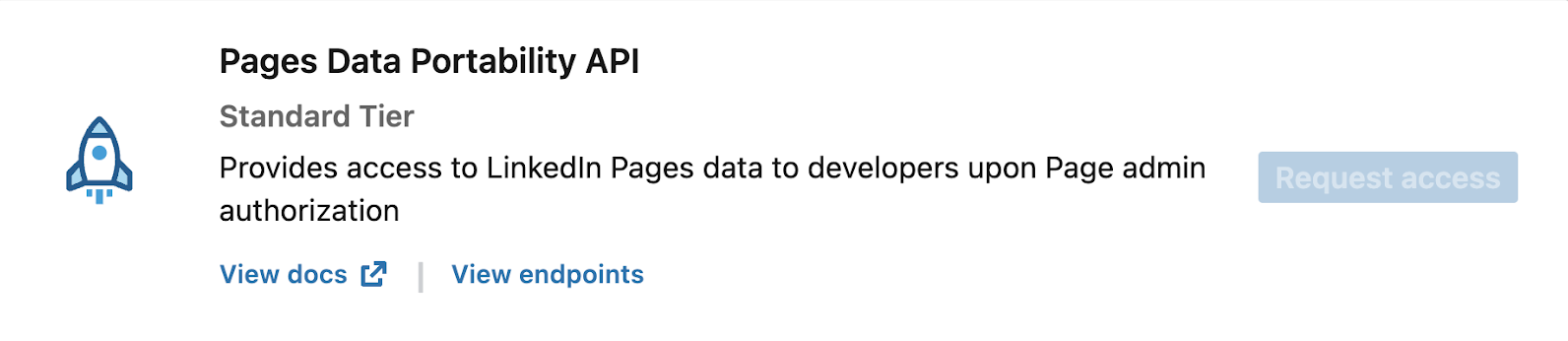
- Complete the access form.
Frequently Asked Questions
- What are the different Organization Roles?
- You can search for access control information by member or organizational entity URNs. Learn more
- How do I get started with LinkedIn's developer program?
- You can use the quick start guide to get started with the LinkedIn APIs. Learn more
- What are core API Concepts?
- Learn more about core API concepts
- What is API Versioning?
- LinkedIn has introduced API versioning across our API Programs. We ensure that your active integrations continue to work while you are integrating our latest changes. Learn more
- What are the best practices to use?
- Use the guidelines from this article to build an application member's trust to handle and secure their sensitive data.
- How to handle API Errors?
- LinkedIn has shared this article about recommended practices to handle API errors.
- How do I manage access tokens?
- LinkedIn follows OAuth access tokens Pages Data Portability API access. Learn more.