Note
Access to this page requires authorization. You can try signing in or changing directories.
Access to this page requires authorization. You can try changing directories.
This article explains how the Microsoft Copilot with Graph-grounded chat service plan behavior changes when an administrator disables or enables the plan. This service plan is one of several Microsoft Copilot service plans associated with a Microsoft 365 Copilot license listed in Microsoft Copilot service plan diagnostic tool and service plans. This service plan controls access to Premium or Basic grounding experiences for Copilot features where Premium grounding is activated when the service plan box is checked (enabled) and Basic grounding is activated when service plan box is unchecked (disabled, as depicted in the following image).
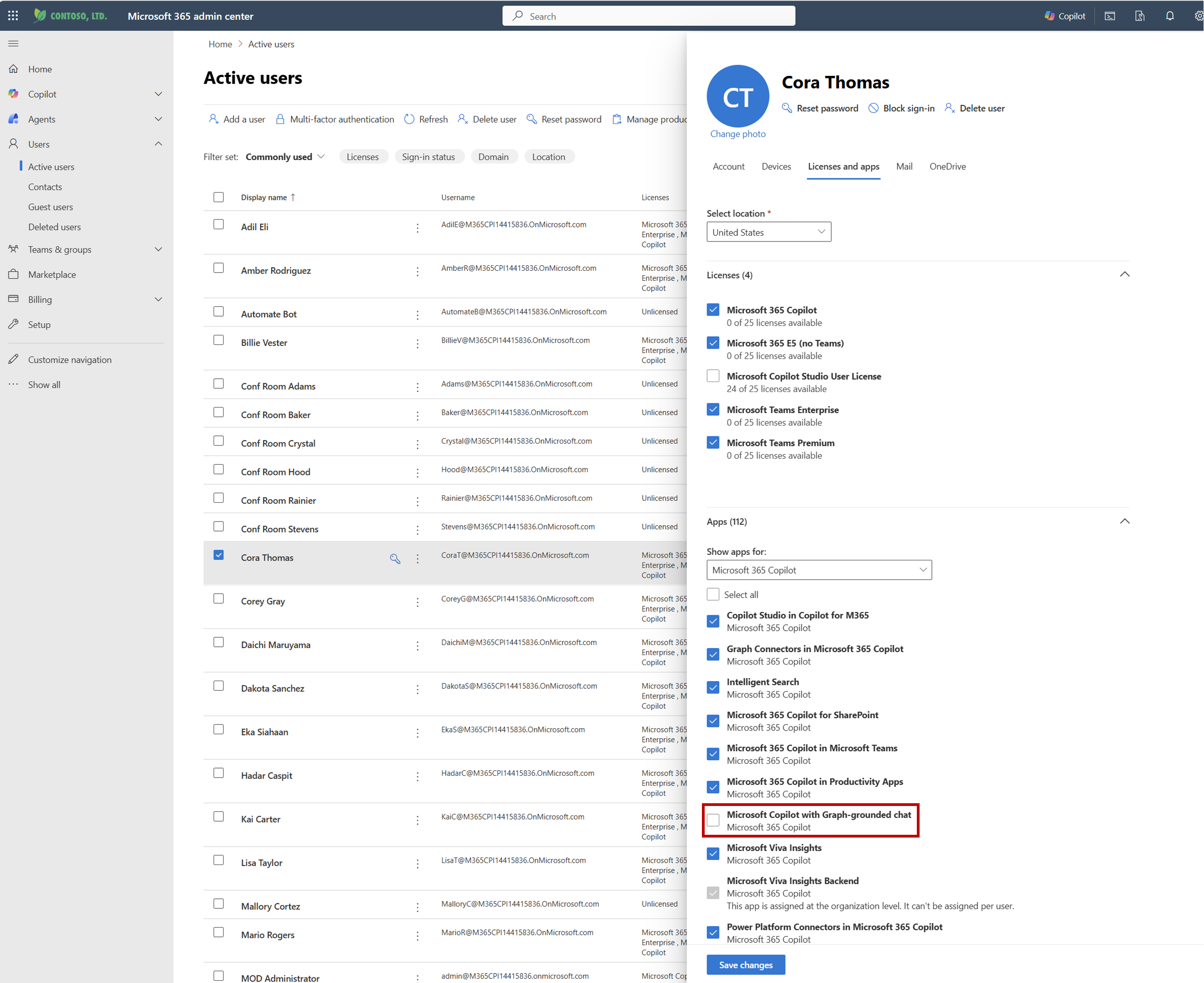
Basic grounding is a primarily web-grounded experience with reduced graph grounding in select apps as documented in Microsoft Copilot Chat Privacy and Protections. Premium grounding provides full graph grounding in addition to web-grounded experiences across Copilot endpoints. For more information about Copilot features, see What is Microsoft Copilot?.
Enable Microsoft Copilot with Graph-grounded chat
By default, this service plan is enabled for users with a Microsoft 365 Copilot license. However, if an admin enables the Microsoft Copilot with Graph-grounded chat service plan after previously disabling it, the user experience changes from Basic grounding to Premium grounding. When the service plan is enabled for a user, the end-user interface should display the Premium license label within 10–15 minutes while backend behavior can take up to 24 hours to converge.
Once enabled and post convergence, the Premium experience aligns with the Copilot feature capabilities for a Microsoft 365 Copilot licensed user as described in Microsoft 365 Copilot—Service Descriptions.
Disable Microsoft Copilot with Graph-grounded chat
When an admin disables the Microsoft Copilot with Graph-grounded chat service plan for a user who previously had it enabled, the user experience changes from Premium grounding to Basic grounding. When the service plan is disabled for a user, the end-user interface should display the Basic license label within 10–15 minutes while backend behavior can take up to 24 hours to converge.
The following capabilities and behaviors are what is experienced by the Microsoft 365 Copilot licensed user with this disabled service plan post convergence:
- Copilot remains available and is primarily web-grounded, with reduced organizational graph grounding for select scenarios, as detailed in Microsoft Copilot Chat privacy and protections.
- Previous chat history remains visible in the Microsoft Copilot app. If a user reopens a chat that previously used work content, new responses use the grounding available to Basic.
- First-party agents that require organizational data, including Researcher and Analyst, are unavailable.
- The Integrated Apps control can also be used to block Copilot, as described in Manage Microsoft Copilot Chat.
- In Word, Excel, and PowerPoint, Copilot is available and uses the Basic grounding.