Note
Access to this page requires authorization. You can try signing in or changing directories.
Access to this page requires authorization. You can try changing directories.
Cost Management
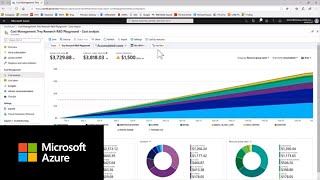
Efficient and cost-effective resource management is critical for running a successful cloud environment. Once your benefits subscription converts to a paid subscription, you unlock access to new cost management tools in the Azure Portal. Cost Management + Billing is a set of FinOps tools that enable you to analyze, manage, and optimize your costs. Get to know these 4 features:
Cost Analysis is a tool for interactive analytics and insights. It should be your first stop when you need to explore or get quick answers about your costs.
Budgets help you plan for and drive organizational accountability. You can use budgets to compare and track spending as you analyze costs.
Cost Alerts keep you informed and help you proactively manage your account.
Advisor Recommendations help you optimize and reduce your overall Azure spend by identifying idle or underutilized resources and provides commitment recommendations in the form of Reservations and Azure Savings Plans.
Video: Azure Cost Management at a Glance
Cost Savings
There are many ways to optimize costs and save money on Azure. Here are two easy ways to spend less.
Reservations, or a Reserved Instance (RI), allow you to save money by committing to one or three years plans for multiple products and can significantly reduce your resource costs by up to 72%. Pay for reservations up front or monthly, with no extra fees. This option is best suited for stable and predictable workloads.
Azure Savings Plans for Compute enables organizations to reduce eligible compute usage costs by up to 65%, by making an hourly spend commitment for one or three years. This option differs from Reservations as it is targeted for dynamic or evolving workloads.
You can find commitment recommendations and purchase Reservations or Savings Plans directly in the Azure Portal within the Azure Advisory Cost Tile. These recommendations are based on your specific Azure usage. If you’re unsure which option is right for you, this article can help: Decide between a savings plan and a reservation
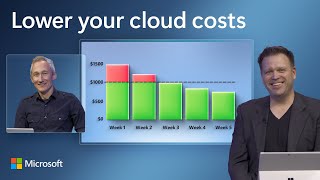
Video: Quick Ways to Reduce Your Azure Costs