Note
Access to this page requires authorization. You can try signing in or changing directories.
Access to this page requires authorization. You can try changing directories.
Dedicated feedback controls in agent messages enable users to like or dislike messages and provide detailed feedback. Use them to help you track user engagement, identify errors, and gain insights into agent performance.
Note
- Feedback controls are available for agents in personal chats, group chats, and channels.
- Feedback controls are available in Government Community Cloud (GCC), GCC High, and Department of Defense (DoD) environments.
User experience
Feedback controls are located at the footer of an agent-sent message and include a 👍 (thumbs up) and a 👎 (thumbs down) button.
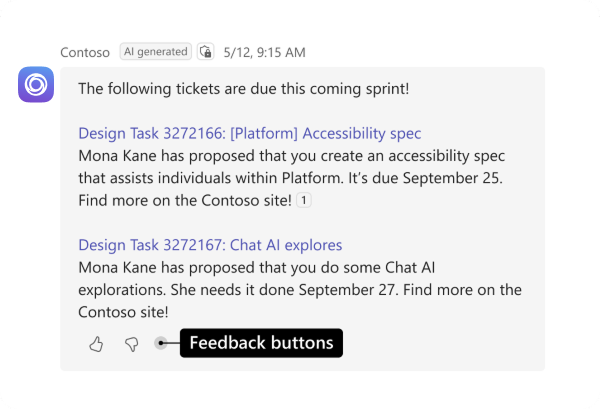
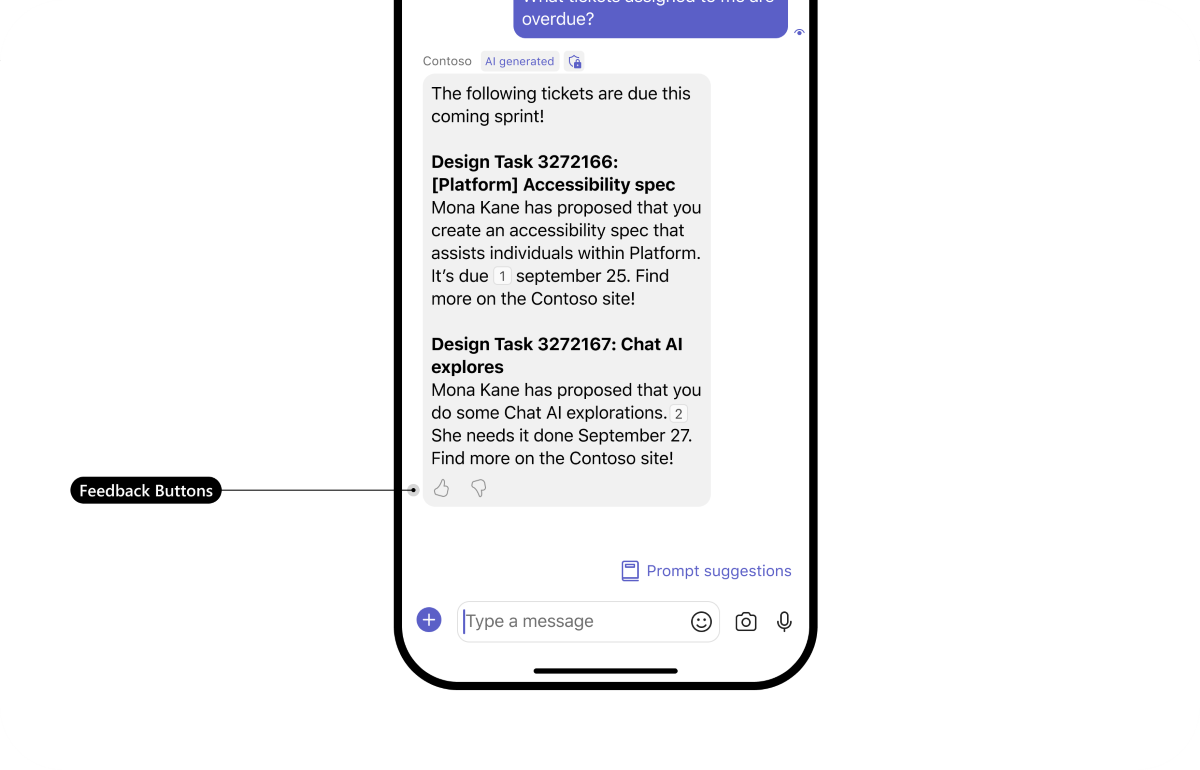
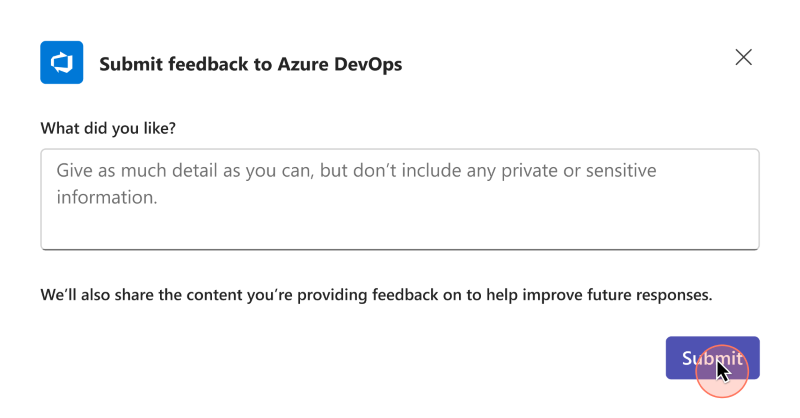
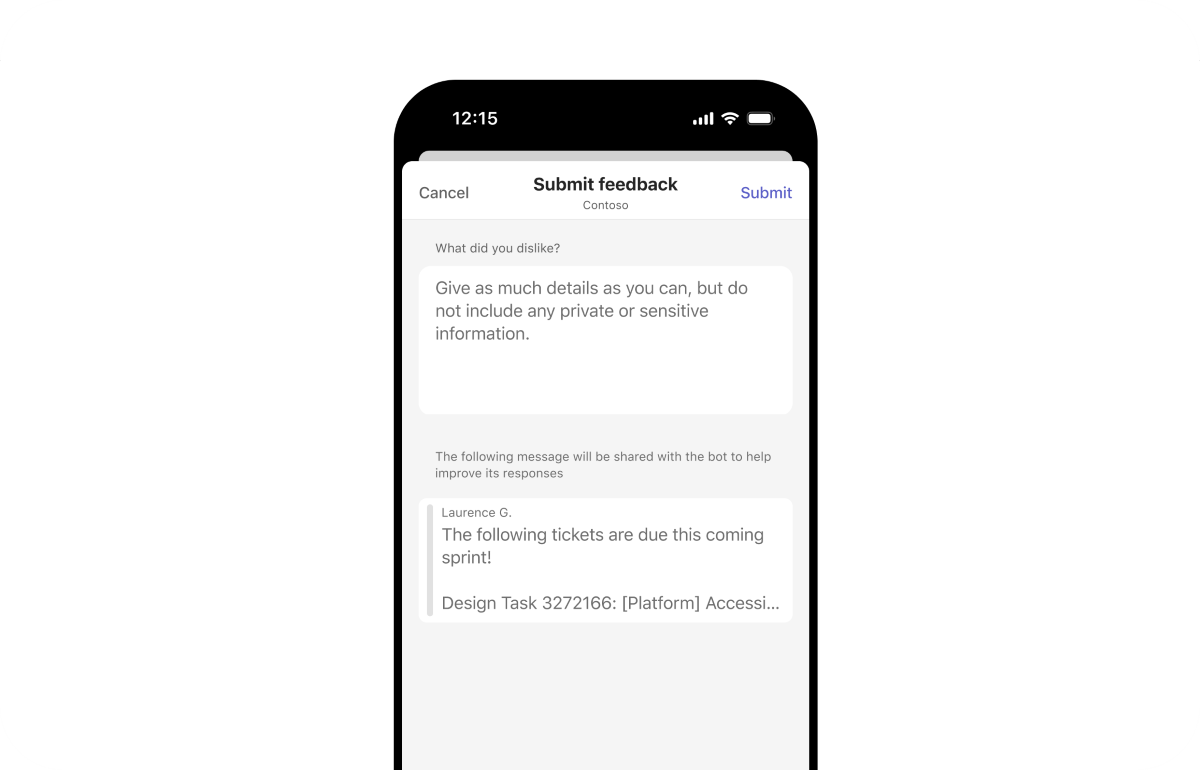
When the user selects a feedback button, a feedback form appears based on the user's selection. You can either use the default feedback form or customize it to suit your app's needs.
If a user uninstalls your agent and still has access to the agent chat, Teams removes the feedback controls from the agent messages to prevent the user from invoking the agent's feedback flow.
Add feedback controls
To include feedback controls on a message, call AddFeedback() on its activity before sending it.
MessageActivityInput reply = new MessageActivityInput().AddAIGenerated().AddFeedback();
await writer.FinalizeResponseAsync(msg, cancellationToken);
To include feedback controls on a message, call addFeedback() on its activity before sending it.
const reply = new MessageActivityInput().addAiGenerated().addFeedback();
stream.emit(reply);
To include feedback controls on a message, call add_feedback() on its activity before sending it.
reply = MessageActivityInput().add_ai_generated().add_feedback()
ctx.stream.emit(reply)
Handle feedback
User feedback is sent to your agent via an invoke flow. The Teams platform does not aggregate or process user feedback - you must implement feedback handling in your agent's runtime.
Handle user feedback using an @app.on_message_submit_feedback handler:
# Handle feedback submission events
@app.on_message_submit_feedback
async def handle_message_feedback(ctx: ActivityContext[MessageSubmitActionInvokeActivity]):
    """Handle feedback submission events"""
    activity = ctx.activity

    # Extract feedback data from activity value
    if not hasattr(activity, "value") or not activity.value:
        logger.warning(f"No value found in activity {activity.id}")
        return

    # Access feedback data directly from invoke value
    invoke_value = activity.value
    assert invoke_value.action_name == "feedback"
    feedback_str = invoke_value.action_value.feedback
    reaction = invoke_value.action_value.reaction
    feedback_json: Dict[str, Any] = json.loads(feedback_str)
    # { 'feedbackText': 'the ai response was great!' }

    if not activity.reply_to_id:
        logger.warning(f"No replyToId found for messageId {activity.id}")
        return

    # Store the feedback (implement your own storage logic)
    upsert_feedback_storage(activity.reply_to_id, reaction, feedback_json.get('feedbackText', ''))

    # Optionally Send confirmation response
    feedback_text: str = feedback_json.get("feedbackText", "")
    reaction_text: str = f" and {reaction}" if reaction else ""
    text_part: str = f" with comment: '{feedback_text}'" if feedback_text else ""

    await ctx.reply(f"✅ Thank you for your feedback{reaction_text}{text_part}!")
Handle user feedback using a handler for message.submit.feedback:
// This store would ideally be persisted in a database
export const storedFeedbackByMessageId = new Map<
  string,
  {
    incomingMessage: string;
    outgoingMessage: string;
    likes: number;
    dislikes: number;
    feedbacks: string[];
  }
>();

app.on('message.submit.feedback', async ({ activity, log }) => {
  const { reaction, feedback: feedbackJson } = activity.value.actionValue;
  if (activity.replyToId == null) {
    log.warn(`No replyToId found for messageId ${activity.id}`);
    return;
  }
  const existingFeedback = storedFeedbackByMessageId.get(activity.replyToId);
  /**
   * feedbackJson looks like:
   * {"feedbackText":"Nice!"}
   */
  if (!existingFeedback) {
    log.warn(`No feedback found for messageId ${activity.id}`);
  } else {
    storedFeedbackByMessageId.set(activity.id, {
      ...existingFeedback,
      likes: existingFeedback.likes + (reaction === 'like' ? 1 : 0),
      dislikes: existingFeedback.dislikes + (reaction === 'dislike' ? 1 : 0),
      feedbacks: [...existingFeedback.feedbacks, feedbackJson],
    });
  }
});
Handle user feedback using the OnMessageSubmitFeedback handler:
// This store would ideally be persisted in a database
public static class FeedbackStore
{
    public static readonly Dictionary<string, FeedbackData> StoredFeedbackByMessageId = new();

    public class FeedbackData
    {
        public string IncomingMessage { get; set; } = string.Empty;
        public string OutgoingMessage { get; set; } = string.Empty;
        public int Likes { get; set; }
        public int Dislikes { get; set; }
        public List<string> Feedbacks { get; set; } = new();
    }
}

bot.OnMessageSubmitFeedback((context, cancellationToken) =>
{
    MessageSubmitFeedbackValue? feedback = context.Activity.Value;
    var reaction = feedback?.Reaction;
    var feedbackText = feedback?.Feedback;

    if (context.Activity.ReplyToId == null)
        return Task.FromResult(InvokeResponse.Ok());

    var existingFeedback = FeedbackStore.StoredFeedbackByMessageId.GetValueOrDefault(context.Activity.ReplyToId);

    if (existingFeedback != null)
    {
        FeedbackStore.StoredFeedbackByMessageId[context.Activity.ReplyToId] = new FeedbackStore.FeedbackData
        {
            IncomingMessage = existingFeedback.IncomingMessage,
            OutgoingMessage = existingFeedback.OutgoingMessage,
            Likes = existingFeedback.Likes + (reaction == "like" ? 1 : 0),
            Dislikes = existingFeedback.Dislikes + (reaction == "dislike" ? 1 : 0),
            Feedbacks = existingFeedback.Feedbacks.Concat(new[] { feedbackText ?? string.Empty }).ToList()
        };
    }

    return Task.FromResult(InvokeResponse.Ok());
});
Customize the user feedback dialog
Supplying 'custom' as a parameter to addFeedback() results in the feedback controls triggering a task dialog invoke so the agent can return its own task module dialog instead of Teams' default feedback dialog.
Supplying FeedbackTypes.Custom as a parameter to AddFeedback() results in the feedback controls triggering a task dialog invoke so the agent can return its own task module dialog instead of Teams' default feedback dialog.
Supplying mode="custom" as a parameter to add_feedback() results in the feedback controls triggering a task dialog invoke so the agent can return its own task module dialog instead of Teams' default feedback dialog.
When the user interacts with the feedback controls, Teams sends the following invoke request to the agent to retrieve a custom form:
{
  "type": "invoke",
  "name": "message/fetchTask",
  "value": {
    "actionName": "feedback",
    "actionValue": {
      "reaction": "like"
    }
  }
}
The value of reaction is like or dislike.
You must respond to this invoke call with a dialog (referred to as a task module in TeamsJS v1.x), the same way you respond to a task/fetch invoke. For more information about invoking dialogs in agents, see Use dialogs with bots.
Code sample
The Teams conversation agent sample displays feedback controls and handles user feedback:
See also
Collaborate with us on GitHub
The source for this content can be found on GitHub, where you can also create and review issues and pull requests. For more information, see our contributor guide.
Platform Docs