Note
Access to this page requires authorization. You can try signing in or changing directories.
Access to this page requires authorization. You can try changing directories.
Variations textures assign blocks a unique texture from an array of weighted textures, based on the block's position in the array. In this tutorial you'll learn how to create custom variations block textures to help achieve more natural looking terrain in your worlds.
Warning
This feature is available in 1.21.110 previews as an experimental feature and is subject to change.
Prerequisites
We recommend taking a look at the following guides before beginning this tutorial:
Creating the texture
To create a custom variations texture you just need to define it in your resource pack's terrain_texture.json file. Textures in the variations array must have a weight value. If no weight value is provided, the first texture in the array is always selected regardless of the block's position.
Note
A variations texture array can't contain more than 256 textures, and the "weight" must be between 0.05 and 1000000.
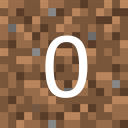
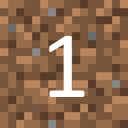
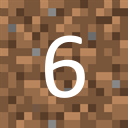
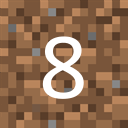
Here is an example of a dirt variations block texture:




{
  "resource_pack_name": "vanilla",
  "texture_name": "atlas.terrain",
  "padding": 8,
  "num_mip_levels": 4,
  "texture_data": {
    "dirt_variations": {
      "textures": {
        "variations": [
          { "path": "textures/blocks/Dirt_0", "weight": 10 },
          { "path": "textures/blocks/Dirt_1", "weight": 10 },
          { "path": "textures/blocks/Dirt_2", "weight": 10 },
          { "path": "textures/blocks/Dirt_3", "weight": 10 },
          { "path": "textures/blocks/Dirt_4", "weight": 10 },
          { "path": "textures/blocks/Dirt_5", "weight": 10 },
          { "path": "textures/blocks/Dirt_6", "weight": 10 },
          { "path": "textures/blocks/Dirt_7", "weight": 10 },
          { "path": "textures/blocks/Dirt_8", "weight": 10 },
          { "path": "textures/blocks/Dirt_9", "weight": 10 }
        ]
      }
    }
  }
}
The array above has 10 dirt textures numbered 0-9 and each texture has an equal (10%) chance of being selected.
Adding the texture to a custom block
Using the defined variation texture above create a block definition JSON file in the behavior pack with the following code:
{
  "format_version": "1.21.110",
  "minecraft:block": {
    "description": {
      "identifier": "demo:dirt_variations"
    },
    "components": {
      "minecraft:geometry": "minecraft:geometry.full_block",
      "minecraft:material_instances": {
        "*north*": {
          "texture": "dirt_variations",
          "render_method": "opaque"
        }
      },
      "minecraft:item_visual": {
        "geometry": "minecraft:geometry.full_block",
        "material_instances": {
          "*": {
            "texture": "dirt_variations",
            "render_method": "opaque"
          }
        }
      }
    }
  }
}
This is what our custom block looks like when placed!

Troubleshooting
A few things to keep in mind about variations textures on custom blocks:
The blocks JSON file must have a
format_versiongreater than or equal to 1.21.110. Otherwise, variations block textures will not be supported and the first texture in the array will always be selected.Your world must have the Upcoming Creator Features experiment enabled.
Note
This requirement will be removed in Minecraft: Bedrock Edition update 1.21.120.
Textures in the
variationsarray can be animated.Tip
Check out Create an Animated Block Texture to learn how to make an animated block texture.
The
variationsarray cannot have more than 256 textures.