Note
Access to this page requires authorization. You can try signing in or changing directories.
Access to this page requires authorization. You can try changing directories.
Applies To: # OData core lib v7 supported OData Core Lib V7
Defining a singleton in the entity container shares the same simple way as defining an entity set.
This section shows how to define singletons using EdmLib APIs. We will use and extend the sample from the previous section.
Add a singleton VipCustomer
In the SampleModelBuilder.cs file, add the following code into the SampleModelBuilder class:
namespace EdmLibSample
{
    public class SampleModelBuilder
    {
        ...
        private EdmSingleton _vipCustomer;
        ...
        public SampleModelBuilder BuildVipCustomer()
        {
            _vipCustomer = _defaultContainer.AddSingleton("VipCustomer", _customerType);
            return this;
        }
        ...
    }
}
This code directly adds a new singleton VipCustomer to the default container.
In the Program.cs file, insert the following code into the Main() method:
namespace EdmLibSample
{
    class Program
    {
        public static void Main(string[] args)
        {
            var builder = new SampleModelBuilder();
            var model = builder
                ...
                .BuildCustomerSet()
#region         !!!INSERT THE CODE BELOW!!!
                .BuildVipCustomer()
#endregion
                .GetModel();
            WriteModelToCsdl(model, "csdl.xml");
        }
    }
}
Run the Sample
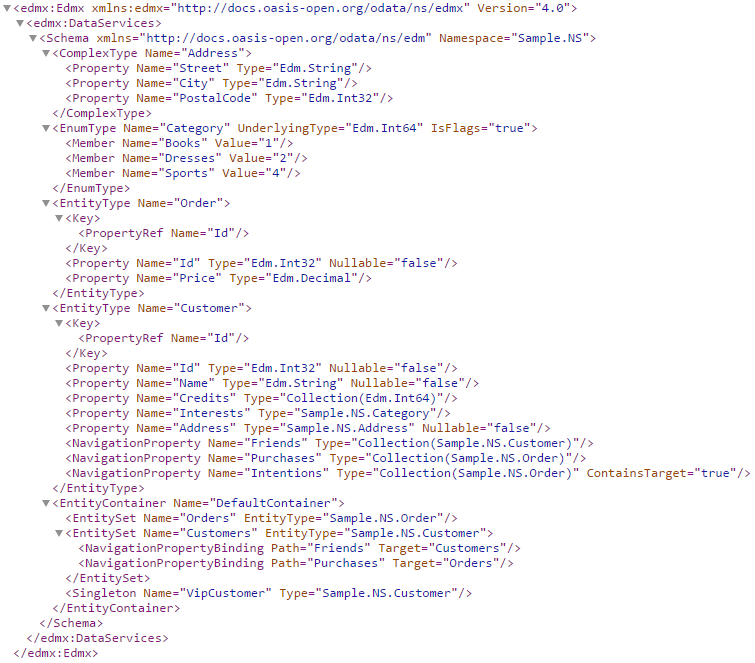
Build and run the sample. Then open the file csdl.xml under the output directory. The content should look like the following:
References
[Tutorial & Sample] Use Singleton to define your special entity.