Note
Access to this page requires authorization. You can try signing in or changing directories.
Access to this page requires authorization. You can try changing directories.
Events in forms and grids initiate all client-side code in model-driven apps. You associate a specific function in a JavaScript library (Script web resource) to be executed when an event occurs. This function is called an event handler. Each event handler specifies a single function within a JavaScript library and any parameters that can be passed to the function.
You can associate event handlers to only some events by using the UI. For events that you can't associate through the UI, Client API provides methods that you can use to attach event handlers.
Add or remove event handler functions in forms by using the UI
To add or remove event handler functions for events in the new Unified Interface:
Go to Power Apps.
In the left navigation pane, select Data and then select Tables.
From the list of tables, select the table where you want to add the event handlers.
Select the Forms tab from the command bar and then select the form where you want to add the event handler.

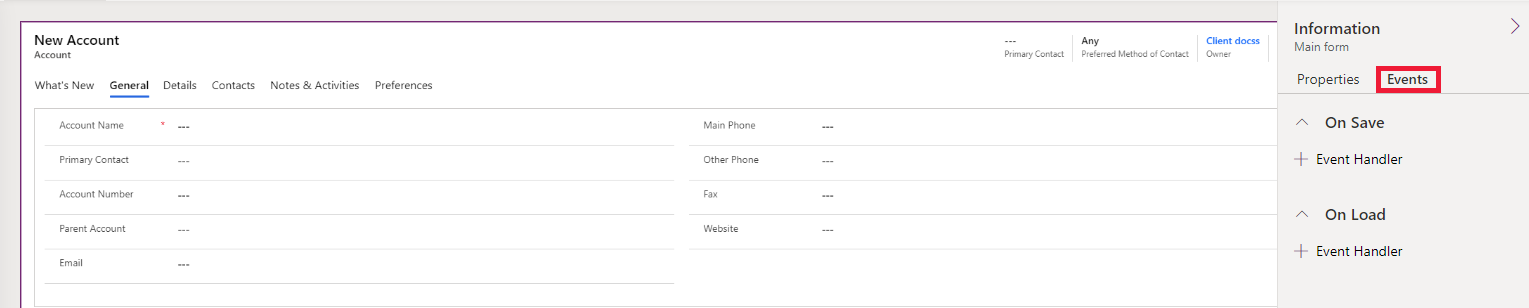
Select the Events tab. You see both the On Save and On Load event handlers.
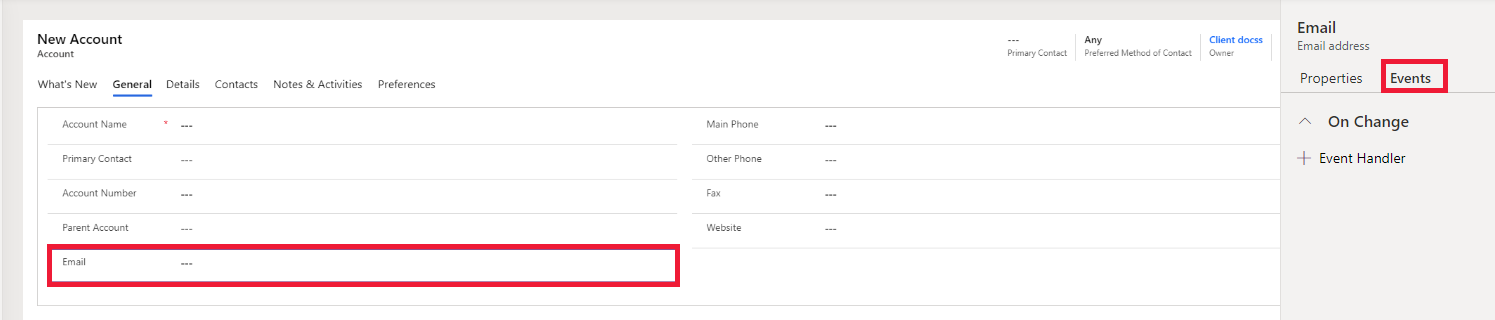
To add an event handler for the change event, select the column and then select the Event tab.
Bulk edit forms
By default, event handlers don't run when a form is in bulk edit mode.
To enable an event handler in bulk edit mode, modify the Form XML by finding the relevant event element and creating or setting the BehaviorInBulkEditForm attribute to Enabled. Currently, this behavior is supported only for OnLoad events.
For more information about Form XML customization, see When to edit the customizations file, Customize forms, and the Form XML schema.
To determine when an event handler runs on a form in bulk edit mode, use the getFormType method.
Add or remove event handler functions by using Client API code
Use the following methods to add and remove event handlers for events that you can't associate through the UI:
| Events | Event handler |
|---|---|
| Attribute OnChange | addOnChange and removeOnChange methods |
| Form OnLoad | formContext.ui addOnLoad and removeOnLoad methods |
| Form Loaded | formContext.ui addLoaded and removeLoaded methods |
| Form data OnLoad | formContext.data addOnLoad and removeOnLoad methods |
| Form OnSave | addOnSave and removeOnSave methods |
| Lookup control PreSearch | addPreSearch and removePreSearch methods |
| kbsearch control OnResultOpened | addOnResultOpened and removeOnResultOpened methods |
| kbsearch control OnSelection | addOnSelection and removeOnSelection methods |
| kbsearch control PostSearch | addOnPostSearch and removeOnPostSearch methods |
Important
The execution context is automatically passed as the first parameter to functions that you set by using the code. For more information, see Client API execution context.
Form event pipeline
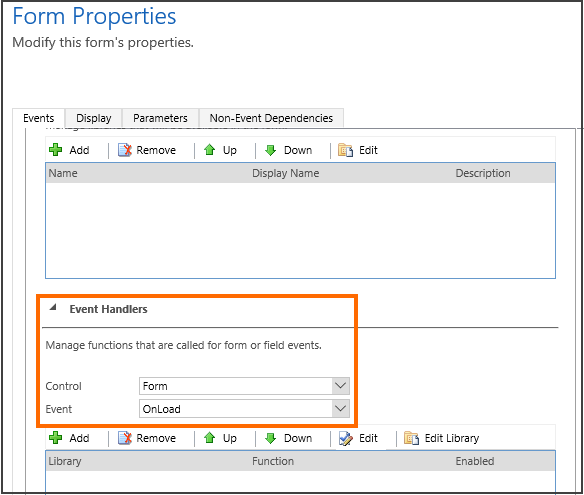
You can define up to 50 event handlers for each event. The Event Handlers section in the Events tab of the Form Properties dialog box shows the order of event handlers, and each event handler runs in that order.
Use the setSharedVariable and getSharedVariable methods to pass a common variable between event handlers (functions). Use the execution context getDepth method to understand the sequence of event handler execution relative to other event handlers.
Related articles
Understand the Client API object model
Client API execution context
Events (Client API reference)