Note
Access to this page requires authorization. You can try signing in or changing directories.
Access to this page requires authorization. You can try changing directories.
To open the main form in a dialog by using client API, call the Xrm.Navigation.navigateTo method. The Xrm.Navigation.navigateTo API method opens the dialog with several options, including the size and position.
Note
The Xrm.Navigation.openForm method doesn't support opening a main form as a dialog.
| Example | Demonstrates |
|---|---|
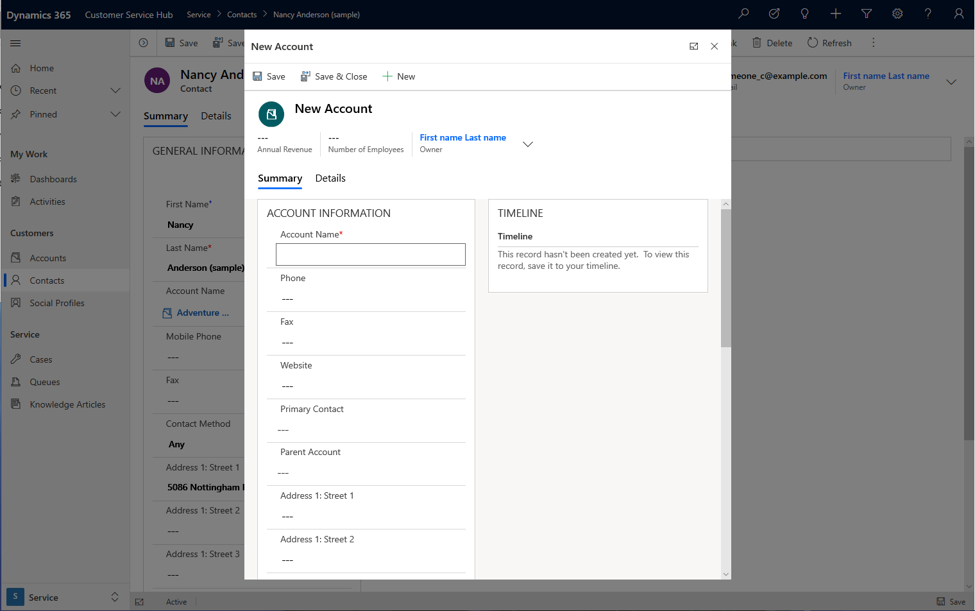
| Open a new record | How to open a new account form in a centered dialog with a width of 50% of the window. |
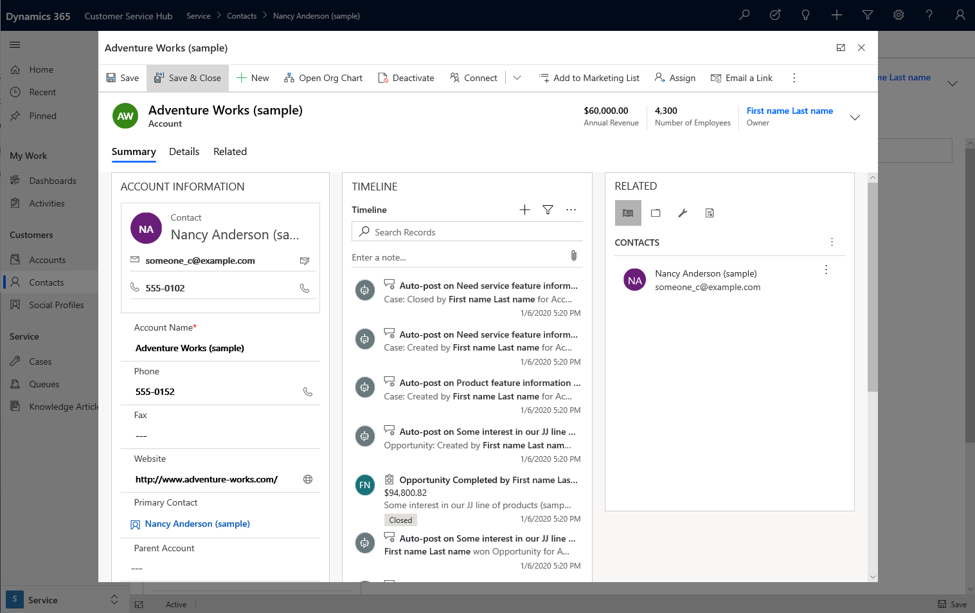
| Open an existing record | How to open an existing account record in a centered dialog by specifying its ID. |
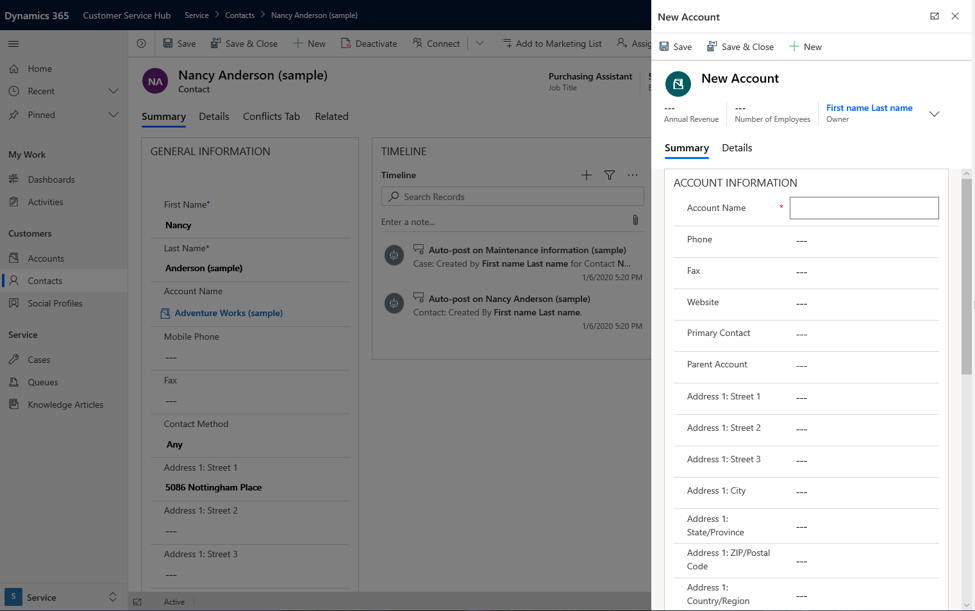
| Open a new record on the side pane | How to open a new account form in a right-side dialog with a width of 500 pixels. |
| Open main form in a dialog with callback method | How to run a callback after saving a new record and closing the dialog, and access the saved record's ID and name. |
Open a new record example
In this example, the dialog opens a new account form for creating a new record. The dialog pops up in the center by using up to 50% of the available window as a modal on top of the form it was invoked or called from.
var pageInput = {
    pageType: "entityrecord",
    entityName: "account",
    formType: 2,
};
var navigationOptions = {
    target: 2,
    width: {value: 50, unit:"%"},
    position: 1
};
Xrm.Navigation.navigateTo(pageInput, navigationOptions);
Open an existing record example
In this example, the dialog opens an existing account record by using the account ID value over the contact form. Replace the ID with any record ID value to open the record in the dialog.
var pageInput = {
    pageType: "entityrecord",
    entityName: "account",
    formType: 2,
    entityId: "00aa00aa-bb11-cc22-dd33-44ee44ee44ee" //replace with actual ID
};
var navigationOptions = {
    target: 2,
    width: {value: 80, unit:"%"},
    position: 1
};
Xrm.Navigation.navigateTo(pageInput, navigationOptions);
Open a new record on the side pane example
In this example, the dialog opens a new record in the right corner of the window. You can achieve this behavior by using the pixel options.
var pageInput = {
    pageType: "entityrecord",
    entityName: "account",
    formType: 2,
};
var navigationOptions = {
    target: 2,
    width: {value: 500, unit:"px"},
    position: 2
};
Xrm.Navigation.navigateTo(pageInput, navigationOptions);
Open main form in a dialog with callback method example
This example shows how to invoke a main form dialog with a callback method after saving a record and closing the dialog.
var pageInput = {
    pageType: "entityrecord",
    entityName: "account",
    formType: 2
};
var navigationOptions = {
    target: 2,
    width: {value: 80, unit:"%"},
    position: 2
};
Xrm.Navigation.navigateTo(pageInput, navigationOptions).then(
    function success(result) {
            console.log("Record created with ID: " + result.savedEntityReference[0].id +
            " Name: " + result.savedEntityReference[0].name)
            // Handle dialog closed
    },
    function error() {
            // Handle errors
    }
);
Related content
Create and design forms
Customize forms in model-driven apps
Xrm.Navigation.navigateTo