Note
Access to this page requires authorization. You can try signing in or changing directories.
Access to this page requires authorization. You can try changing directories.
APPLIES TO:  Power BI Desktop
  Power BI service
This article teaches you how to rename a dashboard, report, report page, workbook, semantic model, app, and workspace in Power BI service.
Can I change the name?
| Content type | I'm the author or creator | Shared with me |
|---|---|---|
| Dashboard in a workspace | Yes | No |
| Report in a workspace | Yes | No |
| Workbook in a workspace | Yes | No |
| Semantic model in a workspace | Yes | No |
| workspace | Yes, if you're the owner or have Admin permissions | No |
| Published apps | Not from the App screen, but the app name can be changed from the workspace and republished with a new name if you have Admin permissions | No |
| App content (dashboard, report, workbook, semantic model) | Not from the App screen, but the app's content can be renamed from the workspace and republished with a new name if you have Admin permissions | No |
| Content in Shared with me | No | No |
Rename a dashboard, report, or workbook
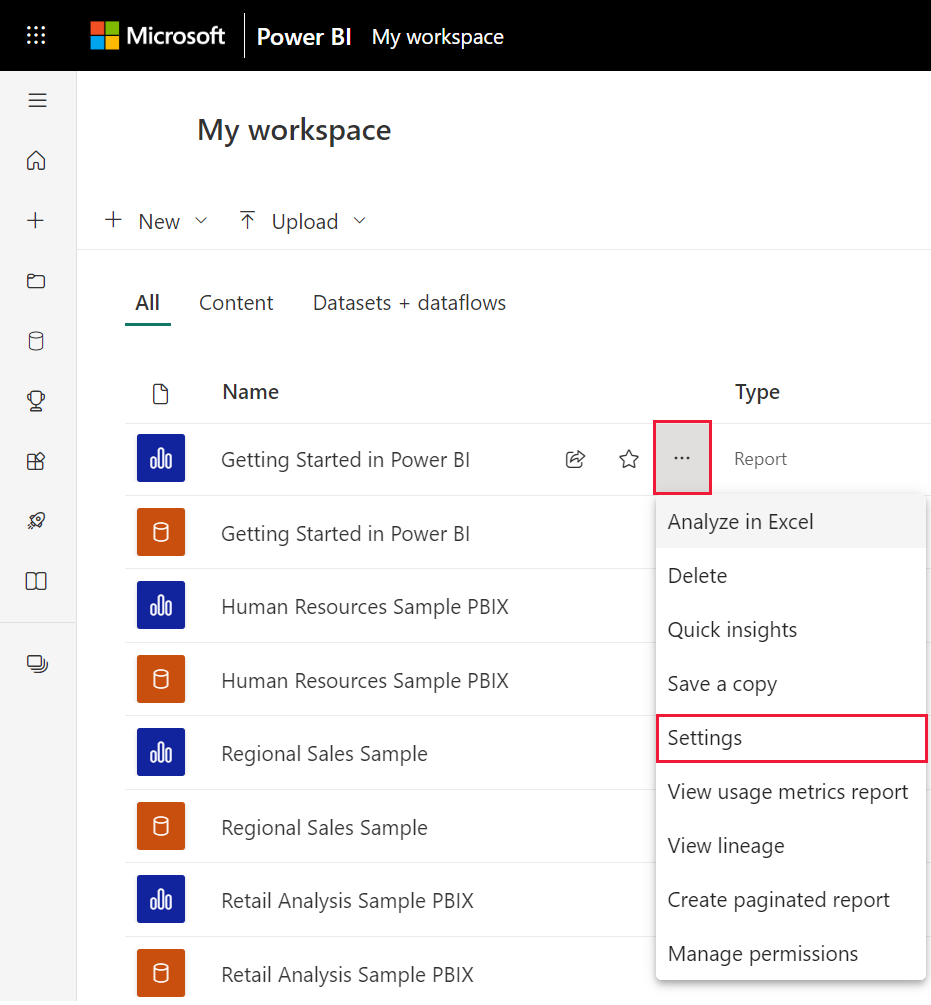
In a workspace, hover over the item to rename, select More options (...), and then select Settings.
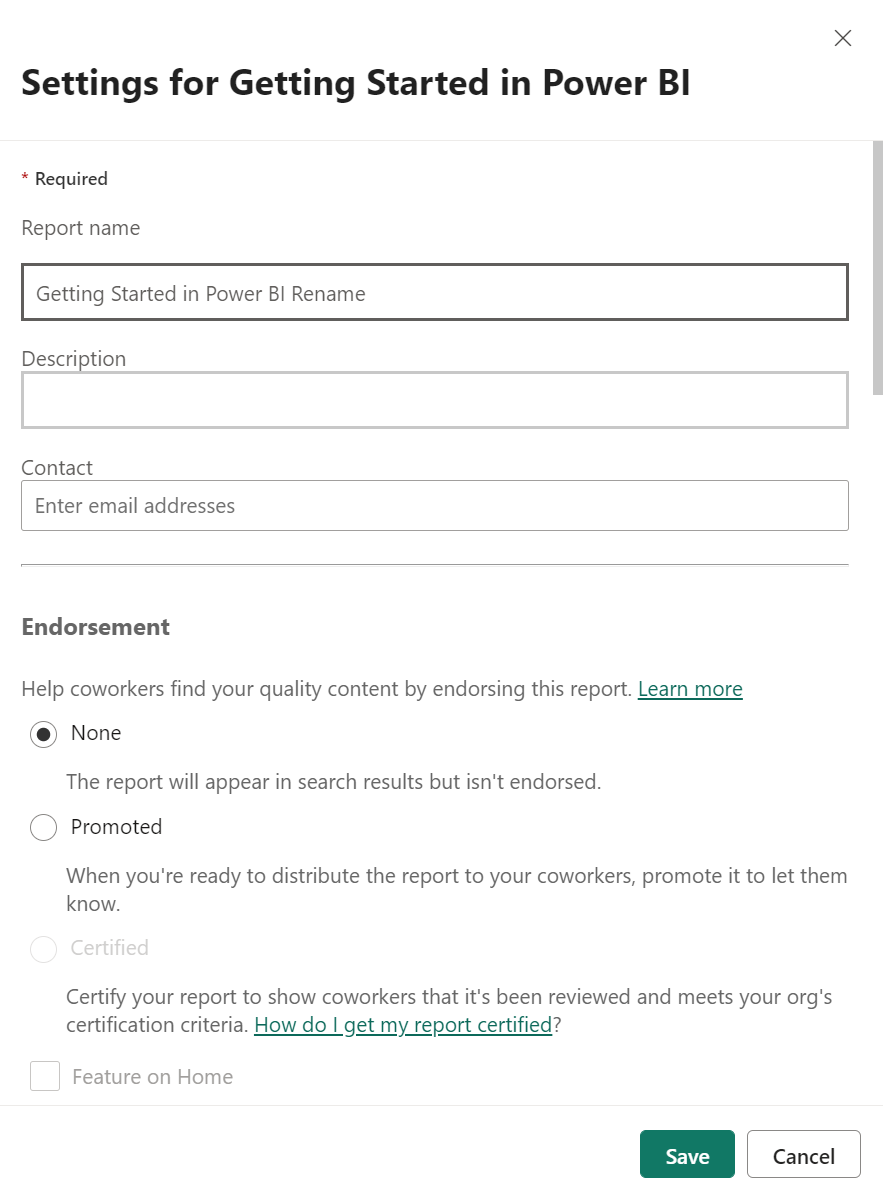
On the Settings page, type the new name and select Save.
Rename a semantic model
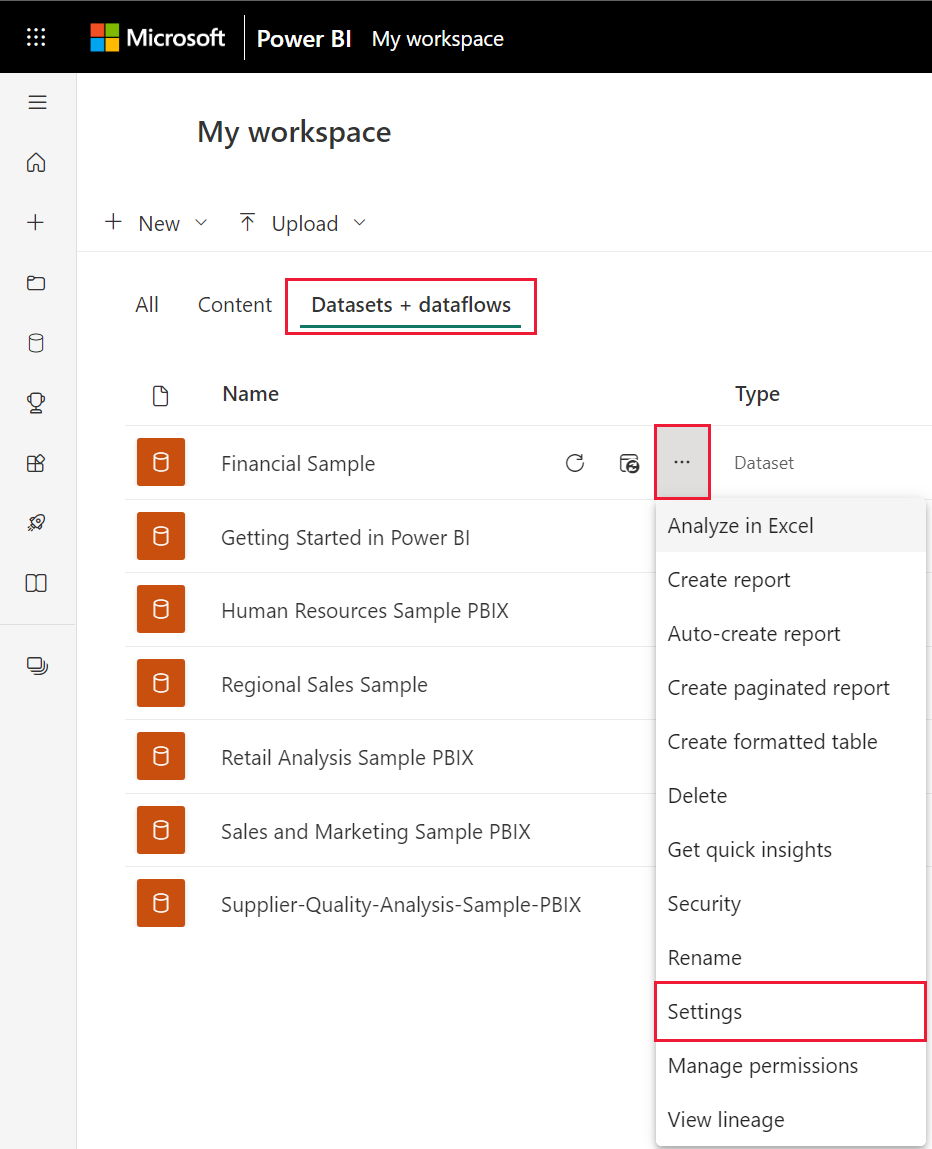
Start in a workspace and select the Semantic models + dataflows tab.
Hover over the item to rename, select More options (...), and choose Rename.
Note
The options in the dropdown will vary.
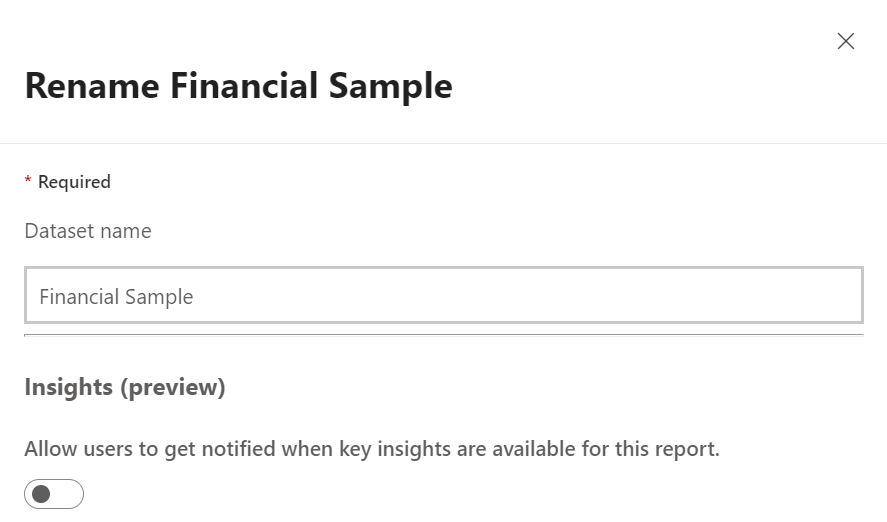
On the Rename page, type a new name and select Save.
Rename a workspace
Anyone with Admin permissions can rename a workspace.
Start in the list of workspaces.
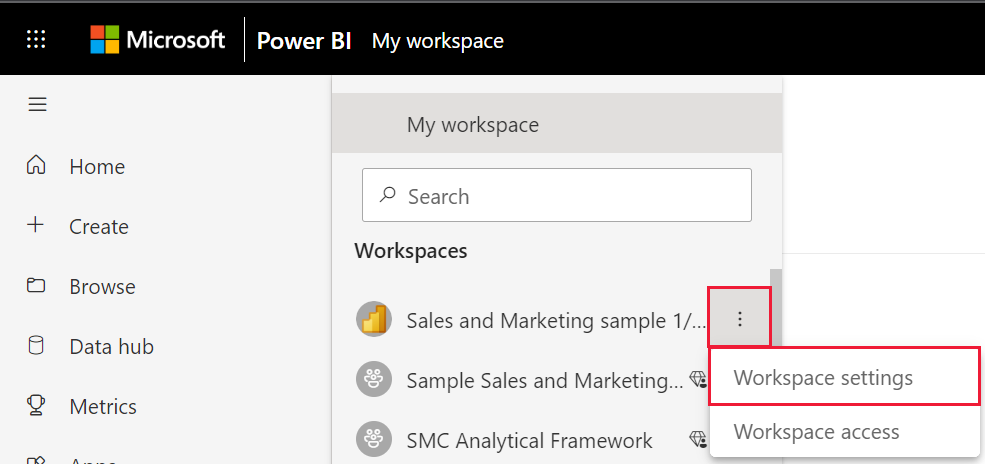
Next to the workspace you'd like to rename, select More options (...), and select Workspace settings. If you don't see this option, then you don't have permissions to rename the workspace.
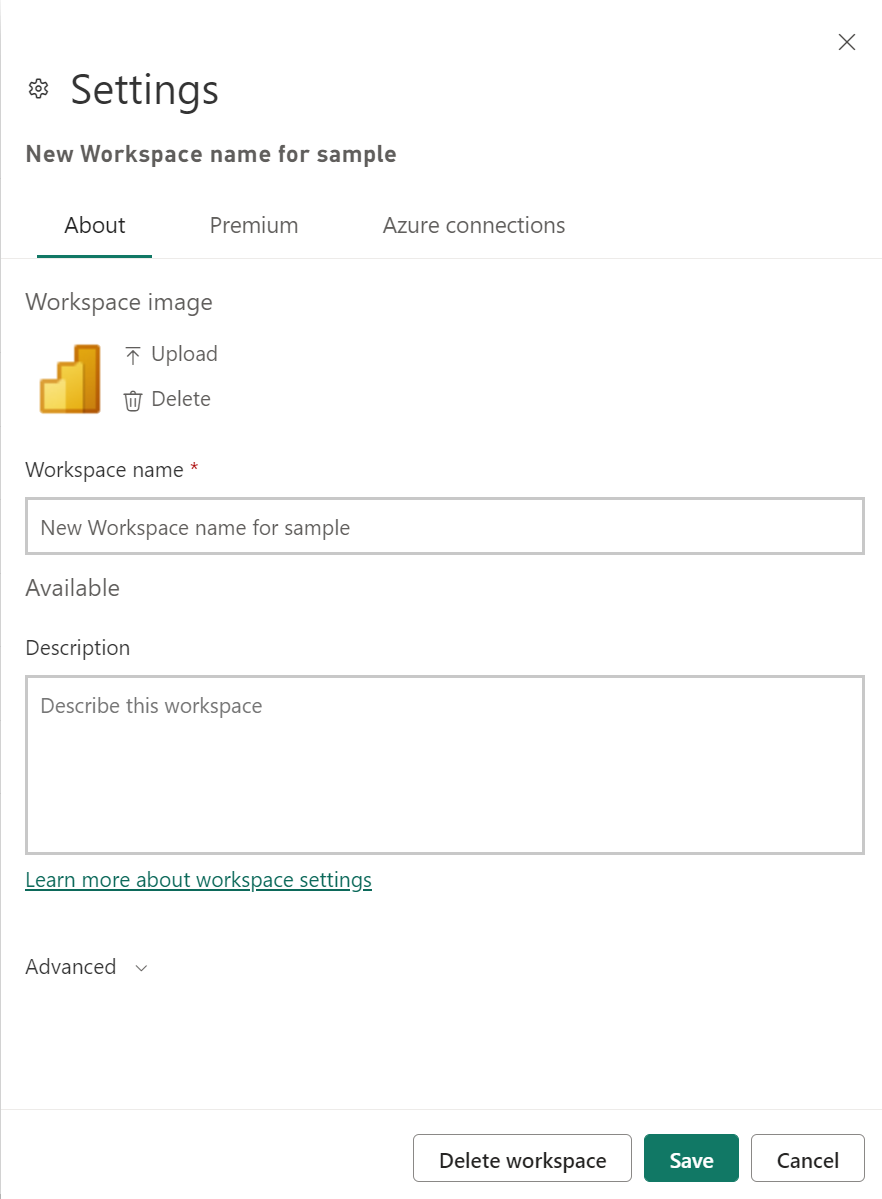
Type a new workspace name and select Save.
Rename a page in a report
Don't like the name of a page in your Power BI report? A new name is just a click away. Pages can be renamed in report Editing view.
Open the report in Editing View.
Locate the report page tabs at the bottom of the Power BI window.
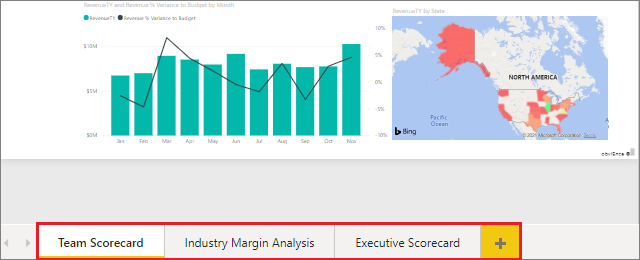
Open the report page that you'd like to rename by selecting the tab.
Double-click the name on the tab to highlight it.

Type a new report page name and select ENTER.

Considerations and troubleshooting
- If the item to be renamed has been shared with you, or is part of an app, you won't see the gear icon and you won't have access to Settings.
- On the Semantic models tab, if you don't see More options (...), expand your browser window.
More questions? Ask the Power BI Community