Note
Access to this page requires authorization. You can try signing in or changing directories.
Access to this page requires authorization. You can try changing directories.
When you save your work as a Power BI Desktop project, Power BI Desktop stores report and semantic model definitions as individual text files. You can edit supported files with Visual Studio Code (VS Code) or another external tool while the project remains open in Power BI Desktop. Power BI Desktop detects the saved file changes and prompts you to apply them, so you don't have to close and reopen the project.
Important
Power BI Desktop projects (PBIP) and Power BI enhanced report format (PBIR) are generally available. Detecting and reloading external PBIP changes in Power BI Desktop is currently in preview.
In this article, you learn:
- How to open Visual Studio Code directly from Power BI Desktop as a convenient entry point for editing project files.
- How to apply supported report and semantic model file changes in an open Power BI Desktop session.
- How Power BI Desktop handles conflicts between unsaved changes in Power BI Desktop and changes in the project files.
Prerequisites for editing PBIP files externally
- Install the August 2026 release or later of Power BI Desktop on your Windows machine.
- In Power BI Desktop, select File > Options and settings > Options > Preview features, enable Detect and reload external PBIP changes, and then restart Power BI Desktop.
- Install Visual Studio Code or another code editor or external tool.
- Save a Power BI Desktop project in PBIP format. For more information, see Power BI Desktop projects.
- Store the PBIP root folder in a location that keeps each project file path under the Windows 260-character path limit.
Open the PBIP folder in VS Code
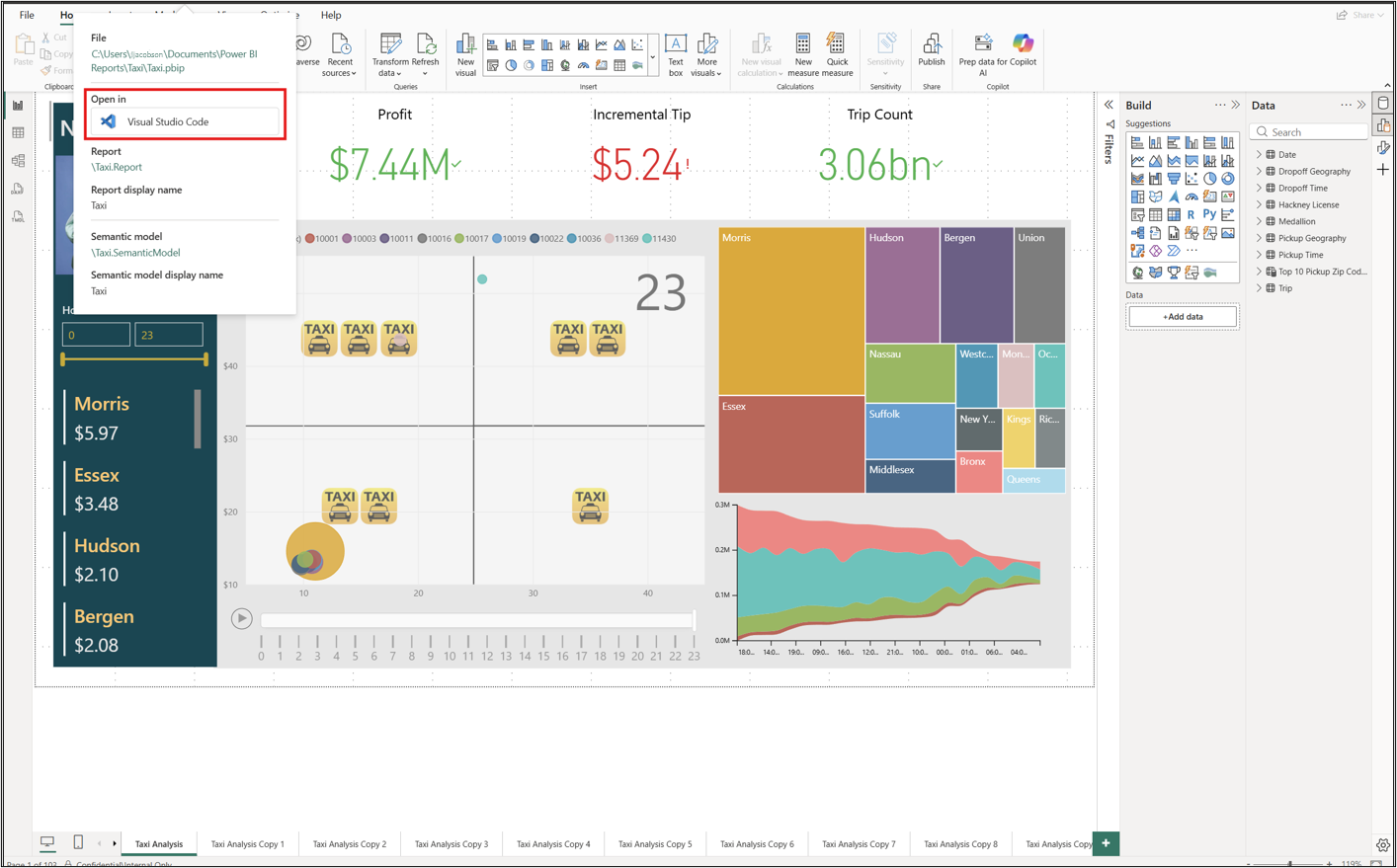
Power BI Desktop provides a built-in entry point to the project folder. Select the project name in the title bar, and then select Visual Studio Code. VS Code opens the project folder as the active workspace, where you can access the report and semantic model definition files.
Note
VS Code opens the folder that contains the file you used to open the project, which might be a .pbip or .pbir file.
Edit project files and apply the changes
Use the following workflow to keep the project files and the open Power BI Desktop session synchronized:
- In Power BI Desktop, select Save before you start editing the project files externally. Power BI Desktop doesn't write its latest changes to the project files until you save.
- Edit a supported report or semantic model file in VS Code or another external tool.
- Save the file in the external tool.
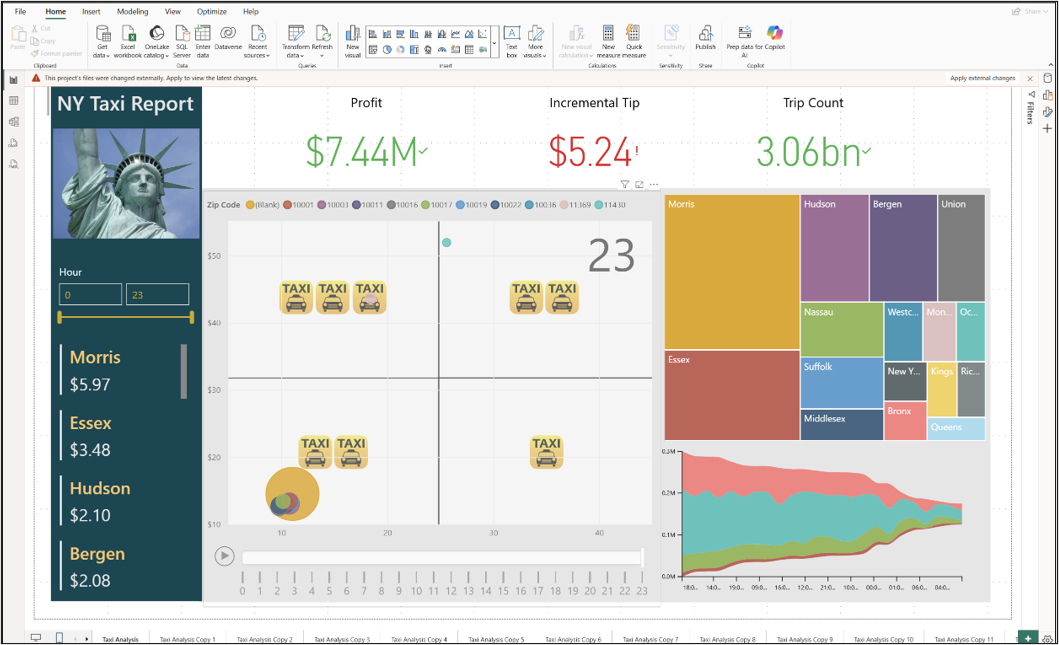
- In Power BI Desktop, select Apply external changes in the banner that appears.
- Review the updated report or semantic model in Power BI Desktop, and then save the project when you're ready to persist any subsequent changes made in Power BI Desktop.
Power BI Desktop reloads the affected report, semantic model, or both from the project files. It doesn't reload individual files or visuals.
Resolve unsaved changes in Power BI Desktop
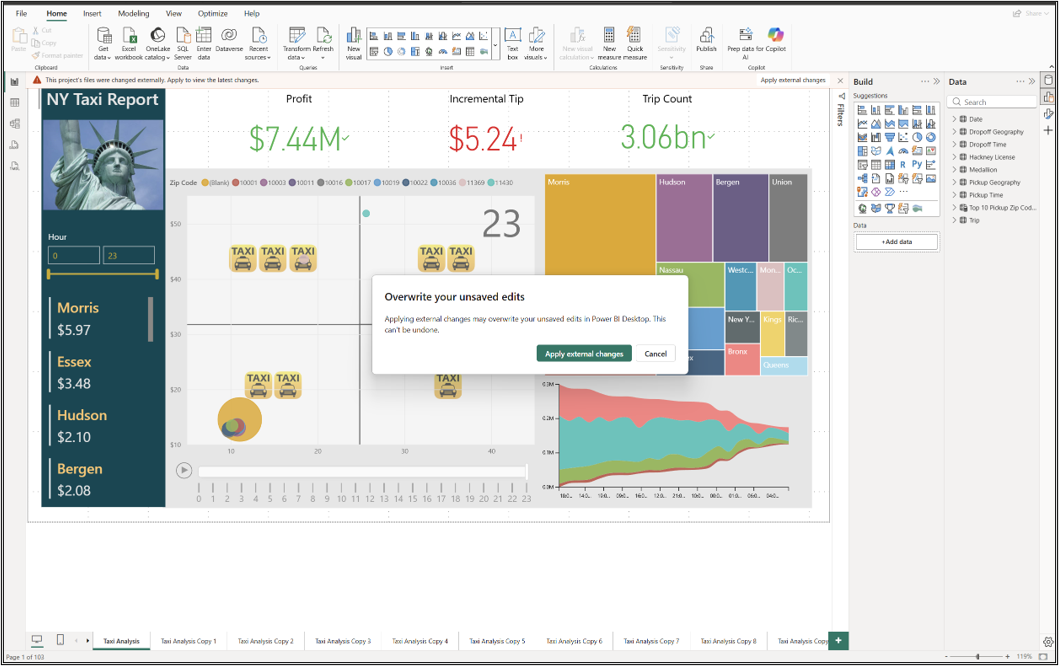
If Power BI Desktop contains unsaved changes, selecting Apply external changes displays a warning that those changes will be overwritten.
- Select Apply external changes to discard the unsaved changes in Power BI Desktop and reload the latest project files.
- Select Cancel to keep the unsaved changes in Power BI Desktop. The external file changes remain on disk but aren't applied to the open session.
Important
Power BI Desktop and external tools can overwrite each other's changes. Before you switch between them, save or apply the current changes so that both tools use the same project definitions.
Apply external changes by using the Power BI Desktop Bridge
You can also apply external changes programmatically by using the Power BI Desktop Bridge.
Considerations and limitations
- Detecting and reloading external PBIP changes and the Power BI Desktop Bridge are currently in preview. Features and behavior might change before general availability.
- External editing and reloading apply to PBIP projects, not
.pbixfiles. - Power BI Desktop doesn't reload
cache.abf. - Reloading resets filters and some user interface elements.
- Not all project files support external editing. During the external changes reload preview, you can't edit
definition.pbir,report.json,mobileState.json, orsemanticModelDiagramLayout.jsonoutside Power BI Desktop. - If a project contains
unappliedChanges.json, apply those changes before you edit semantic model expressions externally. Otherwise, Power BI Desktop discards the external expression changes when it applies the pending changes.