Note
Access to this page requires authorization. You can try signing in or changing directories.
Access to this page requires authorization. You can try changing directories.
The environment group rules gallery is a centralized, authoritative catalog in the Power Platform admin center that contains all governance and compliance rules applicable to Power Platform environments. Instead of managing every available rule in a single, monolithic view—regardless of whether it's actively enforced—the rules gallery allows administrators to selectively apply only the necessary rules to specific environment groups.
All other rules remain available in the gallery repository, streamlining governance operations and reducing administrative overhead. The rules gallery integrates with environment groups, allowing consistent governance rules to be applied across multiple environments at once.
Manage governance rules in a centralized gallery
Manage all rules in an environment group through the rules gallery. The gallery gives tenant administrators a single place to view and manage governance rules across all environments.
Each rule in the gallery includes:
- Rule name: The display name of the governance rule.
- Description: A clear explanation of what the rule does and its intent.
- Configuration options: Settings required to enforce the rule.
Access through environment groups
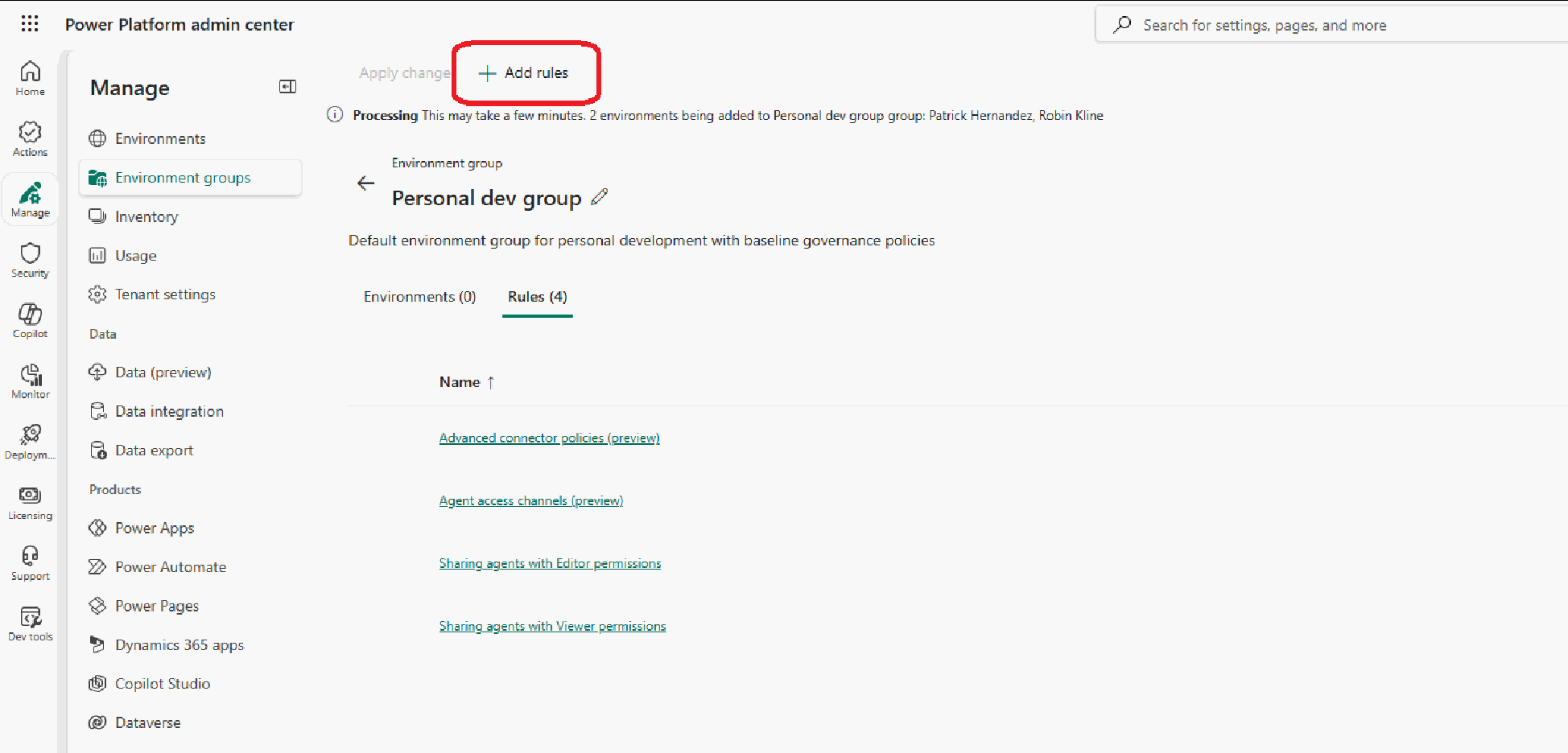
Access the rules gallery through Environment Groups in the Power Platform admin center. From an environment group, the Rules tab provides an entry point to the gallery through the + Add rules action. From the rules gallery, administrators can browse available rules, select rules to apply, and configure them for the environment group.
There are no special prerequisites for accessing the rules gallery. Any administrator with access to Environment Groups can use this feature without additional configuration.
Rule lifecycle in an environment group
Rules in the rules gallery move through a lifecycle of being added to an environment group, configured, applied for enforcement, and eventually removed if no longer needed.
- Adding: Add rules from the rules gallery to an environment group through the Rules tab. You can select and add one or more rules at once.
- Configuring: After adding rules, configure them individually. Each rule has a default configuration that you can review and modify through its configuration panel.
- Applying: Once configured, enforce rules across all environments in the group by selecting Apply. Propagation across all environments might take a few minutes.
- Removing: Remove a rule to return it to the rules gallery. The rule is no longer enforced on environments in the group. You must remove rules individually.
Search and inventory
The rules gallery includes search and filtering capabilities for navigating the rules inventory:
- Search by rule name or keyword.
- Filter by category (security, compliance, cost, lifecycle, maker governance).
- Sort by name or category.
Rule defaults
Each rule includes a recommended default configuration. When you add a rule to an environment group:
- You add it with its default settings.
- You can accept or modify the default as needed.
- The defaults provide balanced, tenant-wide governance.
You can add and apply all rules by using their default configurations, except for the following rules, which require individual configuration before you can apply them:
Known limitations
These limitations apply:
- Copilot GSA settings, default deployment pipeline, and maker welcome content rules require individual configuration before you can apply them.
- When you select multiple rules in the gallery, you can't configure them at selection time. You must add rules first and then configure them individually if you need to change default values.
- You can add and apply rules in bulk, but you must remove them individually.
- The numeric indicator that shows the number of applied rules in an environment group might experience a brief delay before refreshing after new rules are applied.
The product team is aware of these limitations and is actively working to address them in future releases.
Frequently asked questions
What happens to existing groups where rules are already enforced? The system moves rules that aren't enforced to the rules gallery.
Can I temporarily disable a rule without removing it? No. To remove rule enforcement, you must remove the rule from the group and send it back to the gallery.
How quickly do rule changes take effect? Rule changes take a few minutes for backend propagation.