Note
Access to this page requires authorization. You can try signing in or changing directories.
Access to this page requires authorization. You can try changing directories.
Important
Some of the functionality described in this release plan has not been released. Delivery timelines may change and projected functionality may not be released (see Microsoft policy). Learn more: What's new and planned
| Enabled for | Public preview | General availability |
|---|---|---|
| Users by admins, makers, or analysts | Jun 2026 | - |
Business value
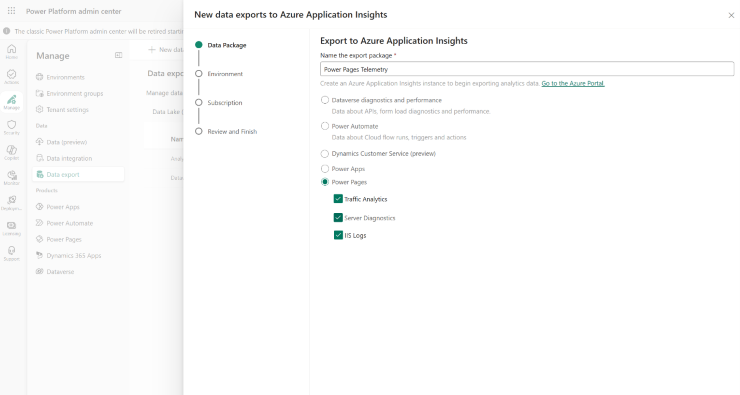
You can monitor your Power Pages site traffic and user interactions with ease. Track page views, form interactions, and session details using client-side analytics. Gain insights into server-side errors and access detailed logs to quickly resolve issues and enhance site performance.
Feature details
Gain insights into your Power Pages site with integrated telemetry and analytics. Use Application Insights to monitor page views, form interactions, session details, and client-side analytics. Detect server-side errors, performance issues, and access logs to resolve problems and optimize your site.
To configure site analytics, makers must open the setup workspace and add the analytics provider script to enable traffic analytics.
Geographic areas
Visit the Explore Feature Geography report for Microsoft Azure areas where this feature is planned or available.
Language availability
Visit the Explore Feature Language report for information on this feature's availability.