Note
Access to this page requires authorization. You can try signing in or changing directories.
Access to this page requires authorization. You can try changing directories.
In Power Query, you can add the current Coordinated Universal Time (UTC) date or time to a table with just a few simple clicks. These options are available whenever your query result is a table. You don't need to select an existing date or time column first.
The option you select determines the value and data type of the new column.
| Option | Value added | Data type |
|---|---|---|
| Date > Today (UTC) | Current UTC date | Date |
| Time > Now (UTC) | Current UTC time | Time |
| Date/Time > Now (UTC) | Current UTC date and time | Date/Time |
| Date/Time > Now (UTC+Zone) | Current UTC date and time with the UTC time zone | Date/Time/Timezone |
Add a current UTC column
In Power Query Editor, make sure the query result is a table.
On the Add column tab, select Date, Time, or Date/Time.
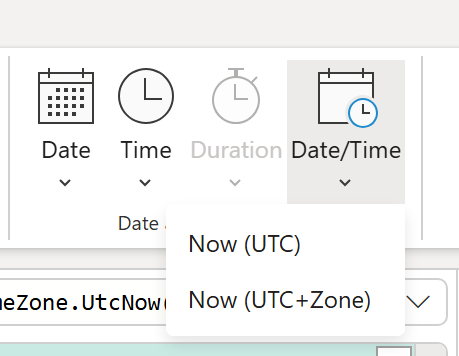
Select the UTC option for the value and data type you want to add.
Power Query adds the selected UTC value as a new column in the table.