Note
Access to this page requires authorization. You can try signing in or changing directories.
Access to this page requires authorization. You can try changing directories.
Power Apps is a suite of apps, services, and connectors, as well as a data platform, that provides a rapid development environment to build custom apps for your business needs. With Power Apps, you can quickly build custom business apps that connect to your data stored either in the underlying data platform (Microsoft Dataverse) or in many online and on-premises data sources (such as SharePoint, Microsoft 365, Dynamics 365, SQL Server, and so on).
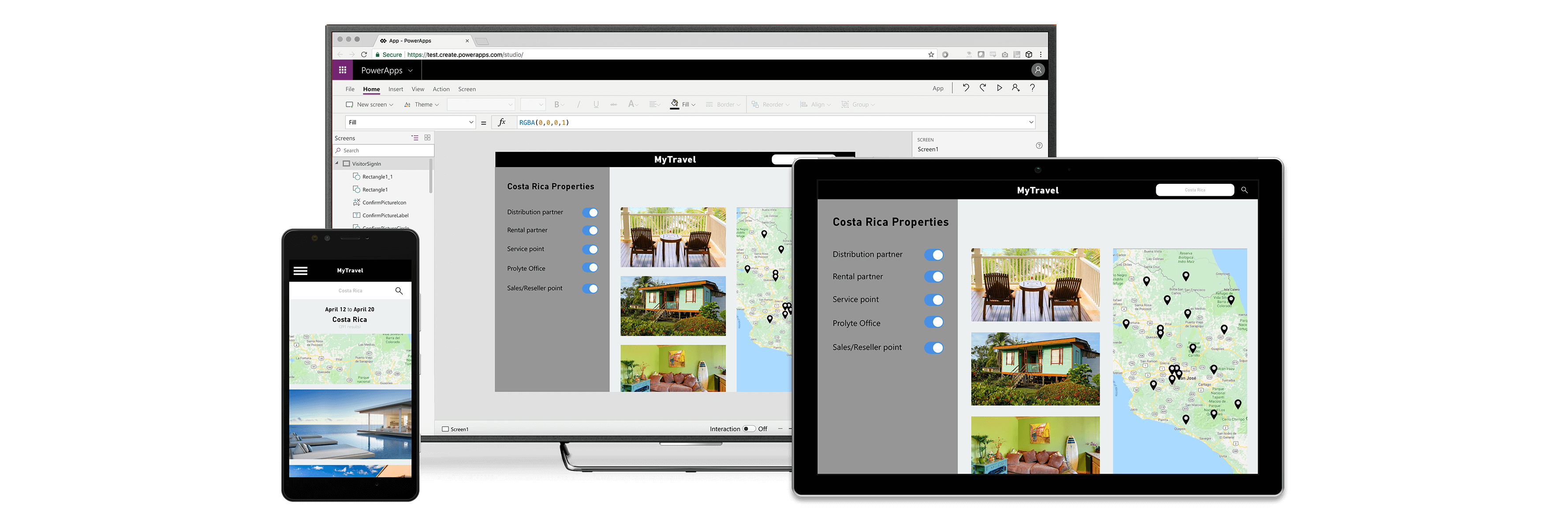
Apps built with Power Apps provide rich business logic and workflow capabilities to transform your manual business operations into digital, automated processes. What's more, apps built with Power Apps have a responsive design and can run seamlessly in browser and on mobile devices (phone or tablet). Power Apps "democratizes" the business-app-building experience by enabling users to create feature-rich, custom business apps without writing code.
Power Apps also provides an extensible platform that lets pro developers programmatically interact with data and metadata, apply business logic, create custom connectors, and integrate with external data.
Power Apps and Microsoft Copilot let you describe the app you want and AI designs it. Make edits, add automation, and write code—all with Copilot in Power Apps.
For more information:
Watch videos on the Power Apps channel on YouTube
Power Apps for app makers and creators
Note
Try the new Power Apps experience—an AI-native solution designed to simplify app creation. Effortlessly automate workflows, connect data sources, and speed up development, all without needing advanced coding skills. For more information, see Overview of the New Power Apps experience (preview).
With Power Apps, you can create two types of apps: canvas and model-driven. For more information, see Overview of creating apps in Power Apps.
To create an app, start with make.powerapps.com.
Plans in Power Apps is a copilot-first development tool that lets you quickly create comprehensive business solutions. Describe your business use case in natural language and add relevant images, like business process flows or screenshots of legacy apps. For more information, see Overview of plans.
Power Apps Studio is the app designer you use to build canvas apps. The app designer makes creating apps feel more like building a slide deck in Microsoft PowerPoint. For more information, see Generate an app from data.
App designer for model-driven apps lets you define the sitemap and add components to build a model-driven app. For more information, see Design model-driven apps using app designer.
Ready to convert your ideas into an app? Start here: Planning a Power Apps project.
Power Apps for app users
Run apps that you created, or that someone else created and shared with you, in a browser or on mobile devices (phone or tablet). For more information, see:
Power Apps for admins
Power Apps administrators can use the Power Platform admin center (admin.powerplatform.microsoft.com) to create and manage environments, view Dataverse analytics, and get real-time, self-help recommendations and support for Power Apps and Power Automate. For more information, see Administer Power Platform.
Power Apps for developers
Developers are app makers who write code to extend business app creation and customization. Use code to create data and metadata, apply server-side logic with Azure functions, plug-ins, and workflow extensions, apply client-side logic with JavaScript, integrate with external data by using virtual tables and webhooks, build custom connectors, and embed apps into your website experiences to create integrated solutions. For more information, see:
Power Apps and Dynamics 365
Dynamics 365 apps (such as Dynamics 365 Sales, Dynamics 365 Customer Service, and Dynamics 365 Marketing) also use the underlying Dataverse platform that Power Apps uses to store and secure data. This feature enables you to build apps by using Power Apps and Dataverse directly against your core business data already used within Dynamics 365, without the need for integration. For more information, see Dynamics 365 and Dataverse.
Try Power Apps for free
You can build Power Apps for free. Sign in to Power Apps. For more information, see Sign in to Power Apps for the first time. Initially, you have access to the default environment. You can build in your own developer environment with Dataverse by signing up for the Power Apps Developer Plan. For more information, see About the Power Apps Developer Plan.
You need a license to play the apps you make with Power Apps. You can play Power Apps for free by signing up for a 30-day trial.
Request a Power Apps license
If you're a Power Apps user and want to run apps, request a Power Apps license while running the app. For more information, see Request a Power Apps license.
Purchase Power Apps
To purchase Power Apps, go to Purchase Power Apps for detailed information.
Power Apps US Government plans
Power Apps US Government offers several plans designed for US government organizations to address the unique and evolving requirements of the United States public sector. The Power Apps GCC environment complies with federal requirements for cloud services, including FedRAMP High, DoD DISA IL2, and requirements for criminal justice systems (CJI data types). For more information, see Power Apps US Government.