Note
Access to this page requires authorization. You can try signing in or changing directories.
Access to this page requires authorization. You can try changing directories.
An option button represents a single choice within a limited set of mutually exclusive choices.
Label every option button.
Use sentence caps for option-button labels.
Don't use ending punctuation on option-button labels.
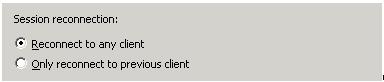
If an option-button label also labels a subordinate control that follows it, end the label with a colon.
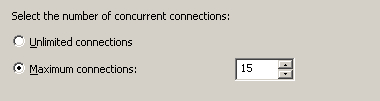
For a set of option buttons, write parallel labels of approximately equal length.
Positively phrase option-button labels. That is, use do instead of do not, use print instead of do not print, and so on.
Exception: The common "Do not show this (item) again" label seen on some wizard pages and dialog boxes.
Avoid long option-button labels. Ideally, option-button labels will be single-lined and use no more than two-thirds of that line. Option-button labels must be brief so that they can be easily referred to in messages and documentation.
If more description is necessary, you may add complete sentences, with end punctuation, under the option-button labels. If you have both descriptive text and a subordinate control under an option button, place the text first.

Do not use option buttons in group-box labels.
Use "click" in instructions for using option buttons. For example: "Click Only on Tuesdays, and then click OK."
Do not repeat words unnecessarily at the beginning of option-button labels. Repetition makes it harder for the reader to scan the text and differentiate among the options.
Label every set of option buttons. The label allows references to the set both in the UI and in documentation.
The type of label you use depends on how much instruction or explanation is necessary and how much space is available. Whenever possible, the label for a set of options should be a short phrase so that it can be easily referenced.If the set of option buttons... Example Is self-explanatory, use a short noun phrase followed by a colon.
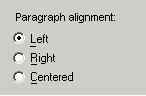
Requires some explanation and there is space available, place the explanation above the label. Use a short noun phrase followed by a colon for the label for the set label.
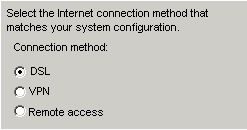
Requires some explanation but there is limited space available, use the explanation as the introductory text, and follow it with a colon.
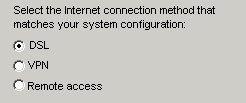
If you use the same set of option buttons on related surfaces (such as a property sheet and a wizard), use the same labels.
See Also
Concepts
Check Boxes
Layout
Layout Specifications: Win32
Layout Specifications: Windows Forms
Sliders
Subordination