Note
Access to this page requires authorization. You can try signing in or changing directories.
Access to this page requires authorization. You can try changing directories.
Microsoft Project Online will be retired in September 2026. For more information, refer to this announcement: Microsoft Project Online is retiring: What you need to know
Project Web App can be set up to send email notifications, helping people stay on top of what's going on in a project. When notifications are turned on, users can decide which notifications they'd like Project Web App to send.
Note
This article covers how an administrator turns on notifications across all of Project Web App. Get email reminders about your work in Project Web App
To turn on notifications
In Project Web App, choose Settings
 > PWA Settings.
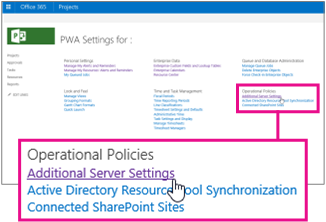
Under Operational Policies, choose Additional Server Settings.
Under Notification Email Settings (at the bottom of the page), select the Turn on notifications check box, and then choose Save.