Note
Access to this page requires authorization. You can try signing in or changing directories.
Access to this page requires authorization. You can try changing directories.
The following tutorial shows how to update an item to a service principal using PowerShell.
Prerequisites
The following prerequisites are required.
- Register an Entra ID application and note:
- Tenant ID
- Client ID
- Client Secret
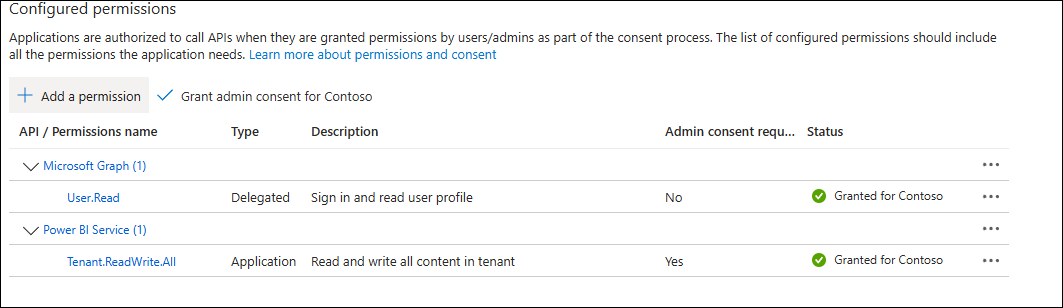
- The app must have Power BI Service permissions Tenant.ReadWrite.All and an admin must have consented them.
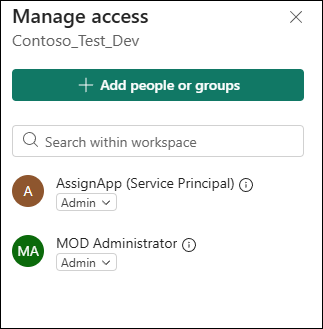
- The SPN must have either Member, Contributor, or Admin access in Fabric to the workspace. The user needs to have write permission to an artifact and all children.
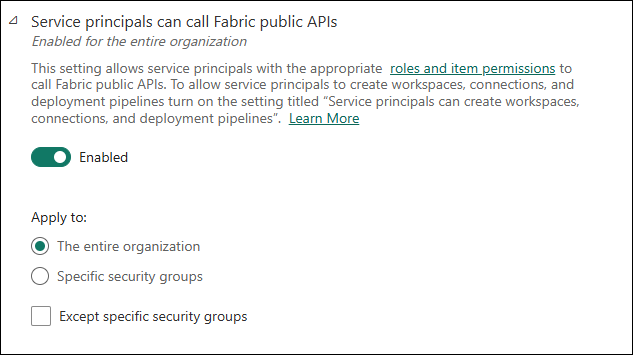
- Service principals can call Fabric public APIs must be enabled in the Fabric portal Admin settings.
- The Workspace ID, Item ID, and the client secret which will be used in the script.
Important
The client secret is used in the script for testing purposes. It is NOT recommended to store the client secret in the script in a production environment.
What this script does
This script does the following:
- Signs in (via az login) and gets a token for
https://api.fabric.microsoft.com/. - Calls the Assign Item Identity API.
- Polls the operation until it returns the final assignmentStatus.
Background
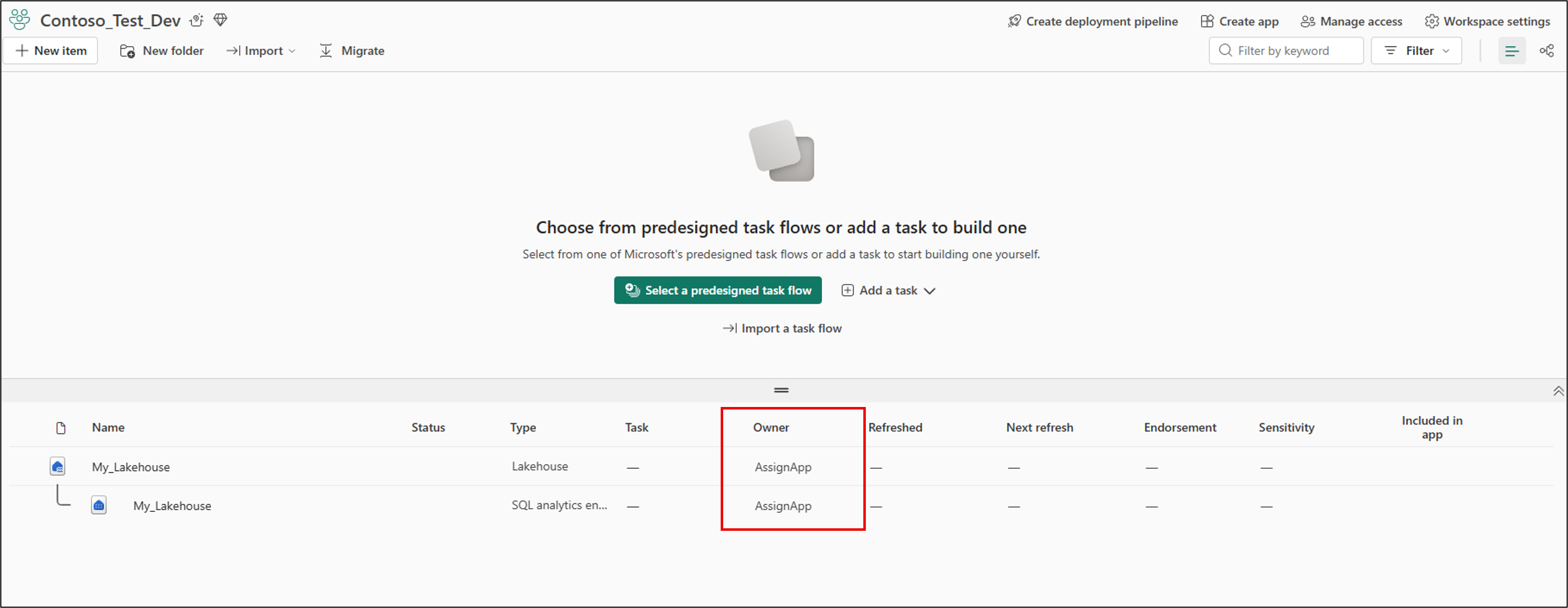
In this tutorial we use a simple Workspace named Contoso_Dev_Test. This workspace contains one Lakehouse named My_Lakehouse.
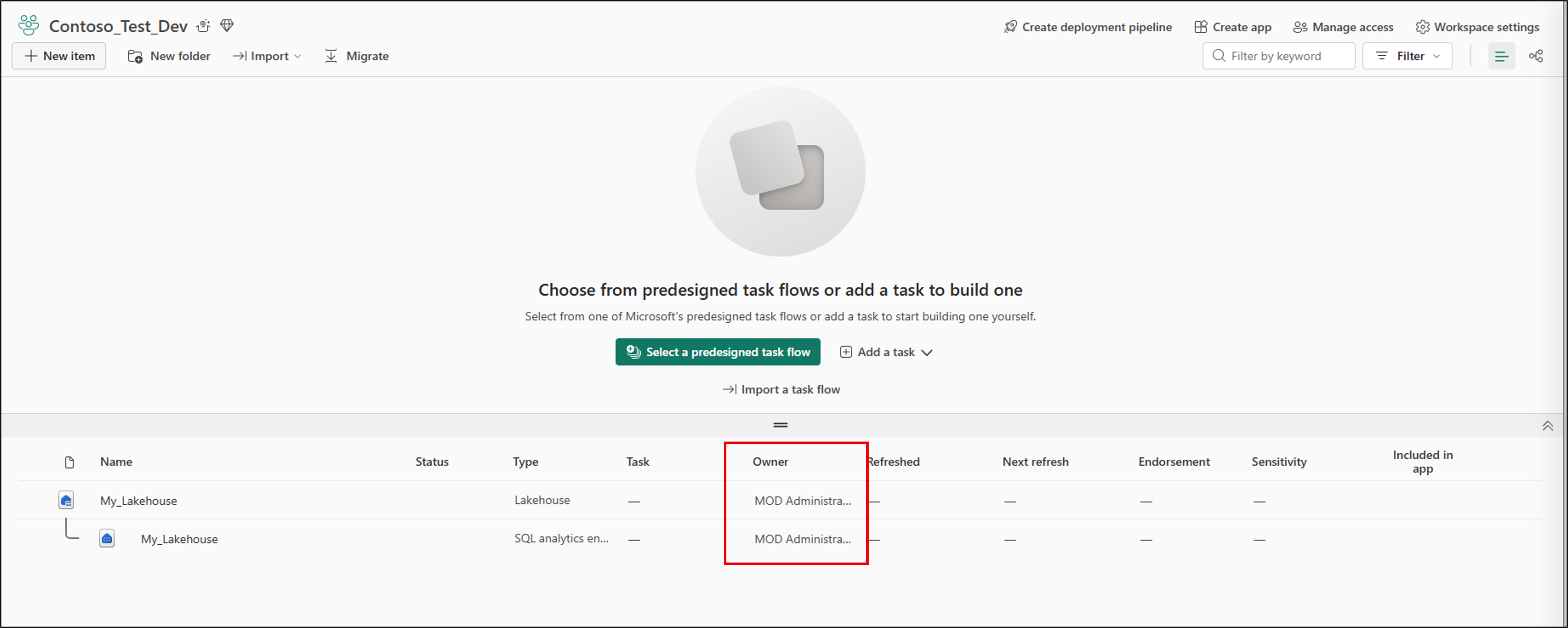
You can see in the screenshot that currently the owner of the Lakehouse is the Fabric Administrator. We want to update this so that the owner is our service principal.
Change ownership to a service principal
The following script is an example of how you can change a Microsft Fabric's items ownership to a service principal.
Note
Replace the ids with ids from your environment.
# ============================================
# Configuration
# ============================================

# Workspace and item you want to update
$workspaceId = "00000000-0000-0000-0000-000000000000"   # TODO: replace
$itemId      = "11111111-1111-1111-1111-111111111111"   # TODO: replace

# Entra app (service principal) settings
$tenantId     = "22222222-2222-2222-2222-222222222222"   # TODO: replace
$clientId     = "33333333-3333-3333-3333-333333333333"   # TODO: replace
$clientSecret = "YOUR-CLIENT-SECRET-HERE"                # TODO: secure this

# Fabric resource and base URL
$fabricResource = "https://api.fabric.microsoft.com"
$baseUrl        = "https://api.fabric.microsoft.com/v1"

# ============================================
# Get access token as the SPN (client credentials flow)
# ============================================

Write-Host "Acquiring token for service principal..." -ForegroundColor Cyan

$tokenRequestBody = @{
    client_id     = $clientId
    client_secret = $clientSecret
    scope         = "$fabricResource/.default"
    grant_type    = "client_credentials"
}

$tokenResponse = Invoke-RestMethod -Method Post -Uri "https://login.microsoftonline.com/$tenantId/oauth2/v2.0/token" -Body $tokenRequestBody -ContentType "application/x-www-form-urlencoded"

if (-not $tokenResponse.access_token) {
    throw "Failed to acquire access token for the service principal."
}

$accessToken = $tokenResponse.access_token
Write-Host "Token acquired." -ForegroundColor Green

# ============================================
# Call Update Item Identity API as the SPN
# ============================================

$assignUrl = "$baseUrl/workspaces/$workspaceId/items/$itemId/identities/default/assign?beta=true"


$requestBody = @{
    assignmentType = "Caller"
} | ConvertTo-Json

$headers = @{
    "Authorization" = "Bearer $accessToken"
    "Content-Type"  = "application/json"
}

Write-Host "Calling Assign Item Identity API as the service principal..." -ForegroundColor Cyan
Write-Host "POST $assignUrl" -ForegroundColor DarkGray

$response = Invoke-WebRequest -Method Post -Uri $assignUrl -Headers $headers -Body $requestBody -ErrorAction Stop

if ($response.StatusCode -ne 202) {
    Write-Warning "Expected 202 Accepted but got $($response.StatusCode)."
    Write-Host "Raw response:" -ForegroundColor Yellow
    $response.RawContent
    return
}

# Extract long-running operation headers
$operationLocation = $response.Headers["Location"]
$operationId       = $response.Headers["x-ms-operation-id"]
$retryAfter        = $response.Headers["Retry-After"]

# Headers may return as arrays — take the first element
if ($operationLocation -is [array]) { $operationLocation = $operationLocation[0] }
if ($operationId -is [array])       { $operationId = $operationId[0] }
if ($retryAfter -is [array])        { $retryAfter = $retryAfter[0] }

# Ensure retryAfter is a number
if (-not $retryAfter) {
    $retryAfter = 5
} else {
    $retryAfter = [int]$retryAfter
}
# ============================================
# Poll the long-running operation
# ============================================

$maxAttempts = 30
$attempt     = 0
$finalResult = $null

do {
    $attempt++
    Write-Host "[$attempt/$maxAttempts] Waiting $retryAfter seconds before polling..." -ForegroundColor DarkGray
    Start-Sleep -Seconds $retryAfter

    Write-Host "Polling operation status..." -ForegroundColor Cyan
    $opResponse = Invoke-RestMethod -Method Get -Uri $operationLocation -Headers $headers -ErrorAction Stop

    $status = $opResponse.status

    if (-not $status) {
        # Assume this is the final result payload.
        $finalResult = $opResponse
        Write-Host "Operation returned final result (no explicit status field)." -ForegroundColor Green
        break
    }

    Write-Host "Current operation status: $status" -ForegroundColor Yellow

    if ($status -in @("Succeeded", "Failed", "Canceled")) {
        $finalResult = $opResponse
        break
    }

} while ($attempt -lt $maxAttempts)

if (-not $finalResult) {
    throw "Operation didn't complete within $maxAttempts attempts."
}

# ============================================
# Print assignment status
# ============================================

Write-Host ""
Write-Host "Final assignment status:" -ForegroundColor Green

if ($finalResult.assignmentStatus) {
    $assignment = $finalResult.assignmentStatus
} elseif ($finalResult.result -and $finalResult.result.assignmentStatus) {
    $assignment = $finalResult.result.assignmentStatus
} else {
    Write-Warning "Could not find assignmentStatus in the final result. Dumping full payload."
    $finalResult | Format-List *
    return
}

$assignment | Format-Table itemId, parentItemId, status -AutoSize
Verifying ownership change.
Once you run the script, you should see output similar to the following:
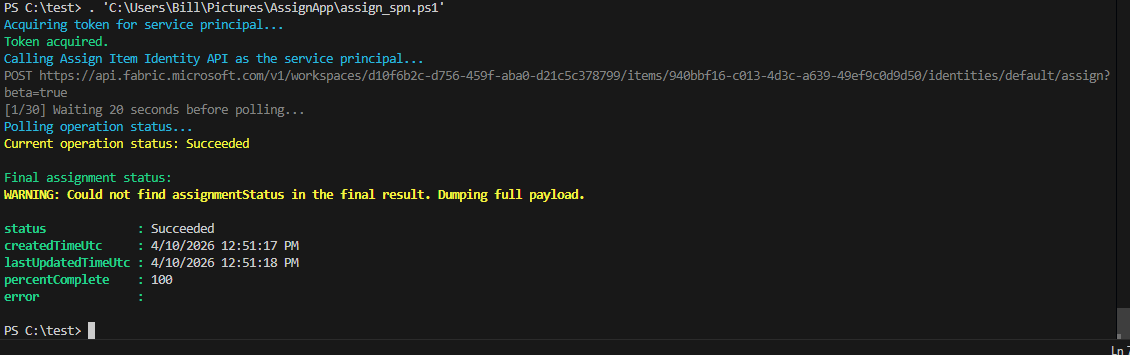
Ownership has been successfully assigned to the SPN. You can verify this in the UI by looking at the workspace. You will see the ownership is now AssignApp.
You can also verify this in PowerShell by running the following:
Invoke-RestMethod -Uri "https://api.fabric.microsoft.com/v1/workspaces/{workspaceId}/items/{itemId}?include=defaultIdentity" -Headers @{ Authorization = "Bearer $token" } -Method Get
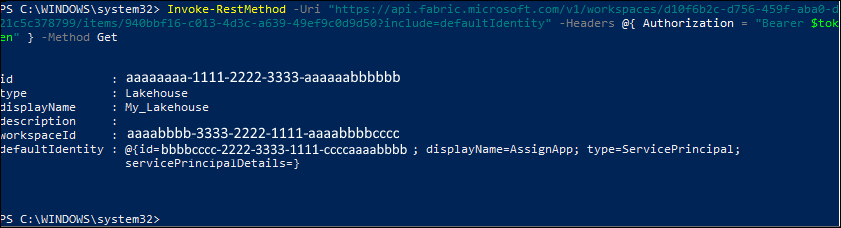
The ownership is now the service principal.