HDR Precision Sample
This sample is compatible with the Microsoft Game Development Kit (March 2022)
Description
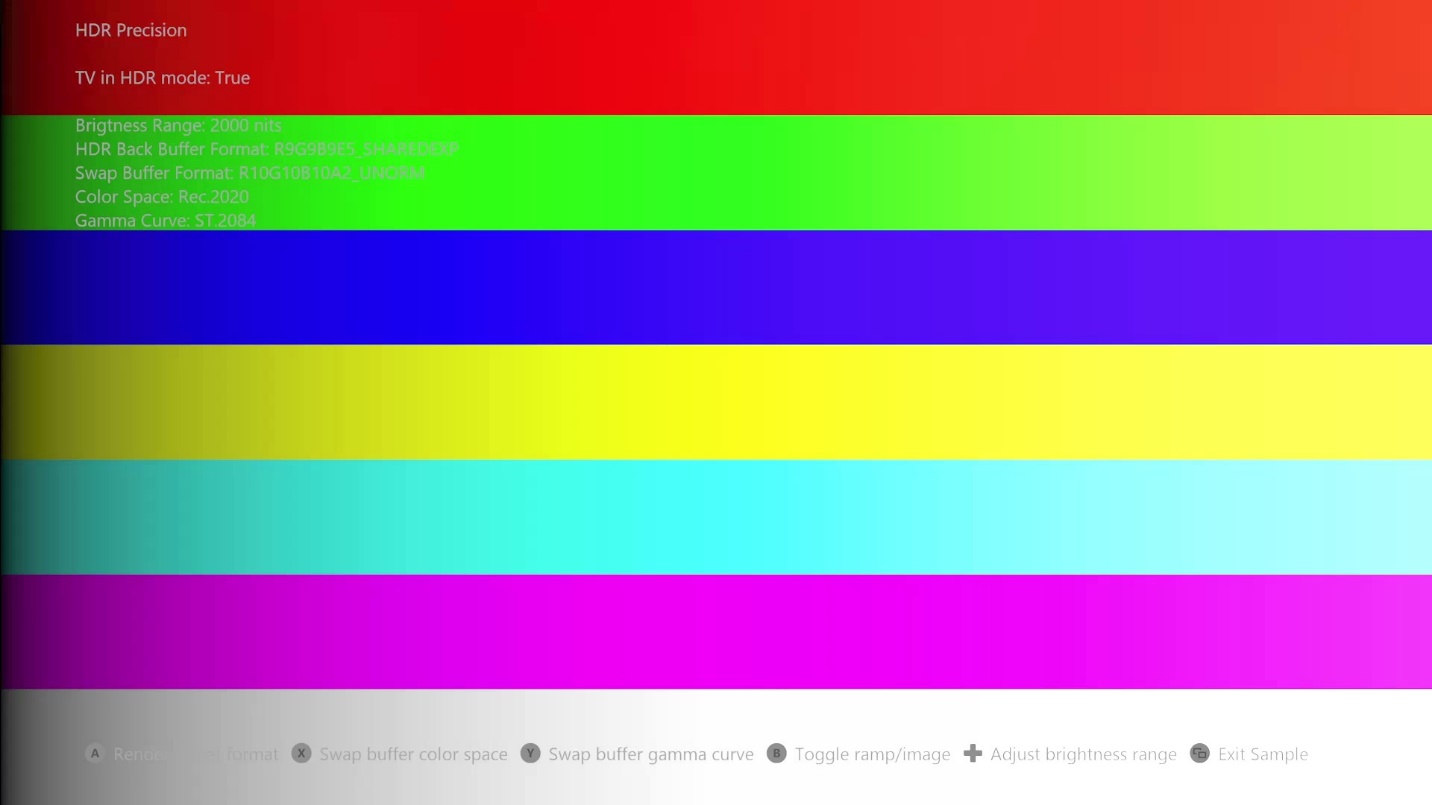
This sample demonstrates how precision and GPU performance are affected when using different formats and color spaces while rendering HDR on Xbox Series X|S consoles. For example, some combinations of swap buffer flags allow for offloading some GPU processing to the display hardware, and some combinations produce higher precision in the final values going to the display. The sample also demonstrates the use of the format 999e5 while rendering an HDR scene.
Building the sample
This sample only works for Xbox Series X|S, therefore the only solution platform available is Gaming.Xbox.Scarlett.x64.
For more information, see Running samples, in the GDK documentation.
Controls
| Action | Gamepad |
|---|---|
| Change HDR scene render target format | A Button |
| Change swap buffer color space | X Button |
| Change swap buffer gamma curve | Y Button |
| Adjust ramp brightness | D-pad |
| Toggle rendering a ramp/image | B button |
| Select next/previous image | Left/Right shoulder |
| Exit | View Button |
Implementation notes
HDR Scene rendering
The sample can use the following render targets formats for the HDR scene rendering. 999e5 is available as a render target format on Xbox Series X|S consoles, not just a texture format like on Xbox One. Use the D-pad to adjust the ramp brightness to inspect the precision in dark and bright areas. Use the "A" button to switch between the formats.
DXGI_FORMAT HDRBackBufferFormat[] = { DXGI_FORMAT_R9G9B9E5_SHAREDEXP,
                                      DXGI_FORMAT_R11G11B10_FLOAT,
                                      DXGI_FORMAT_R32G32B32A32_FLOAT };
Swap buffer
The display hardware on Xbox Series X|S consoles is capable of doing color conversions and applying gamma curves. Therefore, an HDR title can choose to process an HDR10 conversion on the GPU or let the display hardware do it for free.
Gamma curve
HDR10 requires the console to send an image to the display that is encoded with the ST.2084 gamma curve. A title can apply the ST.2084 gamma curve in a shader, perhaps in the last post processing draw call. The gamma curve implementation can be found in the function LinearToST2084(). Although it's a fair amount of ALU instructions, it could still be performance enough in a shader, since there are other factors like bandwidth costs involved. When implemented the gamma curve in the shader, the swap buffer format has to 10:10:10:2.
If the title wants the display hardware to do that conversion, the swap buffer format has to be 999e5 and the shader has to render a normalized linear value. Refer to the code in PerpareSwapBuffer.hlsl in the section "switch (GammaCurve)".
Use the Y button to switch between the formats.
DXGI_FORMAT SwapBufferFormat[] = { DXGI_FORMAT_R9G9B9E5_SHAREDEXP,
                                   DXGI_FORMAT_R10G10B10A2_UNORM };
The correct Present flag has to be used to tell the graphics driver what's in the swap buffer. When the shader outputs a normalized linear value, one of the DXGI_COLOR_SPACE_RGB_FULL_G10_NONE_* flags are required, referring to gamma 1.0. When the shader outputs the ST.2084 gamma curve, then one of the flags DXGI_COLOR_SPACE_RGB_FULL_G2084_NONE_* is required.
Color conversion
HDR10 requires the console to send an image to the display that is in the Rec.2020 color space. Most titles today are mastered using Rec.709, and some expand into the P3-D65 color space. Therefore, the colors will have to be rotated to Rec.2020. A title can do that color rotation in a shader, or ask the display hardware to do it. If the display hardware needs to do the conversion, the title has to specify what its native mastered color space is, the color space rendered in the swap buffer.
The correct Present flag has to be used to tell the graphics driver what color space is in the swap buffer. One of the following flags should be specified.
DXGI_COLOR_SPACE_RGB_FULL_*_NONE_P709
DXGI_COLOR_SPACE_RGB_FULL_*_NONE_D65P3
DXGI_COLOR_SPACE_RGB_FULL_*_NONE_P2020
Use the X button to switch between the different color spaces.
Update history
3/26/2021 -- Sample creation.
Privacy Statement
When compiling and running a sample, the file name of the sample executable will be sent to Microsoft to help track sample usage. To opt-out of this data collection, you can remove the block of code in Main.cpp labeled "Sample Usage Telemetry".
For more information about Microsoft's privacy policies in general, see the Microsoft Privacy Statement.