xbdepends Sample
This sample is compatible with the Microsoft Game Development Kit (March 2023)
Description
This is a command-line for Windows 10/Windows 11 machines intended to help diagnose build & launch issues for GDK titles. In particular, it analyzes import modules for EXEs and DLLs, categorizes them, and provides diagnostic output. For Xbox One and Scarlett binaries, it also outputs a list of any OS APIs used but not included in the xgameplatform.lib umbrella library.
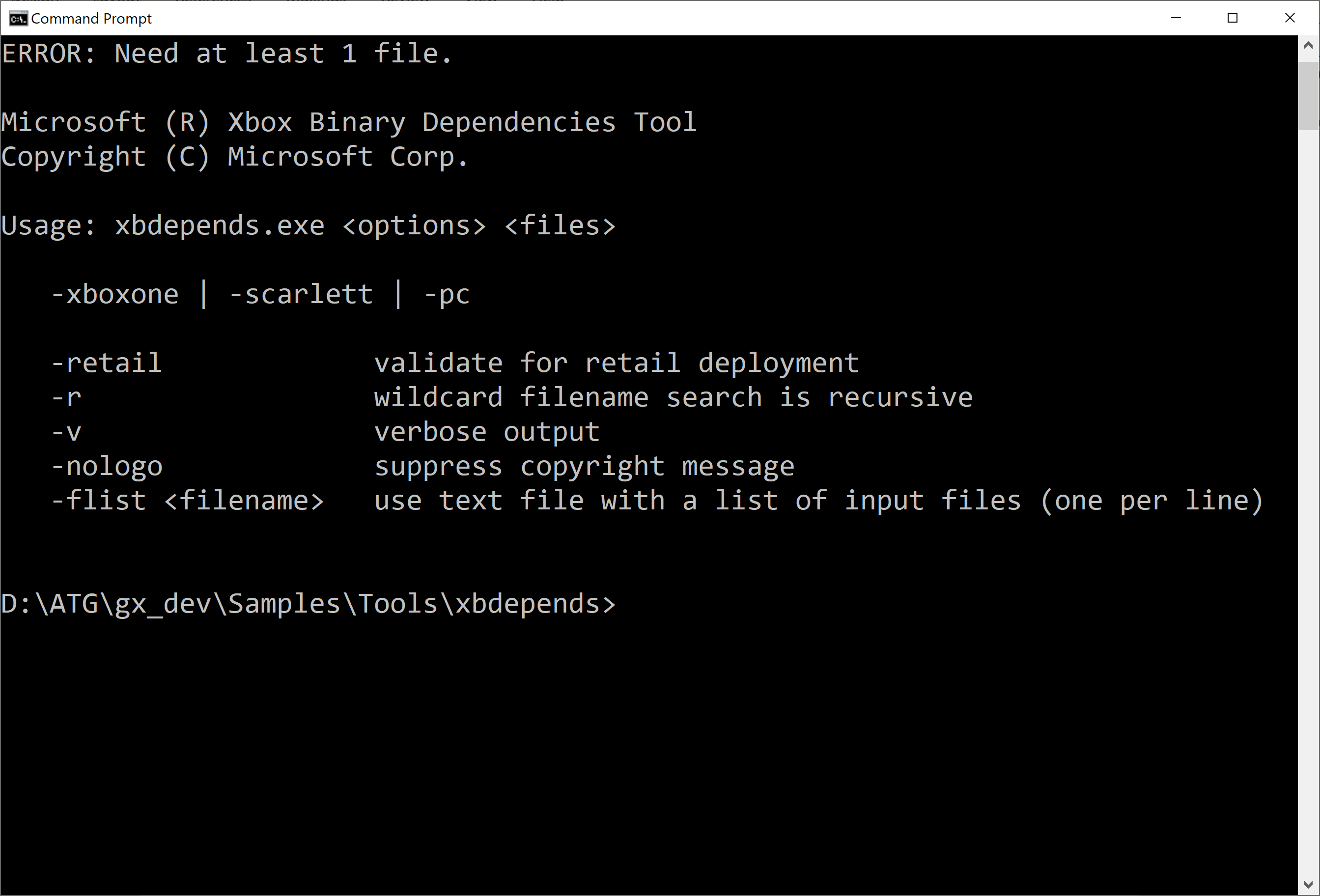
Running without any command-line options produces this output:
Building the sample
As a simple command-line tool, you can build directly using the Gaming Command Prompt:
cl /EHsc /D_WIN32_WINNT=0x0A00 /Ox /MT xbdepends.cpp onecore.lib
You can use CMake 3.21 or later:
cmake -B out .
cmake --build out
There are CMake Presets as well:
cmake --list-presets
cmake --preset=x64-Debug
cmake --build out\build\x64-Debug
Or you can open the CMakeLists.txt from the VS IDE (VS 2019 16.11 or VS 2022 is required).
- We build with the static Visual C++ Runtime to make the tool trivial to deploy. Generally, we recommend using /MD for the DLL-based runtime for titles.
Usage
For a simple test, we will use the basic templates in the Microsoft GDK. Create a Direct3D 12 Xbox Game project and build it. Then run xbdepends pointing to the layout directory:
xbdepends Direct3DGame1\Gaming.Xbox.Scarlett.x64\Layout\Image\Loose\Direct3DGame1.exe
This produces the following output:
Microsoft (R) Xbox Binary Dependencies Tool
Copyright (C) Microsoft Corp.

reading 'Direct3DGame1.exe' [EXE]
INFO: Found 27 import modules
INFO: Use of Direct3D 12.X_S implies Scarlett target
INFO: Dependencies require 'VS 2019 (16.0)' or later C/C++ Runtime
A more verbose output is triggered by the -v switch:
xbdepends -v Direct3DGame1\Gaming.Xbox.Scarlett.x64\Layout\Image\Loose\Direct3DGame1.exe
This produces the following output:
reading 'Direct3DGame1.exe' [EXE]
        Linker: 14.00
        OS: 6.00
        Subsystem: 2 (6.00)
INFO: Found 27 import modules
INFO: Use of Direct3D 12.X_S implies Scarlett target
INFO: Dependencies require 'VS 2019 (16.0)' or later C/C++ Runtime
  DLL 'api-ms-win-core-debug-l1-1-0.dll' (OS)
  DLL 'api-ms-win-core-errorhandling-l1-1-0.dll' (OS)
  DLL 'api-ms-win-core-handle-l1-1-0.dll' (OS)
  DLL 'api-ms-win-core-heap-l1-1-0.dll' (OS)
  DLL 'api-ms-win-core-interlocked-l1-1-0.dll' (OS)
  DLL 'api-ms-win-core-libraryloader-l1-2-0.dll' (OS)
  DLL 'api-ms-win-core-localization-l1-2-0.dll' (OS)
  DLL 'api-ms-win-core-memory-l1-1-0.dll' (OS)
  DLL 'api-ms-win-core-processthreads-l1-1-0.dll' (OS)
  DLL 'api-ms-win-core-processthreads-l1-1-1.dll' (OS)
  DLL 'api-ms-win-core-profile-l1-1-0.dll' (OS)
  DLL 'api-ms-win-core-psm-appnotify-l1-1-0.dll' (OS)
  DLL 'api-ms-win-core-psm-appnotify-l1-1-1.dll' (OS)
  DLL 'api-ms-win-core-registry-l1-1-0.dll' (OS)
  DLL 'api-ms-win-core-registry-l2-1-0.dll' (OS)
  DLL 'api-ms-win-core-rtlsupport-l1-1-0.dll' (OS)
  DLL 'api-ms-win-core-string-l1-1-0.dll' (OS)
  DLL 'api-ms-win-core-synch-l1-1-0.dll' (OS)
  DLL 'api-ms-win-core-sysinfo-l1-1-0.dll' (OS)
  DLL 'd3d12_xs.dll' (D3D)
  DLL 'ext-ms-win-rtcore-ntuser-message-l1-1-0.dll' (OS)
  DLL 'ext-ms-win-rtcore-ntuser-window-ansi-l1-1-0.dll' (OS)
  DLL 'ext-ms-win-rtcore-ntuser-window-l1-1-0.dll' (OS)
  DLL 'PIXEvt.dll' (GameOS)
  DLL 'ucrtbased.dll' (CRT)
  DLL 'VCRUNTIME140_1D.dll' (CRT)
  DLL 'VCRUNTIME140D.dll' (CRT)
You can also run with /retail switch and it will warn you that this build is using Debug CRT items:
xbdepends -retail Direct3DGame1\Gaming.Xbox.Scarlett.x64\Layout\Image\Loose\Direct3DGame1.exe
This produces the following output:
reading 'Direct3DGame1.exe' [EXE]
INFO: Found 27 import modules
INFO: Use of Direct3D 12.X_S implies Scarlett target
ERROR: Using development only DLLs not for use in retail:
        ucrtbased.dll
        VCRUNTIME140_1D.dll
        VCRUNTIME140D.dll
INFO: Dependencies require 'VS 2019 (16.0)' or later C/C++ Runtime
The tool also accepts wildcards and can be done recursively:
xbdepends -r Direct3DGame1\Gaming.Xbox.Scarlett.x64\Layout\Image\Loose\*.dll
Implementation
In practice, this tool does the same kinds of operations the Microsoft DUMPBIN tool can do with respect to scanning PE import tables. The primary difference is that this tool applies some basic rules and knowledge about GDK titles to generate diagnostic output.
For more information on PE import tables, see:
"Inside Windows: An In-Depth Look into the Win32 Portable Executable File Format, Part 2". MSDN Magazine (March 2002)
Update History
| Date | Notes |
|---|---|
| May 2021 | Initial release using the xgameplatform.lib from the April 2021 GDK release. |
| January 2022 | CMake cleanup and added presets file |
| November 2022 | Updated to CMake 3.20 |
| June 2024 | Update for recent DLL additions |
| January 2025 | Update for recent additions for ASAN support |
| April 2025 | Fixed build warning using std::transform |
| February 2026 | Updated to require CMake 3.21 or later |