Note
Access to this page requires authorization. You can try signing in or changing directories.
Access to this page requires authorization. You can try changing directories.
Security teams make better decisions when they can learn from real world operational experience. Microsoft Security Store includes ratings and reviews submitted by security professionals who deployed agents and solutions in production environments. These insights highlight practical considerations such as integration quality, operational impact, and ease of use, helping organizations evaluate options with greater confidence. This article describes how ratings and reviews work, who can submit them, and how to use them when evaluating solutions in Security Store.
With the Ratings and Reviews feature, you can:
Submit feedback on solutions or agents:
- Submit star ratings and written reviews for solutions or agents your organization procured or deployed.
- Post reviews anonymously or using your user-name.
- Edit or delete reviews you previously submitted.
- Add comments on your own reviews or on reviews from other users.
Check out ratings and reviews submitted by other users:
- View aggregated solution ratings on solution cards.
- Read full reviews and comments in the solution details page.
- Sort solutions by rating to identify highly rated options quickly.
Reviews undergo content checks before appearing publicly. Reviews appear only after content checks are completed; they do not display in real time.
Prerequisites
To see the ratings and reviews, you must be authenticated in Security Store using your Entra tenant ID.
To submit ratings, reviews, or comments, your tenant must have purchased the solution or deployed the agent.
No other licenses are required.
Access ratings and reviews
You can access ratings and reviews from either of the following entry points:
- Search results: select a solution card, then open the solution details page
- Security Store Advisor: select a recommended solution, then open the solution details page Both entry points display ratings and reviews when available.
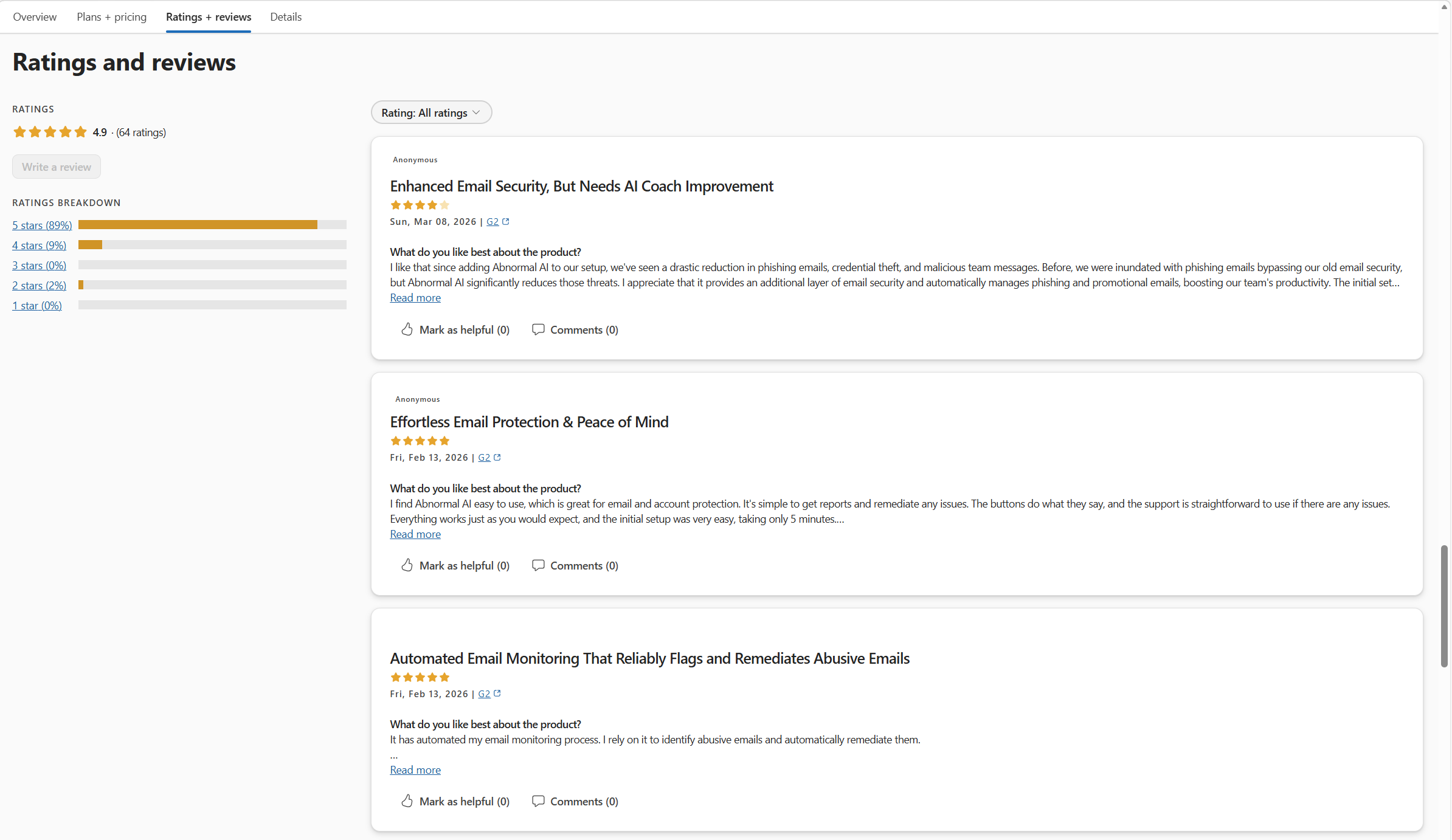
Submit a rating or review
You can submit a rating or review if you meet the prerequisites. Your review can be anonymous or attributed to your user-name, and you can edit or delete it at any time. You can also comment on your own reviews or on reviews from other users.
Step-by-step: Submit a rating or review
Open Microsoft Security Store and search for a solution or agent.
Select a solution card to open the solution details page.
Scroll to the Ratings and reviews section.
Select Write a review:
- Choose a star rating.
- (Optional) Add a written review.
- (Optional) Choose whether to submit anonymously or with your name.
Submit the review.
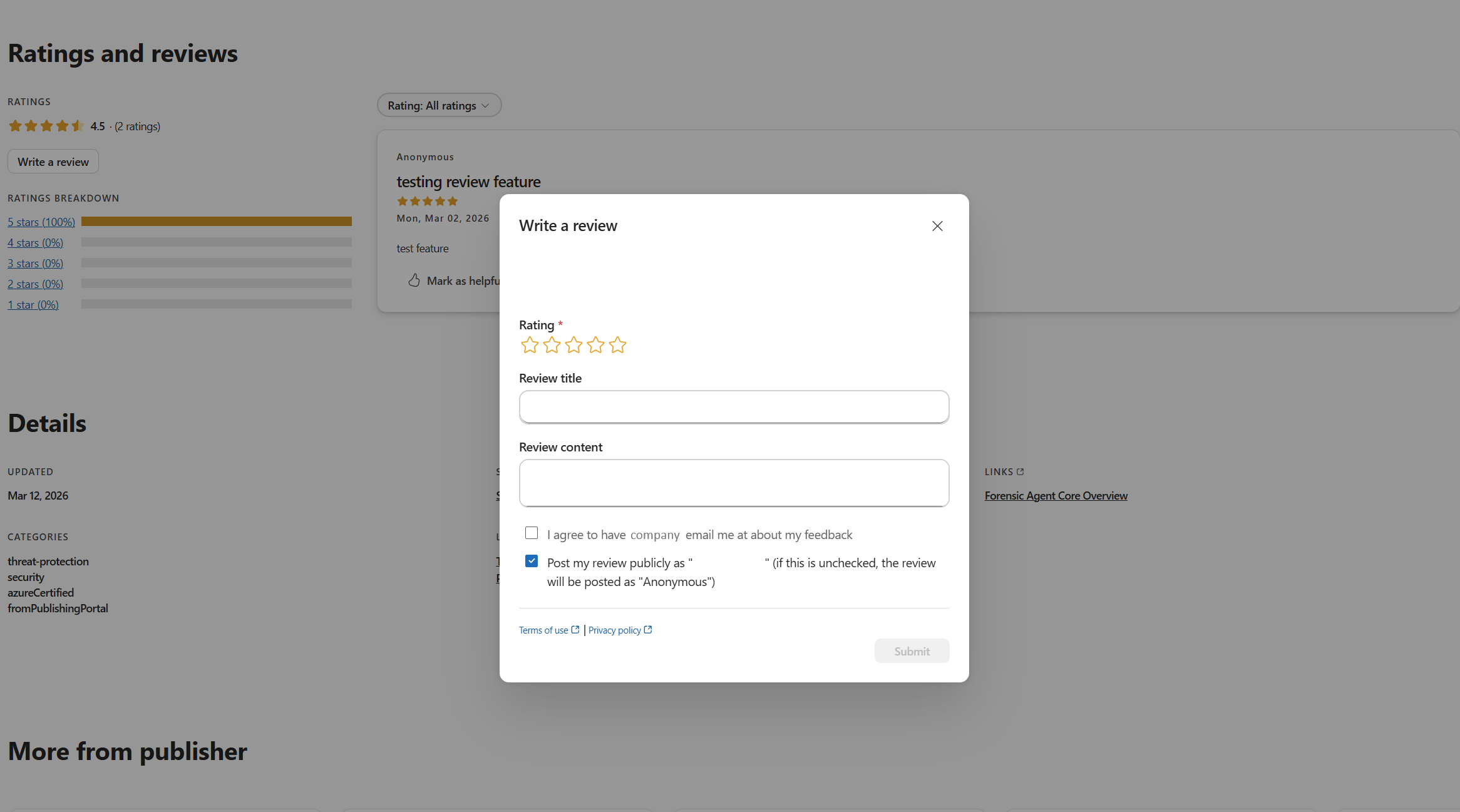
You receive the following confirmation message:
Thanks for your feedback! Your rating will be added to the overall solution rating shortly. If you included a review, it will appear in the list of reviews when available.
Your review appears publicly once content checks are complete.