Note
Access to this page requires authorization. You can try signing in or changing directories.
Access to this page requires authorization. You can try changing directories.
Migration Manager lets you bulk upload your Box source paths using a comma-separated (CSV) file. You can create the CSV file Using any text editor, or an application like Excel. JSON files aren't supported.
Before you begin
- The number of sources listed in a single file must be less than 10,000.
- The uploaded values have up to 50 scans done on them simultaneously.
- The file contains a single column, and the column heading is optional.
- Source paths can be entered either as [username]@[domainname]/[folder name] or as [username]@[domainname].
Formatting your CSV file

- Start Excel.
- Enter one source per row. The column heading is optional. Enter your source in one of the following ways:
- [username]@[domainname]/[folder name] or [username]@[domainname]
- Close and save as a comma delimited (*.csv) file. The encoding of the CSV file must be UTF-8.
Uploading your file
- Connect to Box.
- On the menu bar, select Add source.

- Select Upload a CSV file. Browse to your file and then select Add.
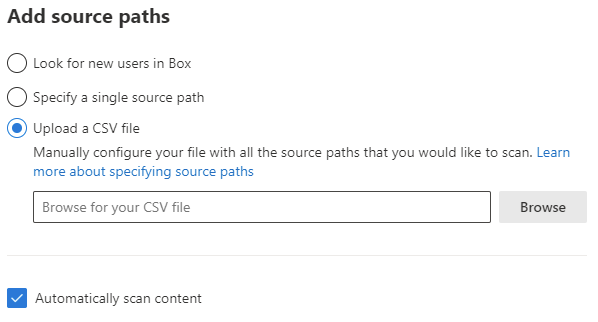
- Assess your files, and then continue to the next step, Copy to migrations.