Note
Access to this page requires authorization. You can try signing in or changing directories.
Access to this page requires authorization. You can try changing directories.
Applies to:  SQL Server
Azure SQL Database
Azure SQL Managed Instance
Azure Synapse Analytics
Analytics Platform System (PDW)
SQL analytics endpoint in Microsoft Fabric
Warehouse in Microsoft Fabric
SQL database in Microsoft Fabric
SQL Server
Azure SQL Database
Azure SQL Managed Instance
Azure Synapse Analytics
Analytics Platform System (PDW)
SQL analytics endpoint in Microsoft Fabric
Warehouse in Microsoft Fabric
SQL database in Microsoft Fabric
SQL Server Management Studio is a suite of administrative tools for managing the components belonging to SQL Server. With this integrated environment, you can perform various tasks, such as backing up data, editing queries, and automating common functions within a single interface.
SQL Server Management Studio includes the following tools:
Code Editor is a rich script editor for writing and editing scripts. SQL Server Management Studio provides four versions of the Code Editor: the Database Engine Query Editor for Transact-SQL scripts, the DMX Query Editor, the MDX Query Editor, and the XML/A Query Editor.
Object Explorer for locating, modifying, scripting, or running objects belonging to instances of SQL Server.
Template Explorer for locating and scripting templates.
Solution Explorer for organizing and storing related scripts as parts of a project.
Properties Window for displaying the current properties of selected objects.
SQL Server Management Studio supports efficient work processes by providing:
Disconnected access. You can write and edit scripts without connecting to an instance of SQL Server.
Scripting from any dialog box. You can create a script from any dialog box so that you can read, modify, store, and reuse the scripts after you create them.
Nonmodal dialog boxes. When you access a UI dialog box, you can browse other resources in SQL Server Management Studio without closing the dialog box.
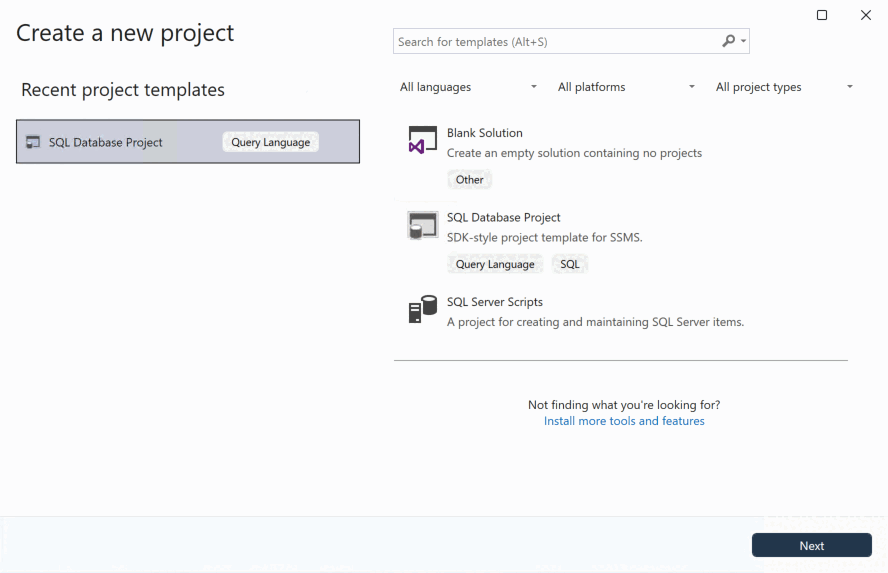
Script projects in SSMS
A database script project is an organized set of scripts, connection information, and templates that are all associated with a database or one part of a database. SQL Server provides SQL Server Management Studio for administering and designing SQL Server databases within the context of a script project. SQL Server Management Studio includes designers, editors, guides, and wizards to assist you in developing, deploying, and maintaining databases.
When you save a script in a script project, you can:
- Maintain version control on scripts.
- Store results options with a script.
- Organize related scripts in a single script project.
- Save connection information with scripts.
SQL database projects in SSMS
A SQL database project is a local representation of SQL objects that comprise the schema for a single database, such as tables, stored procedures, or functions. The development cycle of a SQL database project helps you to integrate database development into continuous integration and continuous deployment (CI/CD) workflows.
When a SQL project builds, it validates the relationships between objects. For example, a view definition can't contain a table or columns that don't exist in the SQL project. The output file (the .dacpac) is a powerful, reusable, and declarative artifact. With this file, you can apply your database code to a database using SSMS, the SqlPackage CLI, or other SQL projects tools. The publish process also calculates the difference between a source .dacpac and a target database before determining what steps it needs to take to update that database.
SQL database projects are a great fit for teams that are looking to integrate database development into a CI/CD workflow. The declarative nature of SQL projects allows for a single source of truth for the database schema, and the build and publish process provides a repeatable and reliable way to deploy changes to databases. For more information about SQL database projects, see What are SQL Database Projects?.
Solutions and projects
SQL Server Management Studio shares the concept of solutions and projects with Microsoft Visual Studio. A solution is a container for one or more projects, along with window settings and any miscellaneous files that aren't associated with a particular project.
Solution Explorer is a tool window in SSMS that you use to store and reopen database solutions. If you created applications with Visual Studio, Solution Explorer is familiar.
If you don't see the Solution Explorer tool window, you can open it from the SSMS menu bar by using View > Solution Explorer, or by selecting Ctrl+Alt+L.