Interact with AI naturally
AI delivers the most value when it fits naturally into the way people already work. Rather than requiring employees to learn new interfaces, navigate separate tools, or memorize complex commands, AI can become part of familiar experiences and workflows.
Windows 11 supports this approach by enabling users to interact with AI using natural language, voice, and conversational experiences. These interactions help reduce friction and make it easier for employees to move from an idea to a completed task.
Why natural interaction matters
Employees often switch between meetings, emails, documents, and collaboration tools throughout the day. In these moments, stopping to learn a new process or navigate a different application can interrupt focus and reduce productivity.
Natural interactions help remove some of these barriers. Instead of adapting to technology, users can communicate with AI in ways that feel familiar, such as speaking naturally, asking questions, or describing what they want to accomplish.
Benefits of natural AI interaction can include:
Faster access to information.
Reduced manual effort.
Less context switching.
More time focused on meaningful work.
Use voice to stay in the flow of work
Voice experiences can help users work hands-free while staying focused on the task at hand. Rather than stopping to type, employees can ask questions, request summaries, or initiate actions using natural language.
Windows 11 helps make these voice-based interactions more accessible by providing a platform where users can access AI experiences, such as Microsoft 365 Copilot Voice, alongside the applications and workflows they already use.
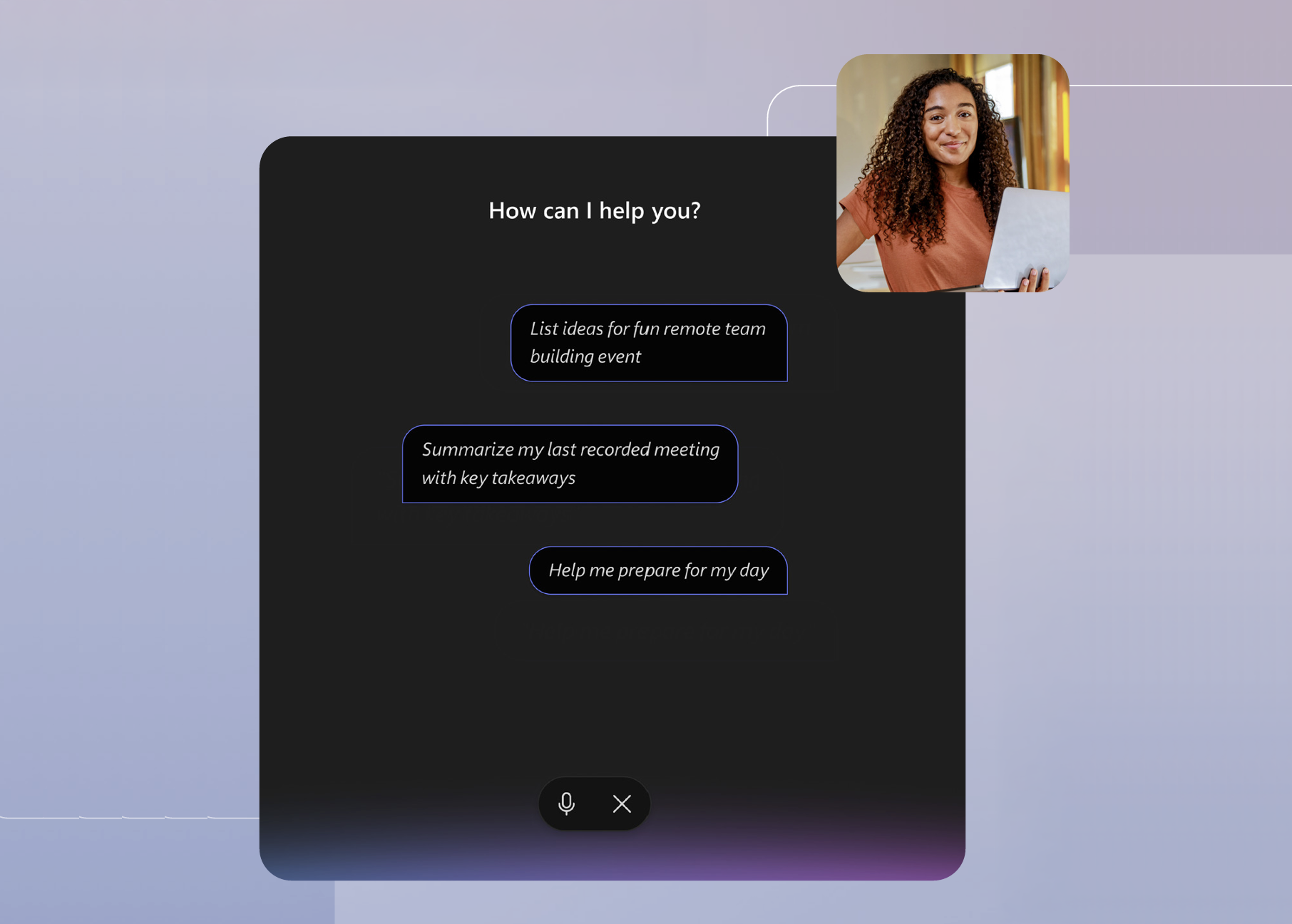
For example, imagine a project manager finishes a milestone review meeting and needs to send a status update before the next meeting begins. Instead of searching through notes and manually compiling action items, the project manager uses Microsoft 365 Copilot Voice and asks, "What decisions were made during today's milestone review?" and "Create a list of action items and next steps." Copilot summarizes the discussion and highlights key follow-up tasks. After a quick review, the update is ready to share, helping keep the team aligned without interrupting the rest of the workday.
Microsoft 365 Copilot Voice uses advanced speech recognition and natural language processing to understand spoken requests and engage in natural conversations. Users can start a voice conversation hands-free by saying "Hey Copilot," or by selecting the microphone icon in the Copilot app.
Note
Microsoft 365 Copilot requires a separate subscription. Voice experiences are delivered through Microsoft 365 Copilot and are available across supported platforms.
Transform speech into polished text
Sometimes ideas develop faster than employees can type. In situations like these, voice-powered experiences can help users capture thoughts as they occur.
Imagine a financial analyst has just completed a discussion about quarterly results and wants to capture key findings while the details are still fresh. Rather than typing extensive notes, the analyst uses Fluid dictation to speak naturally. AI automatically refines the dictated content by correcting grammar, punctuation, and filler words, helping transform spoken thoughts into polished text. This reduces editing time and allows the analyst to move quickly to the next task.
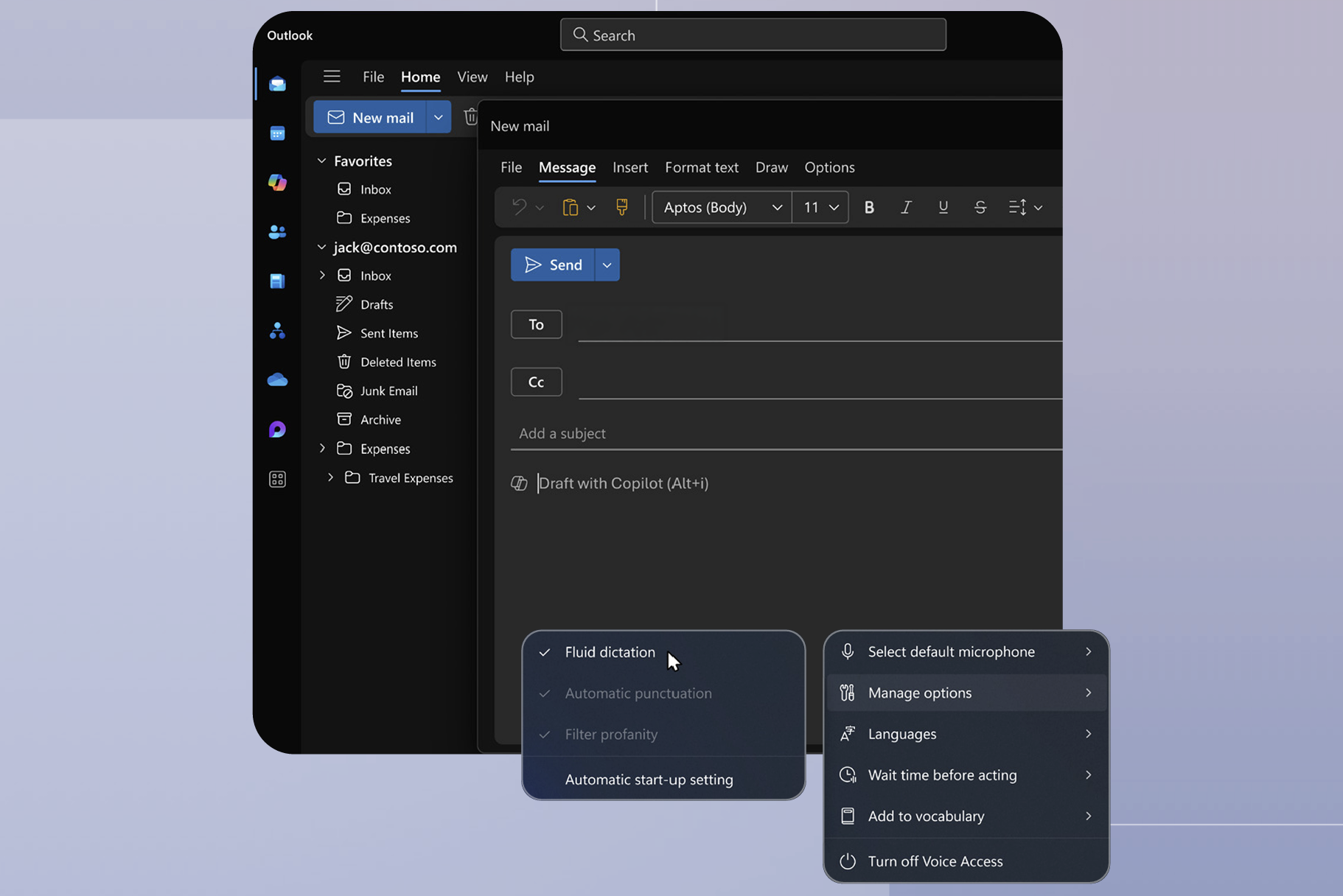
Fluid dictation is a feature in voice access on Copilot+ PCs that improves voice-based authoring by automatically correcting grammar, punctuation, and filler words as you speak. You can turn Fluid dictation on or off from Voice access settings > Manage options, or by using the voice commands "turn on fluid dictation" or "turn off fluid dictation."
Note
Fluid dictation is available on supported Copilot+ PCs and feature availability might vary by language, device, and release status.
Focus on intent instead of technology
A common theme across these experiences is that users focus on what they want to accomplish instead of how to use the technology. Whether speaking naturally, asking questions, or dictating content, employees can express their intent and allow AI to help perform supporting tasks.
This approach helps embed AI into everyday work. Rather than becoming another destination employees must visit, AI becomes part of familiar interactions and workflows.
Example scenario
A team lead spends the morning in meetings and needs to communicate updates to stakeholders before the end of the day. Instead of manually reviewing notes, drafting updates, and documenting action items, the team lead uses Microsoft 365 Copilot Voice to summarize discussions and capture next steps.
Following a meeting, the team lead asks, "What risks and blockers were identified during today's project review?" Copilot Voice generates a summary highlighting key risks, blockers, project milestones, and recommended follow-up actions. The team lead then asks, "Create a list of action items and the people responsible for each one." A structured list is created, making it easy to track follow-up tasks and accountability.
While walking between meetings, the team lead uses Fluid Dictation to say, "Draft a stakeholder update summarizing our progress, key risks, and next steps." The update is drafted immediately while the details are still fresh.
By using natural voice interactions, the team lead can capture information, create follow-up actions, and communicate updates without needing to return to a desk or pause to type. This helps ensure important details are documented at the moment they occur, reducing administrative overhead and allowing more time to focus on moving work forward.
Reflect
Consider the tasks you perform most often throughout the workday.
Which activities could benefit from voice-based or natural language interactions, allowing you to spend less time typing and more time focusing on the work itself?
Key takeaway
Organizations can integrate AI into the way people naturally work. Windows 11 supports this approach by enabling voice, natural language, and conversational interactions that help employees capture ideas, access information, and complete tasks without disrupting their workflow.