Organize and optimize documents
Three patterns help you organize documents more efficiently and optimize read/write performance: the inheritance pattern for polymorphic data, the computed pattern for precomputed aggregations, and the approximation pattern for high-frequency updates.
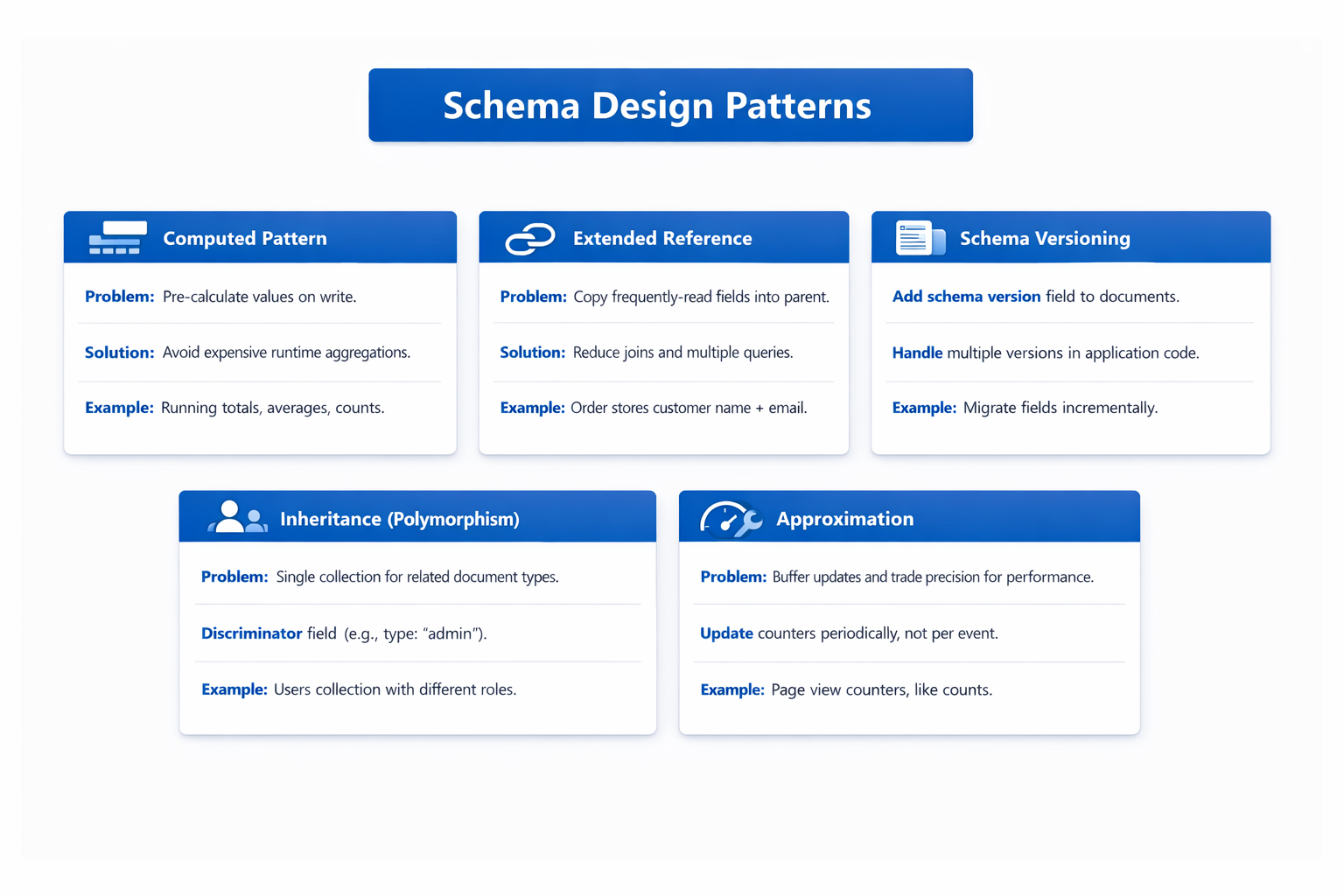
Apply the inheritance pattern for polymorphic types
Many applications store entities that share common fields but also have type-specific fields. For example, in a bicycle store e-commerce catalog, bikes have frame sizes and gear counts, components have weight and compatibility, accessories have mounting types, and clothing has sizes and materials. Without a pattern, you might create a separate collection for each product type (bikes, components, clothing), but that makes cross-type queries difficult and duplicates common logic. Plus every time you add a new product type, you would have to add a new collection.
The inheritance pattern stores all related types in a single collection with a discriminator field (such as productType) that identifies the document type. Common fields appear in every document. Type-specific fields appear only where relevant.
// Single products collection with productType discriminator
db.products.insertMany([
  {
    productType: "bike",
    name: "Mountain-100 Silver, 44",
    sku: "BK-M100S-44",
    price: 3399.99,
    category: { _id: ObjectId("aaa100010000000000000000"), name: "Mountain Bikes" },
    tags: ["mountain", "aluminum", "disc-brake", "suspension"],
    specs: { frameSize: 44, frameMaterial: "Aluminum", gears: 27, brakeType: "Hydraulic Disc" }
  },
  {
    productType: "component",
    name: "HL Road Frame - Red, 52",
    sku: "FR-HR72R-52",
    price: 1357.60,
    category: { _id: ObjectId("aaa100040000000000000000"), name: "Road Frames" },
    tags: ["road", "carbon-fiber", "high-performance"],
    specs: { frameSize: 52, frameMaterial: "Carbon Fiber", wheelCompatibility: "700c" }
  },
  {
    productType: "accessory",
    name: "Sport-100 Helmet, Black, M",
    sku: "HL-6618",
    price: 42.94,
    category: { _id: ObjectId("aaa100180000000000000000"), name: "Helmets" },
    tags: ["adjustable", "reflective", "lightweight"],
    specs: { color: "Black", weight_grams: 170, sizeRange: "M" }
  },
  {
    productType: "clothing",
    name: "Short-Sleeve Classic Jersey, Red, M",
    sku: "SJ-2951-M",
    price: 51.79,
    category: { _id: ObjectId("aaa100300000000000000000"), name: "Jerseys" },
    tags: ["breathable", "summer", "reflective"],
    specs: { size: "M", color: "Red", material: "Polyester", fit: "Regular" }
  }
]);
With everything in one collection, you can query across all product types or filter by a specific type:
// Find all products sorted by price
db.products.find({}).sort({ price: 1 });

// Find only bikes under $2,000
db.products.find({ productType: "bike", price: { $lt: 2000 } });
Create a compound index on the discriminator field (for example, productType) and common query fields to optimize type-based queries:
db.products.createIndex({ productType: 1, price: 1 });
db.products.createIndex({ "category.name": 1, price: 1 });
When to use it: You have multiple entity types with shared fields that need cross-type querying. Adding new types requires no schema changes; just insert documents with a new productType value.
Trade-offs: Type-specific fields are absent in other types, which creates sparse data. Application code must handle different document structures.
Azure DocumentDB only indexes the _id field by default, so remember to create indexes on the discriminator field and commonly queried fields to avoid full collection scans when filtering by product type.
Apply the computed pattern for precomputed aggregations
Applications frequently display aggregated data such as total comment counts, average ratings, and order totals. Computing these values at query time with aggregation pipelines adds latency and CPU overhead, especially when the query runs on every page view.
The computed pattern precomputes these values during write operations and stores them directly in the document. For example, consider a product page that displays the total number of reviews and the average rating. Instead of running an aggregation pipeline every time the product page loads, you read a precomputed reviewSummary object in a single query.
// Product with precomputed review statistics
db.products.insertOne({
  name: "Mountain-100 Silver, 44",
  price: 3399.99,
  reviewSummary: {
    totalCount: 110,
    averageRating: 3.9
  },
  approximateMetrics: {
    viewCount: 46167,
    wishlistCount: 1175,
    cartAdditions: 3753,
    lastFlushed: ISODate("2026-03-22T19:33:58Z")
  }
});
When a new review is added, update both the reviews collection and the computed reviewSummary object:
// Add a review and update computed values
db.reviews.insertOne({
  productId: ObjectId("ccc100030000000000000000"),
  customerName: "Eduarda Almeida",
  rating: 5,
  title: "Handles rough terrain with confidence",
  createdAt: new Date()
});

db.products.updateOne(
  { _id: ObjectId("ccc100030000000000000000") },
  {
    $inc: { "reviewSummary.totalCount": 1 }
  }
);
For more complex computations like average ratings, recalculate periodically with a background aggregation:
// Background job to recalculate average ratings
const stats = db.reviews.aggregate([
  { $match: { productId: ObjectId("ccc100030000000000000000") } },
  { $group: { _id: null, avgRating: { $avg: "$rating" } } }
]).toArray()[0];

db.products.updateOne(
  { _id: ObjectId("ccc100030000000000000000") },
  { $set: { "reviewSummary.averageRating": Math.round(stats.avgRating * 10) / 10 } }
);
When to use it: You display aggregated data frequently and recalculate it rarely. Order totals, vote counts, engagement metrics, and read-time estimates are common examples.
Trade-offs: Computed values may be slightly out of date between refreshes. Write operations become more complex because you must update computed fields alongside source data.
Use atomic operators like $inc for counter updates to avoid read-modify-write race conditions. If you wrap multiple updates in a multi-document transaction, keep it lightweight because Azure DocumentDB enforces a maximum transaction lifetime of 30 seconds. For background recalculation jobs, the $merge aggregation stage can write results directly into a target collection.
Apply the approximation pattern for high-frequency updates
Some metrics change so frequently that updating the database on every single event is impractical.
The approximation pattern reduces write volume by batching updates. Instead of writing to the database on every event, you buffer changes in application memory and flush them at intervals or when a threshold is reached.
For example, a product page that gets 10,000 views per minute would generate 10,000 separate write operations, increasing both cost and the risk of throttling. The following function illustrates this problem by updating the database on every single page view:
// Without approximation: 10,000 writes per minute
function recordPageView(productId) {
  db.products.updateOne(
    { _id: productId },
    { $inc: { "approximateMetrics.viewCount": 1 } }
  );
}
By buffering view counts in application memory and flushing them every 100 views, you reduce write volume by 99%: We would change the function to use an in-memory buffer and flush periodically.
// With approximation: ~100 writes per minute (99% reduction)
let viewBuffer = new Map();

function recordPageView(productId) {
  const key = productId.toString();
  const current = viewBuffer.get(key) || 0;
  viewBuffer.set(key, current + 1);

  // Flush every 100 views
  if ((current + 1) % 100 === 0) {
    db.products.updateOne(
      { _id: productId },
      {
        $inc: { "approximateMetrics.viewCount": viewBuffer.get(key) },
        $set: { "approximateMetrics.lastFlushed": new Date() }
      }
    );
    viewBuffer.set(key, 0);
  }
}
For distributed systems where in-memory buffers aren't shared across instances, use a separate buffer collection. Notice how the viewEvents collection is only updated after a flush interval.
// Buffer collection for durable, distributed counting
db.viewEvents.insertOne({
  productId: ObjectId("ccc100030000000000000000"),
  count: 1,
  timestamp: new Date()
});

// Scheduled aggregation job flushes buffer to main documents
function flushViewCounts() {
  const fiveMinutesAgo = new Date(Date.now() - 5 * 60 * 1000);

  const results = db.viewEvents.aggregate([
    { $match: { timestamp: { $gte: fiveMinutesAgo } } },
    { $group: { _id: "$productId", total: { $sum: "$count" } } }
  ]).toArray();

  const bulkOps = results.map(r => ({
    updateOne: {
      filter: { _id: r._id },
      update: { $inc: { "approximateMetrics.viewCount": r.total } }
    }
  }));

  if (bulkOps.length > 0) {
    db.products.bulkWrite(bulkOps);
    db.viewEvents.deleteMany({ timestamp: { $lt: fiveMinutesAgo } });
  }
}
When to use it: You track metrics that change very frequently (page views, API call counts, sensor readings) and exact real-time precision isn't required. The displayed count can lag slightly behind the actual value.
Trade-offs: Values are approximate between flushes. Buffered updates can be lost if the application crashes before flushing. You need to decide an acceptable approximation interval for your use case.
As an alternative to polling, Azure DocumentDB supports change streams that can trigger flush logic in response to buffer collection inserts. When using a buffer collection like viewEvents, add a scheduled cleanup process to prevent unbounded growth, and keep in mind that bulk write operations are limited to 25,000 operations per batch.
These three patterns (inheritance, computed, and approximation) give you practical tools to organize documents efficiently and optimize how your application reads and writes data. The inheritance pattern reduces collection sprawl, the computed pattern shifts aggregation cost from reads to writes, and the approximation pattern controls write volume for high-frequency metrics. In the next unit, you explore two more patterns that address cross-collection lookups and schema evolution.