Understand agent flows in Copilot Studio
Agents are powerful at understanding intent and generating responses, but that generative nature means outputs can vary. For tasks that require a guaranteed, repeatable result, that variability is a problem. Agent flows solve that problem. In this unit, you'll learn what agent flows are, how they compare to Power Automate cloud flows, and the trigger and action types that make them work.
What agent flows are
An agent flow is a structured sequence of steps that executes when a specific event occurs. Unlike AI-driven reasoning, where the agent weighs context and selects from multiple possible paths, agent flows are deterministic: the same inputs always produce the same outputs. Every time a trigger fires, the flow follows exactly the same steps in exactly the same order.
This predictability is what makes agent flows reliable for business processes. When you need to create a support ticket, send a confirmation email, or write a record to a database, you need a guaranteed result, not a probable one. Agent flows are built to deliver that consistency.
In the IT support scenario introduced in the previous unit, five manual steps happen every time a support email arrives. Agent flows make it possible to run all five steps reliably, consistently, and without human intervention.
Like agents, agent flows also live in solutions in Copilot Studio, which gives you access to capabilities like draft versioning, export, import, and customization. These capabilities are useful for teams managing flows across environments.
How agent flows compare to Power Automate cloud flows
If you've worked with Power Automate, agent flows likely feel familiar. Both tools use the same connector ecosystem, so you can connect to Microsoft 365, ServiceNow, Salesforce, Dataverse, and thousands of other services using either tool. Cloud flows are built and managed in Power Automate:
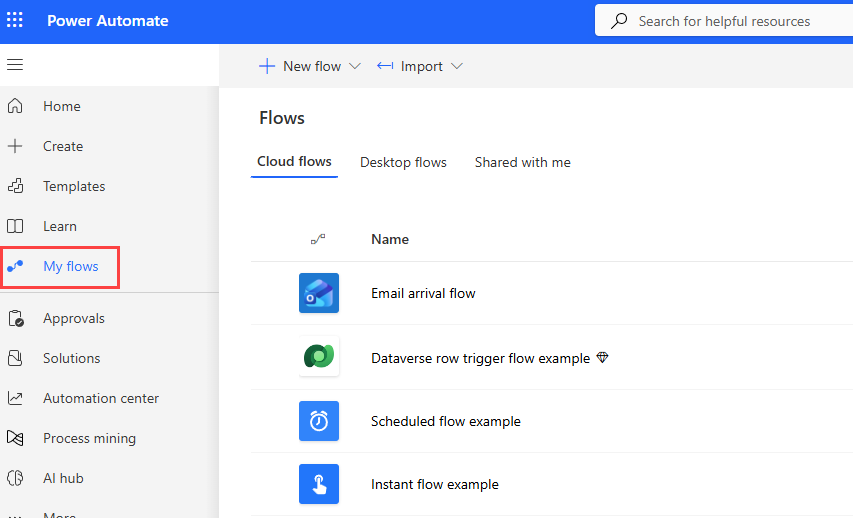
The key differences between cloud flows and agent flows are where you build them and how you're billed.
Built inside Copilot Studio. Agent flows are designed and managed in the same environment where you build your agent. You don't need to switch tools to add automation. The entire experience stays within Copilot Studio. For makers building agents, this consolidation removes a significant source of friction.
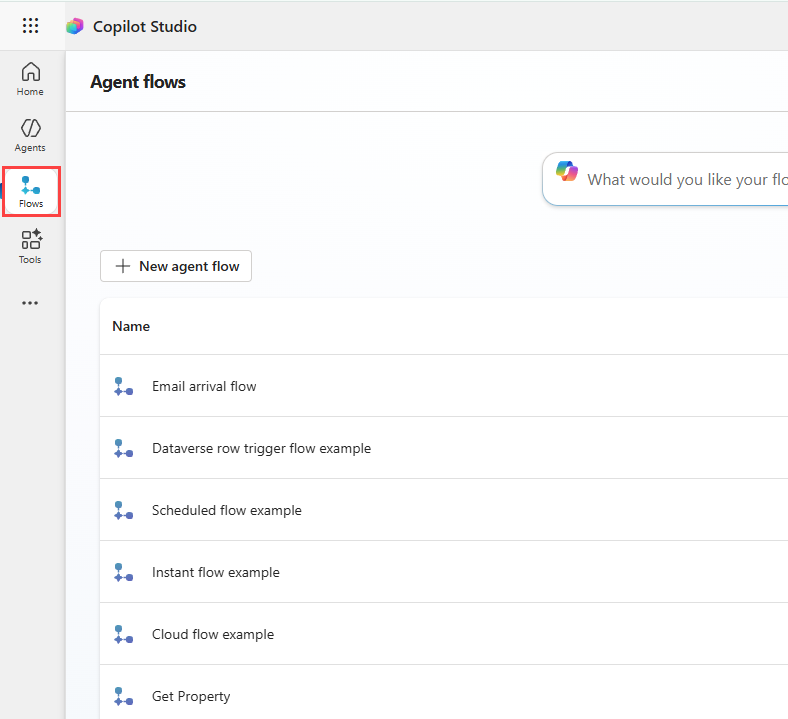
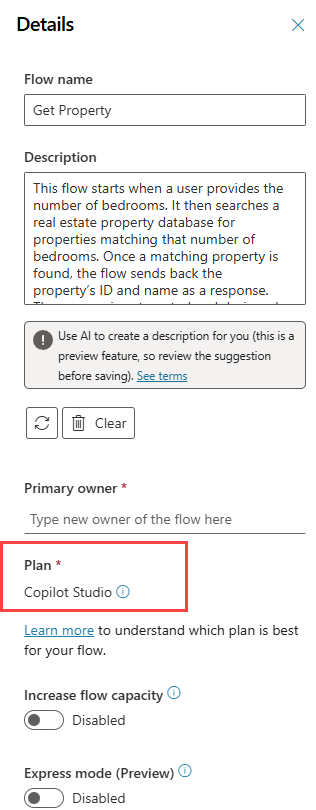
Billed through Copilot Credits. Cloud flows require a Power Automate license for each user. Agent flows, by contrast, are billed through Copilot Studio based on consumption, the number of actions that run. A separate Power Automate license is not required. This model makes it easier for makers already working in Copilot Studio to scale automation without introducing per-user licensing costs.
Agent flows use the Copilot Studio plan.
Note
Unlike cloud flows, agent flows can't be copied, shared, have co-owners, or give run-only permissions in Copilot Studio. Keep this in mind when planning your team's governance approach.
How agent flows are triggered
Every agent flow starts with a trigger—the event that causes the flow to run. There are three trigger types:
- Instant: Manually started on demand, or called by an agent or another flow. Use this for flows invoked programmatically rather than waiting for an external event.
- Scheduled: Run automatically on a recurring schedule, such as every morning at 8:00 AM. Useful for daily reports, batch processing, or recurring maintenance tasks.
- Automated: Run in response to an event in a connected system, such as a new email arriving, a record being created in Dataverse, or a file being added to SharePoint.
For the IT support scenario, an Automated trigger is the right fit. When a new message lands in the shared support inbox, that event fires the trigger and the flow begins processing. No one needs to click anything to start the agent flow.
Tip
Flows that use the instant Run a flow from Copilot trigger can be added directly as tools to a Copilot Studio agent. This lets an agent invoke the flow as part of a conversational or autonomous process, connecting natural language interaction with deterministic automation.
Action types
After the trigger fires, the flow runs one or more actions. Actions fall into four categories:
- Built-in tools: Control structures for looping and branching, data operations, date and time functions, and child flows. These are the logic building blocks that route execution, transform data, and call other flows.
- Connectors: Connect to external services to perform tasks and retrieve data. Connectors provide access to Microsoft 365 services (Outlook, Teams, SharePoint), third-party services like ServiceNow and Salesforce, and custom connections. In the IT support scenario, connectors handle the core work: looking up the sender in Office 365 Users, creating a ticket in ServiceNow, posting to Teams, and logging in Dataverse.
- AI capabilities: AI-driven actions that use large language models (LLMs) to generate text, run a prompt, process documents, or produce a natural language reply to a calling agent. These let you bring generative AI into a deterministic process where it adds value, such as summarizing an email before routing it.
- Human in the loop: Actions that pause the flow and collect human input before continuing. Approval requests and Request for Information actions both work this way. When your process needs a human decision in the middle of an automated sequence, these actions provide the pause point.