Manage access within Microsoft Foundry projects
Configuring role-based access control (RBAC) in Microsoft Entra ID defines who can manage your Microsoft Foundry environment, but access within projects needs a more granular approach. Each Foundry project includes its own set of roles and permissions that control who can view data, deploy models, and modify guardrails. Managing these roles separately keeps access aligned with actual responsibilities across teams.
In the Microsoft Foundry portal, the Management center lists Users in two places. Once under Resource for resource-level access and again under each Project for project-level access.
- The Resource-level Users view reflects permissions managed through Azure role-based access control (RBAC). These determine who can access or manage the Foundry resource itself.
- The Project-level Users view defines who can work inside a specific project and what in-portal permissions they have.
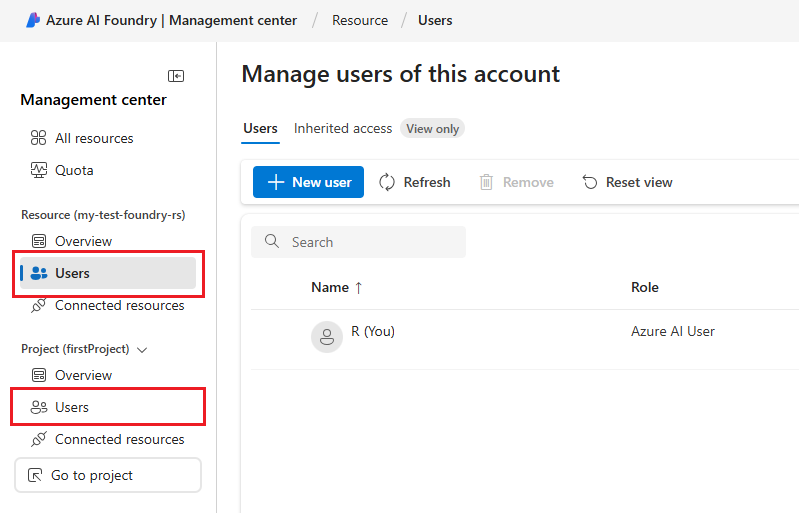
To manage project-level access, open Management center > Project > Users, then select New user. You can add users or groups and assign roles such as Azure AI User, Azure AI Project Manager, or Azure AI Account Owner. These roles provide progressively broader permissions, ranging from data access to full project management.
Apply the same least-privilege approach you used at the Azure layer:
- Grant project access only to active contributors.
- Match roles to real responsibilities, not job titles.
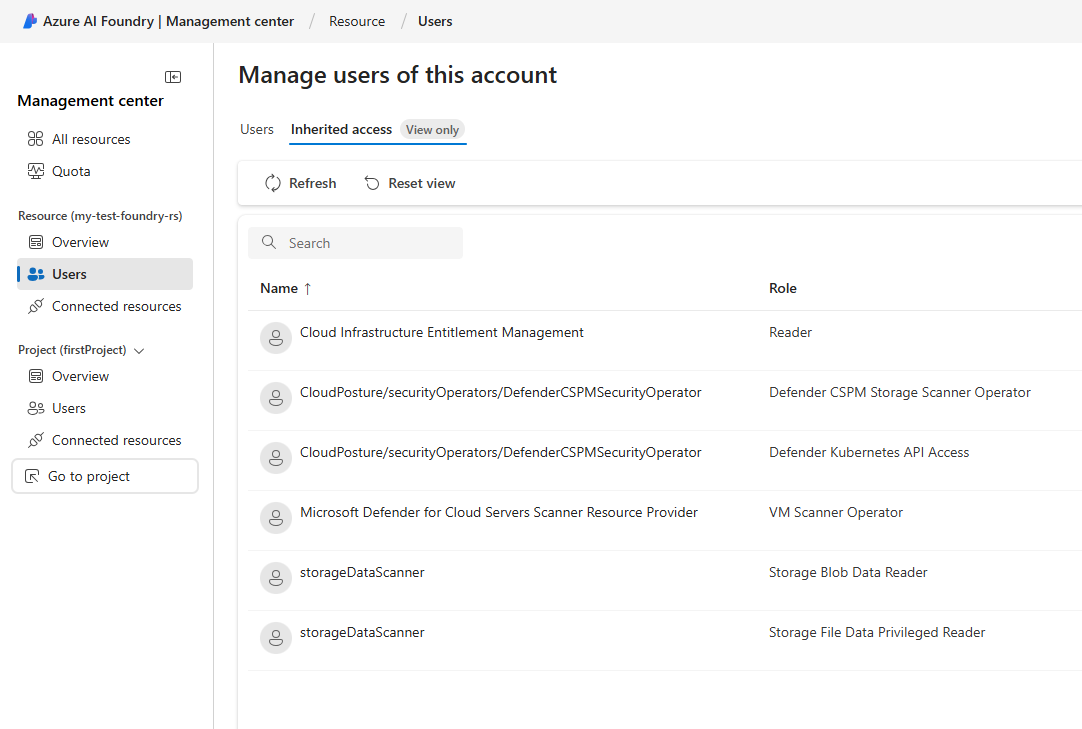
- Review access under Inherited access (view only) to identify users with permissions inherited from higher scopes.
The Inherited access list shows users and service accounts with permissions inherited from Azure RBAC assignments at higher levels, like the subscription or resource group. These permissions flow down automatically and can't be changed within the Foundry portal because they're managed in Microsoft Entra ID or the Azure portal.
A common configuration gives developers Contributor access within a specific Foundry project. A smaller operations group typically retains ownership to manage guardrails, diagnostics, and Defender for Cloud integrations. This separation of duties keeps administrative control aligned with accountability.
Extend access control across connected services
Foundry projects often rely on other Azure services. Consistent access boundaries across those dependencies prevent privilege drift and unintended data exposure.
- Azure Storage: restrict write access to only the containers used for model training or logs.
- Azure Key Vault: grant access to the managed identity used by inference or deployment services instead of individual users.
- Networking: use managed virtual networks and Private Link to isolate access paths between compute, storage, and model endpoints.
- Defender for Cloud: review security recommendations related to identity and network exposure across connected services.
Each supporting service should follow the same least-privilege principle you apply in Foundry. When access and network isolation stay consistent, AI workloads operate within predictable and auditable security boundaries.
When these access layers work together, Microsoft Foundry environments remain controlled and traceable. Microsoft Entra ID defines who can manage the infrastructure, while project roles govern who can work inside each project. Extending those same principles to connected services like Storage, Key Vault, and networks creates consistent boundaries that protect data and maintain accountability.
After defining access boundaries for Foundry projects, the next step is to protect the keys and connection information that support them with Azure Key Vault.